Summary
- SimplePractice, Jane and Cliniko are the safest picks for therapy, wellness and allied health clinics.
- Tebra and ModMed suit medical and specialty practices with heavy billing, and both sell by quote.
- Carepatron and Zanda Health keep costs low, and Carepatron has a free plan.
- Add-ons such as SMS, telehealth and AI notes change the real price, so total them before you decide.
The Best Practice Management Software at a Glance
| Software | Best for | Choose it if |
|---|---|---|
| 1. SimplePractice | Therapy and wellness practices | Solo and small group practices that want one system for everything |
| 2. Jane | Allied health and multi-discipline clinics | Clinics that want a polished front desk and patient experience |
| 3. Tebra | Independent medical practices | Practices with real insurance billing volume |
| 4. Cliniko | Small allied health clinics | Practices that want a simple, predictable flat price |
| 5. Carepatron | New and budget-conscious practices | Teams that want to start free and add paid features later |
| 6. Practice Better | Nutrition, coaching and wellness practices | Practices that sell programs and packages |
| 7. Zanda Health | Growing allied health and wellness clinics | Clinics that add practitioners and want predictable cost |
| 8. ModMed | Specialty medical groups | Dermatology, ophthalmology and orthopedic practices |
The 8 Best Practice Management Software Options, Ranked
I start with the systems that suit the widest range of small practices and move toward specialty platforms, so you can stop reading once you find your fit. The software is only part of the result: in the practice management consulting work I review, a clear workflow matters as much as the system that runs it.
SimplePractice
The Most Complete All-in-One Choice for Therapy and Behavioral Health Practices
SimplePractice combines scheduling, client records, telehealth, billing and a client portal in one login, built mainly for solo and small group practices in mental health and wellness.
When a practice owner asks me for one system that covers the whole front-to-back path, SimplePractice is usually the first name on my list. Booking, intake forms, notes, video sessions, invoices and insurance claims sit in one place, so your team is not stitching together five tools. The client portal handles forms and payments before the visit, which takes real pressure off a one-person front desk.
The trade-off is fit. SimplePractice is shaped around therapists and similar providers, so a multi-specialty medical group will find the workflows narrow. Add-ons also stack up: note-taking help, e-prescribing and the AI features are billed on top of the plan. Do the math on your real setup before you commit, and see my practice management metrics to decide which numbers you want the reports to show.
What SimplePractice Does Well
- Scheduling, notes, telehealth and billing live in one system
- The client portal removes much of the paperwork before a visit
- A large user base means plenty of training material and community help
What SimplePractice Could Do Better
- Built for therapy-style practices, so larger medical groups outgrow it
- Add-ons such as e-prescribing and AI notes raise the real monthly cost
SimplePractice Pricing
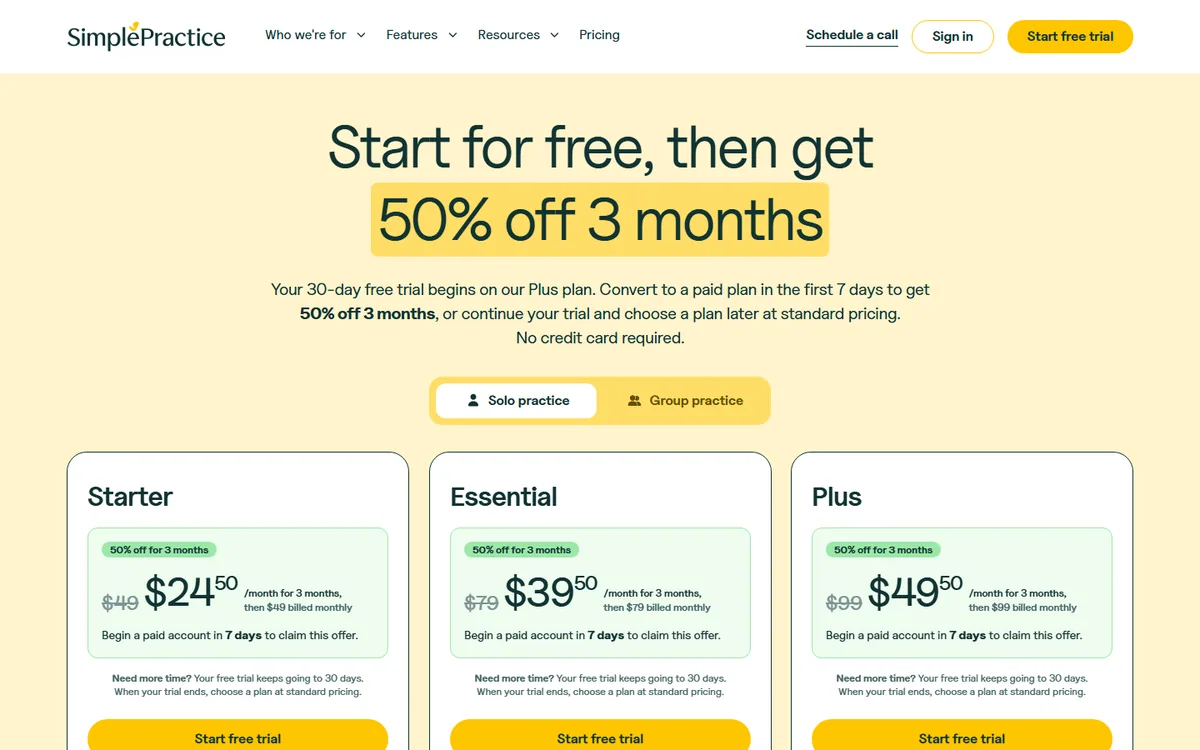
SimplePractice lists three plans per clinician per month: Starter at $49, Essential at $79 and Plus at $99. Plus adds group appointments, group telehealth, advanced analytics and a premium support phone line, and extra practitioners on Plus cost $74 each per month. Introductory discounts appear on the page, so check the standard price before you budget.
SimplePractice Reviews
- G2: score of 4.1 out of 5 (from 128 customer reviews)
- Capterra: score of 4.6 out of 5 (from 2,828 customer reviews)
Jane
A Friendly, Well-Designed System for Multi-Discipline Clinics That Value Ease of Use
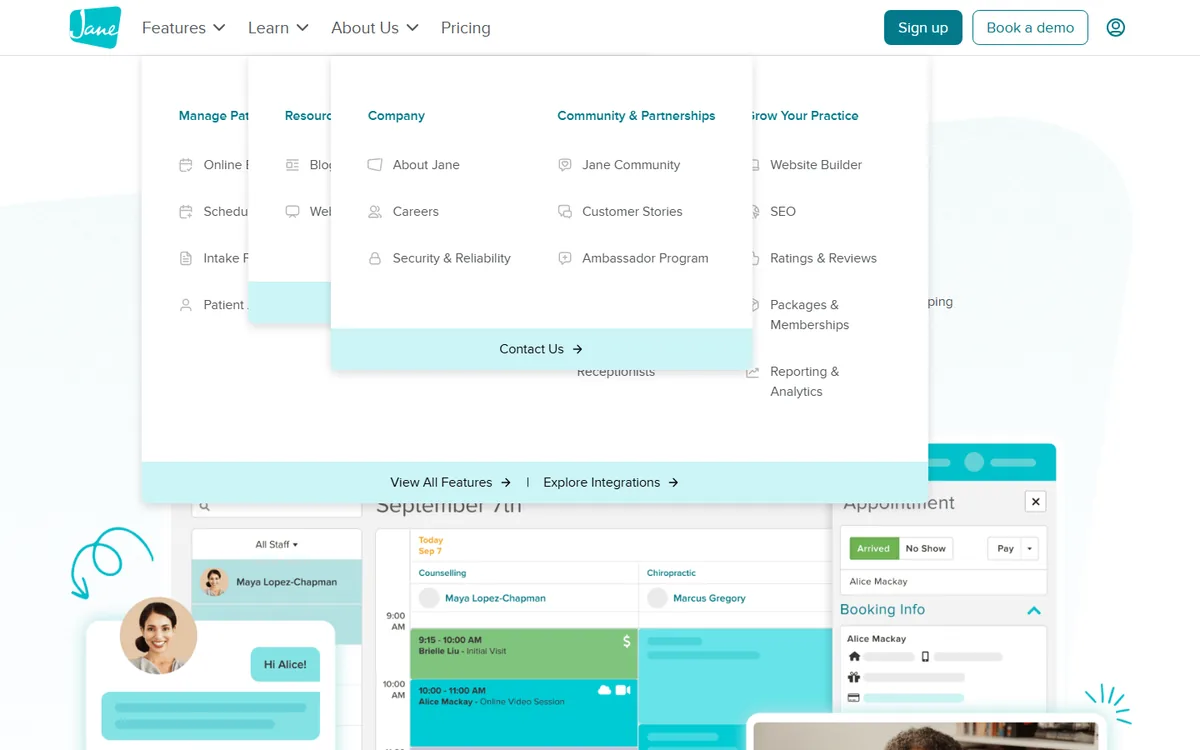
Jane is a cloud-based practice management system for allied health clinics, with online booking, charting, billing and a clean patient experience.
Jane is the system I hear praised most by the front desk, and that matters more than owners expect. Online booking is simple, reminders go out automatically and the schedule view makes multi-practitioner clinics easy to read. Charting, billing and payments are built in, and admin or support staff without bookable hours can be added at no charge, which keeps costs sensible for clinics with a large support team.
Jane has no free trial, which makes testing harder than with most rivals. You can use a demo account or book a call with sales, but you do not get to run your own clinic in it for a month. Pricing also depends on how many practitioners book appointments. If you are comparing it against others, run the numbers on your headcount first and use my practice management strategies to line up what you need from the system.
What Jane Does Well
- Booking and scheduling are easy for patients and staff alike
- Support and admin staff can be added free of charge when they have no bookable hours
- Charting, billing and payments are included in the core plans
What Jane Could Do Better
- There is no free trial, only a demo account
- Extra practitioner licenses add up in larger clinics
Jane Pricing
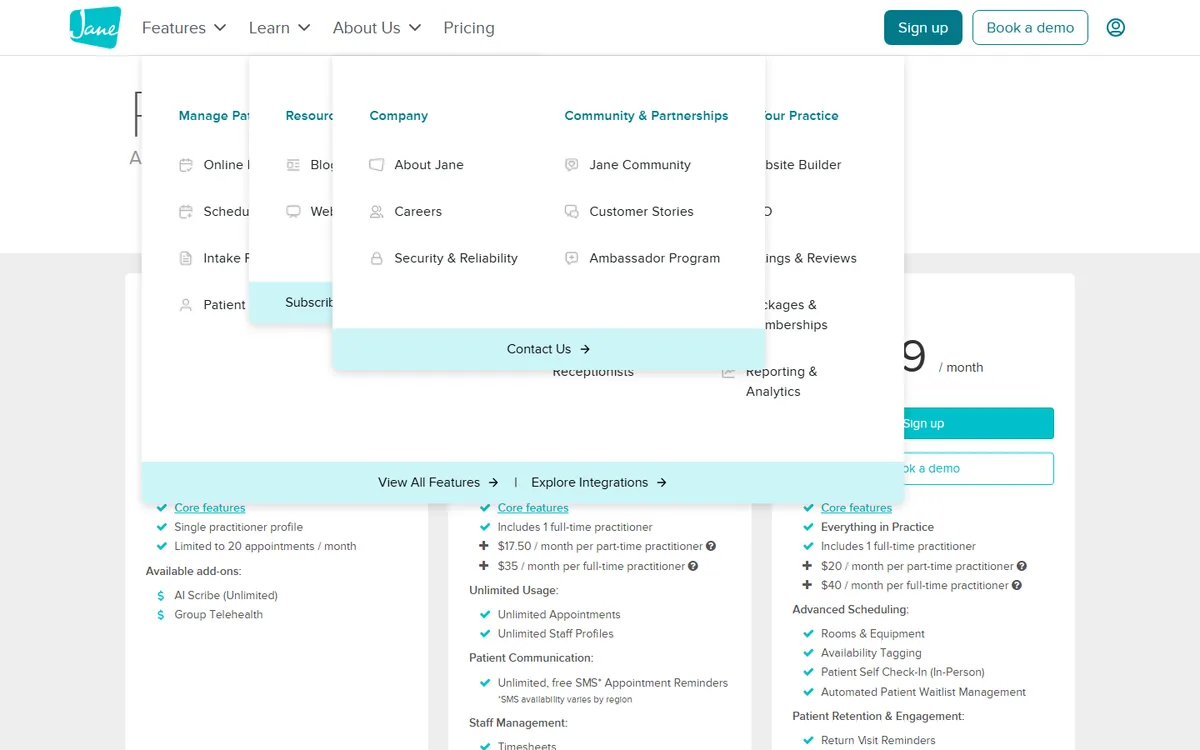
Jane lists three plans: Balance at $59 per month (one practitioner, 20 appointments a month), Practice at $79 and Thrive at $99 for one full-time practitioner. Additional practitioners are billed per license, and the page does not show those prices in plain text, so ask the vendor for your exact number. Staff with no bookable hours are free.
Jane Reviews
- G2: I could not find a verified G2 listing with a rating for this product
- Capterra: score of 4.8 out of 5 (from 538 customer reviews)
Tebra

A Broad Medical Platform That Joins Billing, EHR and Patient Marketing
Tebra, formed from Kareo and PatientPop, covers the clinical record, billing and patient acquisition tools for independent medical practices.
Tebra makes sense when billing is the part of your practice that hurts most. It bundles an EHR, a billing system and patient engagement tools, and you can start with a billing or EHR piece and add the rest later. For an independent medical practice with real insurance volume, that modular path is more useful than a single flat bundle.
The catch is price clarity. Tebra does not publish base subscription prices, so you describe your practice and get a quote, and what you pay depends on provider count and the features you choose. That makes comparison slow. Public ratings are also mixed compared with the smaller tools in this list, so ask for a reference from a practice your size before you sign. A cleaner billing process helps whichever system you choose, and a revenue cycle management consulting review can show where the money leaks.
What Tebra Does Well
- EHR, billing and patient tools come from one vendor
- You can start with billing or the EHR and add modules later
- Lower-tier pricing is offered to providers with low claim volume
What Tebra Could Do Better
- Base prices are not published, so comparison takes a sales conversation
- Public ratings are lower than most rivals in this list
Tebra Pricing
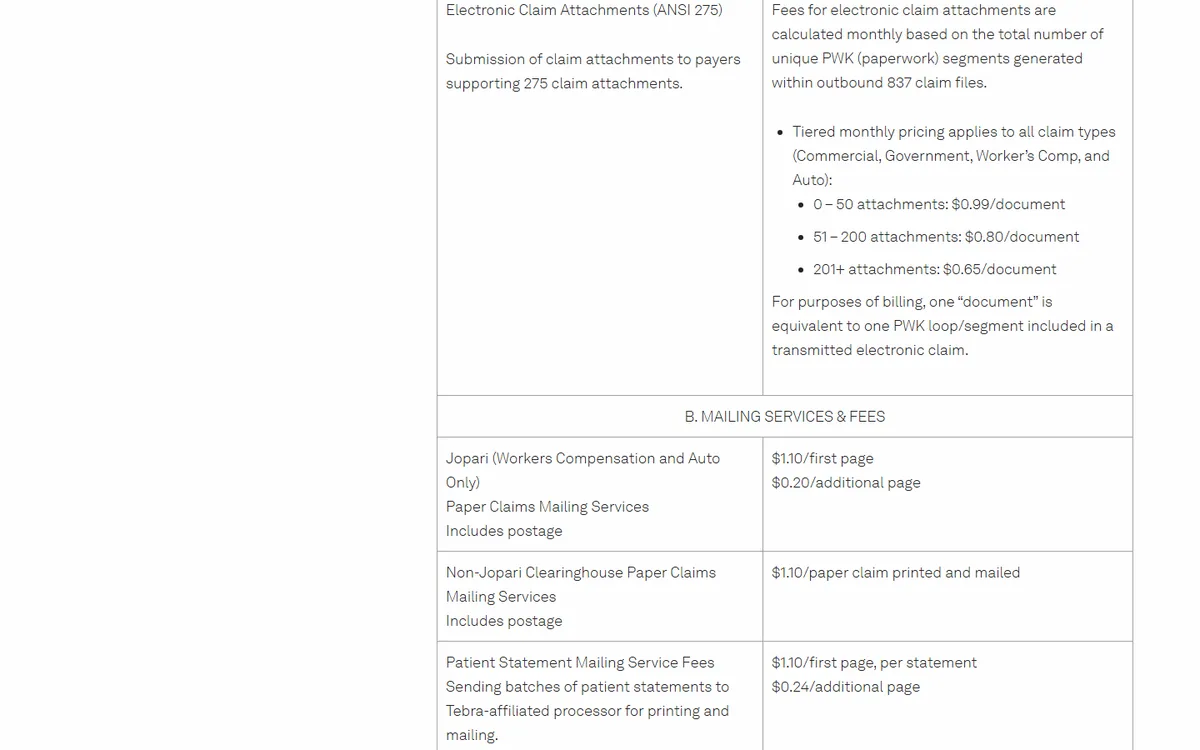
Tebra does not publish subscription prices. You describe your practice on its site and receive a custom quote, and the price depends on provider count and the features you pick. Its page does list one-time fees for add-ons such as about $75 per provider for e-prescribing of controlled substances setup, and says non-clinical staff carry no extra per-seat charge.
Tebra Reviews
- G2: score of 4.1 out of 5 (from 259 customer reviews)
- Capterra: score of 4.0 out of 5 (from 1,391 customer reviews)
Cliniko
The Simplest Flat-Rate Option for Small Allied Health Practices
Cliniko handles appointments, treatment notes, invoicing and online booking for physios, chiropractors, massage therapists and similar practitioners.
Cliniko stays out of your way. You get online booking, reminders, patient records, SOAP notes and invoicing in a clean interface, and reviewers consistently describe it as quick to learn. For a small clinic, that matters: a new part-time receptionist can use it after one short session.
The limits show up as you grow. Reviewers mention light reporting, no recurring invoices or membership handling, and limited accounting integration. If you need deep analytics or insurance claims workflows, you will outgrow it. Keep the feature gap in mind and check the figures in my guide to practice management metrics against what its reports can show.
What Cliniko Does Well
- The interface is easy to learn, even for part-time staff
- Pricing is a flat tier by practitioner count
- A 30-day free trial lets you test it with your real schedule
What Cliniko Could Do Better
- Reporting is limited compared with larger systems
- No recurring invoices or membership management
Cliniko Pricing
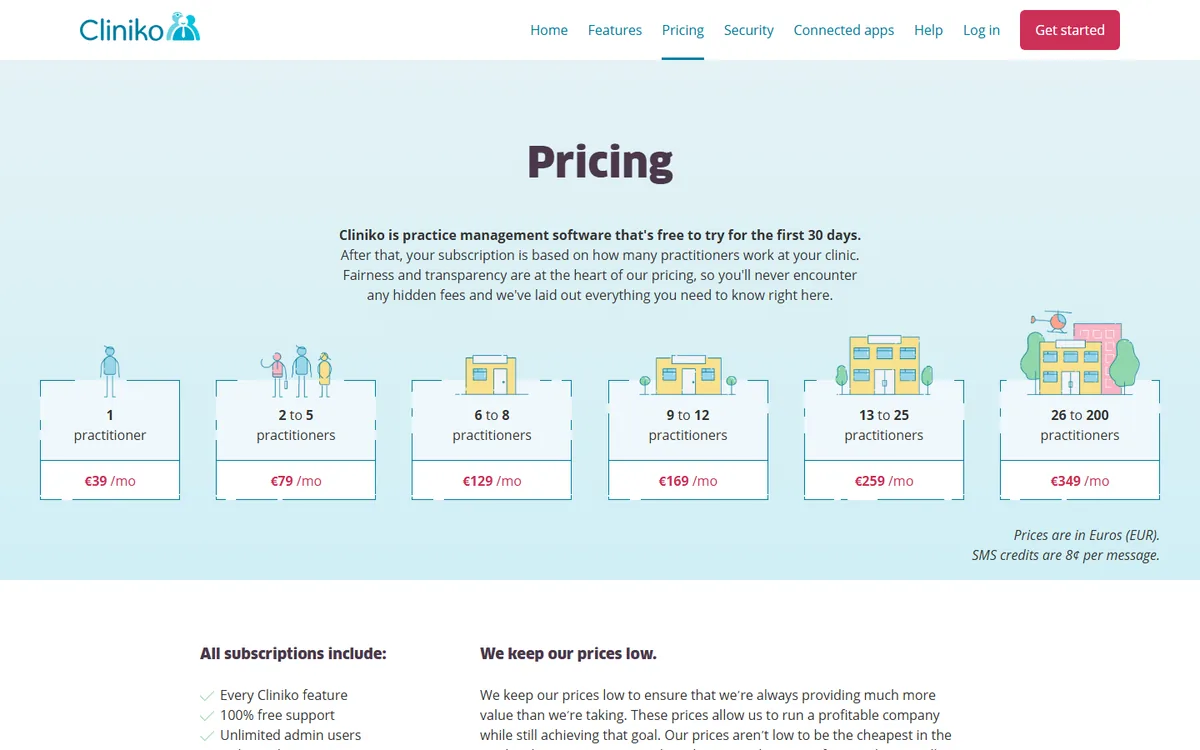
Cliniko prices by practitioner count: $45 per month for one practitioner, $95 for 2 to 5, $145 for 6 to 8, $195 for 9 to 12, $295 for 13 to 25 and $395 for 26 to 200. A 30-day free trial is available.
Cliniko Reviews
- G2: score of 4.9 out of 5 (from 12 customer reviews)
- Capterra: score of 4.7 out of 5 (from 24 customer reviews)
Carepatron
A Free-to-Start Platform With Built-In AI Notes for Cost-Conscious Practices
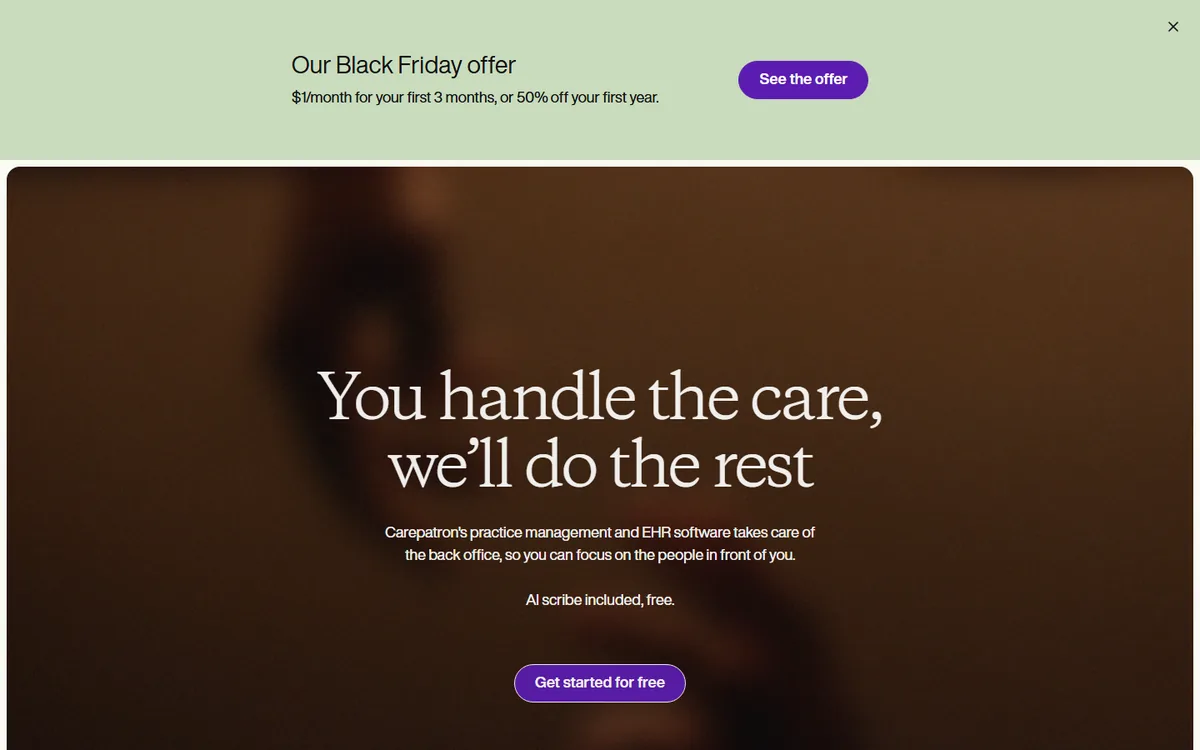
Carepatron offers a free plan with scheduling, a client portal, telehealth and an AI note taker, plus paid tiers for more storage and features.
Carepatron is the cheapest serious way into practice software. The free plan includes unlimited clients, telehealth, a client portal, online payments and an AI note taker, which is rare. For a new practice testing demand, or a team that wants to try a system without budget approval, that removes the first barrier.
Free plans have limits. Storage is small, email sends are capped, and SMS, group telehealth and custom branding sit in paid tiers. Practitioners are billed per user, so check what your headcount costs. As with any newer platform, I would ask how data export works before you load years of records, and run a short pilot with one provider first.
What Carepatron Does Well
- A free plan covers scheduling, telehealth, a client portal and AI notes
- Paid tiers are cheap compared with most systems here
- Unlimited clients, even on the free plan
What Carepatron Could Do Better
- SMS reminders and group telehealth need a paid plan
- Storage and email limits on the free plan are tight for busy practices
Carepatron Pricing
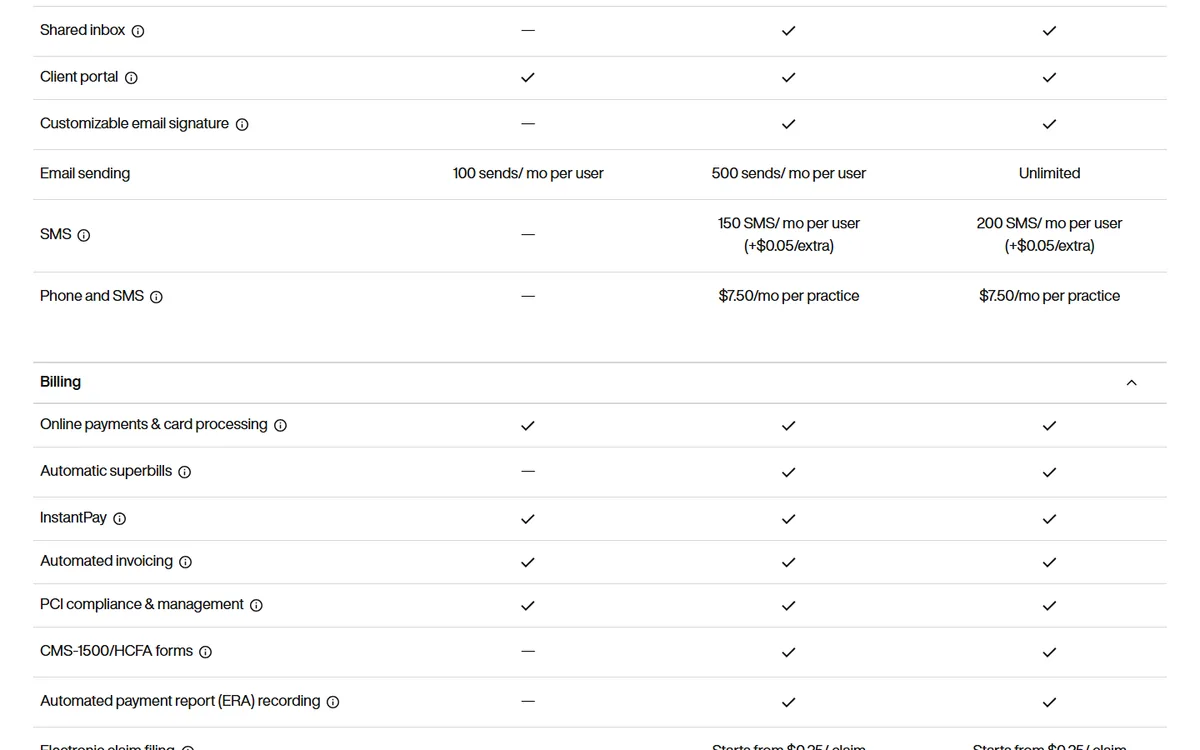
Carepatron has a free plan at $0, a Plus plan listed at $31 per month and an Advanced plan listed at $39, billed per user. The page shows 50 percent off for the first six months and 20 percent off for yearly billing. The listed per-user rate is not spelled out for each plan, so confirm it before you buy.
Carepatron Reviews
- G2: score of 4.5 out of 5 (from 675 customer reviews)
- Capterra: score of 4.4 out of 5 (from 860 customer reviews)
Practice Better
The Best Fit for Nutrition, Coaching and Wellness Practices With Programs and Courses
Practice Better combines scheduling, charting, billing and client programs for dietitians, health coaches and wellness practitioners.
Practice Better stands out when your practice sells programs, not just appointments. Packages, group programs, meal plans, forms and a client app are built in, so a nutrition or coaching practice can run an entire offer from one place. A free Sprout plan exists for students and new practitioners, and every paid plan has a trial.
It is not a fit for insurance-heavy medical practices. Its strength is the client experience and program delivery, not claims. Its pricing page also shows two sets of numbers, one for monthly billing and one for annual, so be careful which one you compare. If your practice sells services rather than visits, it is worth a trial, and my notes on practice management strategies explain how to price and package them.
What Practice Better Does Well
- Programs, packages and group offers are built in
- A free plan exists for students and new practitioners
- Client app and portal feel modern
What Practice Better Could Do Better
- Not designed for insurance-heavy medical billing
- Listed monthly and annual prices differ, which confuses comparison
Practice Better Pricing
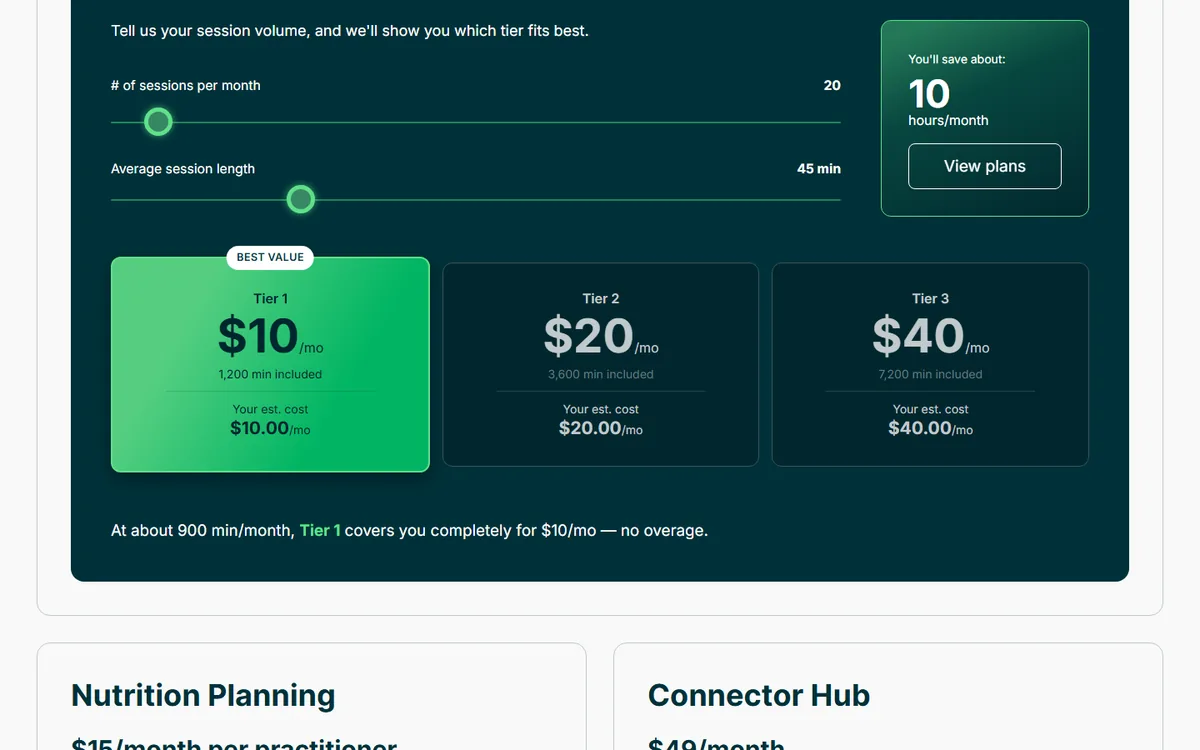
Practice Better lists Starter at $35 per month, Professional at $69, Plus at $99 and Team at $155 when billed monthly, with lower figures of $25, $59, $89 and $145 in the annual feature table. The free Sprout plan supports three clients. Paid plans come with a 14-day trial, and the Team plan has 30 days.
Practice Better Reviews
- G2: score of 4.7 out of 5 (from 299 customer reviews)
- Capterra: score of 4.8 out of 5 (from 97 customer reviews)
Zanda Health
A Good Value Pick for Growing Clinics That Add Practitioners Over Time
Zanda Health, formerly Power Diary, offers online booking, client records, reminders and billing with a simple base-plus-per-practitioner price.
Zanda is easy to budget for. A solo plan is cheap, and the Growth plan charges a base fee plus a set amount per additional practitioner, so your cost rises in step with your team instead of jumping a tier. It covers the basics well: online booking, reminders, notes, invoicing and an optional AI add-on for notes.
Check the details of add-ons. Telehealth, SMS and the AI assistant are priced separately, and SMS is charged per message. The introductory discount on the page also depends on when you start, so make sure you compare standard prices. For a clinic planning to add providers over the next two years, it is a sensible one to price out against Jane and Cliniko.
What Zanda Health Does Well
- Per-practitioner pricing scales smoothly as you add providers
- A 14-day free trial needs no credit card
- Reviewers rate it well on both G2 and Capterra
What Zanda Health Could Do Better
- Telehealth, SMS and AI features cost extra
- Intro discounts make the real standard price easy to overlook
Zanda Health Pricing

Zanda Health lists Starter at US$29 per month for one practitioner and Growth at US$49 per month plus US$29 for each additional practitioner. Add-ons include BizzyAI Pro at US$19 per user, Telehealth Pro at US$9 per practitioner and SMS at US$0.09 per message. A 14-day trial needs no credit card.
Zanda Health Reviews
- G2: score of 4.7 out of 5 (from 311 customer reviews)
- Capterra: score of 4.6 out of 5 (from 217 customer reviews)
ModMed
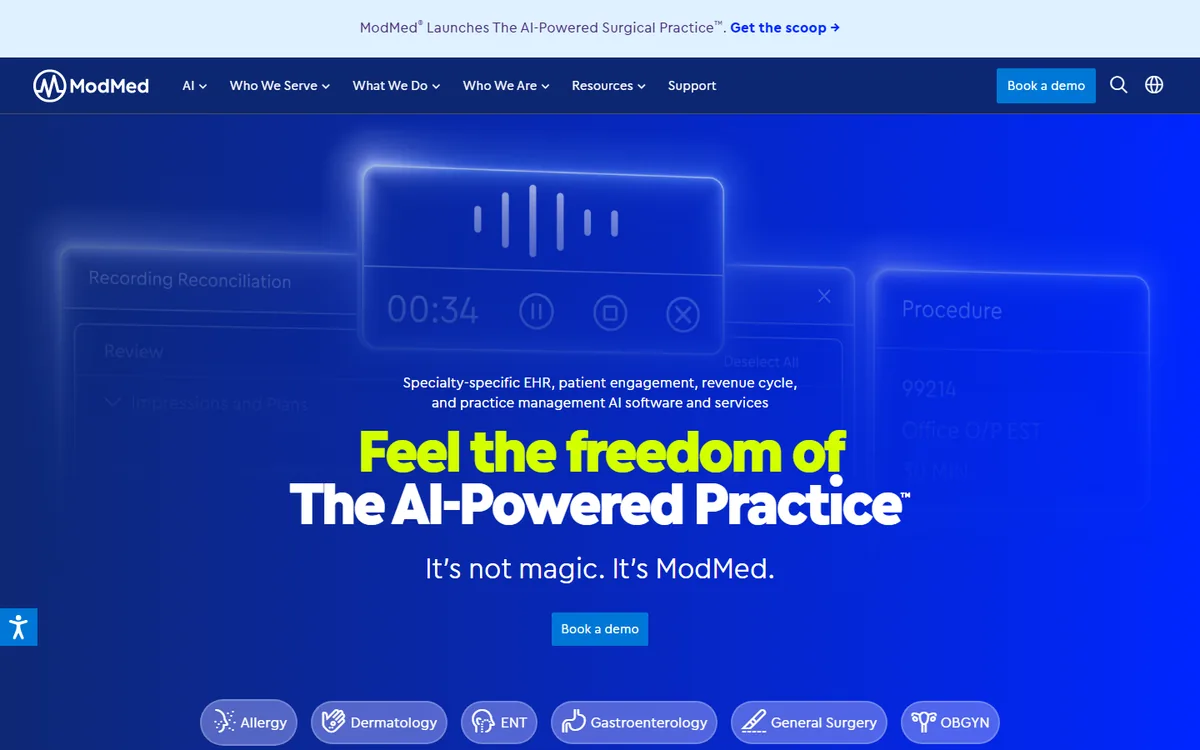
A Specialty-Focused Platform for Dermatology, Ophthalmology and Orthopedics
ModMed offers specialty-specific EHR and practice management software, with templates and workflows built for each medical field.
ModMed is different from the rest of this list. It does not try to serve every practice; it builds separate products for specialties such as dermatology, ophthalmology and orthopedics, with templates and workflows made for how those clinics actually see patients. If you run one of those practices, that depth can save hours of setup.
It is also the heaviest option here. Expect a sales process, implementation work and a quote instead of a signup page, and plan for staff training time. A solo therapist does not need it. A specialty group with high visit volume might, and it is worth comparing against the generalist systems above before you let a demo decide for you.
What ModMed Does Well
- Workflows and templates are built for each specialty
- Suits larger, high-volume specialty groups
- Broad coverage across clinical, billing and patient engagement tools
What ModMed Could Do Better
- No published pricing, so you must request a quote
- Implementation and training take real time
ModMed Pricing
I could not find published ModMed prices. The vendor sells by quote, and cost depends on the specialty, number of providers and modules, so request a quote and ask what implementation and training cost on top of the subscription.
ModMed Reviews
- G2: score of 4.5 out of 5 (from 447 customer reviews)
- Capterra: score of 4.5 out of 5 (from 568 customer reviews)
Estimate the Return on Practice Management Software
Before you pick a plan, check whether the numbers work for you. Enter the weekly admin hours you want to remove and the monthly price of the system you are considering, and you will see what it could return in a year.
Will It Pay for Itself?
Adjust the sliders to your workload and the plan you are looking at.
How to Choose the Right Practice Management Software
In my experience, fit with your specialty and your billing model decides more than any feature list. Before you compare vendors, I suggest you answer four questions:
- Do you bill insurance, or do clients pay you directly?
- How many practitioners book appointments, now and in two years?
- Do you need charting and telehealth in the same system, or only scheduling and billing?
- Can you export your data cleanly if you decide to leave?
If you see clients privately and want simplicity, Cliniko, Jane or Zanda Health will do the job. If you run a therapy practice, start with SimplePractice. If insurance billing is your main pain, look at Tebra, and if you run a specialty group, price out ModMed. Whichever you choose, the metrics in my guide to practice management metrics tell you whether the system is improving your practice.
Questions About Choosing Practice Management Software
What Is Practice Management Software?
Practice management software runs the business side of a practice: scheduling, patient or client records, billing, payments, reminders and reporting. Many systems also include an EHR or charting. Most small practices use it to replace paper, spreadsheets and phone calls with one shared system.
How Much Does Practice Management Software Cost?
Among the tools I reviewed, entry prices run from a free plan at Carepatron to about $29 to $99 per practitioner per month for most others. Specialty and enterprise systems such as ModMed and Tebra sell by quote. Add-ons for SMS, telehealth, e-prescribing and AI notes can raise the real cost, so total the plan and the extras for your headcount.
Which Practice Management Software Is Best for a Small Practice?
For a small therapy or wellness practice I would start with SimplePractice or Zanda Health. For a clinic with several disciplines, Jane is a strong pick, and Cliniko suits a small allied health clinic that wants a flat price. If you are testing demand on a tight budget, try the free Carepatron plan first.
Do I Need an EHR as Well as Practice Management Software?
It depends on the tool. Some systems in this list, such as Cliniko, Jane and SimplePractice, include charting, so you may not need a separate EHR. Larger medical practices often pair or choose a combined EHR and billing platform such as Tebra or ModMed. Check what each plan actually includes before you buy a second system.
Is Practice Management Software HIPAA Compliant?
Most vendors in the US healthcare market state that they support HIPAA compliance and will sign a business associate agreement. That does not make your practice compliant by itself. Your own settings, passwords and staff habits matter too, so ask for the agreement in writing and check current requirements with your adviser.
How Long Does It Take to Switch Systems?
A small practice can often move in a few weeks, mostly spent exporting records, setting up appointment types and training staff. Larger groups take longer. Start with a pilot for one provider, check that your data exports cleanly, and plan the cutover for a quiet period.
Should I Get a Consultant to Help Me Choose?
If you have one provider and simple needs, a few trials will answer the question. If you have several providers, billing complexity or a migration to plan, outside help usually pays for itself. The <a href="/practice-management-consulting-services/">practice management consulting</a> team can review your workflow before you pick a tool.
Note: Prices, plans and ratings change frequently. We checked them at the last update, so confirm them with each vendor before buying. This is not legal or financial advice.
Did you find this helpful?
Thank you for your feedback.
Delaney Brisco
Delaney leads the Tavo editorial team and works with our consultants to turn real client projects into practical guides on project delivery, process design and organizational change. Before joining Tavo, she spent 12 years in operations and program management roles. She has since edited more than 300 articles on management practice and reviewed PMO setups and process redesigns from over 100 client projects. She is based in Minneapolis, Minnesota.