Summary
- Project tools such as monday.com, Asana and Trello keep the change plan, owners and dates in one place.
- Miro and Slack help you think together and answer questions fast, but they do not track commitments.
- Digital adoption platforms such as WalkMe, Whatfix and Userlane pay off when many people learn new software at once.
- Choose for the job your change needs most, then pilot with real users before you commit.
The Best Change Management Tools at a Glance
| Tool | Type | Best for |
|---|---|---|
| 1. monday.com | Work management | Tracking tasks and status across a whole change program |
| 2. Asana | Work management | Cross-team handoffs with clear ownership |
| 3. Smartsheet | Spreadsheet-style work management | Site-by-site readiness trackers |
| 4. Miro | Online whiteboard | Stakeholder maps and impact workshops |
| 5. Trello | Kanban boards | Small changes on a tight budget |
| 6. Wrike | Work management | Larger programs with request forms and reporting |
| 7. Slack | Team messaging | Quick questions and updates during go-live |
| 8. Staffbase | Employee app and intranet | Reaching frontline staff on their phones |
| 9. Culture Amp | Employee surveys | Pulse surveys on how people feel about the change |
| 10. WalkMe | Digital adoption platform | Large software rollouts with many users |
| 11. Whatfix | Digital adoption platform | In-app guidance plus usage analytics |
| 12. Userlane | Digital adoption platform | Mid-sized rollouts that need a quick start |
The 12 Best Change Management Tools, Ranked
I start with the tools that suit the widest range of teams and move toward specialist platforms for communication, feedback and software adoption, so you can stop reading once you find your fit. Keep in mind that the tool is only part of the result: in the change management consulting projects I review, a clear plan and prepared managers matter more than the platform.
monday.com
The Best All-Round Board for Tracking Tasks, Owners and Status Across a Whole Change Program
monday.com turns a change plan into boards with owners, due dates, status colors, dashboards and simple automations.
I put monday.com first because it handles the daily grind of a change program better than most tools. You build one board per workstream, such as communications, training and go-live readiness, then roll them up into a dashboard your sponsor can read in a minute. Automations send a reminder when a training task is late or move an item when a manager signs off.
In my client work, the dashboard view is what gets used. A sponsor who sees red items by team asks the right questions without a status meeting, which fits the step-by-step logic in my change management framework. The weak spot is the seat model: plans are sold in seat buckets with a three-seat minimum on the cheapest plan, so price the tool at your real headcount before you commit.
What monday.com Does Well
- Dashboards give sponsors a status view without extra reporting
- Boards are quick to set up, even for people who never used a project tool
- Automations remove most of the chasing for overdue tasks
What monday.com Could Do Better
- Seat buckets and the three-seat minimum make small-team pricing less obvious
- Advanced reporting and automation limits sit on higher plans
monday.com Pricing
monday.com has a free plan for very small teams. Capterra lists paid plans from $9 per user per month, billed annually, with a three-seat minimum. Higher plans add more automations, integrations and dashboard capacity, and enterprise pricing is quoted.
monday.com Reviews
- G2: score of 4.7 out of 5 (from +17,900 customer reviews)
- Capterra: score of 4.6 out of 5 (from +6,100 customer reviews)
Asana
A Strong Pick When Several Teams Must Hand Work to Each Other and You Need Clear Ownership
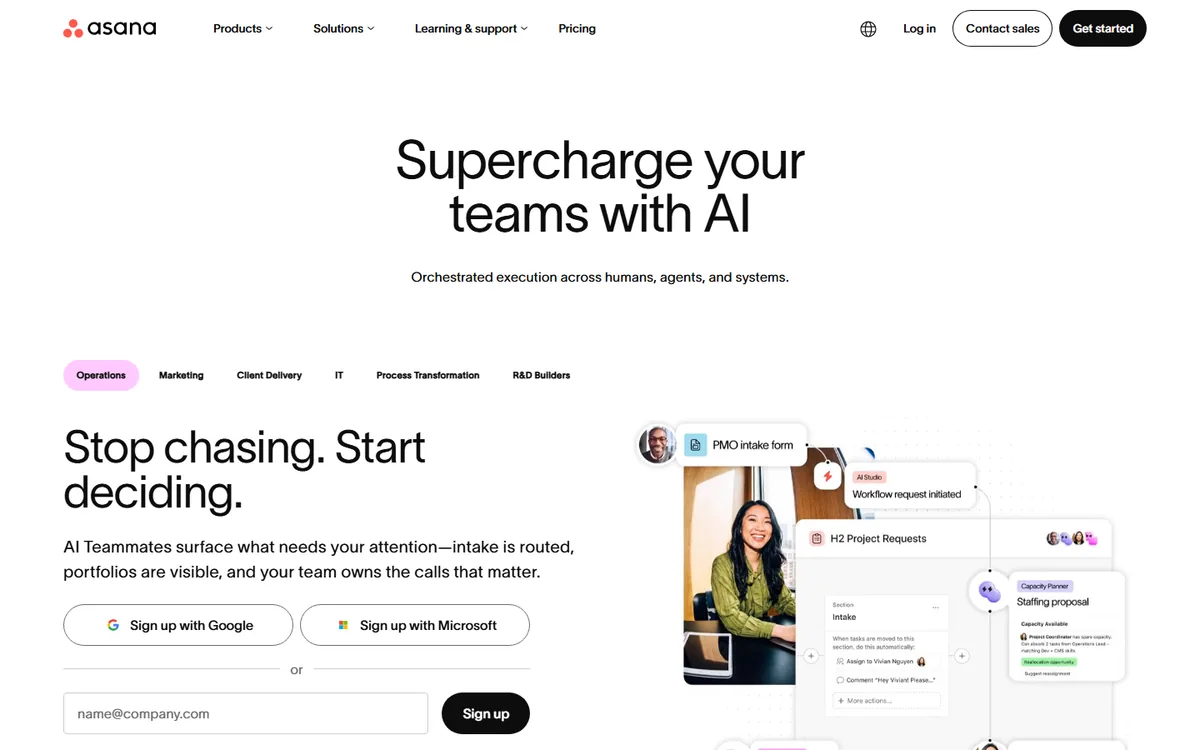
Asana organizes change work into projects, tasks, timelines and goals, with clear owners on every item.
Asana shines when a change cuts across departments. Each task has one owner and a due date, dependencies show what blocks what, and the timeline view lets you check whether training really finishes before go-live. Goals link the project to the business result it promised, which keeps the conversation about outcomes.
I recommend it to teams that already live in task lists and want the change plan in the same place. I have seen it work well for rollouts with ten to thirty workstreams. It is less suited to staff who just need information, because those people should not have to log in to a work tool to read an announcement.
What Asana Does Well
- One owner per task makes accountability visible
- Timeline and dependencies show risks to the go-live date
- Goals connect project work to the result the sponsor expects
What Asana Could Do Better
- Many useful features sit on paid plans
- Staff who only need updates find a work tool too heavy
Asana Pricing
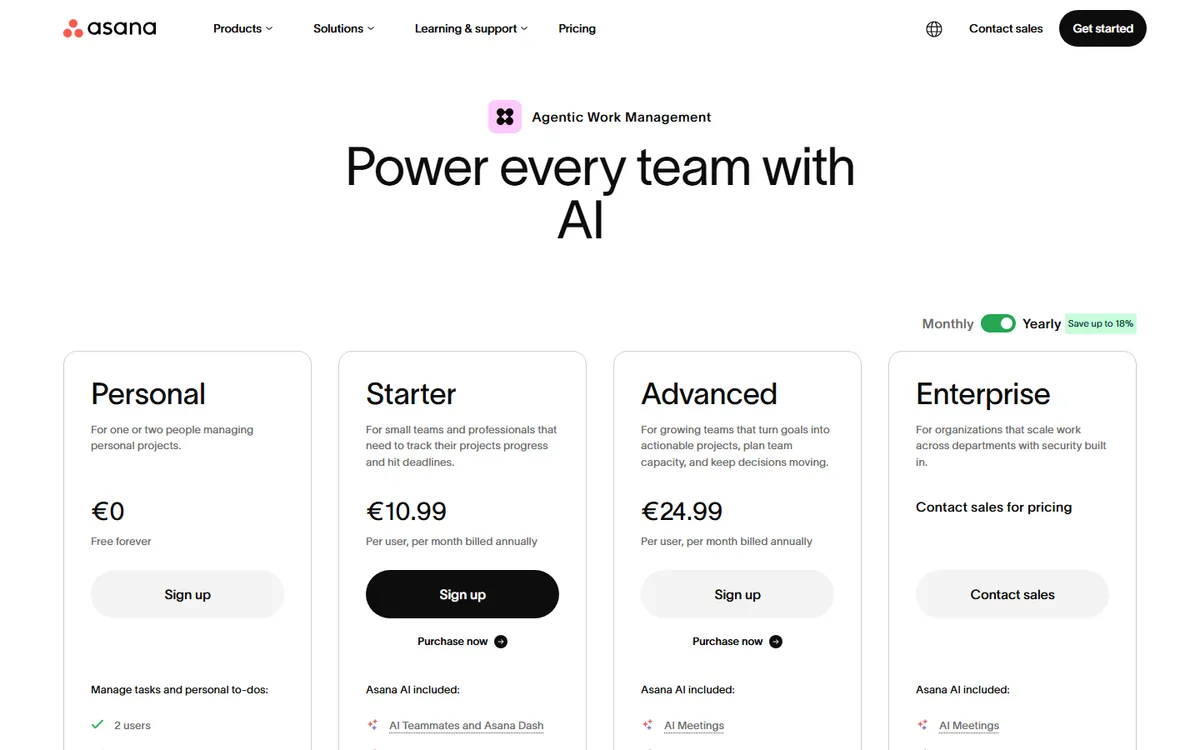
Asana has a free personal plan. Capterra lists paid plans from $10.99 per user per month. Higher tiers add portfolios, goals, workflow automation and admin controls, and enterprise pricing is quoted.
Asana Reviews
- G2: score of 4.4 out of 5 (from +14,100 customer reviews)
- Capterra: score of 4.5 out of 5 (from +13,700 customer reviews)
Smartsheet
The Spreadsheet-Style Tool for Teams That Want Structure Without Leaving a Familiar Grid
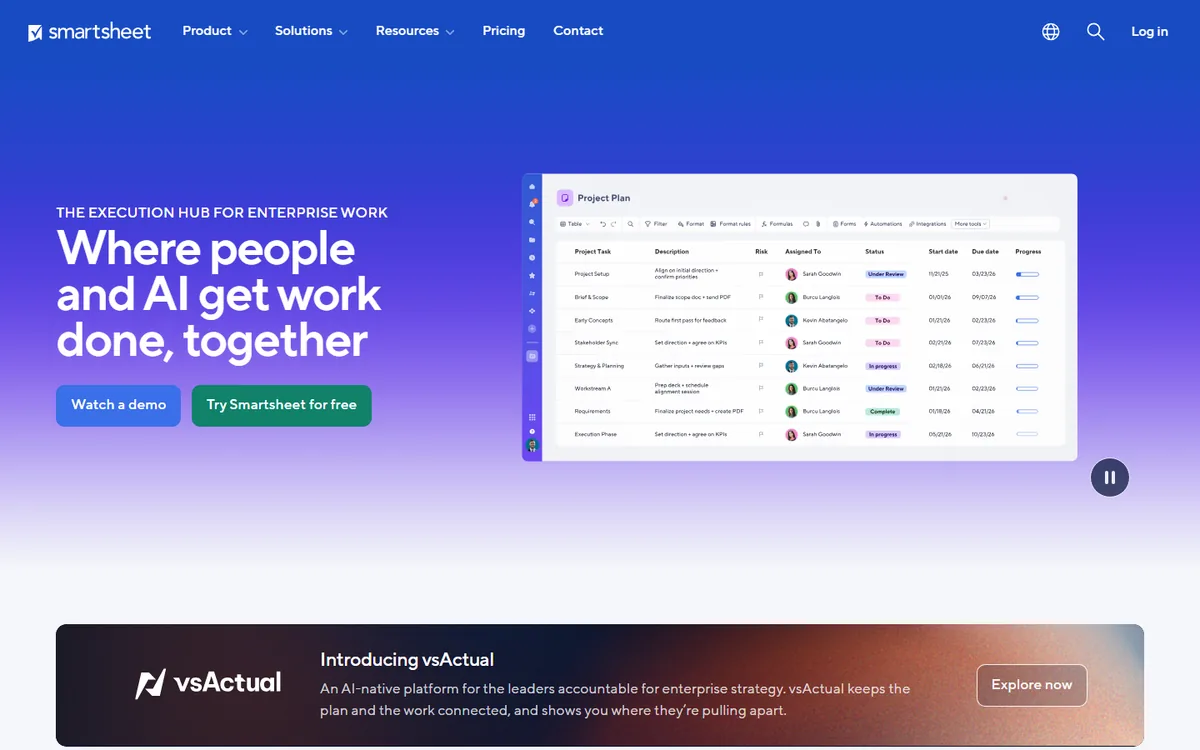
Smartsheet gives you a grid that feels like a spreadsheet, with Gantt views, forms, dashboards and approval workflows on top.
Smartsheet is the tool I suggest when your organization runs on spreadsheets and nobody wants to learn a new mental model. The grid looks familiar, yet each row can hold owners, dependencies, attachments and automated alerts. Intake forms let managers report impacts and risks in a standard format.
For change work it is strong on readiness trackers and site-by-site rollout lists, where each row is a location or team and the columns are readiness checks. The trade-off is that very large boards get heavy, and the visual polish trails newer tools. Ask for a pilot with your real tracker before you decide.
What Smartsheet Does Well
- The grid is familiar, so adoption of the tool itself is easy
- Forms and approvals standardize how impacts are reported
- Good fit for site-by-site readiness trackers
What Smartsheet Could Do Better
- Large sheets become slow and hard to read
- The interface looks dated next to newer tools
Smartsheet Pricing
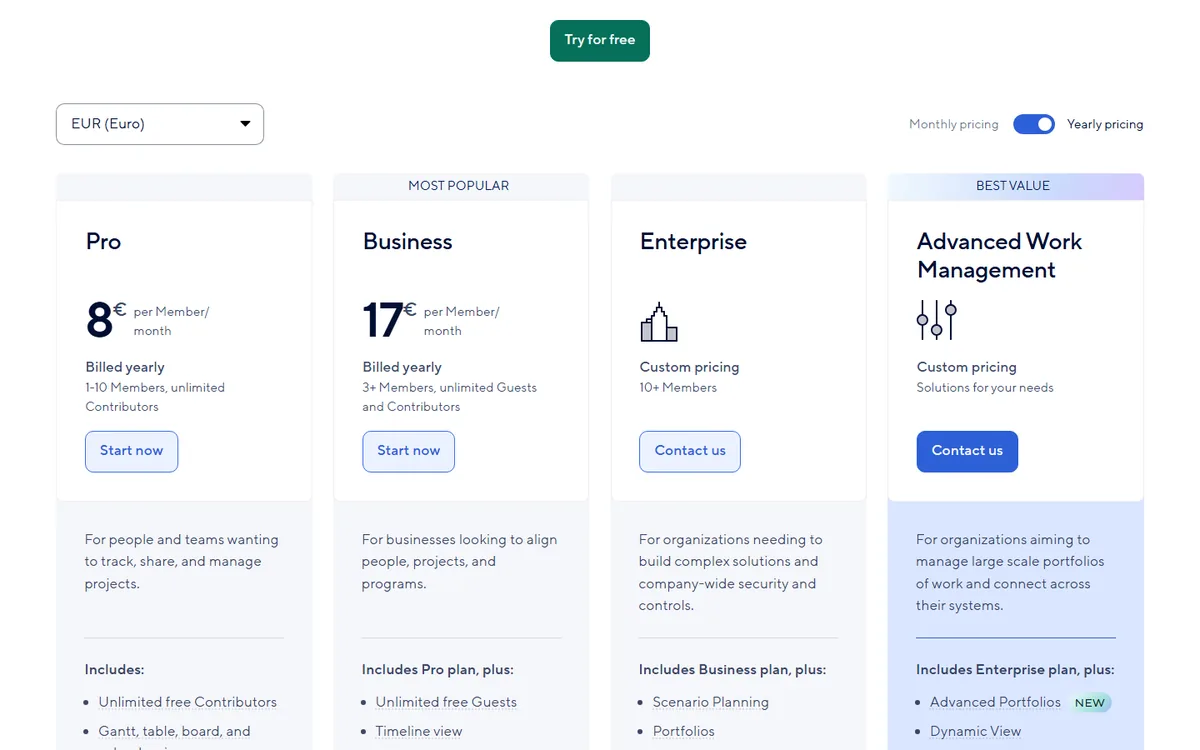
Capterra lists Smartsheet from $9 per user per month on the Pro plan, with a free trial. Business and Enterprise plans add more automation, admin controls and security features and are priced higher or by quote.
Smartsheet Reviews
- G2: score of 4.4 out of 5 (from +23,100 customer reviews)
- Capterra: score of 4.5 out of 5 (from +3,500 customer reviews)
Miro
The Place to Map Stakeholders, Journeys and Impacts With a Group Instead of Alone
Miro is an online whiteboard where teams build stakeholder maps, process flows, journey maps and workshop boards together.
Most change work starts with a picture: who is affected, what they do today and what will differ tomorrow. Miro is where I build that picture with a client group. A stakeholder map, a current-versus-future process flow and an impact grid on one board get people to agree on facts before anyone argues about opinions.
It also works well for remote impact workshops, because people can place sticky notes at the same time and vote on the biggest concerns. It is not a tracker, so you still need a task tool. I treat Miro as the thinking space and keep the commitments in a project tool.
What Miro Does Well
- Live workshops with many people work smoothly, even remotely
- Templates for stakeholder maps and process flows save setup time
- Boards are easy to share with sponsors
What Miro Could Do Better
- It does not track tasks or owners over time
- Large boards get cluttered without a clear structure
Miro Pricing
Miro has a free plan with limited boards. Capterra lists paid plans from $10 per user per month, with a free trial. Business and Enterprise plans add more security, admin and facilitation features.
Miro Reviews
- G2: score of 4.6 out of 5 (from +13,800 customer reviews)
- Capterra: score of 4.7 out of 5 (from +1,700 customer reviews)
Trello
The Cheapest and Simplest Way to Run a Small Change With Cards on a Board
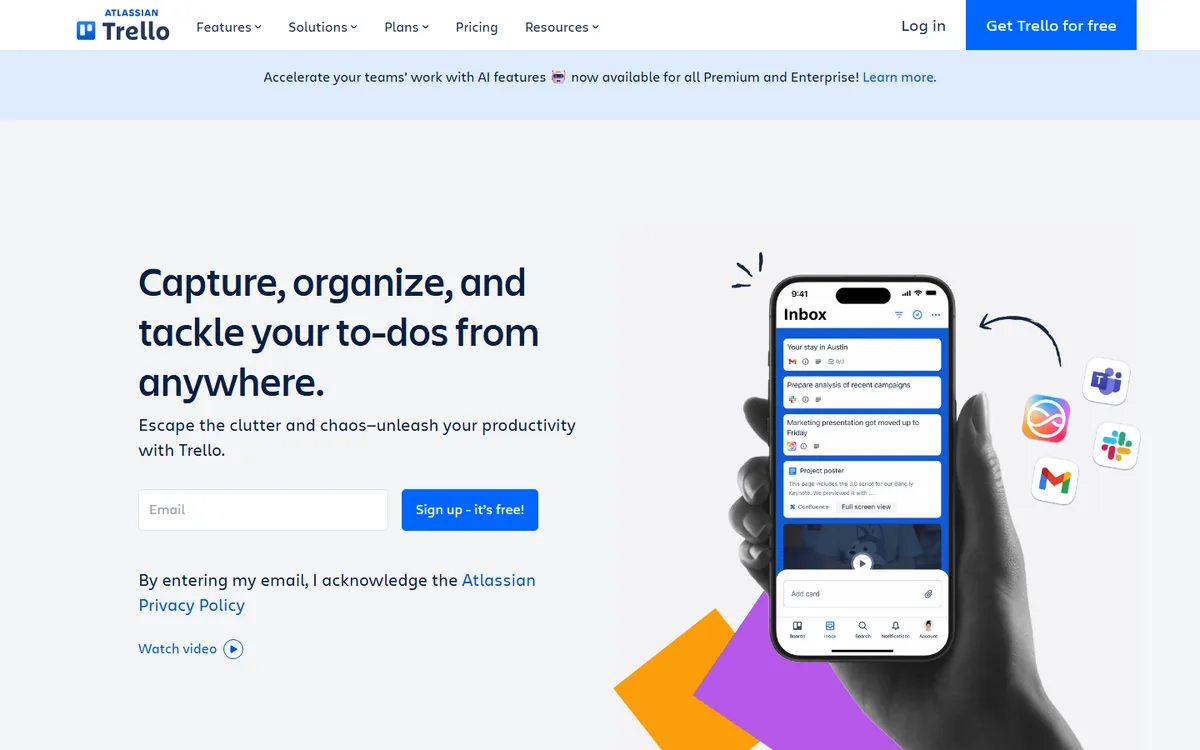
Trello uses cards and lists on a kanban board, which is enough for many small and mid-sized changes.
If your change touches one or two teams, Trello is often all you need. Create lists such as To announce, Training booked, Go-live ready and Done, then move cards as each group progresses. Everyone understands a board within five minutes, which matters when managers must update it themselves.
The limit is structure. Trello has no built-in way to roll many boards into a portfolio view, so a larger program outgrows it. For small projects, the simple board keeps attention on what matters. Once you need numbers for a steering group, I borrow the ideas from my guide to change management metrics and add a simple count of cards per stage.
What Trello Does Well
- Anyone can use it after five minutes
- The lowest price among the project tools in this list
- Easy for managers to update their own cards
What Trello Could Do Better
- No portfolio view across many boards on lower plans
- Reporting is basic for steering groups
Trello Pricing
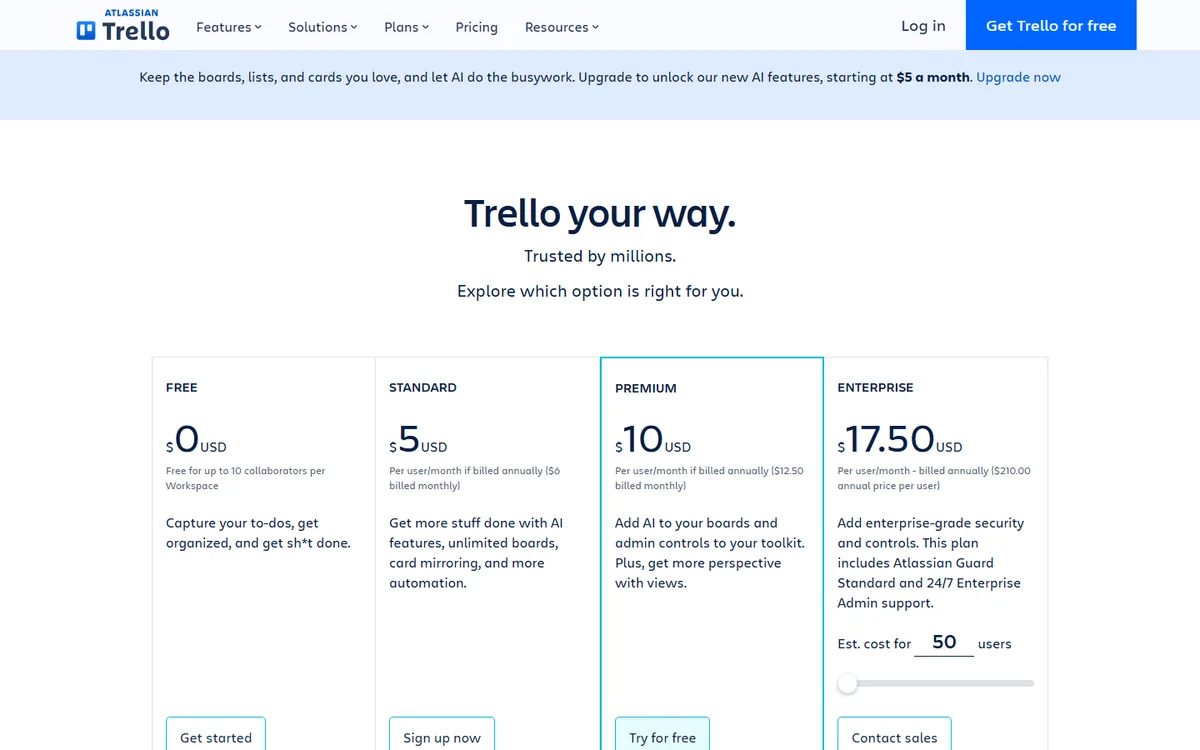
Trello has a free plan. Capterra lists paid plans from $5 per user per month, with a free trial. Higher plans add more views, automation and admin controls.
Trello Reviews
- G2: score of 4.4 out of 5 (from +14,000 customer reviews)
- Capterra: score of 4.5 out of 5 (from +23,500 customer reviews)
Wrike
A Good Fit for Larger Programs That Need Request Forms, Workload Views and Reporting
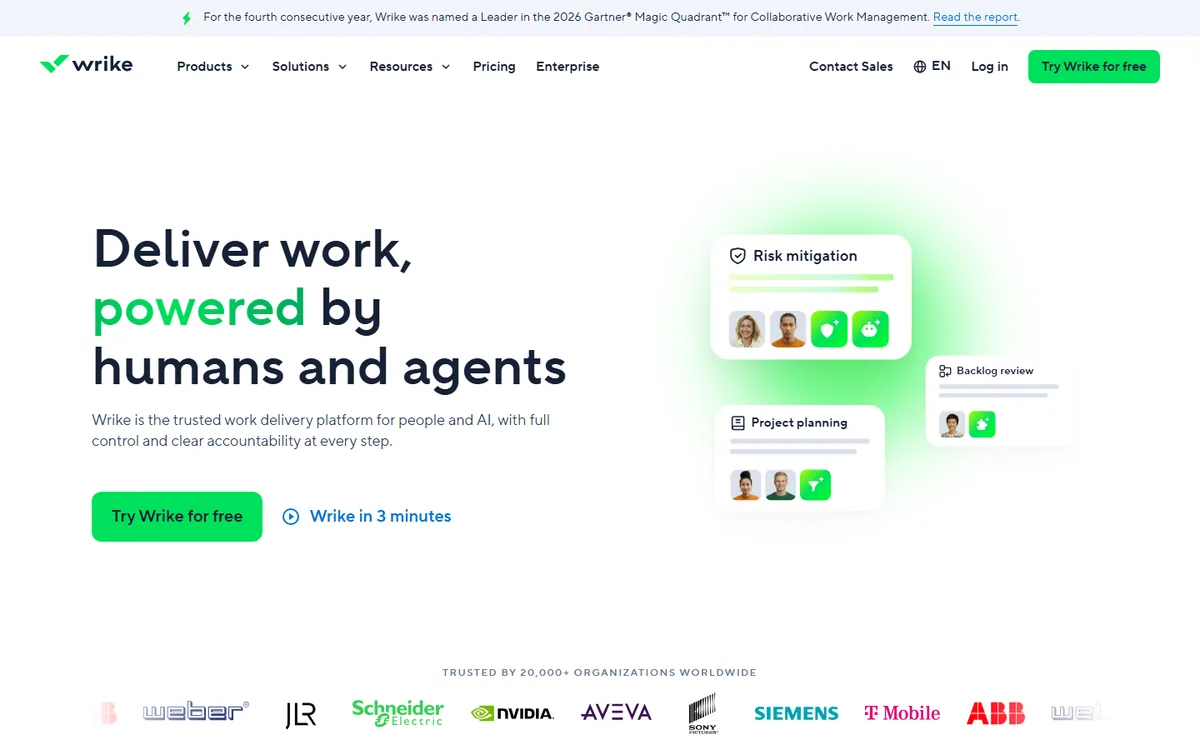
Wrike combines task management, request forms, workload views and custom reports for larger, more formal programs.
Wrike suits change programs that run like a small portfolio. Request forms collect change requests or training needs in a consistent format, workload views show who is overbooked and custom reports give steering groups a regular summary. It handles approval steps well, which helps when a change needs sign-off from several departments.
The trade-off is setup time. Wrike rewards the team that designs its structure carefully and punishes a quick start. I recommend it when a program lasts six months or more and has a dedicated coordinator. For short changes, a lighter tool is faster.
What Wrike Does Well
- Request forms standardize intake of changes and needs
- Workload view shows who is overbooked
- Strong reporting for steering groups
What Wrike Could Do Better
- Setup takes planning and time
- More than most small teams need
Wrike Pricing
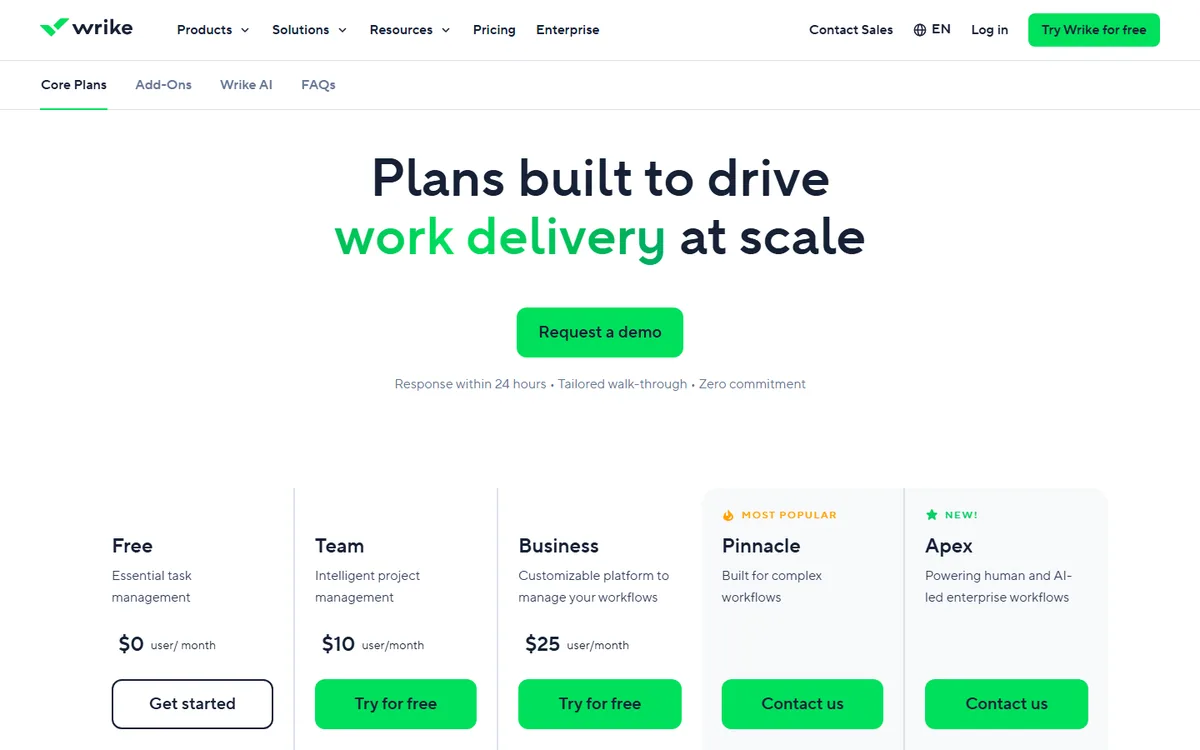
Capterra lists Wrike from $10 per user per month, with a free version and a free trial. Business and enterprise tiers add advanced reporting, proofing and security options and are priced higher or by quote.
Wrike Reviews
- G2: score of 4.2 out of 5 (from +4,500 customer reviews)
- Capterra: score of 4.4 out of 5 (from +3,000 customer reviews)
Slack
The Fastest Channel for Questions, Updates and Quick Wins While a Change Is Live
Slack gives a change team a place for quick questions, announcements and shared tips, without cluttering inboxes.
During go-live, speed of answers matters more than polish. A dedicated channel for the change lets people ask a question and get an answer from a colleague or the project team within minutes. The answers stay visible, so the next person with the same problem finds them without asking.
I also use channels to let champions share small wins, which does more for morale than a formal newsletter. The risk is noise. Name an owner, pin the key links and agree on what belongs in the channel. If many of your staff are not on Slack, it will not reach them, and you need another route.
What Slack Does Well
- Questions are answered quickly and the answers stay searchable
- Champions can share wins and tips in the open
- Integrates with most project and survey tools
What Slack Could Do Better
- Channels get noisy without an owner and rules
- It does not reach staff who are not on the platform
Slack Pricing
Slack has a free plan with limited message history. Capterra lists the Pro plan at $8.75 per user per month. Higher plans add security, compliance and admin features and are quoted for larger companies.
Slack Reviews
- G2: score of 4.5 out of 5 (from +40,400 customer reviews)
Staffbase
A Good Way to Reach Frontline Staff Who Have No Company Email and Never Open an Intranet
Staffbase combines an employee app, intranet, email, SMS and digital signage so messages reach everyone, including frontline teams.
Many changes fail to reach the people who are most affected, such as shop-floor, store or clinic staff without company email. Staffbase solves that with a branded mobile app, push notifications and channels for sites and roles. You can target a message to one location or job group and see who opened it.
For multi-site changes this is a real advantage over a general intranet. A new shift procedure can reach only the affected sites, with a link to a short video. It is a larger purchase than a messaging tool, usually decided by internal communications, so check whether your company already owns something similar before adding another platform.
What Staffbase Does Well
- Reaches frontline staff on their phones
- Targeting by site and role keeps messages relevant
- Read statistics show whether a message arrived
What Staffbase Could Do Better
- Advanced configuration takes time to learn
- Quote-based pricing, and reviewers mention that smaller firms may find it expensive
Staffbase Pricing
Staffbase does not publish a usable price. Capterra shows no free version or free trial, and pricing is agreed with the vendor based on your number of employees and the channels you need.
Staffbase Reviews
- G2: score of 4.6 out of 5 (from +240 customer reviews)
- Capterra: score of 4.7 out of 5 (from +80 customer reviews)
Culture Amp
The Strongest Choice for Pulse Surveys That Show How People Feel About the Change
Culture Amp runs employee surveys and turns the answers into reports you can break down by team, site and role.
How people feel is an early signal that task lists never show. Culture Amp lets you send a short pulse survey before, during and after a change, with questions about clarity, confidence and workload. Results can be split by team, so you see where worry is concentrated instead of reading a single company average.
I like it for the follow-up reports, which highlight what drives the scores and where to act first. Sentiment is only one of the signals, so I read it next to usage data, as described in my list of change management KPIs. For a small change, a free form tool and a spreadsheet may be enough, so match the platform to the size of the program.
What Culture Amp Does Well
- Pulse surveys can be broken down by team and site
- Analysis points to the topics that matter most
- Benchmarks give context to your scores
What Culture Amp Could Do Better
- Quote required and not transparent
- More survey depth than a small change needs
Culture Amp Pricing
Culture Amp does not publish prices. Capterra lists each product tier, such as Engage, Perform and Develop, as custom quote, and shows no free trial.
Culture Amp Reviews
- G2: score of 4.5 out of 5 (from +1,600 customer reviews)
- Capterra: score of 4.6 out of 5 (from +160 customer reviews)
WalkMe
A Heavyweight Digital Adoption Platform for Large Software Rollouts With Many Users
WalkMe overlays walkthroughs, prompts and checklists on top of your business software to guide people while they work.
WalkMe belongs on the list when your change is a big system rollout, such as a new ERP or HR platform, and hundreds of people need to use it correctly from week one. Guides appear inside the application at the moment a user needs them, so fewer people leave the screen to search a manual or file a ticket.
It also reports where users get stuck, which gives you real adoption data instead of guesses. That is the kind of figure I want on a steering group page. The price and the ongoing upkeep are real, though: guides must be updated whenever the application changes.
What WalkMe Does Well
- Guidance appears inside the application at the point of need
- Shows where users get stuck, which gives you adoption data
- Non-technical staff can build basic walkthroughs
What WalkMe Could Do Better
- Licensing is expensive and quote-based
- Guides need maintenance when the underlying app changes
WalkMe Pricing
WalkMe does not publish prices. Capterra lists pricing as a custom quote, with separate packages for employees and customers, and no free trial.
WalkMe Reviews
- G2: score of 4.6 out of 5 (from +580 customer reviews)
- Capterra: score of 4.4 out of 5 (from +65 customer reviews)
Whatfix
A Close Rival to WalkMe With Strong Product Analytics for Teams Rolling Out Business Software
Whatfix offers in-app guidance and product analytics, with tiers for adoption and for deeper usage insight.
Whatfix does the same core job as WalkMe: it layers step-by-step guidance, tooltips and task lists over your business applications. Its analytics tier shows which screens people use, where they drop off and which guides help. That makes it useful for proving, with data, whether a rollout reached the people it was meant for.
When I compare the two for clients, the decision usually comes down to the applications you must support and to the contract terms, not to a big difference in features. Run a pilot on your most painful screen with both vendors if the budget allows, and let users tell you which guidance they actually follow.
What Whatfix Does Well
- Guidance and analytics work together
- Tiered offering lets you start with adoption only
- Reviewers praise value for money and support
What Whatfix Could Do Better
- Prices are hidden behind a sales conversation
- Takes time to build and maintain good content
Whatfix Pricing
Whatfix does not publish prices. Capterra lists the Digital Adoption Platform and Product Analytics tiers as unpublished or custom quote, and shows no free trial.
Whatfix Reviews
- G2: score of 4.6 out of 5 (from +560 customer reviews)
- Capterra: score of 4.6 out of 5 (from +75 customer reviews)
Userlane
A Lighter Digital Adoption Option With Highly Rated Guidance for Mid-Sized Rollouts
Userlane provides interactive in-app guidance and onboarding for business software, aimed at mid-sized rollouts.
Userlane is the smaller name among the adoption platforms here, and its G2 rating is among the highest in this list. It focuses on interactive guides and onboarding inside your applications, so new users follow real steps on the real screen instead of watching a recorded demo.
I would shortlist it for a mid-sized company introducing one or two systems at a time and wanting a quicker start than a large platform allows. With fewer than a hundred reviews on each site, the ratings are a smaller sample than for the big work tools, so I would validate it with a pilot and a reference call.
What Userlane Does Well
- Highly rated on G2 by its users
- Interactive guides replace recorded demos
- Quicker start than the largest platforms
What Userlane Could Do Better
- Fewer reviews than the bigger tools, so ratings are a smaller sample
- Quote-based pricing
Userlane Pricing
Userlane does not publish prices. Capterra says to contact the vendor and shows no free trial or free version.
Userlane Reviews
- G2: score of 4.7 out of 5 (from +80 customer reviews)
- Capterra: score of 4.5 out of 5 (from +45 customer reviews)
Estimate the Return on a Change Management Tool
Before you pick a plan, check whether the numbers work for you. Enter the manual hours the tool should remove, such as status chasing, report building or repeated how-to questions, and the monthly price of the plan you are considering. You will see what it could return in a year.
Will It Pay for Itself?
Adjust the sliders to your workload and the plan you are looking at.
How to Choose the Right Change Management Tool
In my experience, fit with the change decides more than any feature list. Before you compare vendors, I suggest you answer four questions:
- Which job matters most: tracking tasks, reaching people, collecting feedback or guiding users inside software?
- How many people are affected, and do they all have a company email address or a laptop?
- Which tools does your company already own, and can they do the job with a little setup?
- Who will run the tool day to day, and how much time do they have?
If you manage a small change, start with Trello or monday.com and a simple survey form. For a larger program, add Asana, Smartsheet or Wrike for tracking and Miro for workshops. If frontline staff are the challenge, look at Staffbase, and for a large system rollout, shortlist WalkMe, Whatfix or Userlane. Before you buy anything, run through my change management checklist to confirm the basics are in place, because no tool fixes a missing plan.
Questions About Choosing Change Management Tools
What Is the Best Change Management Tool for a Small Team?
For most small teams I would start with Trello or monday.com. Trello is the cheapest way to track change tasks on a board, and monday.com adds dashboards and automations once you manage more than one workstream. Pair either one with a free survey form and a shared channel, and you cover tracking, feedback and communication without a big budget.
Do I Need a Dedicated Change Management Platform?
Usually not for your first change. A project tool, a whiteboard and a messaging channel cover most needs. A dedicated layer such as a digital adoption platform or an employee app starts to pay off when many people must learn new software at once, or when you need to reach staff who have no company email.
What Is a Digital Adoption Platform?
It is software that sits on top of another application and guides users through it with prompts, checklists and walkthroughs. WalkMe, Whatfix and Userlane are the best-known examples. They help most when a system rollout puts hundreds of people into the same new screens, because they cut the number of how-do-I questions that reach your help desk.
How Much Do Change Management Tools Cost?
Project and collaboration tools are the cheap end, with paid plans listed from about $5 to $11 per user per month on Capterra. Digital adoption platforms, employee apps and survey platforms are usually quoted individually, so expect to talk to sales. Always price the tool at your real user count, because seat minimums and add-ons change the total.
Can the Same Tool Cover Communication, Training and Tracking?
Rarely well. Project tools track tasks, messaging tools reach people, and adoption platforms train them inside the software. A few platforms stretch across two of these jobs, but I have not seen one that does all three equally well. Decide which job matters most for your change and buy for that first.
How Do I Measure Change with Software?
Pick two or three signals that you can read without extra work: usage of the new system, completion of training and a short pulse survey. Adoption platforms and survey tools report these directly. Keep the number of measures small and agree on them before launch, so you know what good looks like.
Should I Choose Tools Before or After I Plan the Change?
After. Start with who is affected, what changes for them and which messages and training they need. That plan tells you which tool jobs exist. Teams that buy first tend to bend the plan around the tool, and they often end up running a second, simpler process next to it.
Note: Prices, plans and ratings change frequently. We checked them at the last update, so confirm them with each vendor before buying. This is not legal or financial advice.
Did you find this helpful?
Thank you for your feedback.
Delaney Brisco
Delaney leads the Tavo editorial team and works with our consultants to turn real client projects into practical guides on project delivery, process design and organizational change. Before joining Tavo, she spent 12 years in operations and program management roles. She has since edited more than 300 articles on management practice and reviewed PMO setups and process redesigns from over 100 client projects. She is based in Minneapolis, Minnesota.