Summary
- Good process examples share a trigger, few handoffs, one owner and a handful of measures.
- Most delay sits between steps, so reducing handoffs beats speeding up single tasks.
- Value-based approval rules can remove half the approvals without adding real risk.
- Pick one process, record a baseline and review the numbers monthly to keep the gain.
Process theory is easy to nod along to and hard to apply. What helps is seeing a process you recognize, broken down into the problem, the redesign and the numbers that prove it worked. That is what the eight examples below do.
I work on these as part of business process management consulting projects, mainly in healthcare, manufacturing, finance and retail. Each example shows what usually goes wrong, a redesign I have seen work and the kind of tool that fits.
What Makes a Process Example Worth Copying
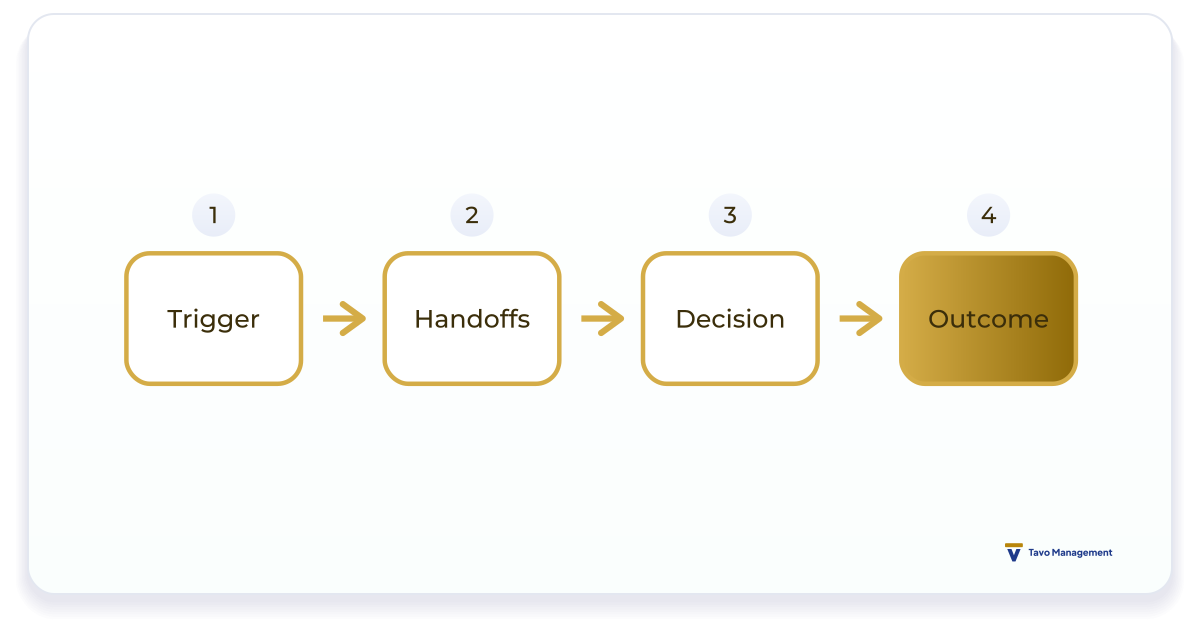
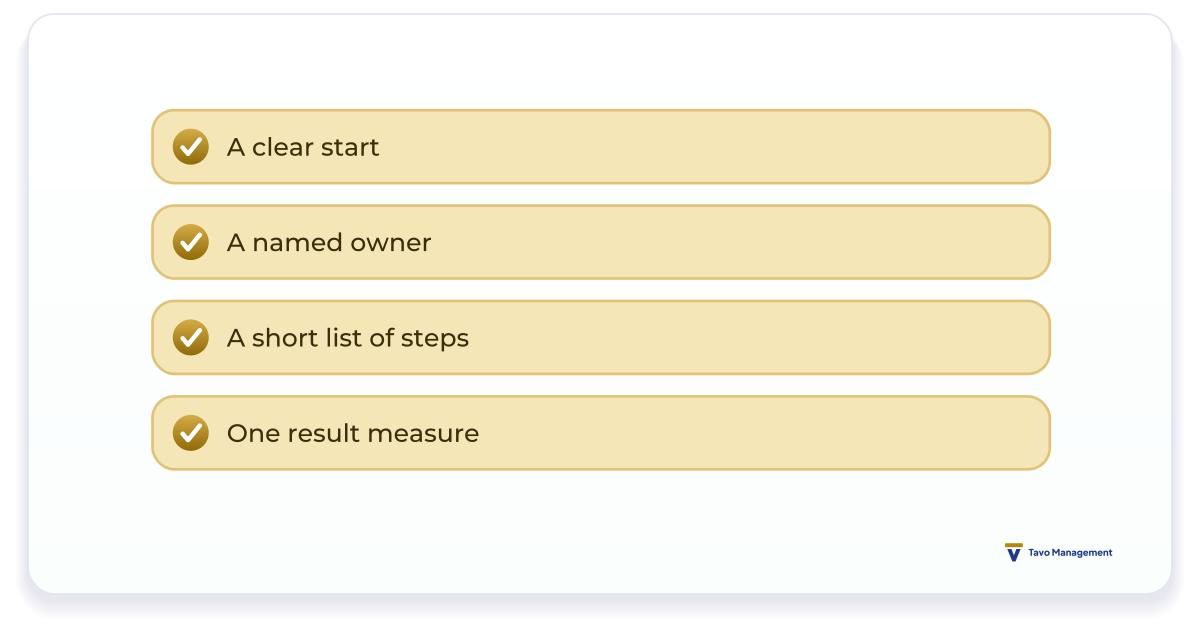
A process is a repeatable path from a trigger to an outcome. A good example has four parts: a clear start, a named owner, a short list of steps and a measure that tells you whether it works. If any of the four is missing, you have an activity, not a managed process.
The table below shows how the examples differ in what they cost you when they break. It also shows which team feels it first, which is usually where you should start asking questions.
| Process | Teams involved | Typical symptom |
|---|---|---|
| Order-to-cash | Sales, finance, shipping | Orders wait for credit checks and corrections |
| Purchase-to-pay | Requesters, buyers, payables | Requests sit in approval queues for weeks |
| Patient intake | Front desk, clinicians, billing | Missing authorizations found after the visit |
| Onboarding | HR, IT, managers | New hires wait days for access and equipment |
| Complaints | Support, operations, quality | The same complaint comes back every month |
| Engineering change | Engineering, production, quality | Old drawings stay in use on the floor |
| Month-end close | Accounting, department heads | Close drags on while people wait for inputs |
| Returns | Support, warehouse, finance | Refunds take two weeks and generate repeat contacts |
8 Business Process Management Examples You Can Copy
Each example covers what goes wrong, one redesign and the steps to follow. Numbers come from my own client work and are meant as a starting point, so compare them with your baseline. If you want the method behind them, my business process management framework walks through each phase.
Order-to-Cash
Order-to-cash covers everything between a customer saying yes and the money arriving. It crosses sales, credit control, the warehouse and finance, so it is the process where handoff delays pile up fastest. When I map it for a client, the order itself usually takes minutes to enter. It then waits days for a credit check, a price correction or a missing purchase order number.
The fix that pays off most is rarely a new system. It is a rule for what a complete order looks like, checked at the moment of entry. A distributor I worked with cut its invoice disputes sharply once sales could not submit an order without the customer's PO number and delivery contact. The process owner, a finance manager, now reviews dispute reasons every month.
How the Flow Looks After Redesign
- The rep enters the order in a form that rejects missing data.
- Credit status is checked automatically against the customer record.
- Orders inside the credit limit release to the warehouse the same day.
- Orders above the limit go to one named approver with a one-day deadline.
- Shipping confirmation triggers the invoice without manual re-entry.
- Unpaid invoices create a reminder task at day 25 and day 40.
Tools That Fit This Process
Your ERP usually holds the order data already, so start with its workflow settings. A lightweight BPM or workflow tool helps when approvals live in email.
Purchase-to-Pay Approvals
Anyone who has waited three weeks for a laptop knows this process. A purchase request goes to a manager, then to a budget owner, then to purchasing, and every handoff adds a day or a week. Accounts payable then matches the invoice against the order and the delivery note, and any mismatch starts another round of emails.
I usually start by sorting requests by value. Orders under a set amount need one approval at most, while large ones need the full chain. That single rule often removes more than half of the approvals without raising risk, because the small ones were almost never rejected anyway.
Redesigning the Approval Path
- Pull three months of requests and count how many were ever rejected.
- Set value bands, for example one approver below a low threshold.
- Give each approver a two-day deadline and a named backup.
- Use catalog items for repeat purchases so no quote is needed.
- Match invoice, order and delivery automatically and review only exceptions.
Tools That Fit This Process
Most ERP and accounting platforms include purchase approvals. If yours does not, a form-and-workflow tool such as Kissflow or Process Street can carry the routing.
Patient Intake and Referral
In a medical practice, intake is where small process failures turn into clinical and billing problems. A referral arrives by fax, someone retypes it, insurance details are checked on the day of the visit and a missing authorization is discovered after the appointment. Each of those steps has a different person and a different system.
A multi-site dental group I advised counted eleven touches per new patient before the visit. We removed five of them by collecting insurance and consent details through one pre-visit form and checking eligibility two days ahead. Front desk staff now spend their time on patients who need help, not on retyping data.
From Referral to First Visit
- Log every referral in one queue the day it arrives.
- Send the patient one digital form for history, insurance and consent.
- Check eligibility and authorization two business days before the visit.
- Flag gaps to a named coordinator with a same-day deadline.
- Confirm the appointment by text with preparation instructions.
Tools That Fit This Process
Your practice management system should hold the queue and the forms. Check that any added tool meets your privacy obligations before patient data goes into it.
Employee Onboarding
Onboarding fails quietly. The new hire arrives, the laptop is not ready, the manager is traveling and the access request is stuck in a queue. Four teams own a piece of it, and none sees the whole picture. The cost shows up later, as slow ramp-up and early resignations.
The cleanest redesign I have seen treats the first day as a delivery date. HR starts a checklist at offer acceptance, every task has an owner and a due date, and the manager sees one status view. A regional services firm moved its average time to full system access from nine working days to two.
Building the Onboarding Flow
- Start the checklist when the offer is signed, not on day one.
- Assign each task to a role, such as IT, facilities or manager.
- Set due dates counted backward from the start date.
- Show the manager one status view with overdue tasks in red.
- Collect feedback from the new hire after week two and fix one thing per quarter.
Tools That Fit This Process
A checklist tool is often enough, since most of the value comes from owners and dates. Larger firms usually run it inside their HR system.
Complaint Handling
Complaints are free process feedback, but most companies treat them as noise. A complaint arrives in one channel, gets logged in another and reaches the team that caused it three weeks later, if ever. The customer gets an apology. The process never changes.
A good complaint process has two loops. The fast loop fixes the customer's problem within a set number of days. The slow loop groups complaints by root cause each month and sends the top two to the owner of the process that caused them. Without the slow loop, you fix the same problem forever.
Closing Both Loops
- Log every complaint in one place, whatever the channel.
- Tag it with a cause category from a short, fixed list.
- Promise the customer a response time and keep it.
- Review the top causes once a month with the process owners.
- Track repeat complaints per cause as your headline measure.
Tools That Fit This Process
Your helpdesk or CRM can hold the log and the tags. Keep the cause list short, or nobody will use it.
Engineering Change Requests
A design change touches drawings, suppliers, stock and the work instructions on the floor. If the change request travels by email, someone is always working from an old drawing. I have seen a plant scrap a full pallet of parts because a revised drawing never reached the night shift.
The process fix is a single route with a single status. Every change gets an ID, an impact check by each affected function and a release date that production plans around. Quality owns the release, because they feel the cost of a bad one.
Routing a Change Safely
- Give every change one ID and one owner.
- Ask purchasing, production and quality to rate the impact within three days.
- Decide the effective date, including what happens to stock on hand.
- Update drawings and work instructions before release, not after.
- Confirm on the floor that the new version is the only one in use.
Tools That Fit This Process
Product data management software usually covers this if you already own it. Otherwise a workflow tool with version control on attachments is enough to start.
Month-End Close
Close takes ten days when everything waits for the last person. Accruals come in late, intercompany entries do not match and reviewers find errors after the books are locked. Teams call it a busy week, when it is really a process with no schedule.
The redesign starts with a close calendar that counts backward from the reporting date, with a named owner for every task. Then you remove the tasks that nobody uses. One property company I worked with dropped four reports no one had opened in a year and moved from a ten-day close to six.
Shortening the Close
- List every close task with its owner and predecessor.
- Build a calendar with working days counted from month-end.
- Move recurring entries to a standard schedule before month-end.
- Hold a 15-minute daily stand-up during close week.
- Review which reports were used and retire the rest.
Tools That Fit This Process
Close management modules exist in most mid-size accounting platforms. A shared tracker with clear owners works well when you start.
Vendor Onboarding
Adding a new vendor involves tax forms, bank details, a contract and often a security review. When each team asks for its own documents, the vendor submits the same information four times, and you wait weeks before you can place the first order.
The redesign is to collect everything once through a single intake form, then route by risk. A low-risk office supplier does not need the same review as a software vendor who will process customer data. Risk tiers decide which reviews apply, so most vendors move through in days.
Onboarding Vendors by Risk Tier
- Create one intake form that collects all documents in one go.
- Assign a risk tier based on spend and data access.
- Route only the needed reviews, in parallel rather than in sequence.
- Give every reviewer a three-day deadline.
- Activate the vendor in the finance system only after all reviews are closed.
Tools That Fit This Process
A form with conditional routing covers most of it. Add vendor risk software only when you onboard hundreds of vendors a year.
Returns and Refunds
Returns are the process most retailers design last and regret most. The customer wants a refund, the warehouse needs to inspect the item and finance needs a reason code. When those three do not share one record, refunds take two weeks and the customer writes to support three times.
I like to measure this one in touches per return. If a single return involves more than four people, there is room to simplify. A regional retailer I advised gave the warehouse the right to approve refunds below a set value at inspection, which removed a whole approval step and cut the average refund time from eleven days to four.
Simplifying the Return Path
- Create one return record that all three teams update.
- Give customers a label and a status link at the time of request.
- Let the warehouse approve low-value refunds at inspection.
- Send higher-value cases to a named finance approver with a deadline.
- Group return reasons monthly and share them with buying and product teams.
Tools That Fit This Process
Many ecommerce platforms include a returns module. Check that it shares data with your finance system before you add a separate tool.
What the Eight Examples Have in Common
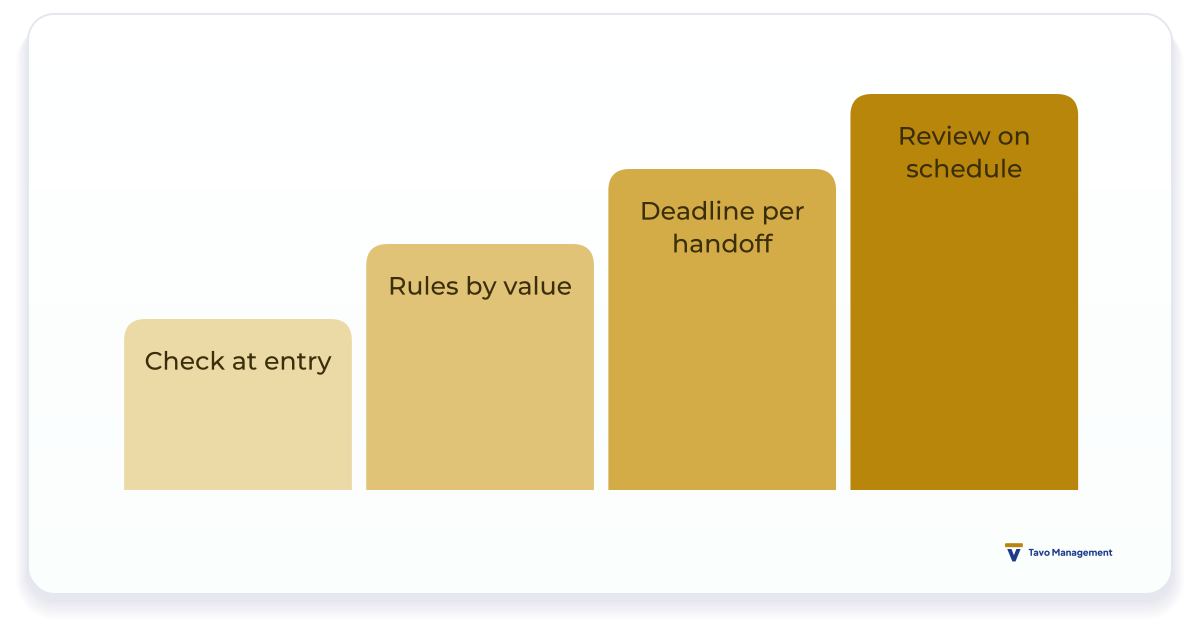
Look across the examples and the same four moves keep coming back. First, they define what a complete request looks like and check it at entry. Second, they replace long approval chains with rules based on value or risk. Third, they give every handoff a deadline and a named backup. Fourth, they measure one or two numbers and review them on a schedule.
None of this needs a large software project. When a client asks me whether to buy a platform first, I point them to my ranking of BPM tools only after the process has been mapped. Software that automates a confused process just delivers confusion faster.
The same patterns also explain why projects fail. When a redesign skips the owner or the measure, the gain disappears within a year. I describe the usual traps in business process management challenges, and you can browse more goal-based scenarios in my list of business process management use cases.
How to Choose Your First Process to Redesign
You do not need to fix all eight at once. Pick one using four checks, and score each candidate from one to five:
- It runs often enough that a small gain adds up within a quarter.
- It crosses at least two teams, so handoffs are a real cause of delay.
- You can measure its cycle time or error rate today, even roughly.
- One manager can make decisions about it without a committee.
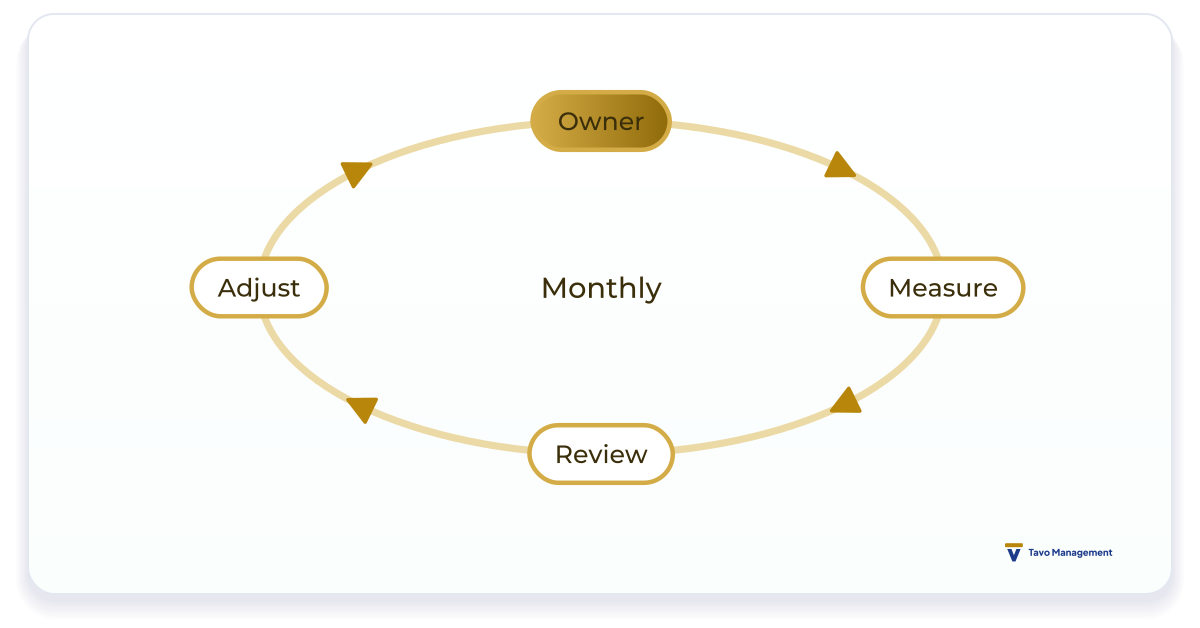
The process with the highest score is your pilot. Record the baseline, make one change at a time and review the numbers after 30 days. If you want a second pair of eyes on the shortlist, a short call is usually enough.
Questions About Business Process Management Examples
What Is a Good Example of Business Process Management?
Order-to-cash is the example I use most. It crosses sales, finance and shipping, has a clear start and end, and produces numbers you can measure, such as days from order to payment. A good version has one owner, a few measures and a regular review.
Which Process Should I Improve First?
Pick one that runs often, touches several teams and has a visible cost when it fails. Purchase approvals, onboarding and returns are common starting points. Choose the one where a single owner can make decisions without waiting for a committee.
How Many Steps Should a Process Have?
There is no magic number, but a process with more than ten or twelve steps is usually hiding loops. Count the handoffs instead. Every handoff adds waiting time, so reducing handoffs shortens a process more reliably than removing individual tasks.
Do I Need Software to Manage These Processes?
Not to start. A clear map, a named owner and a few measures give you most of the benefit. Software helps with routing, reminders and reporting once the process is stable. Automating a messy process only makes the mess faster.
When Will We See Results?
For a single process, you can often see shorter cycle times within four to eight weeks of go-live. Culture-heavy changes, such as getting managers to approve on time, take longer. Track the baseline before you start so you can show the gain.
Who Should Own a Business Process?
One person who has the authority to change how it works, usually a manager of the function that gets the most value from it. Owners need time to review measures each month. Committees do not own processes.
How Do These Examples Differ by Industry?
The shape stays the same: a trigger, a few handoffs, a decision and an outcome. What differs is the rules. Healthcare adds privacy and authorization, manufacturing adds change control and finance adds audit trails. Start with the common pattern and add the sector rules.
General information only: this is not legal, financial or tax advice. Examples and numbers reflect typical projects; check the specifics with your advisers before deciding.
Did you find this helpful?
Thank you for your feedback.
Delaney Brisco
Delaney leads the Tavo editorial team and works with our consultants to turn real client projects into practical guides on project delivery, process design and organizational change. Before joining Tavo, she spent 12 years in operations and program management roles. She has since edited more than 300 articles on management practice and reviewed PMO setups and process redesigns from over 100 client projects. She is based in Minneapolis, Minnesota.