Summary
- Process management pays off fastest when it starts from a goal with a visible cost.
- Audits, mergers, automation clean-up and growth are the most common triggers.
- Each use case needs one process, one owner and one or two measures.
- Record a baseline first, or you cannot prove the improvement later.
Companies rarely wake up and decide to manage their processes. Something forces the issue: an audit date, a merger, a slow month-end or a new site that opens next quarter. That trigger is the use case, and it decides where you start.
The ten use cases below come from my work in business process management consulting. For each one, I list who usually asks for it, a few first moves and the numbers I watch.
Ten Use Cases at a Glance
| Use case | Usual trigger | Best first process |
|---|---|---|
| Audit preparation | A certification date | The one the standard covers most |
| Merging sites | An acquisition | Order entry or intake |
| Clean up before automating | An automation budget | The most manual process |
| Scaling locations | A new site opening | Opening and daily routines |
| Reducing rework | Rising complaints | The process with most returns |
| Getting paid faster | Cash pressure | Delivery to invoice |
| Onboarding staff | Fast hiring | Month-one tasks |
| Choosing software | A selection project | The two key processes |
| Seasonal peaks | A busy season ahead | The bottleneck step |
| Key person risk | A resignation or illness | Anything only one person runs |
10 Business Process Management Use Cases in Detail
I have ordered the use cases by how often clients ask for them, starting with compliance and ending with knowledge risk. For concrete walk-throughs of single processes, see my business process management examples.
Preparing for an Audit or Certification
Auditors ask the same question in different words: show me how this is done. If the answer lives in three people's heads, you scramble before every audit. Documented processes give you an answer on paper, with owners and records that match the written steps.
The use case works best when you map only the processes in scope, not the whole company. A food packaging client mapped nine processes for its certification audit, found two where staff did the opposite of the written rule and fixed both before the auditor arrived.
First Moves
- List the processes the standard covers.
- Compare the written procedure with what staff do.
- Fix the gap on the side that makes more sense.
- Assign an owner who signs each procedure.
- Run an internal check one month before the audit.
Numbers To Watch
Count open findings and days of preparation per audit. Both should fall each cycle.
Merging Sites or Companies
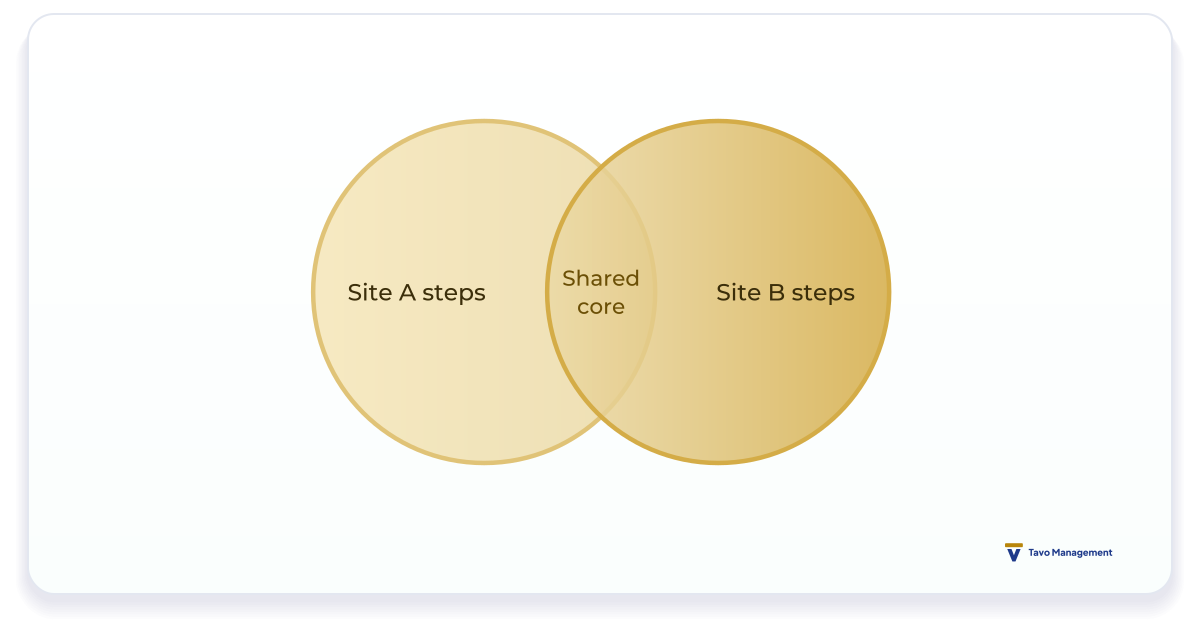
Two locations that do the same job rarely do it the same way. After a merger, the differences show up as inconsistent customer experience, confusing reports and arguments about who does it right. Mapping both versions side by side turns an argument into a comparison.
I pick one process, such as order entry, and map it at each site in a joint workshop. The best practice is usually a mix, and people accept a mix more readily when they built it together. A dental group did this for three locations and kept a single patient intake flow.
First Moves
- Choose one high-volume process to harmonize first.
- Map each site's version in a shared workshop.
- Choose the best steps from each and note why.
- Pilot the merged version at the site with the most change.
- Roll out and update the procedure for every site.
Numbers To Watch
Compare cycle time and error rate between sites before and after. The gap should narrow.
Cleaning Up Before You Automate
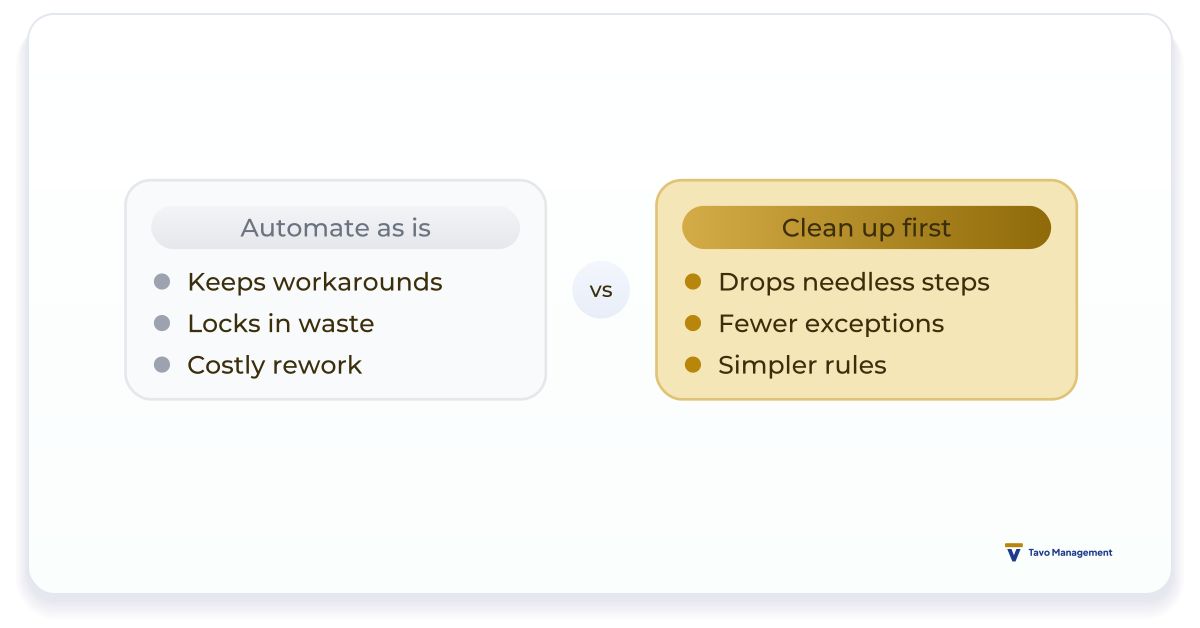
Automation multiplies whatever process it touches. A process with four exception paths becomes a system with four exception paths and a monthly license. Mapping first shows which steps to remove, which to keep and which a system can safely handle.
The most useful question I ask in these projects is which steps exist only because of an old system. Those steps often disappear in the redesign, before any automation is paid for. What remains is smaller, and cheaper to automate.
First Moves
- Map the current process and count the steps.
- Mark every step that exists because of an old tool.
- Remove or merge the steps that add no value.
- List the remaining rule-based steps as automation candidates.
- Automate one candidate and measure it before the next.
Numbers To Watch
Track the step count before and after clean-up, and the hours saved after automation.
Scaling a Multi-Location Business
The way a founder runs location one does not survive location six. Standard processes let new sites reach the same quality without the founder in the room. A documented opening routine, ordering process and escalation path do more than any motivational speech.
A restaurant client documented 14 processes before opening its fifth site and trained the new manager from them. Ramp-up shortened from five months to about three. The new site's problems came from missing processes, which could be seen in the gap list.
First Moves
- Document the five processes that decide quality, such as opening, ordering and cash-up.
- Write each as a one-page procedure with a checklist.
- Train a new manager from the pages, not from shadowing alone.
- Audit each site monthly against the checklists.
- Update procedures when a site finds a better way.
Numbers To Watch
Track time to full productivity for new managers and variation between sites.
Reducing Rework and Defects
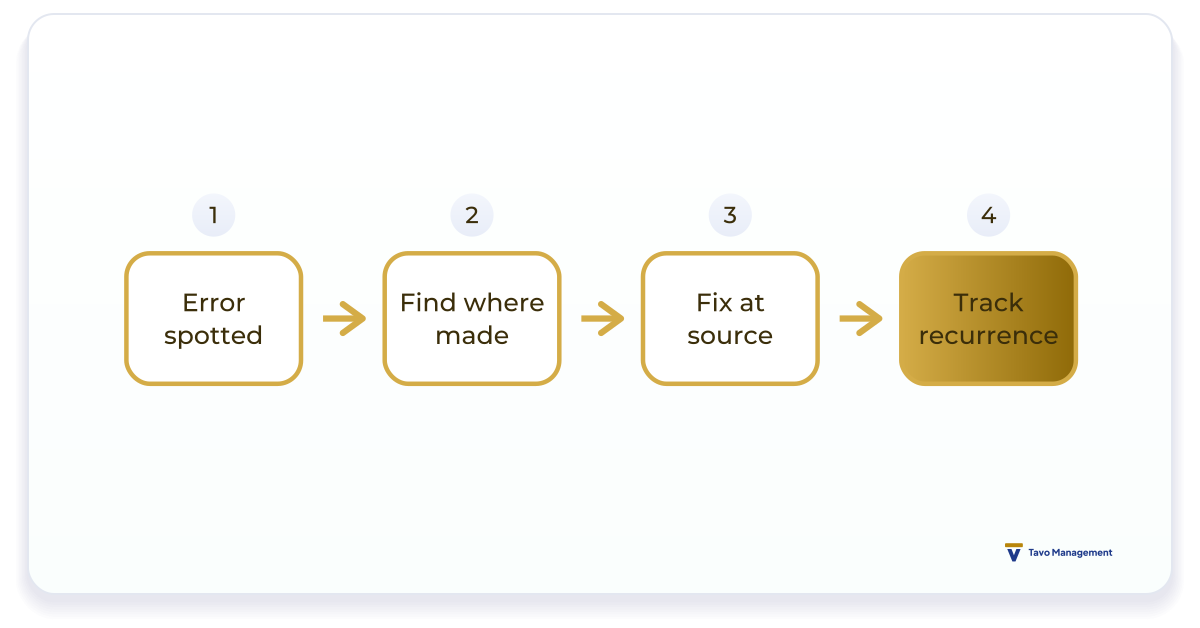
Rework is a quiet tax. Every case that returns for correction costs staff time twice and customer patience once. Process analysis finds where the error enters, which is rarely where it is found.
Trace rework backward. If invoices are corrected in finance, ask where the wrong data first appeared. In many cases it is a missing field at order entry, which a mandatory field would fix permanently.
First Moves
- Count rework loops per 100 cases for the process.
- Pick the most common reason and trace it to its source step.
- Add a check or required field at that step.
- Retrain the team that creates the error, with examples.
- Recount after a month to confirm the drop.
Numbers To Watch
Follow first-pass yield and the number of returns per 100 cases.
Getting Paid Faster
Late cash often traces to process, not to customers. Invoices go out late, contain errors or reach the wrong contact. Each of these adds days, and customers rarely pay an invoice they cannot read.
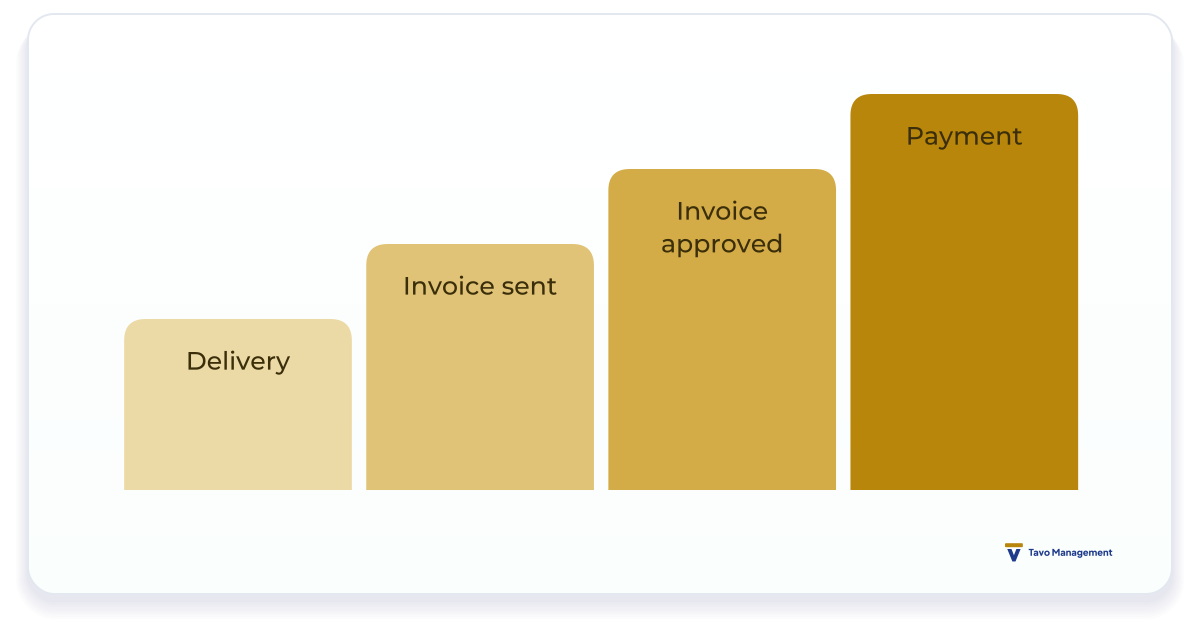
Map the path from delivery to payment and count the days at each step. A services company I worked with found that invoices waited four days for a manager's approval. Setting a one-day deadline and a backup approver brought cash in nearly a week earlier.
First Moves
- Measure days from delivery to invoice and invoice to payment.
- Remove approvals that never change an invoice.
- Send invoices automatically from the delivery record.
- Confirm the right contact at order entry.
- Follow up unpaid invoices at fixed days.
Numbers To Watch
Track days sales outstanding and the share of invoices sent within one day of delivery.
Onboarding and Training New Staff
New hires learn from whoever is next to them, which means they learn each manager's habits. Documented processes give them a common reference and give managers something to point to when questions come up.
I like to turn each key process into a one-page guide with a short checklist. New hires read it on day one and use it at their desk. The guides also reveal which processes nobody can explain.
First Moves
- List the ten tasks a new hire must handle in month one.
- Write a one-page guide for each, using the process map.
- Test each guide with someone who has never done the task.
- Review guides after each hire and fix unclear lines.
- Assign an owner who keeps them current.
Numbers To Watch
Measure weeks to full productivity and the number of basic questions in month one.
Choosing New Software
Software selection goes wrong when requirements are a wish list. Requirements drawn from a mapped process are specific: this step needs approval by value, that step needs a document attached. Vendors cannot hide behind generic demos.
I ask vendors to demonstrate two of your own processes end to end, using your real exceptions. A tool that handles the happy path well and the exceptions poorly is a common finding. If you are comparing platforms for process work, my ranking of BPM tools covers the main options.
First Moves
- Map the two or three processes the tool must support.
- Write requirements as steps, rules and reports.
- Score each vendor on a script built from your exceptions.
- Ask for reference clients in your sector.
- Run a four-week pilot before you sign a multi-year contract.
Numbers To Watch
Compare pilot cycle time with your baseline and count manual workarounds still needed.
Handling Seasonal Peaks
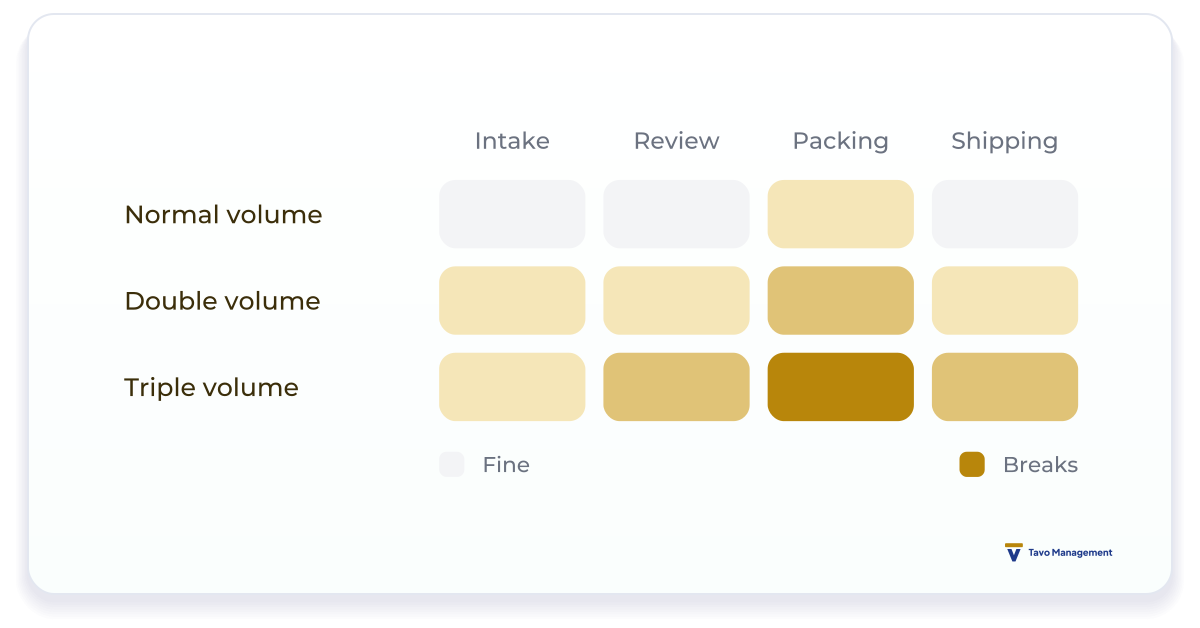
Peaks expose every weak process. A returns step that coped in March collapses in December. Process management helps you prepare by showing which steps scale with volume and which hit a wall.
Run the process at three times normal volume on paper. Where does the queue form? That is where you add capacity, simplify or pre-approve. A retailer did this exercise in October and moved returns approval to the warehouse for the season.
First Moves
- Map the process and mark the steps with fixed capacity.
- Estimate peak volume against each step.
- Add capacity or remove approvals at the bottleneck.
- Brief seasonal staff with a one-page guide.
- Review the peak and note what to change next year.
Numbers To Watch
Track queue length at the bottleneck and the share of cases handled within the promised time.
Reducing Dependence on Key People
Every company has someone who knows how it really works. When that person is sick or leaves, a process stops. Writing the process down turns personal knowledge into a shared asset and makes holidays possible.
Start with the person's own description, then test it by asking a colleague to follow it. The gaps you find are the knowledge that lives only in one head. A property firm used this approach for its lease renewals and now has a backup for every step.
First Moves
- List the processes only one person can run.
- Record the person walking through the process once.
- Turn the recording into a checklist and a short map.
- Let a colleague run the process using only the checklist.
- Fix the unclear steps and name a backup.
Numbers To Watch
Count processes without a trained backup. The number should fall to zero for critical ones.
How to Choose Your First Use Case
You can run several use cases in parallel only if you have several owners. For most companies, one at a time works better. Use these checks to decide:
- A deadline or cost makes the issue urgent for leadership.
- You can measure the pain today, even roughly.
- One manager can own the result.
- The first process is narrow enough to finish in eight weeks.
Once you have picked, follow a structured path from scope to review. My business process management framework gives you the six phases, and the article on business process management challenges lists the traps to avoid. If you plan to buy software for the use case, compare options in my ranking of BPM tools.
Questions About Business Process Management Use Cases
What Are the Main Use Cases for Business Process Management?
The most common are shortening cycle times, reducing rework, preparing for audits, harmonizing sites after a merger, cleaning up before automation and scaling a business to new locations. The method is the same in each: map, measure, redesign and review.
Which Industries Use BPM the Most?
Banking, insurance, healthcare, manufacturing and logistics use it most, because they have high volumes and strict rules. Smaller companies in retail, services and property use lighter versions of the same ideas.
Can Small Companies Use BPM?
Yes, with less formality. A small team can map a process in one workshop and review it monthly. The main benefit is that knowledge no longer sits with one person.
How Do I Pick the Right Use Case for My Company?
Choose the one with the clearest pain and a number attached, such as days to get paid or defects per hundred cases. A use case with a visible cost is easier to fund and easier to prove.
How Long Does It Take to See Results from a Use Case?
Single-process projects often show results within four to eight weeks of go-live. Cultural changes, such as managers approving on time, can take a quarter. Record a baseline first so you can prove the change.
Do I Need Software for These Use Cases?
Not at the start. Most of the value comes from clear steps, owners and measures. Software helps with routing and reporting once the process is stable.
How Is a Use Case Different from an Example?
A use case starts from the goal you want to reach, such as passing an audit or opening a new site. An example shows one specific process end to end. Use cases tell you why to manage processes, and examples show you how a single one looks.
General information only: this is not legal, financial or tax advice. Examples and numbers reflect typical projects; check the specifics with your advisers before deciding.
Did you find this helpful?
Thank you for your feedback.
Delaney Brisco
Delaney leads the Tavo editorial team and works with our consultants to turn real client projects into practical guides on project delivery, process design and organizational change. Before joining Tavo, she spent 12 years in operations and program management roles. She has since edited more than 300 articles on management practice and reviewed PMO setups and process redesigns from over 100 client projects. She is based in Minneapolis, Minnesota.