Summary
- monday.com and ClickUp suit most small teams that manage tasks and projects, and both have free plans.
- Zoho One and Bitrix24 bring sales, finance and operations into one system for teams that want a suite.
- Trello and Notion are the cheapest ways to start when your team is small and your process is simple.
- Write down your process first, then run a two-week trial on one real project before you pay.
The Best Small Business Management Software at a Glance
| Tool | Type | Best for |
|---|---|---|
| 1. monday.com | Visual work management | Teams that want boards, dashboards and automations without code |
| 2. Zoho One | Business application suite | Owners who want sales, finance and operations in one system |
| 3. ClickUp | Task and project platform | Teams that want many features on a free or low-cost plan |
| 4. Asana | Project management | Teams that coordinate projects across several people |
| 5. Notion | Docs, wiki and databases | Teams that keep procedures and tasks in one workspace |
| 6. Trello | Kanban boards | Very small teams with simple, visual workflows |
| 7. Bitrix24 | CRM, tasks and communication suite | Growing teams that want a flat price per company |
The 7 Best Small Business Management Software Tools, Ranked
I start with the tools that suit the widest range of small teams and move toward more specialized options. Keep in mind that the tool is only half of the result: in the small business management consulting projects I review, a written process decides more than the platform. If you are still sorting out your routines, my small business management guide comes first.
monday.com
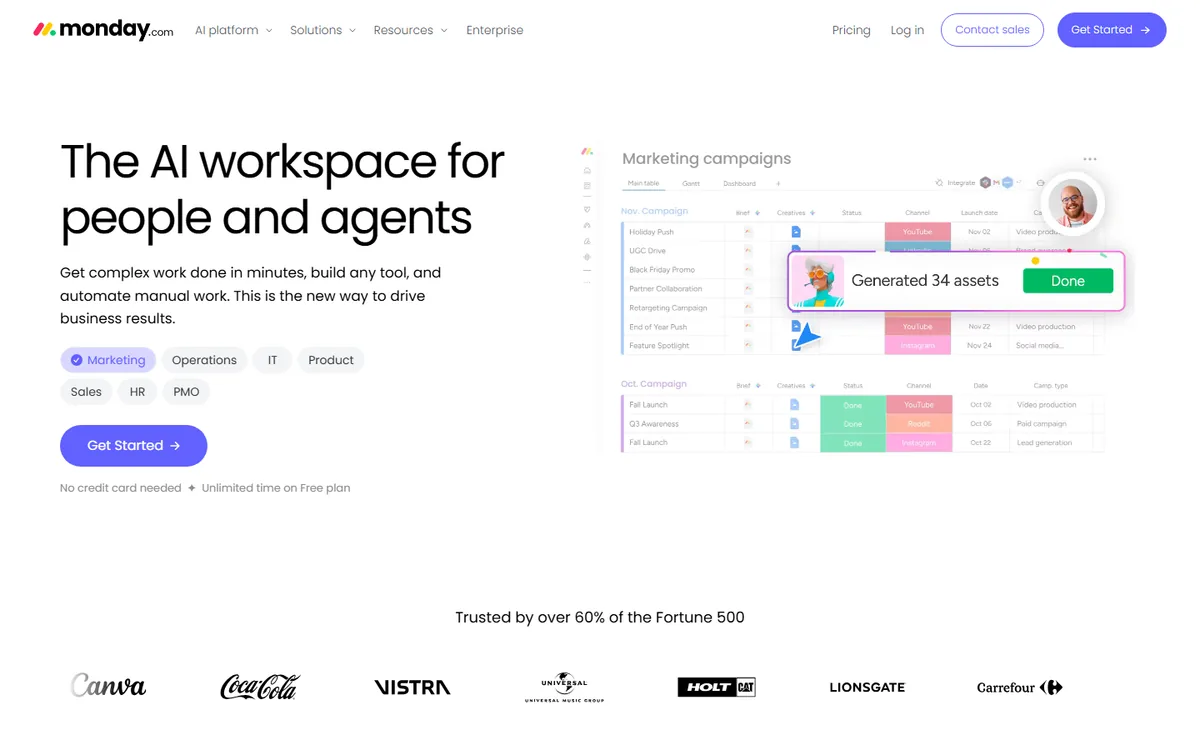
The Most Approachable Way for a Small Team to See Who Is Doing What
monday.com organizes work on colorful boards with owners, statuses and deadlines, and adds dashboards, automations and AI features on top.
I recommend monday.com when your team needs one visible place for work and nobody wants to read a manual. You create a board, add columns for owner, status and date, and everybody sees the same picture. Dashboards roll several boards into a weekly view, which suits the numbers page I suggest in my small business management tips.
The catch is seats. Paid work management plans start from three users, and costs climb as you add people, so a team of ten pays for ten even if only four use it daily. Advanced features such as time tracking and automation limits sit on higher plans, so check them against your needs before you pick a tier.
What monday.com Does Well
- Boards are easy to read, so new team members pick them up quickly
- Dashboards and automations cover most routine reporting
- Templates exist for common small business workflows
What monday.com Could Do Better
- The three-seat minimum on paid plans raises the cost for the smallest teams
- Useful features such as higher automation limits sit on the upper plans
monday.com Pricing
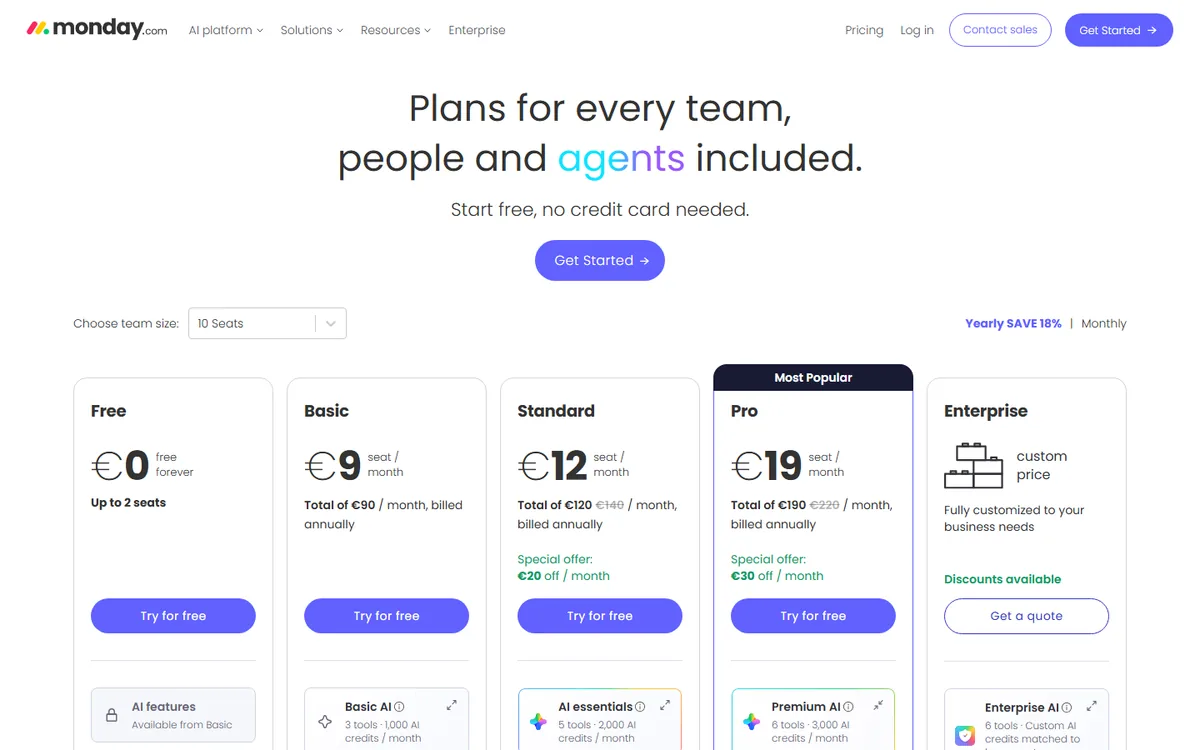
monday.com has a free plan for up to 2 seats. Paid work management plans are priced per seat per month when billed annually: Basic at $9, Standard at $12 and Pro at $19, with Enterprise on request. Paid plans start from 3 users, and the CRM, Service and Dev products are priced separately.
monday.com Reviews
- G2: score of 4.7 out of 5 (from 17,900+ customer reviews)
- Capterra: score of 4.6 out of 5 (from 6,100+ customer reviews)
Zoho One
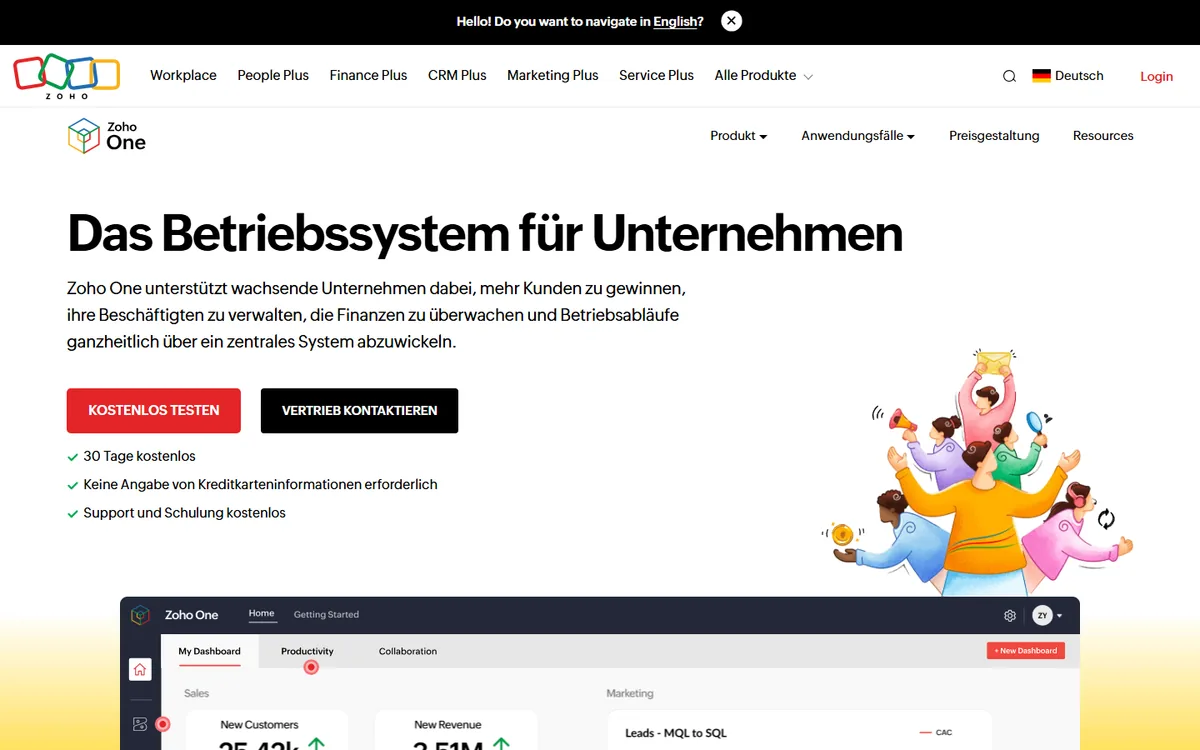
One Login for Sales, Finance, Support and Projects When You Want a Single System
Zoho One bundles more than forty Zoho applications, from CRM and accounting to project management and HR, under one subscription.
Zoho One is the option I look at when an owner tells me their business runs across six different tools and nothing talks to each other. The suite covers customers, invoicing, projects, email and people management with shared data, so a won deal can turn into a project and an invoice without retyping.
The trade-off is the setup effort. A suite this broad takes weeks to configure well, and you will want a clear owner for it. Smaller teams can also feel that they pay for apps they never open, so I suggest you switch on two or three applications first and add others only when a real need appears.
What Zoho One Does Well
- Sales, finance, projects and support share one data set
- One subscription replaces several separate tools
- Apps can be switched on step by step
What Zoho One Could Do Better
- Setup takes real time, and an owner is needed to guide it
- Teams that need only tasks pay for a lot they don’t use
Zoho One Pricing
Zoho One offers two models on its pricing page. The All-Employee plan is priced at $37 per employee per month and requires licenses for every employee on payroll. The Flexible plan is priced at $90 per user per month for any number of users. Plans are billed annually, so check the current terms before you commit.
Zoho One Reviews
- G2: score of 4.4 out of 5 (from 32,700+ customer reviews)
ClickUp
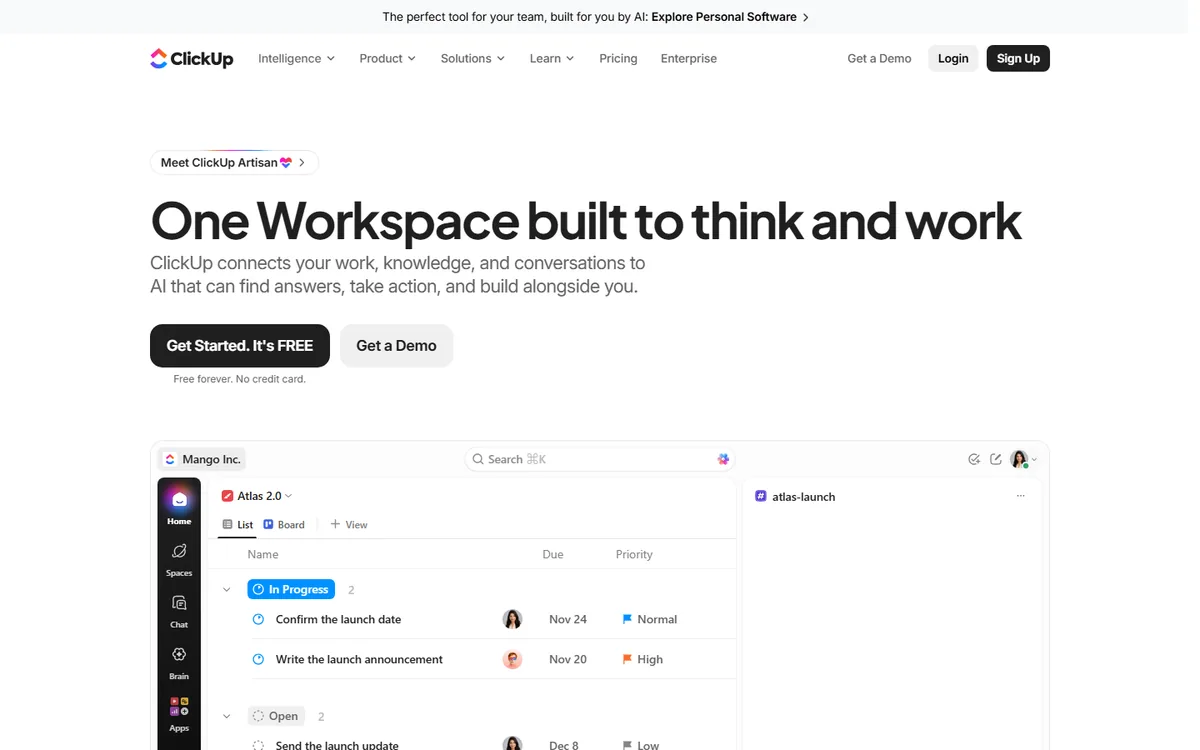
The Most Features per Dollar for Teams Willing to Spend an Hour Setting It Up
ClickUp combines tasks, docs, goals, dashboards and chat in one workspace, with a generous free plan.
ClickUp is where I send owners who want depth without a big bill. You can run tasks, sprints, docs, forms and goal tracking in one place, and the free plan has no cap on tasks or members. Views switch between list, board and calendar, so each person can work the way they prefer.
The price of that flexibility is complexity. New users often face a long menu of options, and a team that doesn’t agree on a simple structure ends up with a messy workspace. I advise you to define two or three spaces, one status flow and a short naming rule before you invite anyone.
What ClickUp Does Well
- The free plan has unlimited tasks, subtasks and members
- Tasks, docs, goals and dashboards live in one place
- Many views let each person work in their own style
What ClickUp Could Do Better
- The number of options can overwhelm first-time users
- A shared structure has to be agreed on, or the workspace gets cluttered
ClickUp Pricing
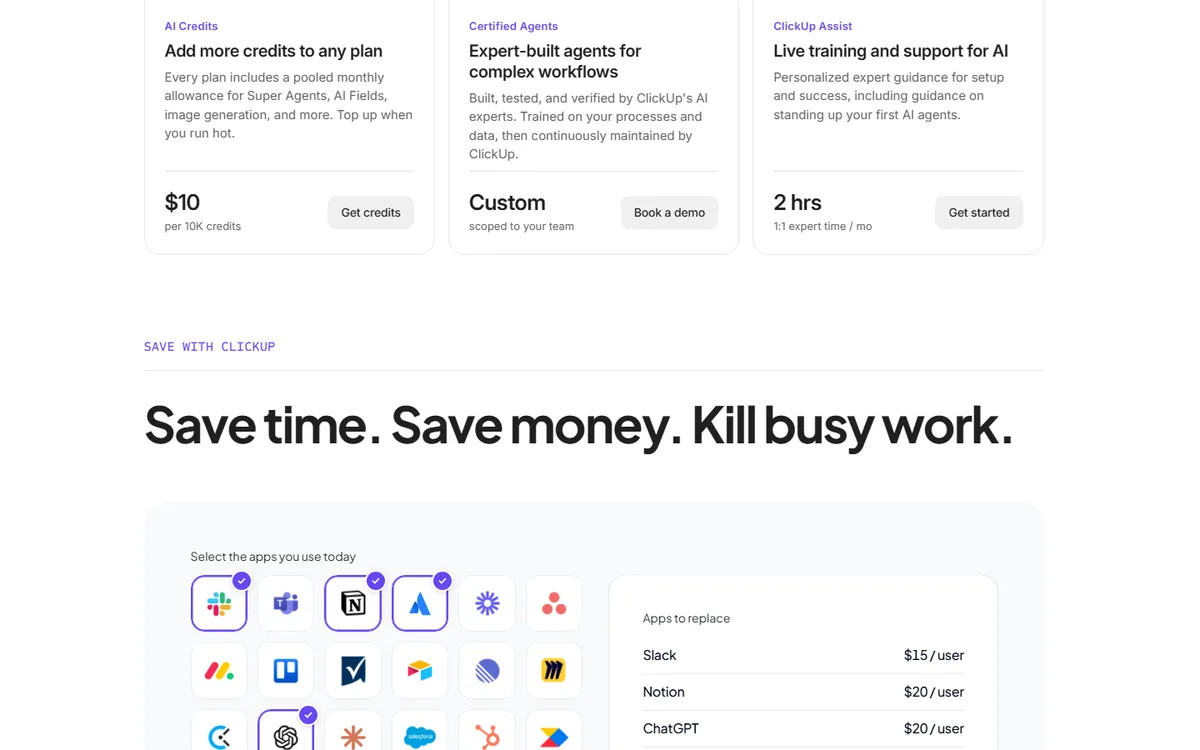
ClickUp has a Free Forever plan with unlimited tasks and members and 60 MB of storage. Paid plans are priced per user per month when billed yearly: Core at $9 and Business at $17, with Enterprise on request. ClickUp also lists a Max plan at $100 per user per month.
ClickUp Reviews
- G2: score of 4.6 out of 5 (from 15,500+ customer reviews)
- Capterra: score of 4.6 out of 5 (from 4,800+ customer reviews)
Asana
A Clean Project Tool for Teams That Hand Work Between Several People
Asana tracks projects, tasks and deadlines across teams, with timelines, workload views and goals that link daily work to larger targets.
Asana works best once several people pass work to each other, such as a design handoff or a client onboarding. Each task has an owner, a due date and a place in a project, and dependencies show what is waiting on whom. The interface is clean and quiet, which helps new users.
In my experience, Asana suits teams that already know how they want to work. It is less of a blank canvas than ClickUp, and some features, such as timeline views and advanced reporting, require the paid plans. The free plan caps at two users, so most small teams move to a paid tier quickly.
What Asana Does Well
- A calm interface that makes ownership and deadlines obvious
- Dependencies and timelines show who is waiting on whom
- Goals link daily tasks to larger targets
What Asana Could Do Better
- The free plan is limited to two users
- Per-user cost rises quickly on the higher plans
Asana Pricing
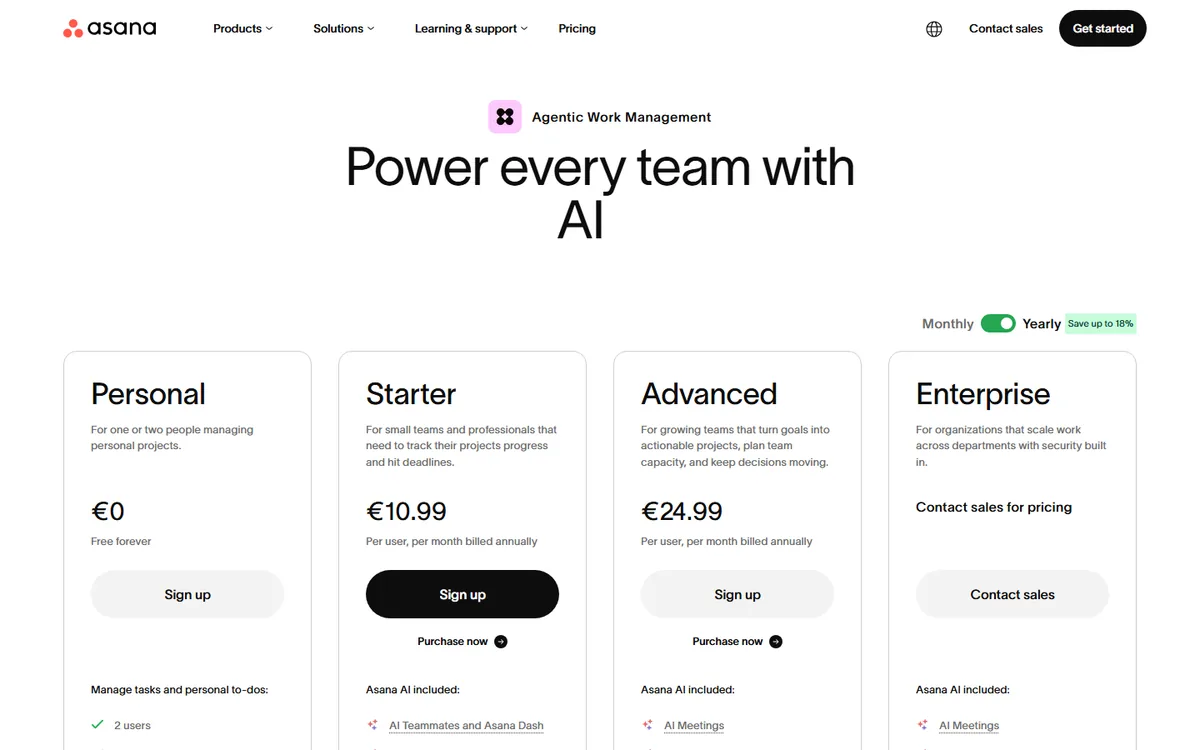
Asana’s Personal plan is free for up to 2 users. Starter costs $10.99 per user per month billed annually or $13.49 billed monthly, and Advanced costs $24.99 billed annually or $30.49 billed monthly. Enterprise is priced through sales.
Asana Reviews
- G2: score of 4.4 out of 5 (from 14,100+ customer reviews)
- Capterra: score of 4.5 out of 5 (from 13,700+ customer reviews)
Notion
The Best Home for Your Procedures, Notes and Light Task Tracking in One Place
Notion combines documents, wikis and databases in one workspace, with task boards, calendars and AI features you can shape to your needs.
I use Notion when a client’s biggest gap is written knowledge. The one-page procedures, role descriptions and meeting notes I recommend all fit naturally into a Notion page, and a database next to them turns tasks into boards and calendars. For a team of three to ten, that is often all the management software you need.
Notion is not built as a dedicated project or sales tool, though. It lacks the built-in dependencies, time tracking and reporting that tools like Asana or monday.com offer, so larger teams tend to outgrow its task features. Its freedom also means someone has to set the structure and keep it tidy.
What Notion Does Well
- Procedures, notes and tasks live together in one workspace
- Flexible databases adapt to many small business needs
- The free plan is enough to test a routine
What Notion Could Do Better
- Fewer built-in project features than dedicated tools
- Needs a clear owner to keep the structure tidy
Notion Pricing
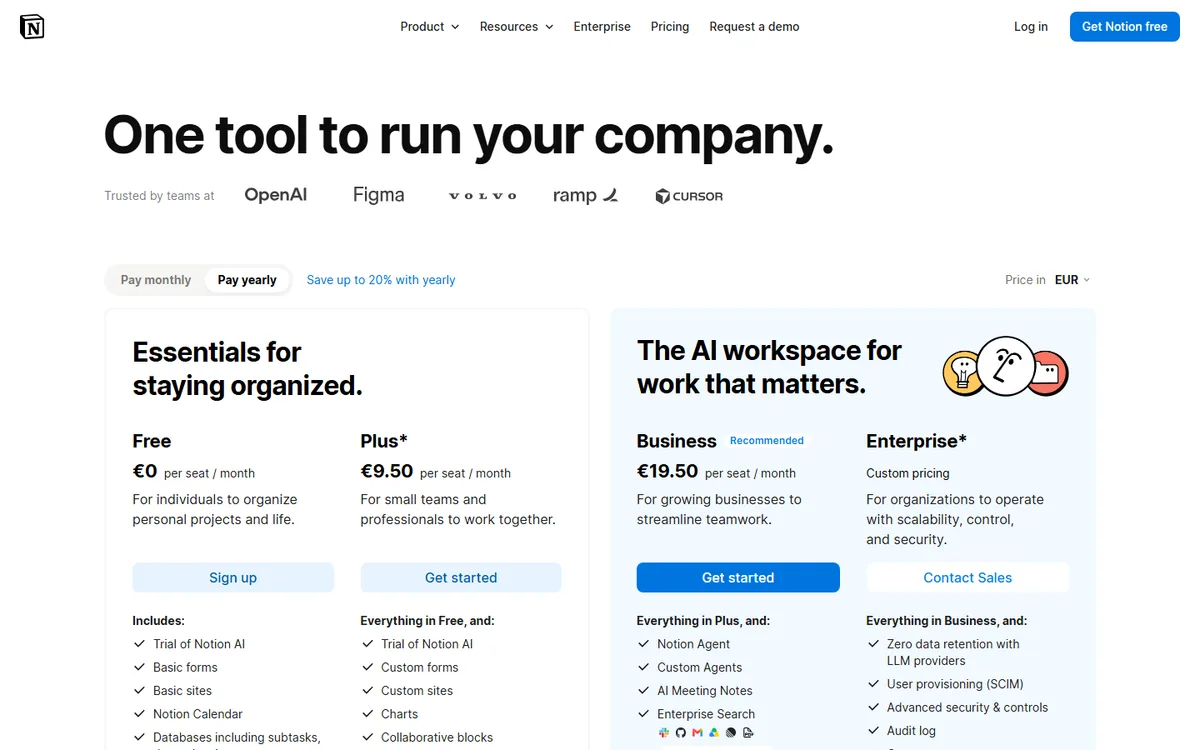
Notion has a free plan. Paid plans are priced per member per month: Plus at $10 and Business at $20, with a discount of up to 20% when you pay yearly. Enterprise pricing is custom.
Notion Reviews
- G2: score of 4.6 out of 5 (from 13,900+ customer reviews)
- Capterra: score of 4.7 out of 5 (from 2,800+ customer reviews)
Trello
The Cheapest, Simplest Way to Put Your Team’s Work on a Visible Board
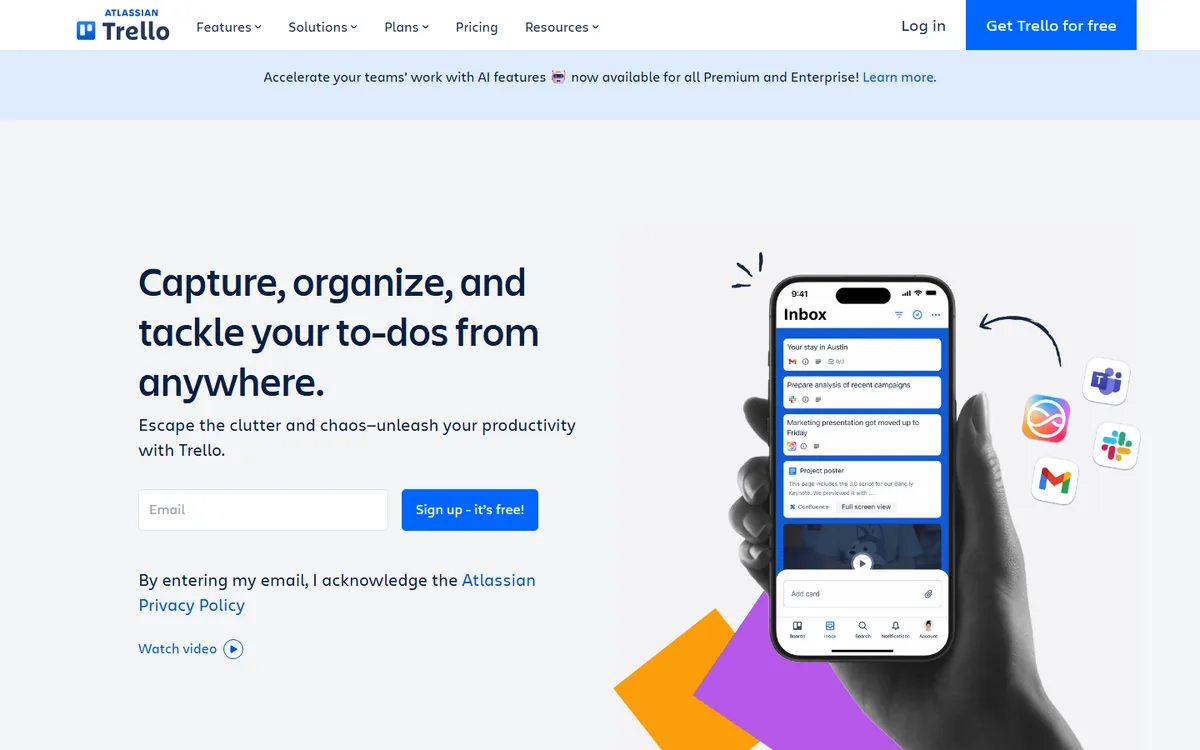
Trello organizes work as cards on kanban boards, with automation, calendar views and integrations available on paid plans.
Trello is the tool I suggest to owners who have never used a task system. Cards move from to-do to doing to done, and everybody understands the picture in a minute. For a crew that handles jobs or a small shop that tracks orders, that visibility alone removes a lot of status questions.
The simplicity has limits. Trello handles a few boards well, but once projects depend on each other or you need reports across boards, you will want a different tool. I treat it as a good first step: start here, and move to monday.com or ClickUp when the work outgrows boards.
What Trello Does Well
- Very easy to learn, even for non-technical staff
- Low prices, with a free plan for up to 10 collaborators
- Automation and integrations are available on paid plans
What Trello Could Do Better
- Cross-project reporting and dependencies are limited
- Large boards get hard to scan
Trello Pricing
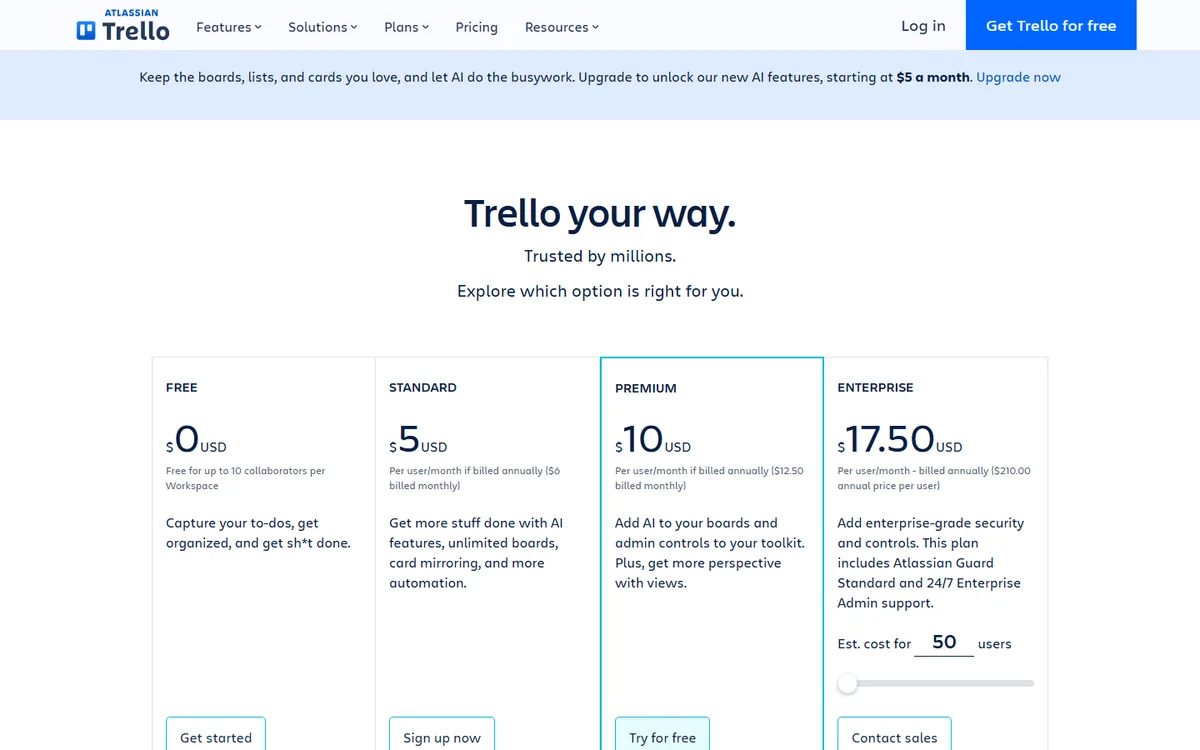
Trello’s Free plan allows up to 10 collaborators and 10 boards per workspace. Standard costs $5 per user per month billed annually or $6 billed monthly, and Premium costs $10 billed annually or $12.50 billed monthly. Enterprise is $17.50 per user per month billed annually.
Trello Reviews
- G2: score of 4.4 out of 5 (from 14,000+ customer reviews)
Bitrix24
A Flat Company Price for Teams That Want CRM, Tasks and Chat Together
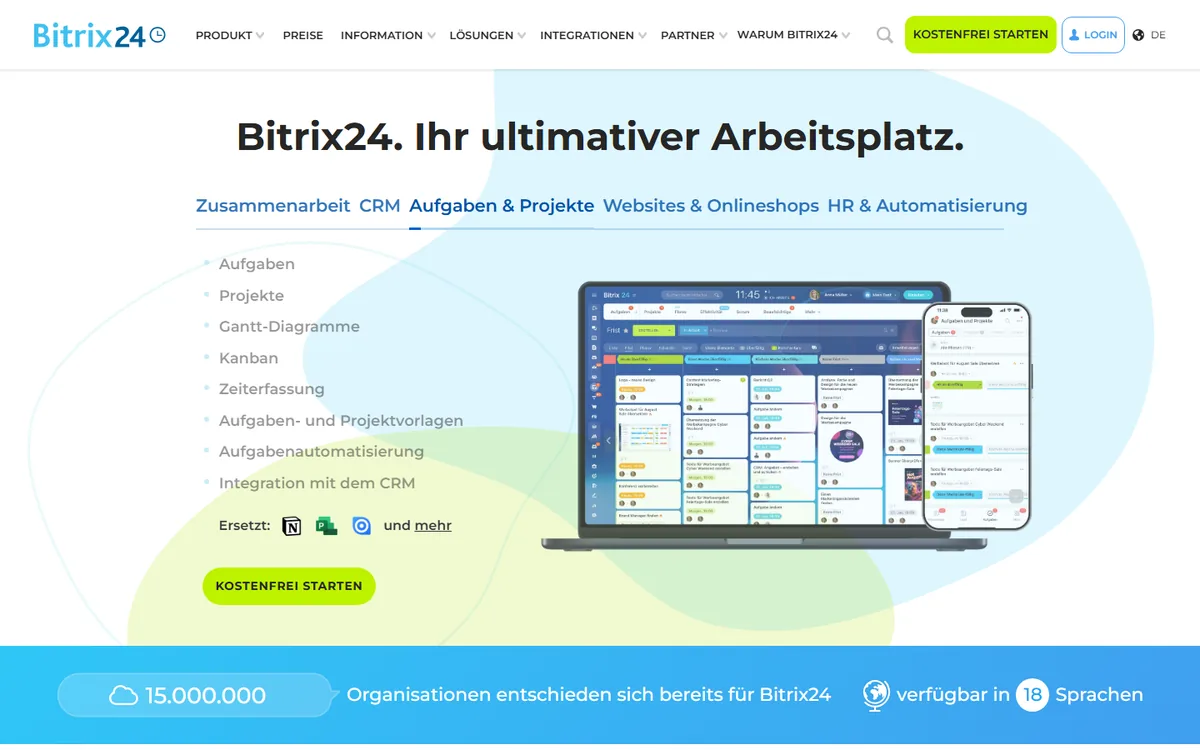
Bitrix24 combines CRM, tasks, chat, video calls, documents and HR tools in one platform, priced per company rather than per user.
Bitrix24 stands out because it charges per organization, with a set number of users included. For a team of twenty or thirty that wants customer tracking, tasks and internal chat together, that can come out far cheaper than per-seat tools. The suite also has a free tier.
The interface is dense, and in my experience it takes more patience to learn than monday.com or Trello. Review scores are also lower and based on far fewer reviews, so I advise you to run a trial with real staff before you commit. It suits owners who value breadth and a predictable monthly price.
What Bitrix24 Does Well
- Price is per organization, which suits growing teams
- CRM, tasks, chat and documents in one platform
- A free plan is available
What Bitrix24 Could Do Better
- The interface is dense and takes time to learn
- Fewer reviews and lower ratings than the leading tools
Bitrix24 Pricing
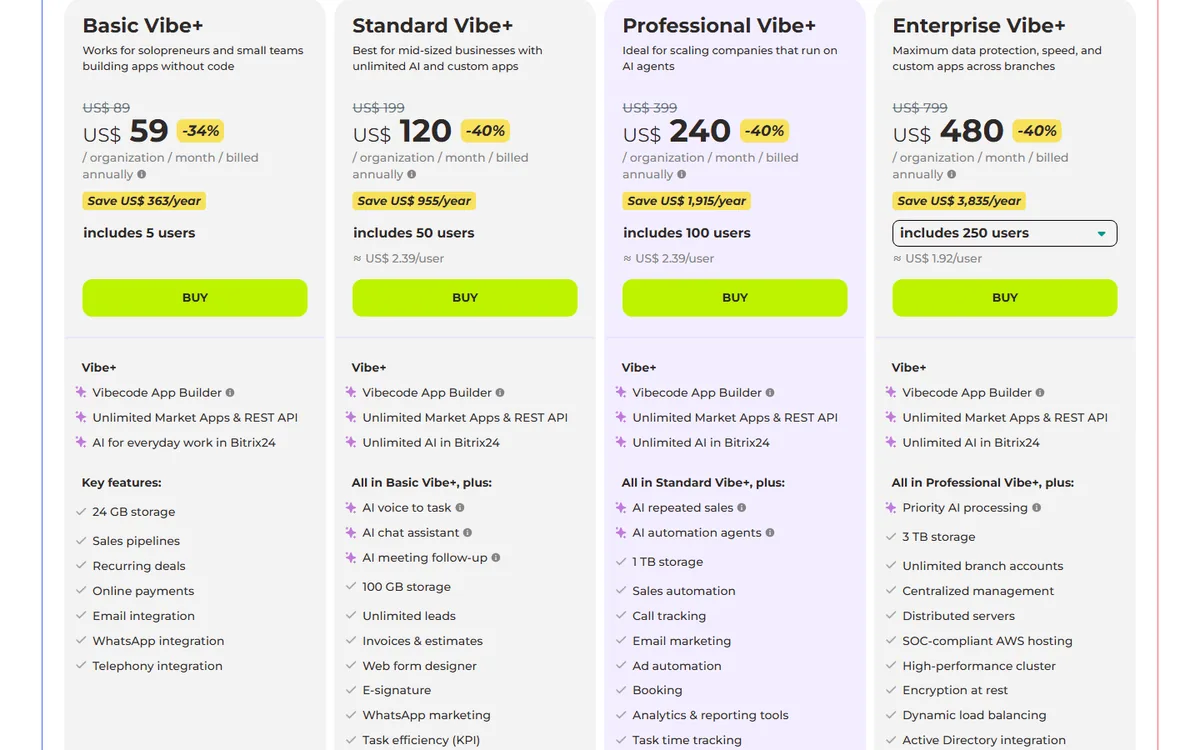
Bitrix24 has a free plan for 1 to 2 users. Paid cloud plans are priced per organization: Basic is $49 per month billed annually ($69 monthly) for 5 users, Standard is $99 per month billed annually ($144 monthly) for 50 users and Professional is $199 per month billed annually ($289 monthly) for 100 users.
Bitrix24 Reviews
- G2: score of 4.1 out of 5 (from 600+ customer reviews)
Estimate the Return on Management Software
Before you pick a plan, check whether the numbers work for you. Enter the manual hours the tool should take off your team’s plate and the monthly price of the plan you are considering, and you will see what it could return in a year.
Will It Pay for Itself?
Adjust the sliders to your workload and the plan you are looking at.
How to Choose the Right Small Business Management Software
In my experience, fit with your routines matters more than any feature list. Before you compare vendors, I suggest you answer four questions:
- What do you want to manage first: tasks, customers, projects or the whole business?
- How many people will use the tool every day, and what does that cost per user?
- Does your process already exist on paper, or do you still need to write it down?
- Who will set up the structure and keep it tidy?
If you need visible task boards for a small crew, I usually recommend Trello or monday.com. If you also manage sales and finance, look at Zoho One or Bitrix24. If you keep a lot of written procedures, choose Notion. Whichever you pick, a two-week trial on one real project tells you more than any comparison, and the order of steps in my small business management strategies shows where a tool should come in.
Questions About Small Business Management Software
What Is the Best Management Software for a Small Business?
For most small teams I recommend monday.com or ClickUp as a starting point. Both cover tasks, projects and simple reporting, and both offer free plans. If you want one system for sales, finance and operations, Zoho One is the broader suite. If your team is tiny and visual, Trello is hard to beat on price.
Do I Need All-in-One Software or Separate Tools?
It depends on how many areas you need to manage. Teams that only need tasks and projects do well with one focused tool. Teams that also run sales, invoicing and support often save time with a suite such as Zoho One or Bitrix24, because the data lives in one place. I suggest you start focused and add areas only when the need is clear.
How Much Does Small Business Management Software Cost?
Most tools in this list charge per user each month, from about $5 to $25 per user for paid plans, with free plans for small teams. Bitrix24 charges per organization instead. Your real cost depends on the number of users, so multiply the price by your team size before you compare.
Is Free Management Software Good Enough?
For testing and for teams of two to five people, often yes. Free plans from ClickUp, Notion, Trello and monday.com are enough to prove that a routine works. Limits on users, boards or storage usually push you to a paid plan once the tool is part of your daily work.
How Long Does It Take to Set Up?
A simple task board takes an afternoon. A full suite with sales, finance and automation takes several weeks, mostly spent on deciding how you want to work, not on clicking. I always tell clients to map the process on paper first and trial the tool on one real project for two weeks.
Can I Switch Tools Later?
Yes, but it costs time. Most tools export tasks and contacts as CSV files, though comments, automations and history often don't move across. To keep the switch cheap, keep your procedures in a document you own and avoid building deep automations in the first month.
Is a Spreadsheet Enough for Managing a Small Business?
For a team of two or three with simple work, a shared spreadsheet can be enough. Once several people need deadlines, owners and reminders, a task tool saves time and prevents dropped work. The step up is easy to take, since all tools here can import from a spreadsheet.
Note: Prices, plans and ratings change frequently. We checked them at the last update, so confirm them with each vendor before buying. This is not legal or financial advice.
Did you find this helpful?
Thank you for your feedback.
Delaney Brisco
Delaney leads the Tavo editorial team and works with our consultants to turn real client projects into practical guides on project delivery, process design and organizational change. Before joining Tavo, she spent 12 years in operations and program management roles. She has since edited more than 300 articles on management practice and reviewed PMO setups and process redesigns from over 100 client projects. She is based in Minneapolis, Minnesota.