Summary
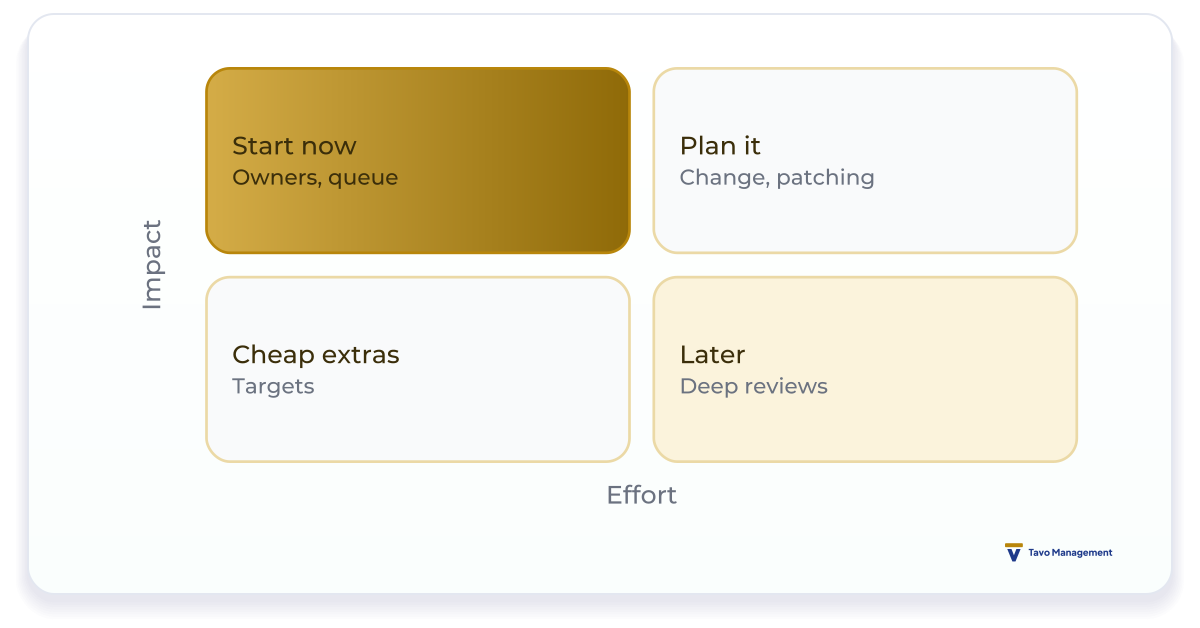
- Ownership, one request queue and an asset list are the foundation. Add the rest in order of risk.
- Tested backups and verified patching prevent the incidents that cost the most.
- Review vendors and contracts before they renew, not after the invoice arrives.
- Pick two or three practices per quarter instead of starting all ten.
Good IT management is mostly repetition. The teams I see run well are not using exotic tools. They do the same ten things every month, and they notice quickly when one slips. A short review with IT management consulting often turns up which of these are missing in your setup.
Below are the practices I check first in client assessments, each with one thing to do and one thing to avoid. The order roughly follows what I would introduce first, but your biggest pain may point to a different starting place.
The 10 Practices at a Glance
| Practice | Main benefit | Effort to start |
|---|---|---|
| 1. Give Every System and Process a Named Owner | Nothing falls through the cracks | Low |
| 2. Run Support Through One Request Queue | Requests become visible and countable | Low |
| 3. Set Response Targets and Report Against Them | Expectations you can check | Low |
| 4. Keep One Current List of Assets and Licenses | Control of spend and risk | Medium |
| 5. Control Change Before It Breaks Something | Fewer self-inflicted outages | Medium |
| 6. Patch on a Schedule and Verify It Happened | Fewer successful attacks | Medium |
| 7. Test Your Backups by Restoring Them | Recovery you can rely on | Medium |
| 8. Manage Access by Role and Remove It Promptly | Smaller attack surface | Medium |
| 9. Review Vendors and Contracts Before They Renew | Lower cost, better service | Medium |
| 10. Learn From Incidents and Write It Down | Fewer repeat problems | Low |
10 IT Management Practices, With Do and Avoid
If you are building a larger operating model rather than a handful of habits, my IT management framework article shows how the same practices fit together.
1. Give Every System and Process a Named Owner
Ownership is the practice everything else depends on. A system without an owner gets no patches, no budget review and no one to call when it fails. In my client work, the first assessment almost always finds applications that nobody can name an owner for.
Keep the list simple: system, owner, backup owner, renewal date. Review it every quarter, and update it whenever someone changes role.
Do this: Write one name next to every system, vendor contract and recurring task.
Avoid this: Assigning ownership to a team or a shared mailbox.
2. Run Support Through One Request Queue
Requests that arrive through chat, email, phone calls and corridor chats cannot be prioritized or counted. One queue makes work visible. It also shows you patterns, such as which application produces the most tickets, and that is where fixes pay off.
The tool can be basic at first. What matters is that every request gets a record, an owner and a status the requester can see.
Do this: Accept requests through one channel and log every one, even phone calls.
Avoid this: Fixing things informally and leaving no trace.
3. Set Response Targets and Report Against Them
Targets turn a vague promise to help into something you can check. Define priority levels, such as outage, blocked work and routine, and set a first-response and a resolution goal for each. Be realistic. A target you miss every week teaches people to ignore it.
Report the results monthly in a short note to leadership. Leaders who see numbers ask better questions and approve fixes sooner.
Do this: Publish three priority levels with a target for each and track the hit rate.
Avoid this: Promising a four-hour fix for everything.
4. Keep One Current List of Assets and Licenses
You cannot secure, renew or retire what you cannot see. A single list of devices, software and subscriptions, with owner and renewal date, supports security work, audits and budgeting at once. Discovery tools can fill in devices automatically, as I show in my review of IT management software.
Assign someone to reconcile the list against invoices and logins once a quarter. Unused licenses and forgotten subscriptions usually show up in the first pass.
Do this: Add every purchase to the list at the time of purchase.
Avoid this: Rebuilding the list from scratch before every audit.
5. Control Change Before It Breaks Something
Most outages follow a change. A formal change board is overkill for small teams, but a lightweight routine is not. Write down what you will change, why, how you will test it and how you will undo it. Share it with the people affected before you start.
Match the effort to the risk. A password policy change needs a note and a heads-up. A server migration needs a plan, a rollback and a quiet window.
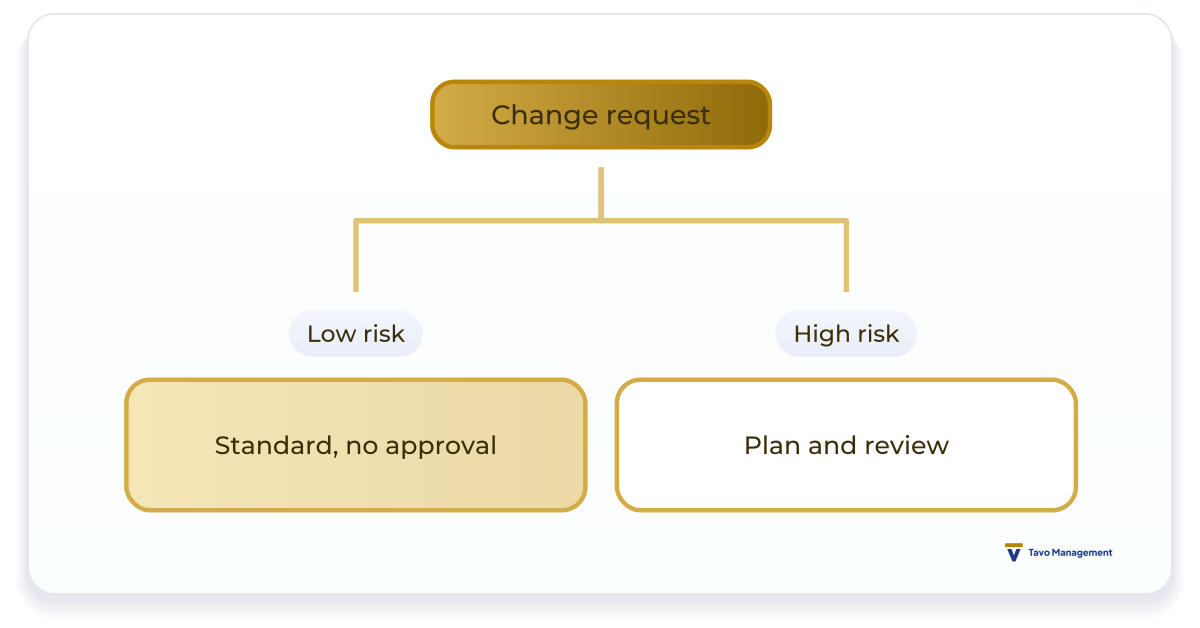
Do this: Define standard changes that need no approval and require a plan for the rest.
Avoid this: Making production changes late on Friday.
6. Patch on a Schedule and Verify It Happened
Unpatched software is a leading way in for attackers. A fixed schedule, such as monthly for most systems and faster for critical flaws, removes the daily debate. Test on a small group first for anything that could disrupt work.
Verification is the part teams skip. Confirm from a report that devices actually installed the updates, and chase the exceptions. Machines that are always off or offline need a different approach.
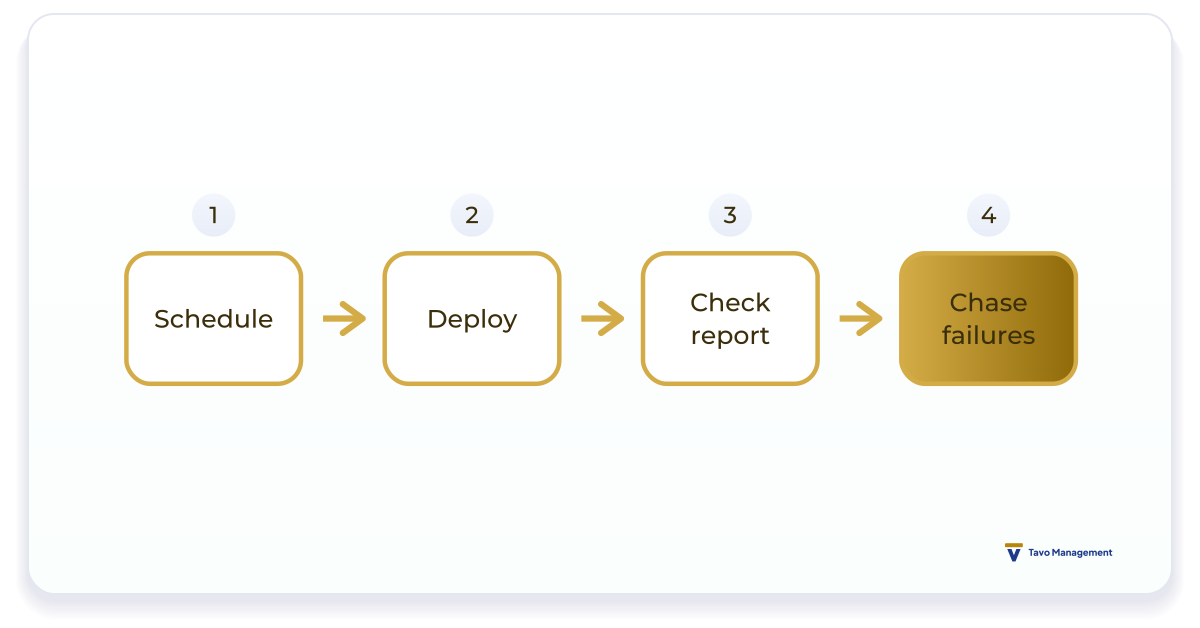
Do this: Report patch compliance each month and follow up on failures.
Avoid this: Assuming automatic updates worked.
7. Test Your Backups by Restoring Them
Backups fail quietly. Jobs run, disks fill, licenses expire and nobody notices until a restore is needed. A scheduled restore test is the only proof that your recovery works. Pick a different system each quarter and restore a real file or database.
Keep a copy that ransomware cannot reach, either off site and offline or stored with immutability turned on. Also back up cloud data such as email and shared drives, which many teams assume is covered.
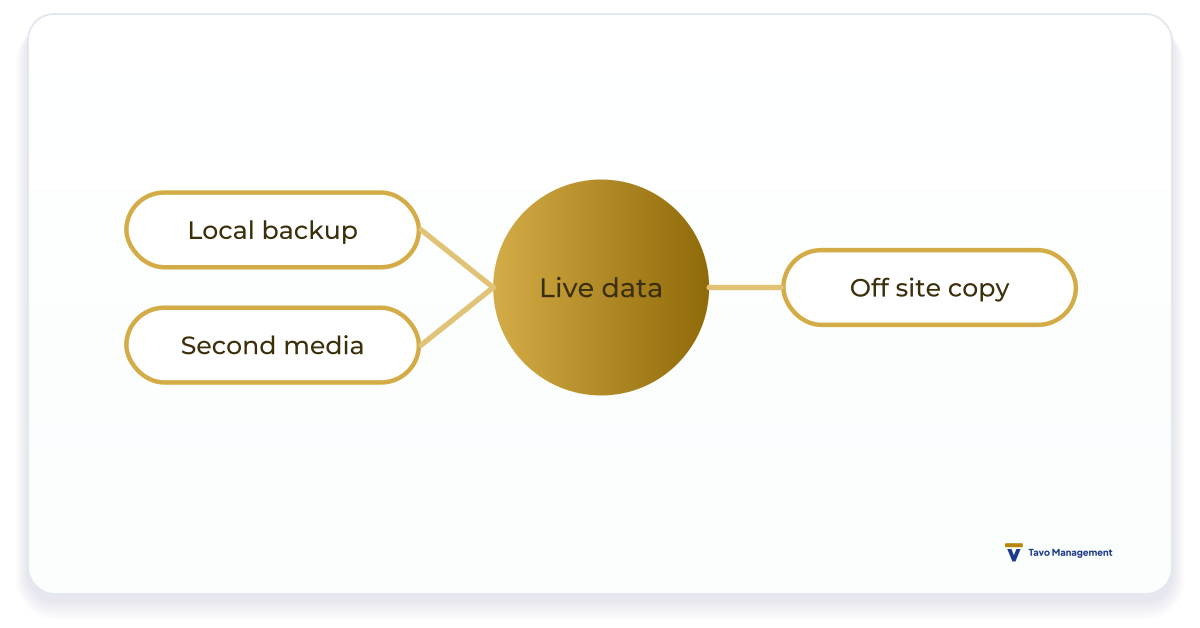
Do this: Run and document one restore test every quarter.
Avoid this: Counting a green status light as a tested backup.
8. Manage Access by Role and Remove It Promptly
Access tends to pile up. People change roles, keep old permissions and leave without their accounts being closed. Define standard access by role, and review privileged accounts at least twice a year. Multi-factor authentication should be standard for email, admin tools and anything that holds money or personal data.
Tie offboarding to HR. If IT learns about a departure after the person has gone, the process is too slow.
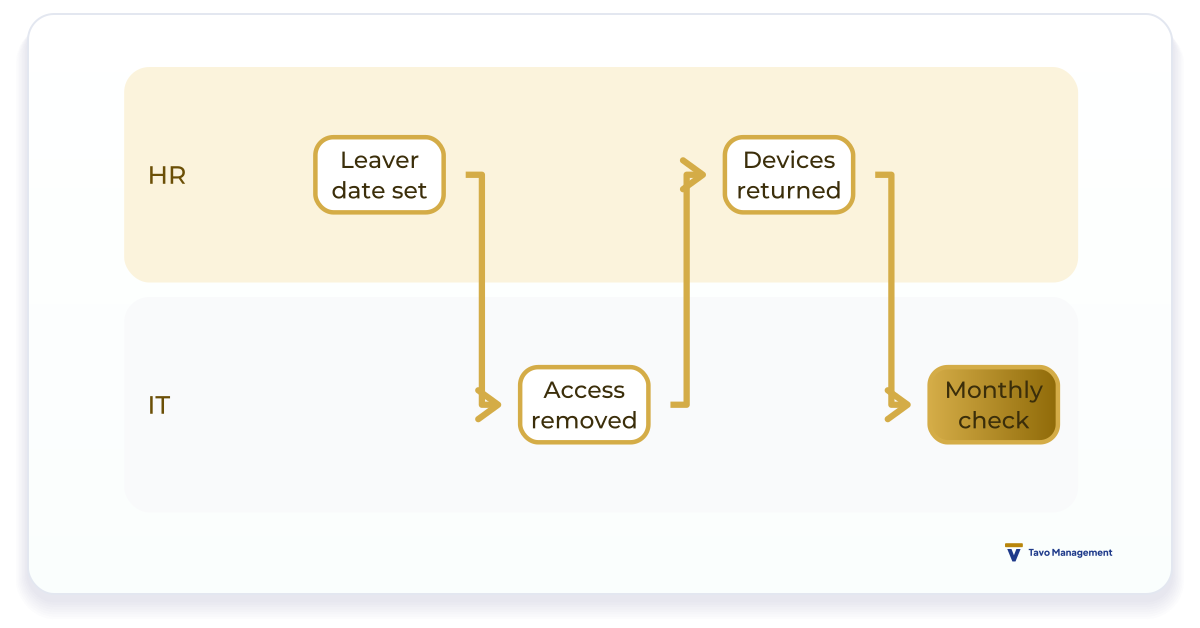
Do this: Link account removal to the HR leaver date and check it with a monthly report.
Avoid this: Giving broad admin rights because it is faster.
9. Review Vendors and Contracts Before They Renew
Auto-renewals are expensive habits. Put every contract on a calendar 90 days before renewal, with the owner responsible for a decision. Check usage, compare quotes and negotiate service levels, not only price.
Hold providers to written targets and ask for monthly reports. A provider that tracks its own performance welcomes this. One that resists it is telling you something. For a longer view of how this fits into planning, see my IT management strategy article.
Do this: Review usage and alternatives two to three months before each renewal.
Avoid this: Letting multi-year contracts roll over unread.
10. Learn From Incidents and Write It Down
Every serious incident is a cheap lesson if you capture it. After an outage or a security scare, hold a short review: what happened, what the cause was, what slowed the response and what changes will prevent a repeat. Keep it free of blame, or people will hide problems.
Store the notes where the team can search them. Recurring causes become your improvement backlog, and the same notes help new colleagues learn how your environment really behaves. The wider patterns are covered in my guide to IT management challenges.
Do this: Hold a 30-minute review after every major incident and assign actions with dates.
Avoid this: Closing the ticket and moving on.
What Changes for Small Teams
If you have fewer than 25 people, you will skip some of this, and that is fine. A small team needs ownership, backups, access control and a list of subscriptions long before it needs formal change control. My guide to IT management for small business lays out a 90-day order that fits.
How to Roll Them Out Without Overload
Start with a one-hour workshop. Score each practice red, yellow or green for your team, and be honest. Choose the two reds that cause the most pain or risk. Name an owner for each, set a date for the first result and review progress after 30 days.
Tie each practice to a number you can see. Ownership shows up as a complete system list. Support shows up as a ticket count and response time. Backups show up as a restore test result. Numbers keep the effort alive after the initial enthusiasm fades, and they give you something to show leadership.
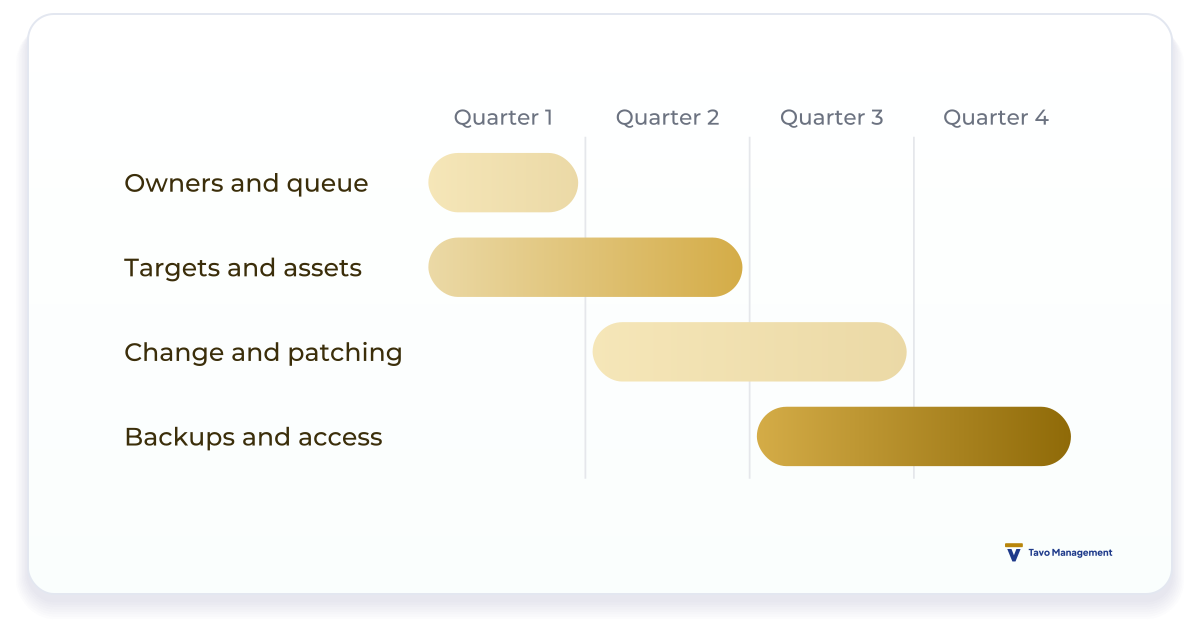
- Pick two practices and name one owner for each.
- Define the measure that will show progress.
- Schedule a 30-minute review in four weeks.
- Document what you changed in one page.
Questions About IT Management Best Practices
What Is the Most Important IT Management Best Practice?
Clear ownership. Every system, process and contract needs a named person who answers for it. Tools and frameworks help, but without an owner, routines decay within months. If you can only do one thing this quarter, write an owner next to every item on your IT list.
How Many Best Practices Should a Team Adopt at Once?
Two or three. I suggest you pick the practices that address your most expensive problem, run them for a quarter and then add more. Teams that start ten at once usually finish none, and people stop trusting the process.
Do These Practices Apply to Teams That Outsource IT?
Yes. Outsourcing moves the work, not the accountability. You still need an owner on your side, written service levels, a current asset list and regular reports from the provider. Several of the practices below are really about managing the provider well.
Is ITIL Necessary for Good IT Management?
No. ITIL offers a large catalog of practices, and most teams use only a small portion. The ideas that matter most for small and mid-sized teams are a single request queue, change control for risky changes, a record of assets and learning from incidents.
How Do I Measure Whether IT Management Is Improving?
Track a few numbers monthly: time to first response, time to resolve common requests, tickets reopened, patch status, successful restore tests and IT spend against budget. Five or six measures are plenty. Review them in a short meeting and act on the one that moves the wrong way.
How Often Should IT Policies and Procedures Be Reviewed?
At least once a year, and after any incident that exposed a gap. Procedures for access, backups and onboarding change as your tools change. Put the review date in the document so people can see how current it is.
What Should I Do First If IT Feels Out of Control?
Take inventory and stabilize. List your systems, owners and contracts, confirm that backups restore and turn on multi-factor authentication. Once you can see the whole picture, you can rank improvements by risk and cost instead of reacting to whatever is loudest.
Sources
General information only: this is not legal, financial or tax advice. Examples and numbers reflect typical projects; check the specifics with your advisers before deciding.
Did you find this helpful?
Thank you for your feedback.
Delaney Brisco
Delaney leads the Tavo editorial team and works with our consultants to turn real client projects into practical guides on project delivery, process design and organizational change. Before joining Tavo, she spent 12 years in operations and program management roles. She has since edited more than 300 articles on management practice and reviewed PMO setups and process redesigns from over 100 client projects. She is based in Minneapolis, Minnesota.