Summary
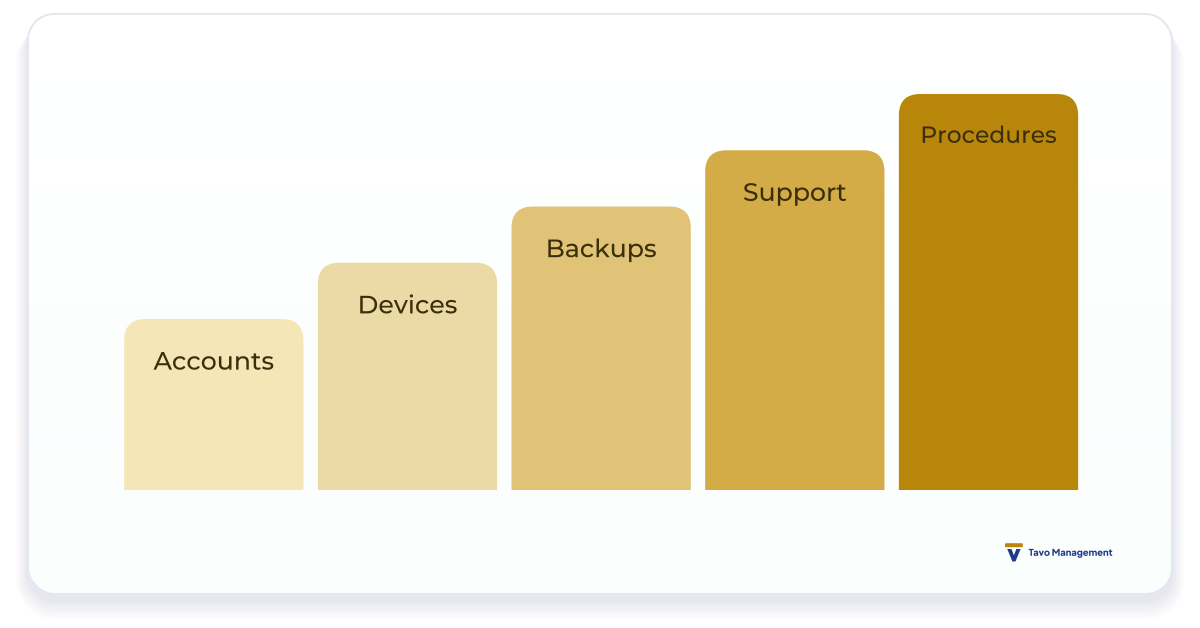
- Start with accounts, backups and updates. Those three areas prevent most serious problems in small companies.
- Decide who owns IT in your business, even if the daily work sits with a provider.
- Write down a handful of procedures and keep one list of devices, software and renewals.
- Review the setup every month in 20 minutes and once a year in depth.
Most small businesses do not have an IT department. They have a laptop drawer, a shared password and one person who is good with computers. That works until the day an account is hacked, a backup fails or the person leaves. A short stretch of structured work with IT management consulting usually prevents that day.
This guide covers what I would set up first in a company of 5 to 50 people, in the order I would do it. You will see what to handle yourself, what to hand to a provider and how to keep the effort small enough that it actually happens.
What IT Management Covers in a Small Company
IT management is the work of keeping technology running, secure and affordable, plus deciding what to buy next. It is wider than fixing printers. The table shows the areas I check first and what good looks like in a small team.
| Area | What it includes | Good enough for a small team |
|---|---|---|
| Accounts and access | Logins, permissions, multi-factor authentication, leavers | One account per person, MFA on, leavers removed the same day |
| Devices and updates | Laptops, phones, patching, encryption | Automatic updates, disk encryption, a current device list |
| Backups and recovery | Files, email, key systems | Daily backup, one restore test per quarter |
| Support | Requests and incidents | One address or form, a named owner, response targets |
| Software and contracts | Licenses, renewals, vendors | A single list with renewal dates and owners |
| Planning and budget | Hardware cycle, upgrades, projects | A one-page plan for the next 12 months |
You can reach this level without special software. A shared spreadsheet and a calendar cover more than most people expect, and you can move to dedicated tools once the list gets long. If you are already at that point, my ranking of IT management software shows what each tool costs at small-team size.
Who Should Own IT in Your Business?
The most common gap I see is not technical. Nobody owns IT. The provider fixes things when asked, the office manager orders laptops, and the owner approves invoices without knowing what they cover. Pick one person on your side, even at two hours a week, who is the contact for the provider, keeps the lists and approves purchases.
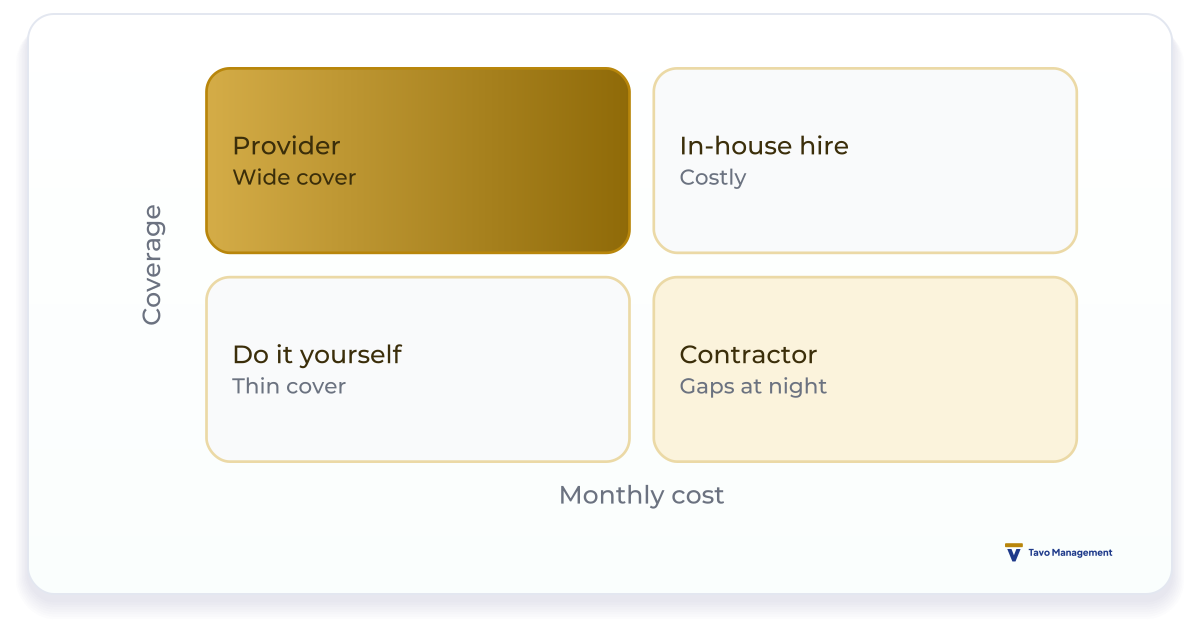
Then choose the support model that fits your size. None is right for everyone, and many companies mix two.
| Option | Strengths | Watch for |
|---|---|---|
| Do it yourself | Cheapest at the start, full control | Depends on one person’s time and knowledge, security often slips |
| Part-time contractor | Flexible, good for projects and advice | Availability when something breaks, thin documentation |
| Managed service provider | Monitoring, patching and a help desk for a predictable fee | Contract terms, response times and who holds the admin passwords |
| In-house hire | Knows your business, fast response | Cost, coverage during vacations, one person cannot know everything |
If you use a provider, ask for monthly reports on tickets, patch status and backup tests. A provider that cannot show them is asking you to trust rather than verify.
Lock Down Accounts Before You Buy Anything
I have worked on small-company incidents where the cause was a shared mailbox password that had been the same for six years. Accounts are the cheapest place to improve your security and the most common place for it to fail.
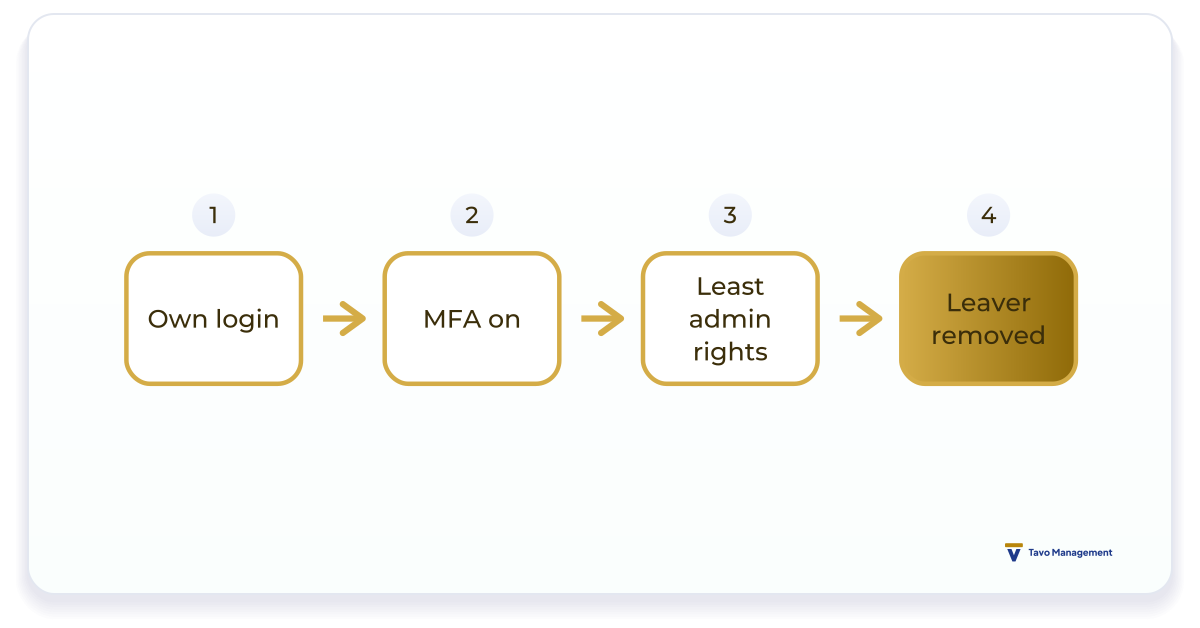
Give every person their own login, even for tools that tempt you to share one. Turn on multi-factor authentication for email, banking, your domain registrar and your cloud storage first. Use a password manager so nobody reuses a password. Then create a leaver routine: on the last day, disable the account, move files to the manager and revoke access to every cloud tool. A written checklist makes this a ten-minute job instead of an argument.
Limit admin rights. In many small offices every employee is a local administrator, which means one wrong click installs malware with full power. Give admin rights to the one or two people who need them.
Keep Devices Patched, Encrypted and Counted
Updates feel like a chore, which is exactly why they get skipped. Switch on automatic updates for operating systems and browsers, and check the status once a month. Turn on disk encryption on every laptop, so a lost device is an annoyance rather than a data breach. Microsoft ended support for Windows 10 on October 14, 2025, so any machine still on it needs a plan now.
Count your devices. A list with owner, model, purchase date and warranty end takes an afternoon to build and saves days later. It also lets you plan replacements on a cycle of about four years instead of buying in a panic. If the list grows beyond what a spreadsheet handles, a discovery tool can build it for you, and I compare those in the IT management software ranking.
Back Up What Hurts to Lose, Then Test It
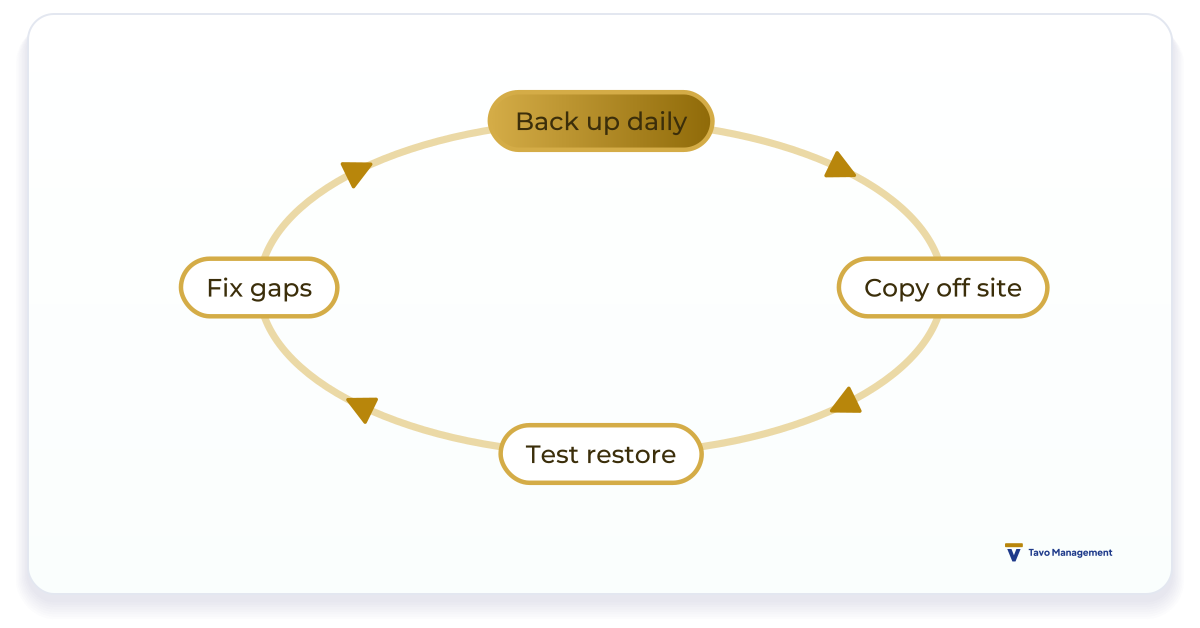
A backup you have never restored is a hope. I ask every client to name the three things that would hurt most to lose, usually the accounting data, customer records and shared project files, and to restore each one once. In my client work, something is often missing: a folder that was never included, an expired license or a backup that has been failing quietly for months.
Keep at least one copy off site and offline or immutable, so ransomware cannot encrypt it. Remember cloud services too. Email and shared drives are not automatically backed up in the way people assume, and a deleted file can be gone after the retention period ends.
Make Support Simple and Visible
Employees will not follow a process they find annoying. One address, one chat channel or one simple form for all IT requests is enough at the start. What matters is that every request gets logged and has an owner. Without that, requests hide in private messages and you never see patterns, such as the same printer failing every week.
Set two targets: how fast you acknowledge a request and how fast you aim to fix common ones. Publish them in one sentence. A free or low-cost ticketing tool is worth adding once you pass roughly 20 people. Before that, a shared inbox with a clear owner often works.
Write Down the Handful of Procedures That Repeat
You do not need a hundred policies. Write one-page procedures for the things that happen again and again: onboarding a new hire, offboarding a leaver, ordering a laptop, resetting access and responding to a suspected phishing email. Keep each to a checklist of steps with a named owner. The shared habits behind this are listed in my guide to IT management best practices, and the checklists are the part of it that small teams use most.
Store the documents where the whole team can find them, and mark who updates each one. A procedure nobody maintains is worse than none, because people trust it.
Your First 90 Days, in Order
If you feel overwhelmed, use this sequence. Each step is small, and the early ones protect you the most.
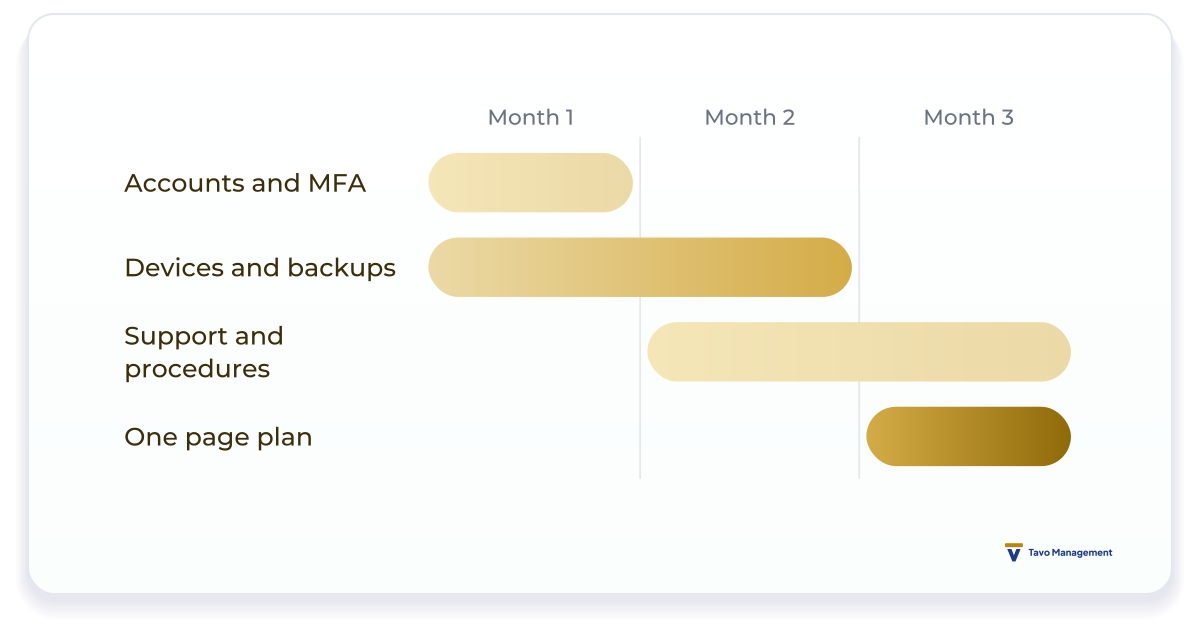
- Days 1 to 10: name an IT owner, list your critical systems and turn on multi-factor authentication for email and banking.
- Days 11 to 30: remove old accounts, set up a password manager and build the device and license list.
- Days 31 to 60: set up backups for your three most important data sets and run one restore test.
- Days 61 to 75: write the onboarding, offboarding and phishing procedures and publish your response targets.
- Days 76 to 90: review contracts and renewals, and draft a one-page plan for the next 12 months.
The one-page plan is where small companies usually stop. It does not have to be fancy. List what you want to improve, why, the rough cost and who owns it. When you are ready to build something more formal, the structure in my IT management framework article breaks it into building blocks, and the IT management strategy piece shows how to rank the projects.
Where Small Companies Get Stuck
The patterns repeat. Companies buy tools before deciding who will maintain them, so licenses go unused. They rely on one helpful person and have no documentation when that person is out. They sign multi-year provider contracts without response-time commitments. In my experience, a few of these trace back to the same root: nobody was asked to own IT. I cover the wider list in my breakdown of IT management challenges, including the ones that appear as you grow.
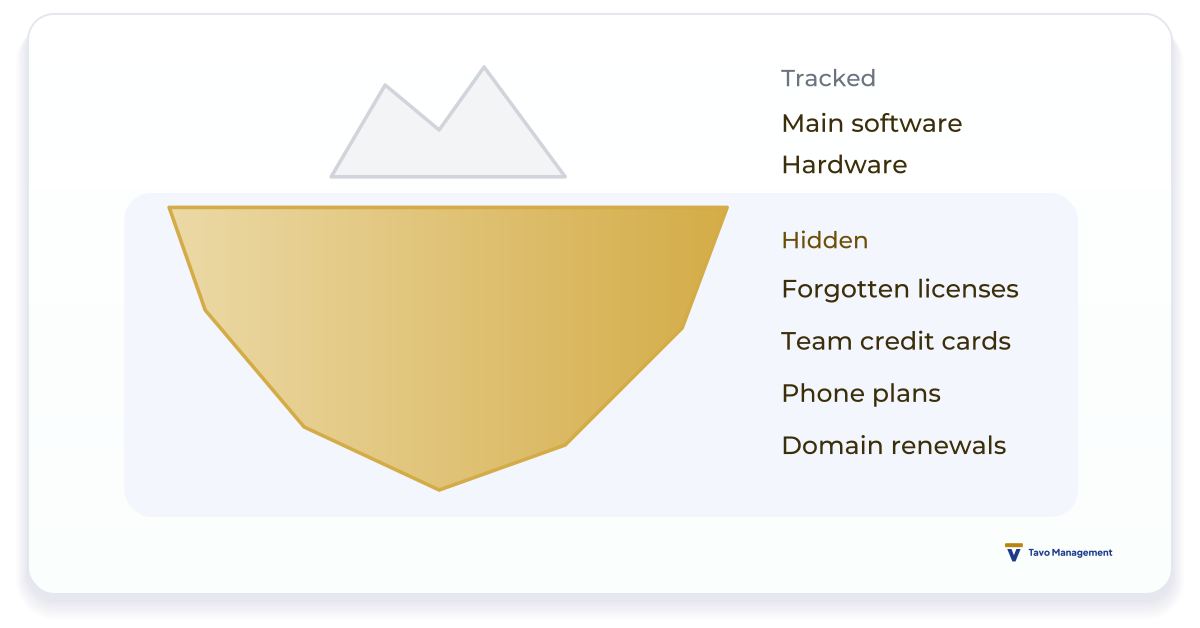
Budget is the other trap. IT spend tends to hide in many places: software on personal cards, hardware bought as needed and a provider invoice nobody questions. Pull it into one sheet once a year. The total often surprises owners, and the duplicates are the first savings.
When to Ask for Outside Help
Bring in a consultant when you cannot tell whether your provider is doing a good job, when you are choosing a major system, when an audit or insurance questionnaire asks for evidence you do not have or when growth is stretching your setup. A short assessment gives you a ranked list of fixes, so you can spend on the right things first.
Before you hire anyone, ask for independence from software vendors, written deliverables and references from companies of your size. Be wary of anyone who starts the first meeting with a product demo.
Questions About Managing IT in a Small Business
How Much IT Support Does a Small Business Really Need?
It depends on how much of your work stops when a system fails. A five-person office that lives in email and a shared drive needs a reliable provider, backups and a few written routines. A clinic or workshop with specialized equipment needs faster response and more monitoring. I suggest you list your five most important systems and ask how long you could work without each one. The answers set your support level.
Should a Small Business Hire an IT Person or Use a Provider?
Under about 25 employees, a provider or a part-time contractor is usually the better fit, because one hire cannot cover security, support and projects alone. Past 50 or so employees, or with specialized systems, a full-time person starts to pay off. Many companies keep a provider for monitoring and add an in-house generalist who owns decisions and vendor contact.
What Is the First Thing to Fix in Small Business IT?
Access and backups. Make sure every employee has their own account, remove accounts of people who left, turn on multi-factor authentication and confirm that you can actually restore a backup. These steps cost little time and remove the most common causes of serious incidents.
Do I Need ITIL or a Formal Framework?
No. A small business needs the habits behind the frameworks, not the paperwork: a single place for requests, written procedures for repeat tasks, a list of assets and a regular review. If you grow, you can borrow ideas from ITIL or similar models later.
How Often Should I Review My IT Setup?
Do a quick check every month, covering patches, backups and open tickets, and a proper review once a year. The yearly review should cover licenses, contracts, hardware age and your plans for the next twelve months.
What Does IT Management for a Small Business Cost?
Costs vary widely with headcount, the number of devices and the service level you choose. Expect a monthly fee per user or per device from a provider, plus licenses and hardware. Ask for a written quote that lists exactly what is included, including response times and after-hours support.
Is Cloud Software Enough, or Do I Still Need IT Management?
You still need it. Cloud tools move servers off your premises, yet someone must manage accounts, permissions, devices, backups of cloud data and renewals. In my client work, most small-business incidents come from account access and configuration, which sit squarely in management.
Sources
General information only: this is not legal, financial or tax advice. Examples and numbers reflect typical projects; check the specifics with your advisers before deciding.
Did you find this helpful?
Thank you for your feedback.
Delaney Brisco
Delaney leads the Tavo editorial team and works with our consultants to turn real client projects into practical guides on project delivery, process design and organizational change. Before joining Tavo, she spent 12 years in operations and program management roles. She has since edited more than 300 articles on management practice and reviewed PMO setups and process redesigns from over 100 client projects. She is based in Minneapolis, Minnesota.