Summary
- Smartsheet and monday.com fit most new PMOs, because teams adopt them fast and dashboards work out of the box.
- Microsoft Project suits schedule-heavy work, and Planview, Workfront and Clarity suit large enterprise portfolios with funding and capacity planning.
- Budget picks such as Zoho Projects, ClickUp and Celoxis cover a lot for $4 to $10 per user per month.
- Settle your governance and reporting standards first, then pick the tool and run a short pilot before you commit.
The Best PMO Software at a Glance
| Tool | Type | Best for | Starting price |
|---|---|---|---|
| 1. Smartsheet | Spreadsheet-style work management | PMOs that think in grids and need reports fast | $9 per user per month (Pro), $19 (Business) |
| 2. monday.com | Visual work management platform | Cross-team PMOs that want a flexible, friendly interface | $9 per user per month (Basic), $12 (Standard), $19 (Pro) |
| 3. Microsoft Project | Scheduling and portfolio tool | Organizations that already run on Microsoft 365 | $10 per user per month (Planner Plan 1), $30 (Plan 3), $55 (Plan 5) |
| 4. Planview | Enterprise portfolio management | Large PMOs that manage strategy, capacity and funding together | Not published, quote required |
| 5. Asana | Collaborative work management | Teams that want clear ownership and goals | $10.99 per user per month (Starter), $24.99 (Advanced) |
| 6. Adobe Workfront | Enterprise work management | PMOs in marketing, creative and large enterprises | Custom quote (Select, Prime, Ultimate) |
| 7. Wrike | Work management with resource planning | Mid-sized PMOs with many parallel projects | $10 per user per month (Team), $25 (Business) |
| 8. Celoxis | Project and portfolio management | Budget-conscious PMOs that want portfolio depth | $10 per user per month (Core) to $45 (Business) |
| 9. ClickUp | All-in-one work platform | Smaller PMOs on a budget that want many features | Free, $10 per user per month (Unlimited), $19 (Business) |
| 10. Broadcom Clarity | Enterprise PPM | Very large PMOs with financial planning needs | Not published, quote required |
| 11. Zoho Projects | Affordable project management | Small PMOs on the tightest budget | Free, $4 per user per month (Premium), $9 (Enterprise), $14 (Ultimate) |
The 11 Best PMO Software Tools, Ranked
I start with tools that suit most growing PMOs and move toward enterprise platforms and budget options, so you can stop reading when you find your fit. The tool is only part of the result: in the PMO consulting projects I review, agreeing on reporting standards matters more than the logo on the dashboard. Prices below come from Capterra, billed annually unless noted.
Smartsheet
The Closest Thing to a PMO Starter Kit for Teams That Live in Spreadsheets
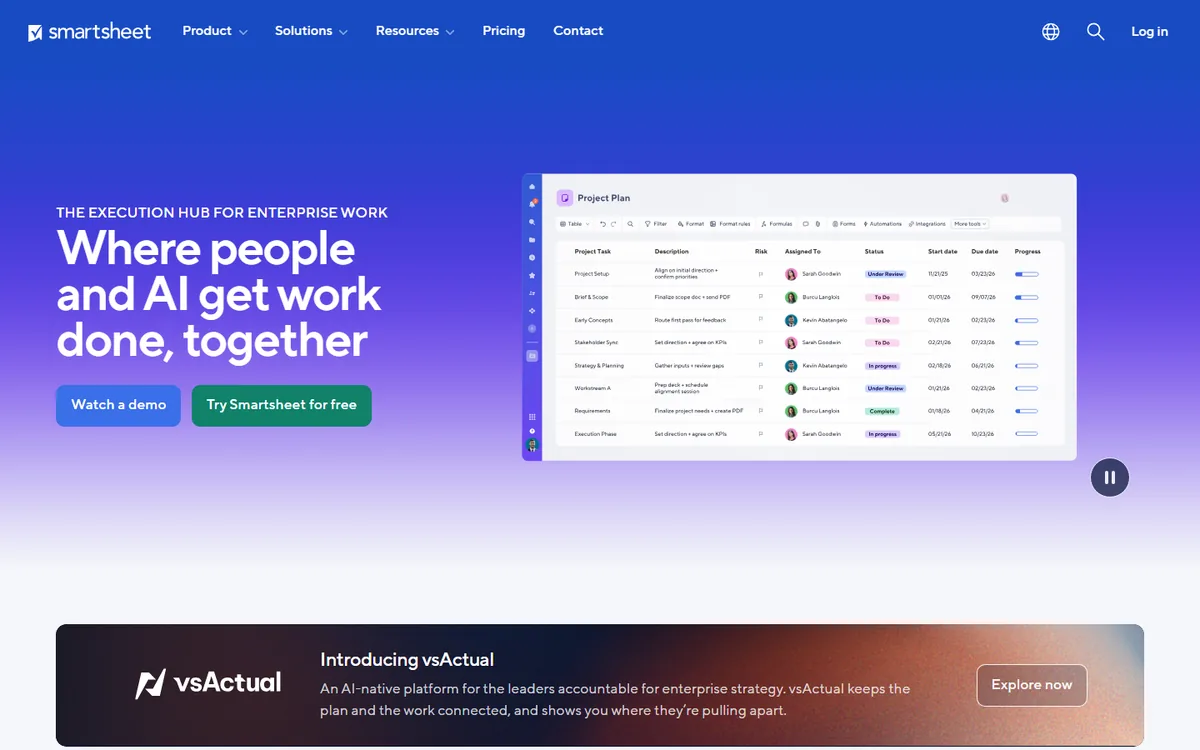
Smartsheet turns the spreadsheet your project managers already use into plans, dashboards and automated reports.
Smartsheet is the platform I most often see in the first year of a new PMO. The grid looks like Excel, so project managers need almost no training, yet each row can hold dependencies, owners and status. Sheets roll up into portfolio dashboards, and forms give you a clean intake channel for new project requests, which is where most PMO processes begin.
The trade-off appears at scale. With a few dozen projects, rollups are simple. With several hundred, the structure of your sheets matters a lot, and I have seen teams spend weeks untangling workspaces that grew without a plan. Resource management and advanced portfolio features cost extra, so check what your PMO needs before you read the Pro price as the final number. A related decision is how much to automate your reporting, which I cover in my PMO best practices guide.
What Smartsheet Does Well
- Familiar grid view that project managers learn in a day
- Dashboards and automated reports remove manual status work
- Forms and workflows make project intake simple
What Smartsheet Could Do Better
- Structure gets messy when workspaces grow without rules
- Resource and portfolio features sit in higher or add-on plans
Smartsheet Pricing
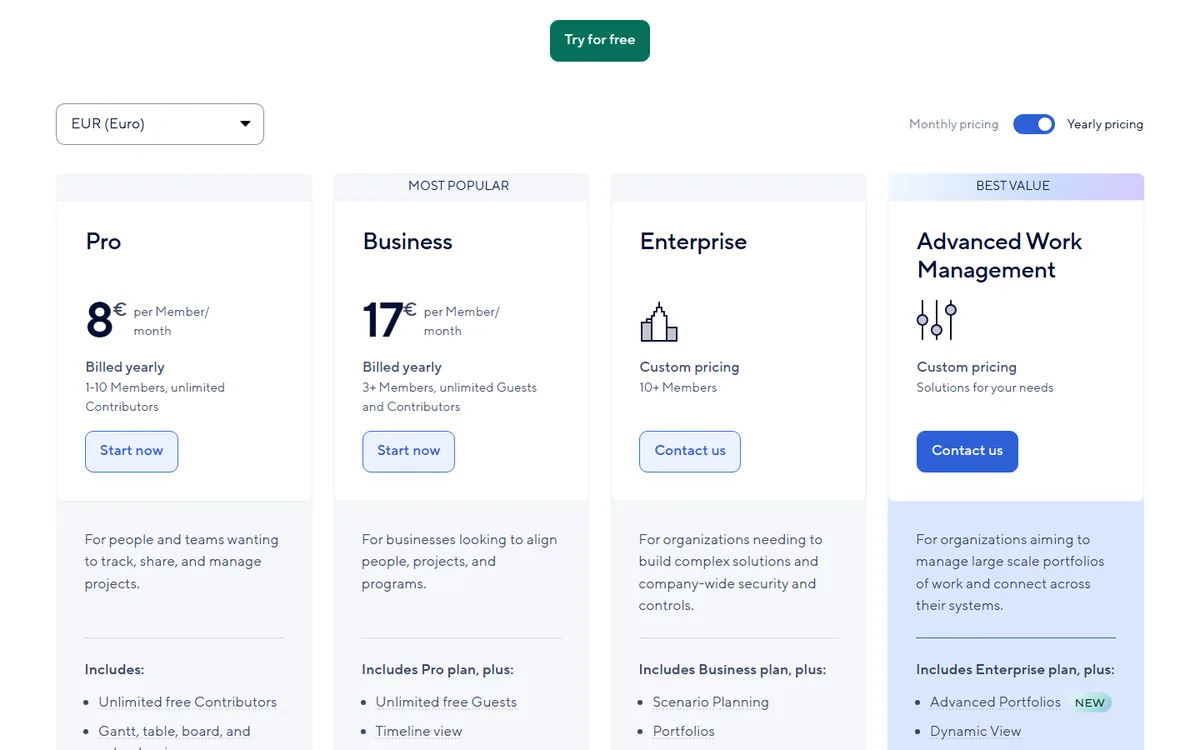
Smartsheet lists Pro at $9 per user per month and Business at $19, according to Capterra, billed annually. Pro suits teams of up to 10 members, and Business is for three or more. Enterprise and Advanced Work Management plans are quoted individually.
Smartsheet Reviews
- G2: score of 4.4 out of 5 (from +23,000 customer reviews)
- Capterra: score of 4.5 out of 5 (from +3,500 customer reviews)
monday.com
The Easiest Platform to Roll Out Across Departments That Dislike Project Software
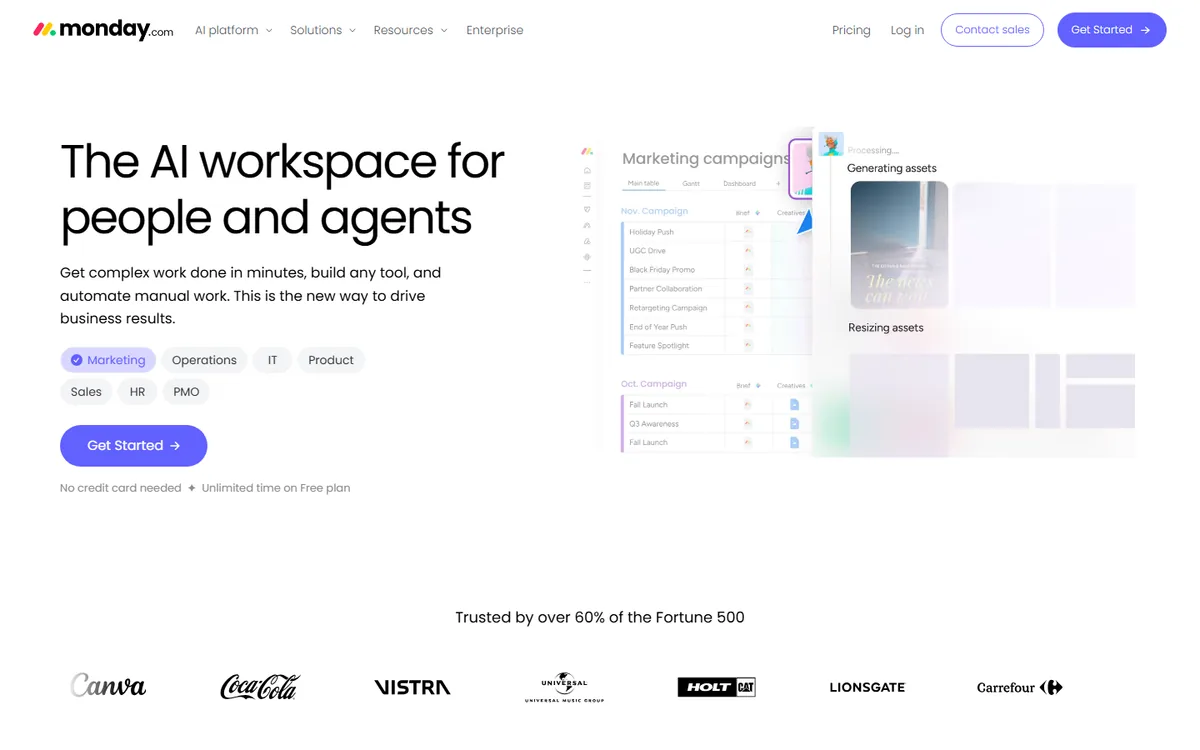
monday.com offers colorful boards, timelines and dashboards that business teams pick up quickly, with enough depth for portfolio views.
monday.com is where I send PMOs whose biggest risk is adoption. Boards, timelines and Gantt views look approachable, so marketing, operations and IT will all use them. Dashboards pull data from many boards into one portfolio view, and automations handle reminders and status changes that project managers used to chase by hand.
Flexibility is both the strength and the danger. Without a template standard, every team builds its own board, and your PMO ends up with the same inconsistent status it had before. I suggest you lock a small set of board templates before the rollout. Capterra reviewers also mention slow performance with very large boards and rising costs as seat counts grow, so test with your real data volume. Standards like these belong in your PMO framework before you pick any tool.
What monday.com Does Well
- Interface that non-project people actually enjoy using
- Dashboards combine many boards into one portfolio view
- Automations cut routine follow-up and status chasing
What monday.com Could Do Better
- Board sprawl if you do not enforce templates
- Large boards can get slow, and seat costs rise with growth
monday.com Pricing
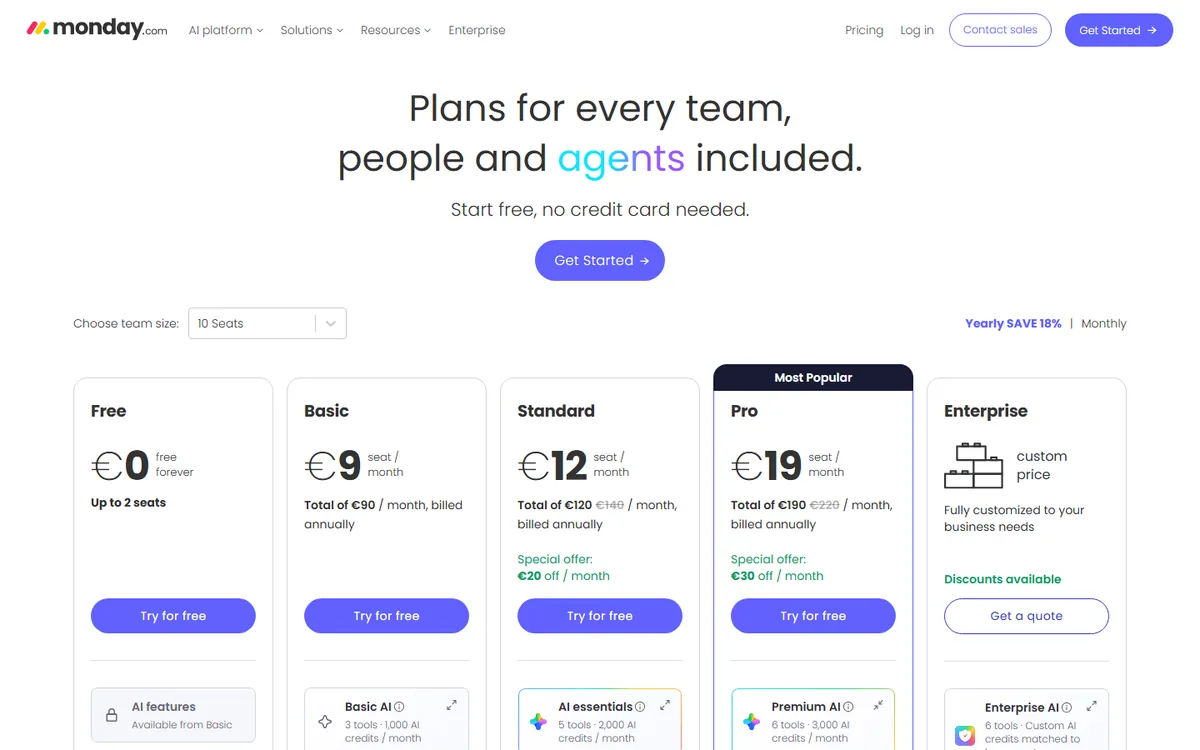
Capterra lists Basic at $9 per user per month, Standard at $12 and Pro at $19, billed annually with a three-seat minimum. Enterprise is quoted individually, and a free version is available.
monday.com Reviews
- G2: score of 4.7 out of 5 (from +17,000 customer reviews)
- Capterra: score of 4.6 out of 5 (from +6,000 customer reviews)
Microsoft Project
The Natural Scheduling Engine if Your Company Already Lives in Microsoft 365
Microsoft Project combines serious scheduling with Planner, Teams and Power BI for organizations that want one ecosystem.
If your project managers build detailed schedules with critical paths, resource leveling and baselines, Microsoft Project still does that job better than most lighter tools. Plan 3 and Plan 5 add desktop scheduling, and Plan 5 adds portfolio features. Data flows into Power BI, so your PMO can design reports that match your own reporting needs.
The catch is complexity. Licensing across Planner and Project plans is easy to misread, and a PMO often ends up needing someone who knows the Microsoft stack well. Adoption outside the project team can be slow, because non-specialists find the desktop interface heavy. I would choose it when schedules are the core problem, as in construction-style or manufacturing projects, and pair it with a simpler tool for the rest. Your tool choice should follow the design in my PMO implementation plan.
What Microsoft Project Does Well
- Deep scheduling with dependencies, baselines and resource leveling
- Works with Teams, Power BI and the rest of Microsoft 365
- Plan 5 adds portfolio features in the same ecosystem
What Microsoft Project Could Do Better
- Licensing across Planner and Project plans is confusing
- Non-specialists find the desktop interface heavy
Microsoft Project Pricing
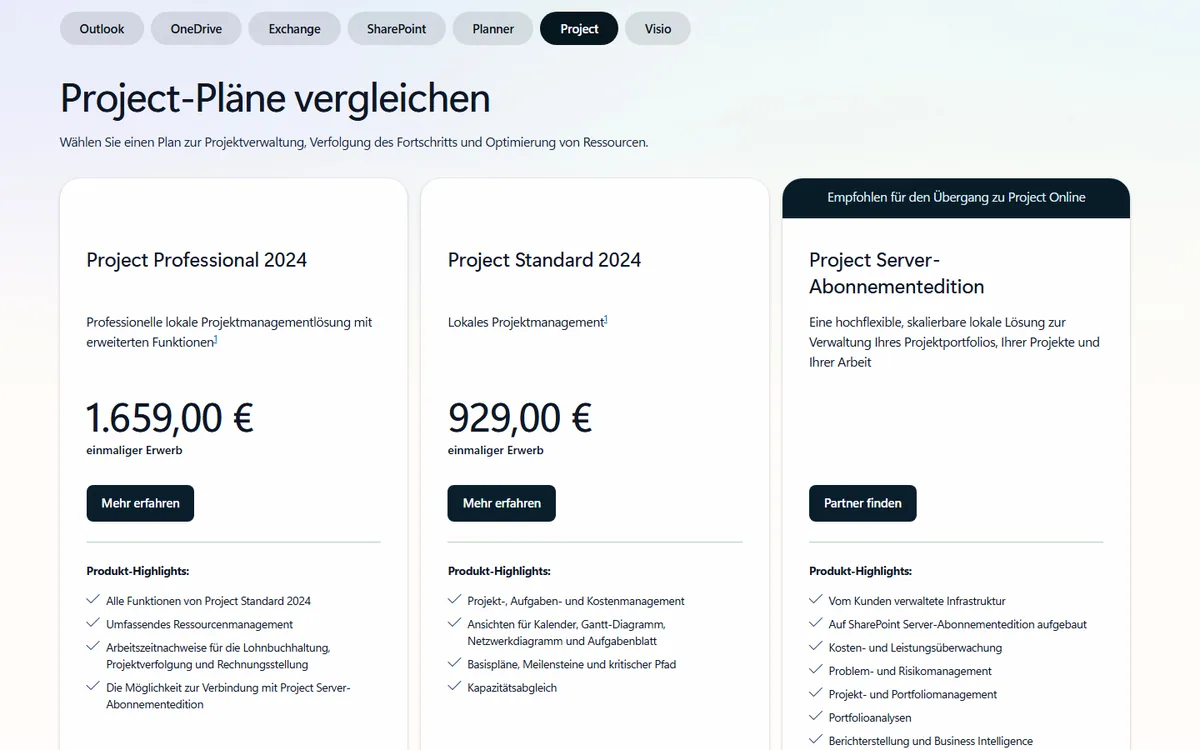
Capterra lists Planner Plan 1 at $10 per user per month, Planner and Project Plan 3 at $30 and Plan 5 at $55. Check Microsoft's current price list, because bundles with Microsoft 365 change often.
Microsoft Project Reviews
- G2: score of 4.0 out of 5 (from +1,600 customer reviews)
- Capterra: score of 4.3 out of 5 (from +300 customer reviews)
Planview
Built for Portfolios Where Funding, Capacity and Strategy Must Line Up
Planview offers enterprise portfolio and work management, including AdaptiveWork (formerly Clarizen), for large and complex PMOs.
Planview serves organizations whose PMO decides which projects get money and people, and then tracks whether the strategy is being delivered. Its products cover portfolio planning, capacity and resource management and strategic roadmaps. AdaptiveWork, formerly Clarizen, adds configurable work management for teams below the portfolio level.
You pay for that depth in setup effort. These platforms need a clear data model, a configuration owner and several months of rollout, which suits a mature PMO more than a young one. Prices on request, and Capterra lists none, so expect a sales process. If you are still deciding what your PMO does, a PMO assessment will tell you whether this much tool is justified.
What Planview Does Well
- Strong capacity, funding and strategy planning
- Handles large, complex portfolios
- Configurable to fit your own processes
What Planview Could Do Better
- Setup and administration take real effort
- No published prices, so budgeting starts with a sales call
Planview Pricing
Planview does not publish prices, and Capterra shows no plan details for AdaptiveWork. You need to request a quote, and the cost depends on user numbers and modules.
Planview Reviews
- G2: score of 4.1 out of 5 (from +540 customer reviews)
- Capterra: score of 4.3 out of 5 (from +170 customer reviews)
Asana
A Clean Way to Link Everyday Work to Portfolio Goals
Asana connects tasks, projects and company goals, with portfolio views that keep leaders informed.
Asana is strongest when your PMO wants every task to have an owner, a date and a place in a bigger goal. Projects roll up into portfolios, and goals link the work to company objectives. Teams find it easy to start, which helps if your PMO needs voluntary adoption more than enforcement.
Portfolios, workload views and advanced reporting sit in higher plans, so the real price for a PMO is closer to the Advanced tier than to Starter. Capterra reviewers mention heavy notifications and some performance problems, and I would test both with a pilot team. Asana is lighter on formal stage gates and budgets than enterprise tools, which suits many PMOs and frustrates a few. If your PMO focuses on governance, compare it against the options above.
What Asana Does Well
- Simple task ownership and due dates for every project
- Portfolios and goals tie work to strategy
- Quick to adopt across many teams
What Asana Could Do Better
- Portfolio and reporting features need higher plans
- Notifications can get noisy without careful setup
Asana Pricing
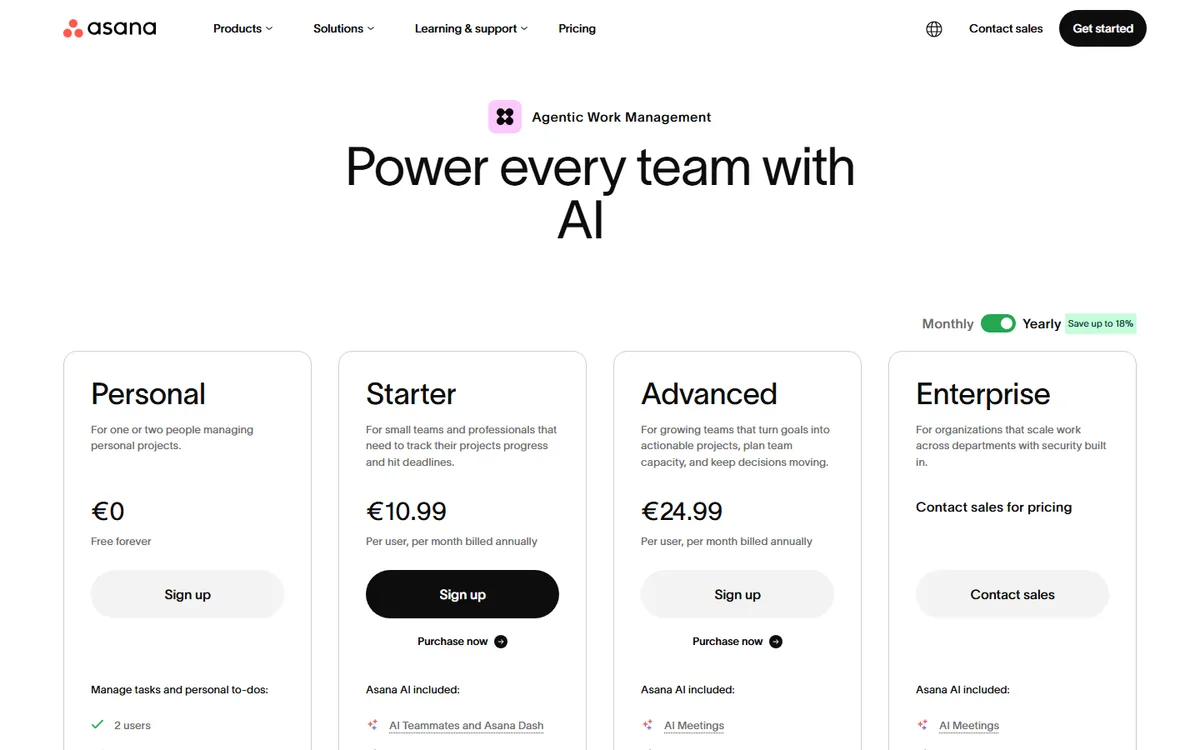
Capterra lists Starter at $10.99 per user per month and Advanced at $24.99. Enterprise plans are quoted individually, and a free version is available.
Asana Reviews
- G2: score of 4.4 out of 5 (from +14,000 customer reviews)
- Capterra: score of 4.5 out of 5 (from +13,000 customer reviews)
Adobe Workfront
A Heavyweight for Enterprise PMOs That Run Marketing and Creative Work at Scale
Adobe Workfront combines intake, approvals, resource planning and reporting in one enterprise work management system.
Workfront is common in enterprise PMOs that coordinate marketing, creative and IT requests. It offers request queues, proofing and approvals, resource planning and detailed reporting. Integration with Adobe Experience Cloud makes it a natural fit if you already use those products.
It is not a quick rollout. Expect configuration work, a dedicated administrator and training for every user group. Capterra lists plans named Select, Prime and Ultimate, all by quote. For a small PMO this will be too much, but for an enterprise juggling hundreds of concurrent requests, the control is hard to match. Pilot with one department first, as the steps in my PMO implementation guide suggest.
What Adobe Workfront Does Well
- Strong intake, approval and proofing workflows
- Detailed resource planning and reporting
- Integrates with Adobe tools
What Adobe Workfront Could Do Better
- Heavy to configure and administer
- No published prices, so you need a sales conversation
Adobe Workfront Pricing
Adobe does not publish Workfront prices. Capterra lists Select, Prime and Ultimate plans, all quoted per user per month.
Adobe Workfront Reviews
- Capterra: score of 4.4 out of 5 (from +1,500 customer reviews)
Wrike
A Dependable Middle Ground With Strong Reporting and Request Forms
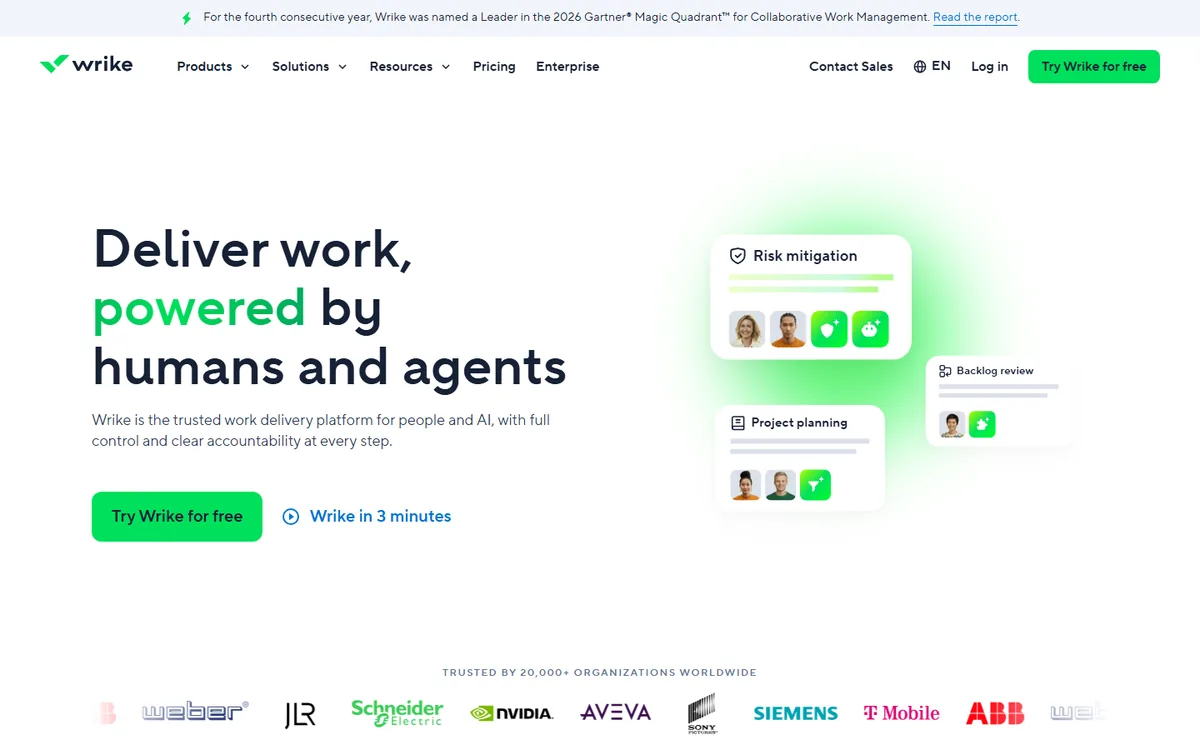
Wrike offers custom workflows, request forms, Gantt charts and reports for teams that outgrow simple task tools.
Wrike sits between lightweight task tools and enterprise portfolio platforms. Custom request forms, folder structures and workflows suit a PMO that wants visible intake and standard stages. Gantt charts, dashboards and reports give leaders a decent portfolio picture without a long rollout.
The interface asks for some learning, and reviewers mention that new users need onboarding before it feels natural. Business-level features such as custom workflows and resource views are in the $25 tier, which is where most PMOs land. If your teams are scattered across several unconnected tools, Wrike can unify them, though you should plan the folder and space structure before you start.
What Wrike Does Well
- Request forms and custom workflows for structured intake
- Good reporting and Gantt views for mid-sized portfolios
- Flexible enough for several kinds of teams
What Wrike Could Do Better
- New users need onboarding before it feels natural
- The best PMO features sit in the Business tier
Wrike Pricing
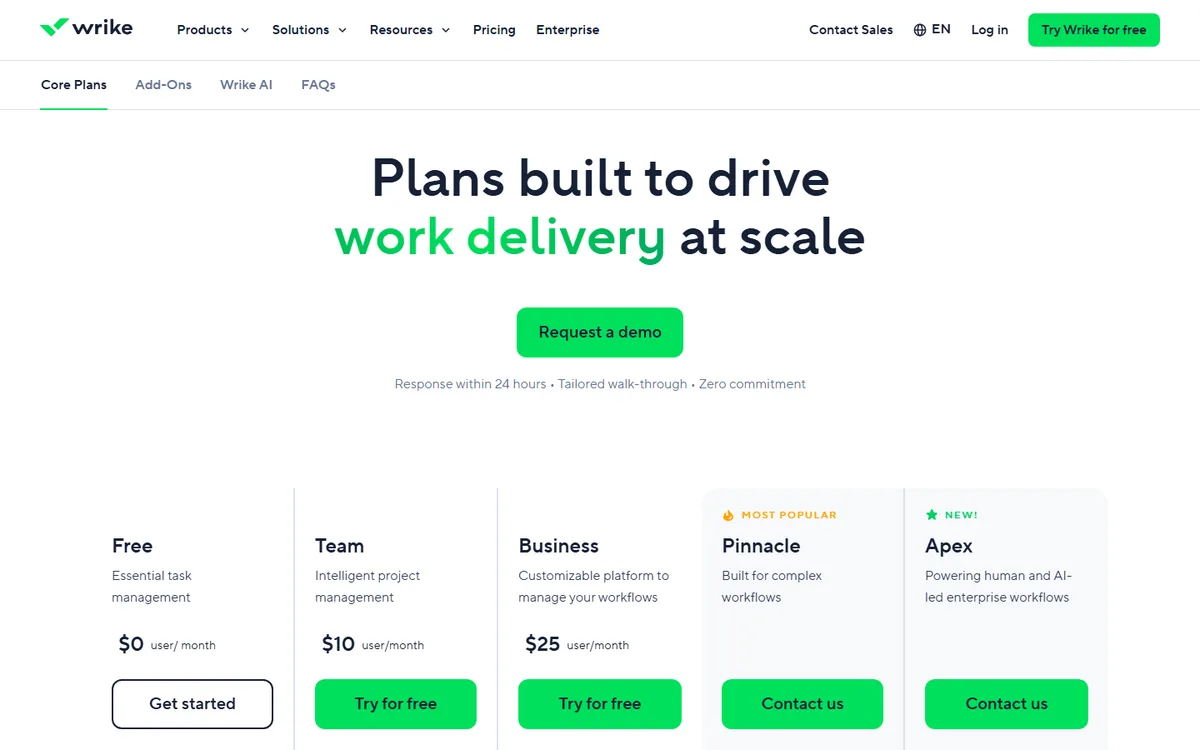
Capterra lists Team at $10 per user per month for 2 to 15 users and Business at $25 for 5 to 200 users. Pinnacle and Apex plans are quoted individually, and a free version is available.
Wrike Reviews
- G2: score of 4.2 out of 5 (from +4,500 customer reviews)
- Capterra: score of 4.4 out of 5 (from +3,000 customer reviews)
Celoxis
Surprising Portfolio and Budget Depth for a Fraction of Enterprise Prices
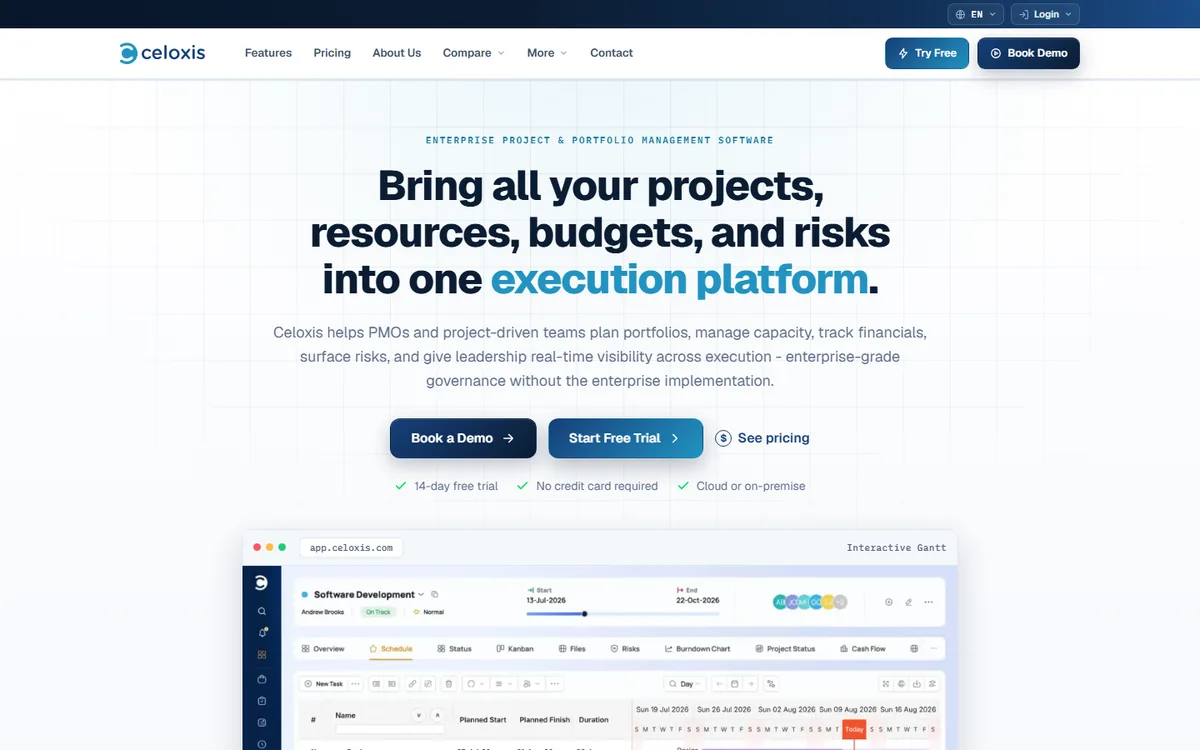
Celoxis covers scheduling, resources, budgets and custom dashboards, and it is priced far below the enterprise names.
Celoxis is a name many buyers skip because it is smaller than the big brands, yet it offers real portfolio management: schedules, resource allocation, cost tracking and customizable reports. For a PMO that needs more than a task board but cannot fund an enterprise platform, it deserves a place on the shortlist.
The interface is utilitarian, and the vendor brand is less well known, which can matter if your leadership asks for a household name. Capterra lists plans from Core at $10 per user per month up to Business at $45, so confirm which tier includes the reporting and resource features you need. Run a pilot with a real project before you decide.
What Celoxis Does Well
- Budgets, resources and schedules in one tool
- Customizable reports and dashboards
- Lower prices than enterprise portfolio platforms
What Celoxis Could Do Better
- Interface feels more functional than polished
- Smaller vendor brand and ecosystem
Celoxis Pricing
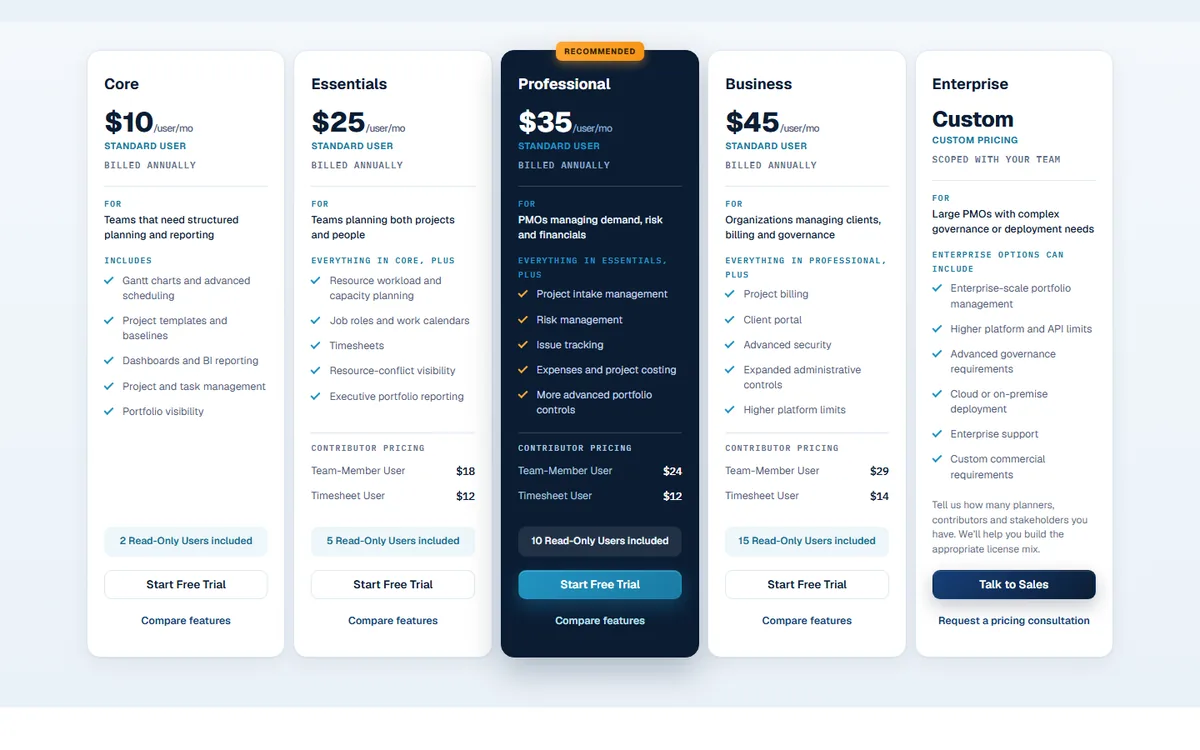
Capterra lists Core at $10 per user per month, Essential at $25, Professional at $35 and Business at $45, with Enterprise quoted individually. Billing periods vary, so confirm them with the vendor.
Celoxis Reviews
- G2: score of 4.6 out of 5 (from +740 customer reviews)
- Capterra: score of 4.5 out of 5 (from +570 customer reviews)
ClickUp
The Most Features Per Dollar, If You Have Someone to Keep It Tidy
ClickUp bundles tasks, docs, goals, time tracking and dashboards into one low-cost platform.
ClickUp gives you a lot for little money. Tasks, docs, goals, time tracking, dashboards and multiple views all sit in one product, with a free plan to start. For a young PMO with a small team, that breadth lets you try several working styles before you settle.
The danger is configuration freedom. Without a clear hierarchy of spaces, folders and lists, ClickUp becomes cluttered fast. Name one person as the owner of the setup, and write down the standards first. Time and workload views are helpful, though enterprise-style portfolio governance is thinner than in the specialist tools above.
What ClickUp Does Well
- Very wide feature set at a low price
- Free plan allows a no-risk pilot
- Many views and dashboards for different roles
What ClickUp Could Do Better
- Too much flexibility leads to clutter
- Formal portfolio governance is limited
ClickUp Pricing
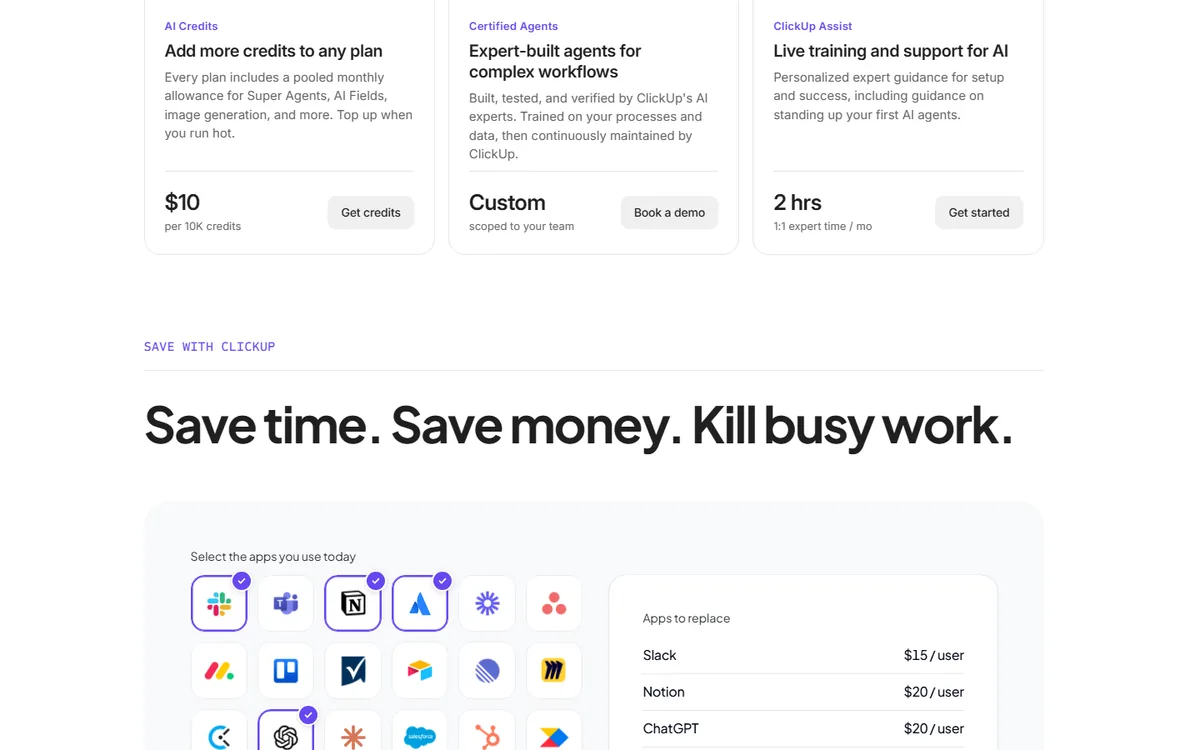
Capterra lists a free plan, Unlimited at $10 per user per month and Business at $19. Enterprise pricing is quoted individually.
ClickUp Reviews
- G2: score of 4.6 out of 5 (from +15,000 customer reviews)
- Capterra: score of 4.6 out of 5 (from +4,600 customer reviews)
Broadcom Clarity
Deep Financial and Resource Planning for the Largest Portfolios, With a Heavy Price in Effort
Clarity, formerly CA PPM, is an enterprise platform for project, resource and financial planning.
Clarity is built for organizations where thousands of projects and large budgets run through one portfolio. It covers financial planning, resource management, demand intake and detailed reporting, and it has a long record in big IT departments and regulated industries.
Its ratings reflect the experience: G2 reviewers rate it lower than the other tools here, and Capterra lists only a handful of reviews. Setup is heavy, and the interface feels dated next to newer tools. Prices on request. I only recommend it where finance and resource governance at scale is the main problem.
What Broadcom Clarity Does Well
- Strong financial and resource planning
- Built for very large portfolios
- Long record in enterprise IT
What Broadcom Clarity Could Do Better
- Heavy setup and a dated interface
- Lowest G2 rating in this list, and no published prices
Broadcom Clarity Pricing
Broadcom does not publish Clarity prices, and Capterra lists none. You need a quote, and the cost depends on the modules and user numbers.
Broadcom Clarity Reviews
- G2: score of 3.7 out of 5 (from +90 customer reviews)
- Capterra: score of 4.2 out of 5 (from +10 customer reviews)
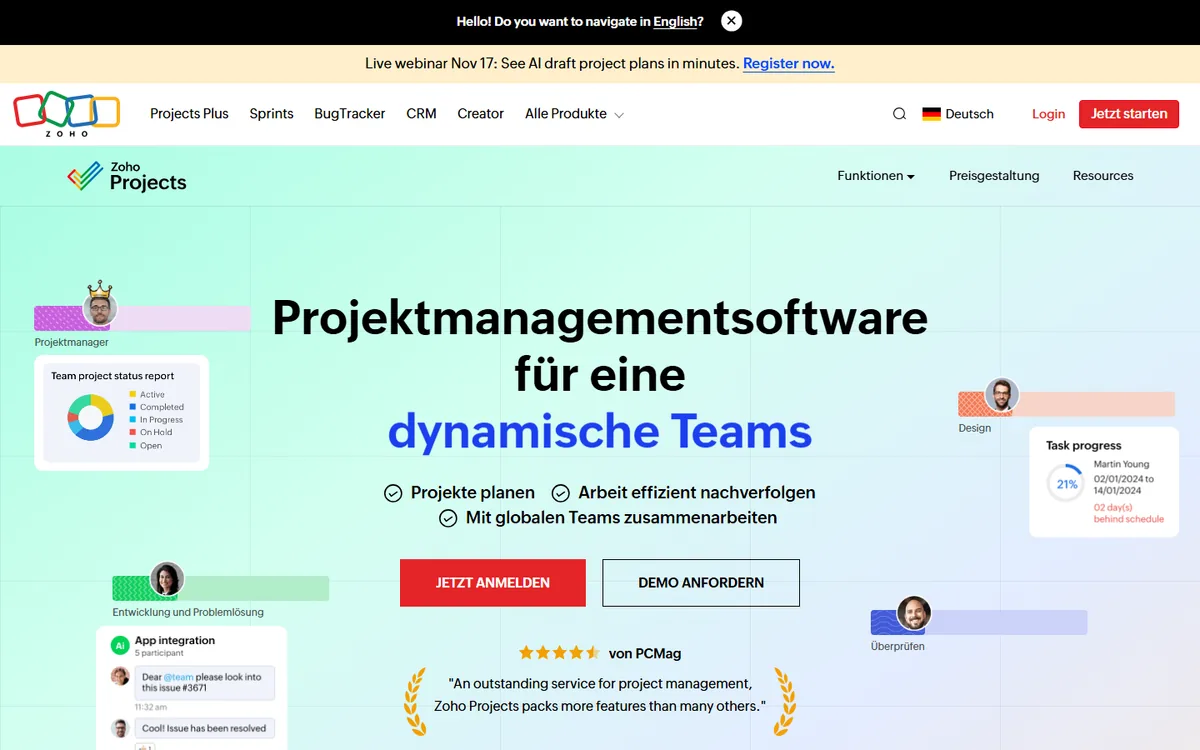
Zoho Projects
The Budget Pick That Still Covers Gantt Charts, Timesheets and Reporting
Zoho Projects offers task management, Gantt charts, timesheets and dashboards at the lowest price on this list.
Zoho Projects is the cheapest serious option here. Gantt charts, task dependencies, timesheets, issue tracking and dashboards come at a price per user that small organizations can fund without a business case. If you already use Zoho CRM or Zoho Books, the connection to those tools is a real plus.
You get what the price suggests: portfolio rollups and resource planning are simpler than in the heavyweights, and the interface will feel less modern to some users. For a PMO with a handful of project managers and a tight budget, that is often fine. When the portfolio outgrows it, your project data exports cleanly to a bigger platform.
What Zoho Projects Does Well
- Lowest price in this list, with a free plan
- Gantt charts, timesheets and dashboards included
- Works well with other Zoho products
What Zoho Projects Could Do Better
- Portfolio and resource features are basic
- Interface is less polished than newer rivals
Zoho Projects Pricing
Capterra lists a free plan, Premium at $4 per user per month, Enterprise at $9 and Ultimate at $14.
Zoho Projects Reviews
- G2: score of 4.4 out of 5 (from +590 customer reviews)
- Capterra: score of 4.5 out of 5 (from +870 customer reviews)
Estimate the Return on PMO Software
Before you pick a plan, check whether the numbers work. Enter the manual hours your project managers spend on status reports and portfolio updates, and the monthly price of the tool you are considering, and you will see what it could return in a year.
Will It Pay for Itself?
Adjust the sliders to your workload and the plan you are looking at.
How to Choose the Right PMO Software
In my experience, fit with your process decides more than any feature list. Before you compare vendors, I suggest you answer four questions:
- How many projects and project managers does your portfolio have today, and in two years?
- Do you need schedules and budgets, or mainly status and intake?
- Which tools do your teams already use, and which can the PMO reuse?
- Who will administer the tool and keep the setup tidy?
If you want the simplest rollout, choose monday.com or Smartsheet. If you run on Microsoft, look at Project, and if you manage large portfolios with funding decisions, shortlist Planview, Workfront or Clarity. For a first scoring of your current state, my PMO assessment guide helps you decide how much tool you need, and the PMO framework shows what to define before you buy.
Questions About Choosing PMO Software
What Is the Best PMO Software?
There is no single winner. In my client work, Smartsheet and monday.com suit most new PMOs, Microsoft Project suits schedule-heavy work, and Planview, Workfront or Clarity suit large enterprise portfolios. Your portfolio size, budget and existing tools decide more than any feature list.
What Features Does PMO Software Need?
At minimum, you need project intake, a portfolio dashboard, status reporting, risk tracking and resource visibility. Budget tracking, stage gates and time tracking matter as your PMO matures. Skip anything your teams will not keep updated, because stale data is worse than no data.
Can I Run a PMO in Spreadsheets?
Yes, for a small start. A shared spreadsheet and a weekly meeting work for around ten projects. When updates take hours or versions conflict, move to a tool. Decide on your reporting standards first, so the tool supports a process you already trust.
How Much Does PMO Software Cost?
Prices in this list run from free and $4 per user per month at the low end to $55 per user per month for Microsoft Project Plan 5, plus custom quotes for Planview, Workfront and Clarity. Enterprise platforms also add setup and administration costs, so budget for implementation as well as licenses.
Do I Need Dedicated PPM Software or a General Work Management Tool?
If your main need is visibility and status, a general work management tool is enough. If you must plan capacity, budgets and funding across a large portfolio, dedicated portfolio software pays off. A short assessment of your PMO shows which side you are on.
How Long Does It Take to Roll Out PMO Software?
Lightweight tools can be live with a pilot team in a few weeks. Enterprise platforms usually take several months, because data models, integrations and training need careful work. Start with two or three projects, learn from them and expand in stages.
Should My PMO Choose the Tool First?
No. Choose your governance, reporting standards and decision rights first, then pick the tool that supports them. Teams that buy first often end up changing their process to fit the software, and adoption suffers.
Note: Prices, plans and ratings change frequently. We checked them at the last update, so confirm them with each vendor before buying. This is not legal or financial advice.
Did you find this helpful?
Thank you for your feedback.
Delaney Brisco
Delaney leads the Tavo editorial team and works with our consultants to turn real client projects into practical guides on project delivery, process design and organizational change. Before joining Tavo, she spent 12 years in operations and program management roles. She has since edited more than 300 articles on management practice and reviewed PMO setups and process redesigns from over 100 client projects. She is based in Minneapolis, Minnesota.