Summary
- A program is the right tool whenever several projects must land together to produce one business result.
- The strongest examples roll out in waves, so lessons from the first wave improve the next ones.
- Process design comes before tool selection in nearly every successful program.
- Each program has one benefit, one owner and a handover plan agreed before work starts.
When I explain program management to a new client, abstract definitions rarely help. A concrete picture does. Clinics opening on schedule, a plant line moving without a missed delivery and a finance team closing the month in fewer days all show the same idea at work. If you want the structure behind them, program management consulting turns it into a repeatable method.
The eight examples below are patterns I see across client work, described by type of organization and without company names. Each one includes how it runs and what tools usually fit. Treat them as starting points to adapt, not as templates to copy.
Eight Programs at a Glance
| Example | Setting |
|---|---|
| 1. Opening Three Clinics on One Rollout | Healthcare Group |
| 2. Moving a Product Line to a New Plant | Manufacturer |
| 3. Rolling Out a New Point-of-Sale System Across Stores | Retail Chain |
| 4. Standardizing Maintenance Across a Portfolio | Property Company |
| 5. Integrating Newly Acquired Practices | Dental Group |
| 6. Launching a New Brand Across Existing Hotels | Hospitality Group |
| 7. Consolidating Suppliers Across Locations | Restaurant Group |
| 8. Cutting Month-End Close Time | Finance Team |
Notice what the eight have in common: the benefit is measurable, the projects share people or dates, and someone owns the result after the work ends. Those three traits show up in the program management best practices I recommend, and each example below applies them in a different setting.
8 Program Management Examples to Learn From
Each example describes what the program is, what makes it work and the steps that matter. Where a result depends on your setting, I say so instead of quoting numbers I cannot support.
Opening Three Clinics on One Rollout
A regional hospital group that opens several outpatient clinics needs construction, equipment, staffing and IT to land together, or each clinic opens half ready. In the programs I see, the winning move is to treat the clinics as waves. Wave one carries the learning, and waves two and three reuse the checklists, vendor terms and training material.
The sponsor owns one benefit, such as patients seen per week at a target cost. The program manager keeps a single dependency map, because a delayed network install blocks clinical go-live, and the same trainers serve every site. That prevents the common failure where the second clinic repeats the first clinic's mistakes.
How the rollout runs
- Agree the benefit and a standard clinic definition of done.
- Plan clinic one as a pilot with extra review time.
- Capture lessons in a short playbook after go-live.
- Schedule shared trainers and IT staff across all waves.
- Release funding for each wave after a steering review.
Tools that fit
Work management software handles the wave plan and shared calendar well. Keep the playbook in a simple shared document that site leads can edit.
Moving a Product Line to a New Plant
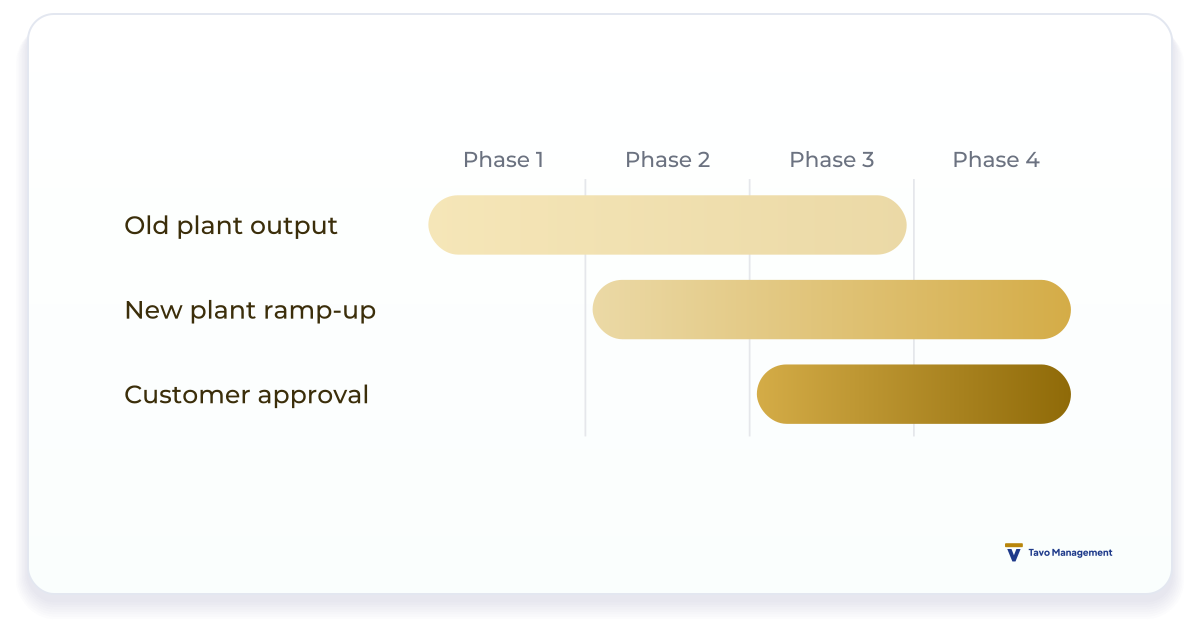
A components manufacturer that moves a product line to another site has to transfer equipment, qualify the new line, train operators and keep customer deliveries going. Each of those is a project, and they are tied together by one hard date: the day the old line stops.
The program manager builds the plan backward from that date and holds buffer stock as a deliberate risk control. Good programs also run a parallel period where both lines produce, which costs money but protects customers. The steering group decides how long the overlap lasts, based on quality data and not on the calendar.
What the program manager does
- Fix the stop date for the old line and plan backward.
- Build safety stock before the move starts.
- Qualify the new line with customer-approved samples.
- Run both lines in parallel until quality targets hold.
- Decommission the old line only after sign-off.
What you need in place
A scheduling tool with critical path support, such as Microsoft Project or Celoxis, suits the plan. Quality data lives in the plant's own systems, so connect reporting instead of copying it.
Rolling Out a New Point-of-Sale System Across Stores
A retail chain replacing its point-of-sale system touches every store, every payment type and every cashier. The technology project is only part of it. Store training, hardware delivery, cutover timing and customer support are separate workstreams that share the same stores and the same weeks.
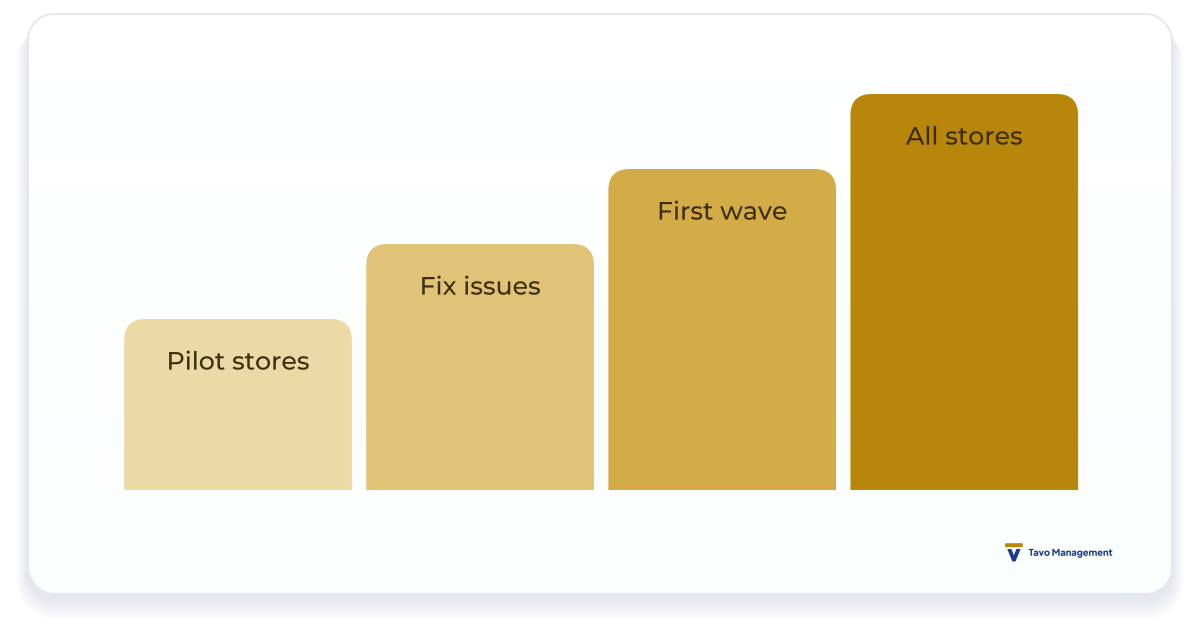
The practice that works is a staged rollout: a few pilot stores first, then batches of similar stores. The program manager avoids the busiest trading weeks and gives each batch a stabilization period before the next starts. Defects found in the pilot are fixed once, instead of being rediscovered in every store.
Steps for each wave
- Select pilot stores that represent the range of formats.
- Train staff before hardware arrives, not after.
- Go live outside peak trading weeks.
- Staff a support line for the first week at each batch.
- Review defects before starting the next batch.
Tools for tracking stores
A shared tracker of store status, with one row per store, keeps the rollout visible. Many teams use their existing work management tool and a simple dashboard.
Standardizing Maintenance Across a Portfolio
A property company with many buildings often has as many maintenance routines as it has site managers. A program to standardize them combines process design, a new work-order system, supplier contracts and staff training. Savings only appear when all four land.
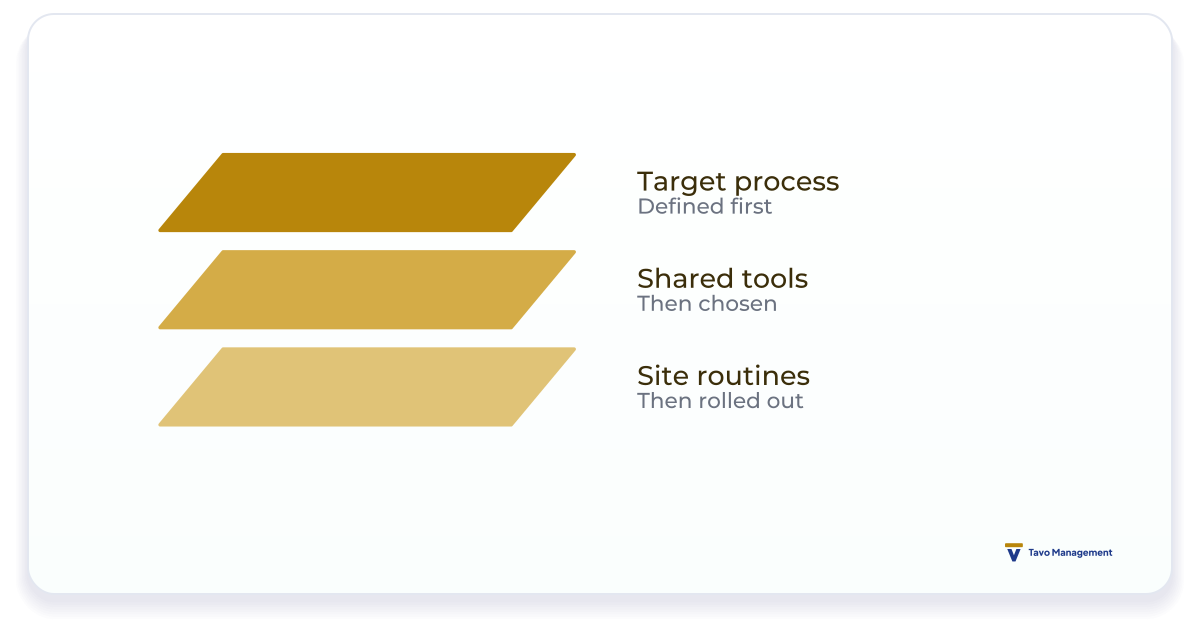
The most useful move is to define the target process first and only then pick the system. Programs that buy the software first tend to configure it to match every local habit, which defeats the purpose. A steering group of regional managers agrees which local variations stay, and which go.
How the work is sequenced
- Document the three most common current routines.
- Agree one target process with regional managers.
- Select a system that supports that process.
- Pilot in a few buildings and adjust.
- Renegotiate supplier terms once volumes are visible.
Where the tools fit
Look at the maintenance and property platforms you already own before adding another system. The process design deserves more time than the tool selection.
Integrating Newly Acquired Practices
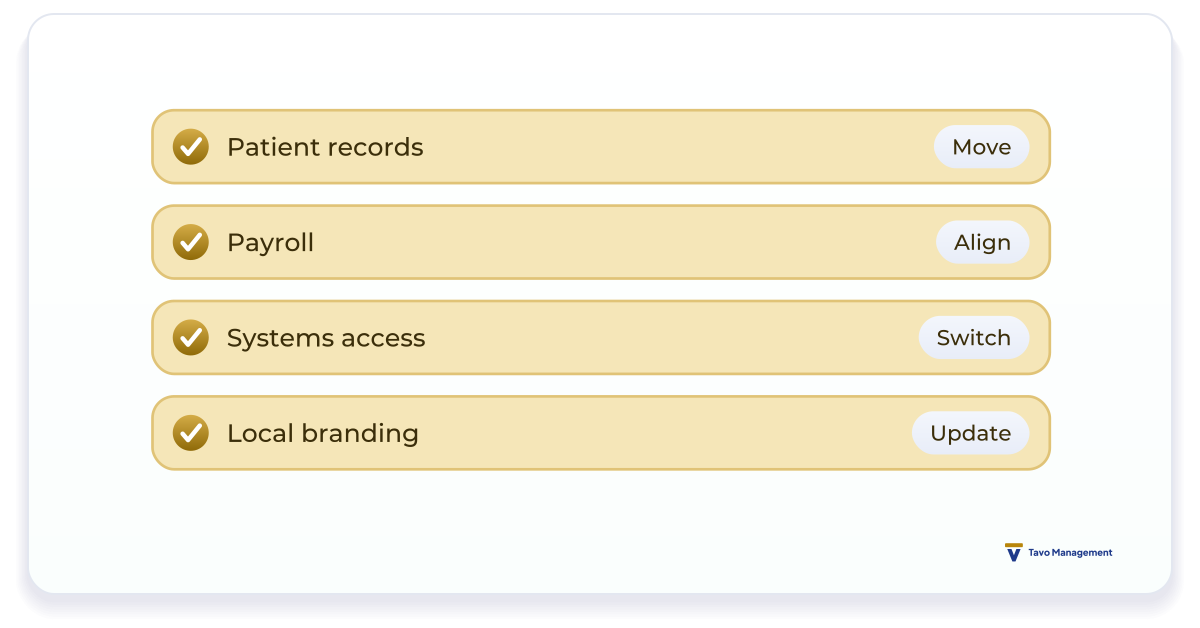
A dental group that acquires practices has to bring patient records, billing, scheduling and brand standards into line without disrupting patient care. Each acquisition is a project, and the program makes sure the second one is faster than the first.
A repeatable integration playbook is the central asset. Programs that treat each acquisition as new work lose months re-deciding the same questions. Strong programs keep a standard first-100-days plan and adjust only for local differences, and they keep a named integration lead at each practice to protect patient experience.
The 100-day pattern
- Build a standard 100-day integration plan.
- Assign a local integration lead for each practice.
- Migrate records in a defined weekend window.
- Align billing and scheduling before changing branding.
- Hold a review after each acquisition and update the playbook.
What to use
A simple checklist tool and a shared calendar cover most of this. The value comes from the playbook, not the software.
Launching a New Brand Across Existing Hotels
A hospitality group that rebrands several hotels combines renovation, system changes, marketing and staff training. Guests see one launch date, but behind it sit contractors, suppliers and front-line teams that each work to a different calendar.
The program manager protects the guest experience. That means deciding which hotels close for works and which stay open, and sequencing noisy work for quiet seasons. A benefit such as average daily rate or guest score gives the steering group a way to judge whether extra renovation spend is worth it.
How the launch is staged
- Rank hotels by renovation scope and seasonality.
- Sequence works to match low-occupancy periods.
- Align training with the brand launch date.
- Release marketing only after on-site readiness is confirmed.
- Track guest scores for each property after launch.
Tooling for coordination
Project scheduling with resource views helps to coordinate contractors. Guest score data usually comes from existing review and survey systems.
Consolidating Suppliers Across Locations
A restaurant group that wants to cut food cost by consolidating suppliers has to change menus, purchasing routines and kitchen habits. The change looks small on paper and hits every kitchen every day.
Smart programs start with a menu and specification review, because the biggest savings come from simplifying what is bought. They pilot new suppliers in a few kitchens, measure waste and quality, and only then roll out. Chefs get a say early, which prevents quiet workarounds later.
How the pilot works
- Review menus to cut redundant ingredients.
- Agree product specifications with kitchen leads.
- Pilot new suppliers in a small group of locations.
- Measure waste and quality, not only price.
- Roll out in waves with chef feedback.
Keep the tooling light
A shared spreadsheet or lightweight work management board is usually enough. Supplier price data can stay in your purchasing system.
Cutting Month-End Close Time
A finance function that wants a faster close can run it as a program: process redesign, approval changes, system configuration and training. The benefit is clear and measurable, which makes this one of the cleaner program examples.
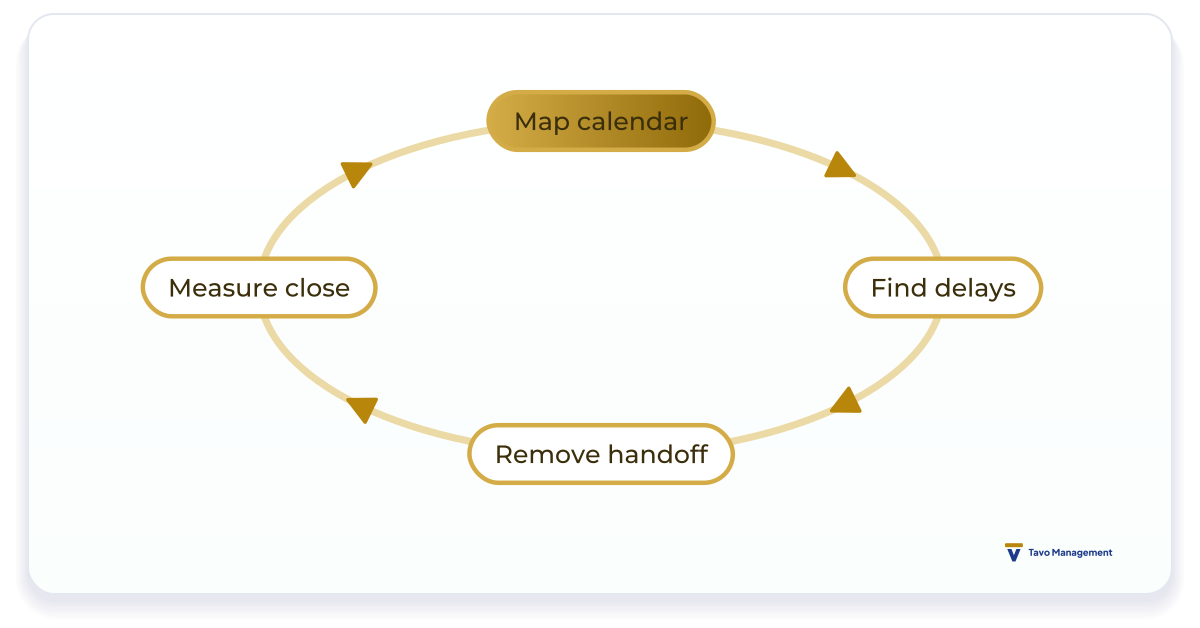
The program manager maps the close calendar, finds the handoffs that cause delay and removes or reorders them. Often the largest gains come from fixing the approval path rather than from software. The steering group, led by the finance director, decides which changes need system work and which only need a decision.
Steps in the redesign
- Measure the current close calendar day by day.
- Map handoffs and find the longest waits.
- Redesign approvals and deadlines.
- Configure systems only where process changes require it.
- Track days to close monthly and report the trend.
Tools that help
Your accounting system's workflow features often cover most of this. A simple dashboard of days-to-close keeps the benefit visible.
Patterns That Repeat Across Every Example
After reading eight settings, a few habits stand out. Strong programs set the benefit first and tie every project to it. They deliver in waves and review results between them. They keep decisions with a steering group that can say no. And they treat handover as part of the work. The program management framework I use ties these habits together, and the program management KPIs show how to measure each one.
How to Choose a Program Pattern for Your Own Work
Match your situation to the example that looks most like it, then adjust. Ask yourself:
- Do you repeat the same change in many places, as in clinics, stores or buildings? Use waves.
- Is there one hard date that cannot move? Plan backward from it, as in the plant move.
- Does one change touch every employee? Put training and communication on the critical path.
- Is the benefit mostly cost? Start with process and specification changes before buying any tool.
Before you launch, run your plan through the program management checklist, and pick tooling from my comparison of program management software only after the process is settled.
Questions About Program Management Examples
What Is an Example of a Program in Business?
A hospital group opening three new clinics with shared systems, staffing and branding is a common one. Each clinic fit-out is a project, the shared IT rollout is another and the hiring plan a third. Together they aim at one result: more patients seen at lower cost per visit. Managing them as one program lets you share suppliers, schedule scarce staff once and report one set of numbers.
How Is a Program Different from a Portfolio?
A program groups projects that serve one shared goal. A portfolio groups programs and projects that compete for the same funding, whether or not they relate to each other. Programs are managed for benefits, and portfolios are managed for value across the whole mix. Many organizations run several programs inside one portfolio.
What Do the Best Program Managers Do Differently?
They spend their time on dependencies, decisions and benefits, not on task tracking. They keep the steering group focused on choices, they tell sponsors bad news early and they define handover from day one. In my experience, they also refuse to add a project that cannot show how it supports the benefit.
How Long Do Programs Usually Run?
Most run from several months to a few years, depending on the change. A site rollout might take under a year, while a multi-country system replacement can run three years or more. Whatever the length, break the program into stages with clear review points, so sponsors can adjust funding as results come in.
Can a Small Business Run a Program?
Yes. A five-person company moving to a new location, a new system and a new service line at once is already running a program. It just needs a simpler version: one page with the goal, a shared timeline and a monthly decision check with the owner.
What Tools Do Program Managers Use Most?
Work management platforms such as Smartsheet, monday.com and Asana are common for mid-sized teams, and enterprise suites like Workfront or Planview for larger portfolios. I compare them in my ranking of <a href="/program-management-software/">program management software</a>. Spreadsheets and slide decks still carry a surprising share of reporting.
Where Do I Find the Program Lessons That Matter?
Look at your own closed programs first. A one-hour review with the sponsor, the program manager and two project leads usually produces more useful lessons than any external case. Write down what you would repeat, what you would drop and what took longer than planned.
General information only: this is not legal, financial or tax advice. Examples and numbers reflect typical projects; check the specifics with your advisers before deciding.
Did you find this helpful?
Thank you for your feedback.
Delaney Brisco
Delaney leads the Tavo editorial team and works with our consultants to turn real client projects into practical guides on project delivery, process design and organizational change. Before joining Tavo, she spent 12 years in operations and program management roles. She has since edited more than 300 articles on management practice and reviewed PMO setups and process redesigns from over 100 client projects. She is based in Minneapolis, Minnesota.