Summary
- Work management tools such as Smartsheet, monday.com and Asana are the fastest way to give a program one shared status view.
- Workfront, Planview and Clarity fit large organizations that need formal intake, capacity planning and financial governance.
- Portfolio and resource features often sit on higher or custom-priced plans, so check the plan, not just the tool.
- Pick based on program size, existing software and who maintains the tool, then pilot two options on a real project.
The Best Program Management Software at a Glance
| Tool | Type | Best for |
|---|---|---|
| 1. Smartsheet | Spreadsheet-style work management | Teams that think in rows and want program roll-ups without enterprise cost |
| 2. Adobe Workfront | Enterprise work management | Large organizations that need intake, resource planning and governance in one system |
| 3. monday.com | Visual work management | Teams that want a flexible, easy-to-adopt platform with fast setup |
| 4. Asana | Work and goal management | Cross-functional teams that want goals, portfolios and projects connected |
| 5. Wrike | Work management with resource planning | Mid-sized and larger teams that need request management and resource views |
| 6. Microsoft Project | Scheduling and portfolio planning | Organizations on Microsoft 365 with complex schedules and critical-path needs |
| 7. Planview | Enterprise portfolio management | Large enterprises that connect strategy, funding and delivery across many programs |
| 8. Celoxis | Project and portfolio management | Mid-sized teams that want PPM features with published, per-user pricing |
| 9. Broadcom Clarity | Enterprise PPM | Large IT and PMO organizations with formal investment and resource governance |
The 9 Best Program Management Software Options, Ranked
I start with tools that suit the widest range of teams and move toward enterprise suites, so you can stop reading once you find your fit. The software is only part of the result: in the program management consulting projects I review, clear governance matters more than the platform, and the program management framework you choose should come before the tool.
Smartsheet
A Familiar Grid That Scales From One Project to a Whole Program
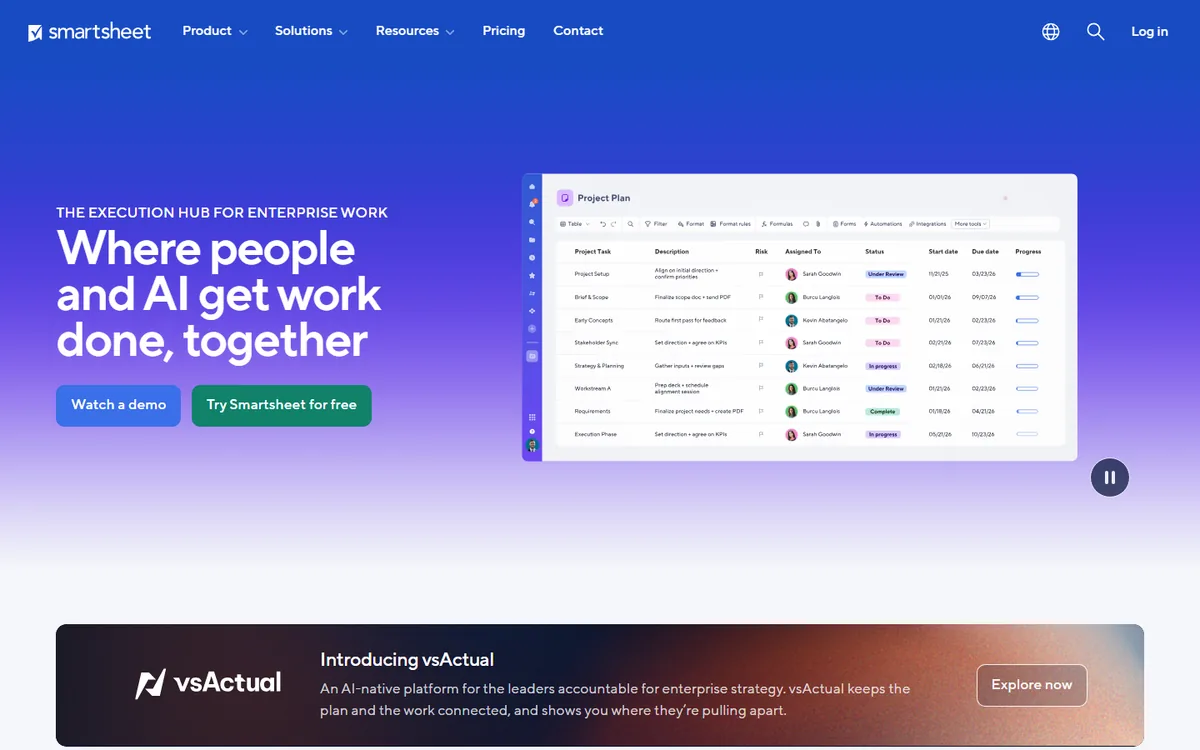
Smartsheet combines a spreadsheet-like grid with Gantt, board and calendar views, automation and reporting.
Smartsheet is the tool I suggest most often to teams that already live in Excel. The grid feels familiar, yet every row can carry dependencies, owners, status flags and automated alerts. Sheets roll up into reports and dashboards, so a program lead can see ten projects on one screen without anyone retyping updates.
In my client work, the strength shows up at the program level. Cross-sheet references let you link a milestone in one project to a deadline in another, and the reporting layer gives sponsors one status view. The catch is cost and complexity at scale: portfolio features sit on the Enterprise and Advanced Work Management tiers with custom pricing, and large workspaces need a clear naming and permission scheme or they turn messy fast.
What Smartsheet Does Well
- The grid is easy to learn for anyone who has used a spreadsheet
- Dashboards and reports roll up data from many sheets into one view
- Automation covers reminders, approvals and status changes without code
What Smartsheet Could Do Better
- Portfolio features need a higher, custom-priced plan
- Big workspaces get cluttered without strict structure
Smartsheet Pricing
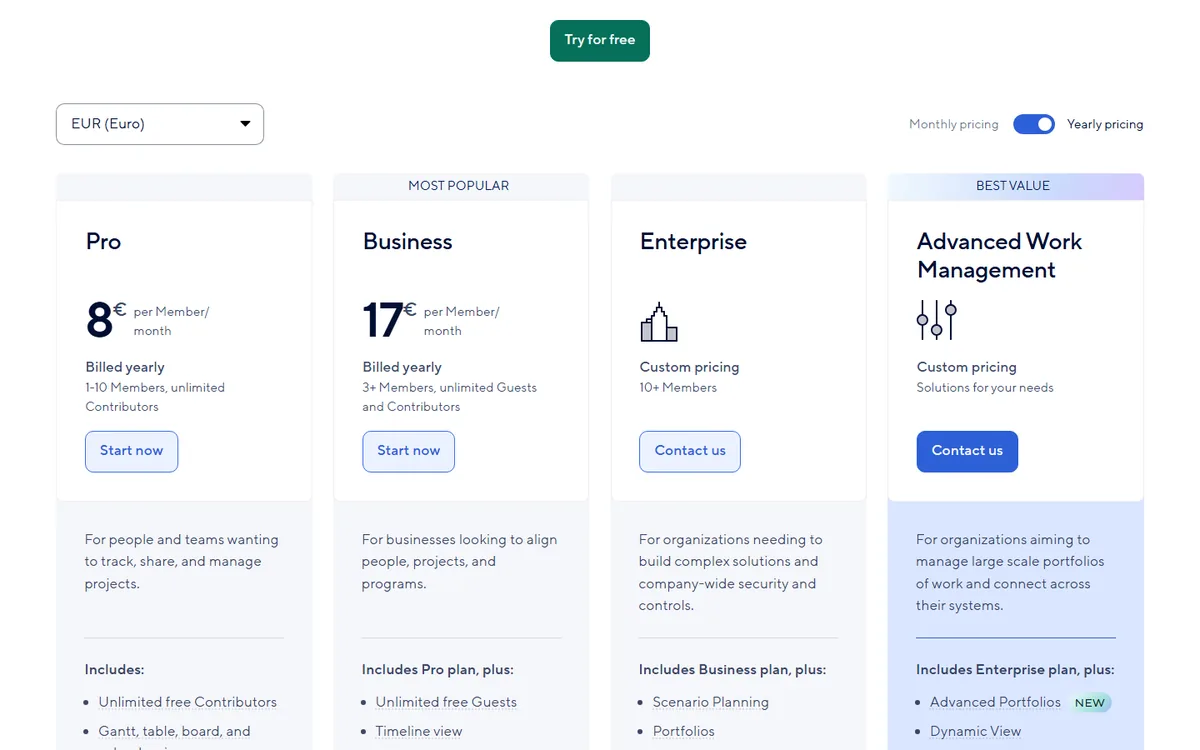
Smartsheet lists Pro at about $9 per member per month billed annually (for 1 to 10 members, and the page notes it is for new customers) and Business at about $19 per member per month billed annually, with a minimum of 3 members. Enterprise and Advanced Work Management, which add portfolio features, are custom priced. A 30-day free trial is available.
Smartsheet Reviews
- G2: score of 4.4 out of 5 (from 23,197 customer reviews)
- Capterra: score of 4.5 out of 5 (from 3,568 customer reviews)
Adobe Workfront
A Heavyweight for Organizations That Need Intake, Capacity and Governance in One Place
Workfront is an enterprise work management platform built around request intake, resource planning, approvals and portfolio reporting.
Workfront is built for organizations that run a lot of work through formal processes. Requests enter through intake forms, get scored and approved, then flow into projects with templates, resource assignments and proofing. Portfolio and program views sit on top of that data, so leaders can see capacity against demand.
I see it work best in marketing, IT and operations groups of a few hundred people or more, especially if they already use Adobe products. It is not a quick install. Expect configuration work, an admin who owns it and a training plan. If your program has five projects and one manager, the platform will feel like too much tool for the job.
What Adobe Workfront Does Well
- Intake and approval flows keep unplanned work visible
- Resource planning shows capacity against demand
- Strong fit with the wider Adobe ecosystem
What Adobe Workfront Could Do Better
- Setup and administration take real effort
- Quote-based pricing, so budgeting starts with a sales call
Adobe Workfront Pricing
Adobe does not publish Workfront prices. Capterra lists pricing as contact vendor, with custom quotes by plan and no free trial or free version. Budget for a sales process and ask what is included for portfolio and resource features.
Adobe Workfront Reviews
- G2: score of 4.1 out of 5 (from 1,275 customer reviews)
- Capterra: score of 4.4 out of 5 (from 1,500 customer reviews)
monday.com
The Easiest Platform to Get a Busy Team to Actually Use
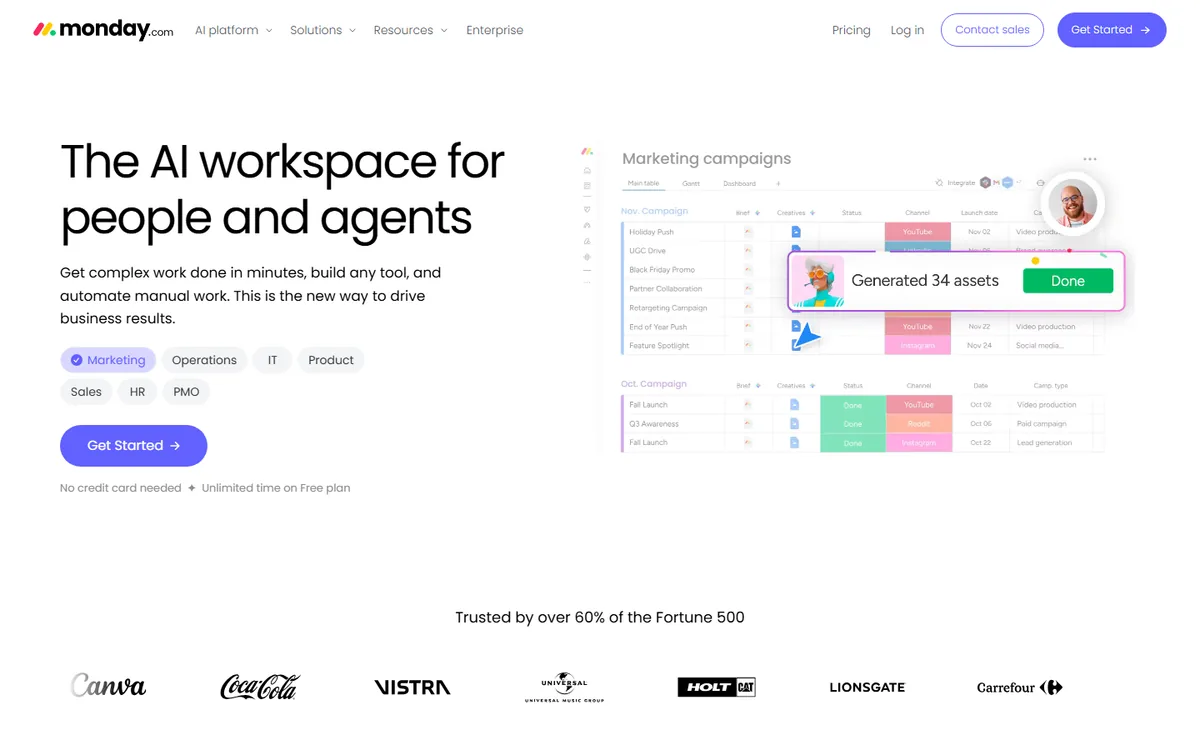
monday.com is a visual work management platform with boards, timelines, dashboards and automations that non-technical teams set up themselves.
monday.com wins on adoption. Boards look clean, columns are easy to change and a new project can be running within an afternoon. For programs, you can connect boards, show timelines and build dashboards that pull from many projects into one view.
What I like is how little training your project leads need. What I watch for is cost and structure: Gantt and timeline views start on the Standard plan, while portfolio and resource management features sit on the Enterprise plan. Seat minimums and add-on tiers also push the bill up, so run the numbers for your full team before you commit.
What monday.com Does Well
- Boards are quick to build and easy for non-technical users
- Dashboards combine data from many boards
- Large template library and automation options
What monday.com Could Do Better
- Portfolio and resource management need the Enterprise plan
- Very large boards can slow down
monday.com Pricing
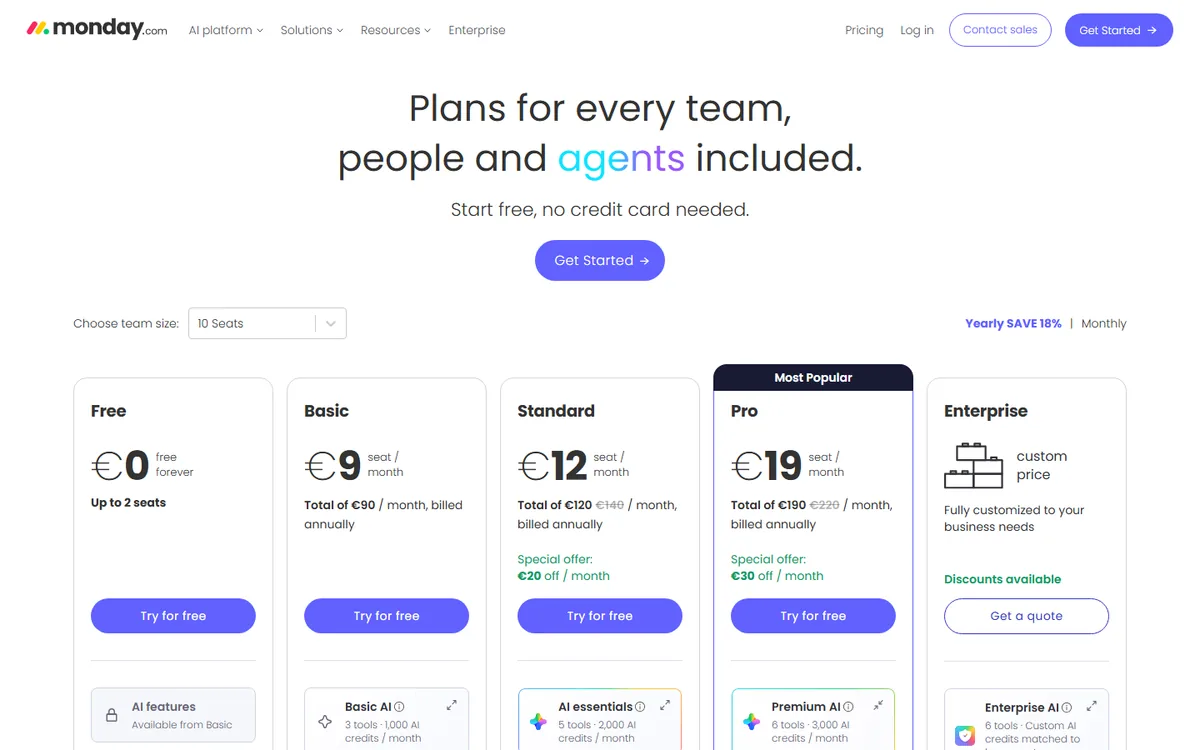
monday.com work management lists Basic at $9, Standard at $12 and Pro at $19 per seat per month billed annually. A free plan covers up to 2 seats. Timeline and Gantt views start on Standard, and Enterprise, with portfolio and resource management, is custom priced.
monday.com Reviews
- G2: score of 4.7 out of 5 (from 17,961 customer reviews)
- Capterra: score of 4.6 out of 5 (from 6,140 customer reviews)
Asana
Strong on Goals and Portfolios, With a Clean Interface Teams Like
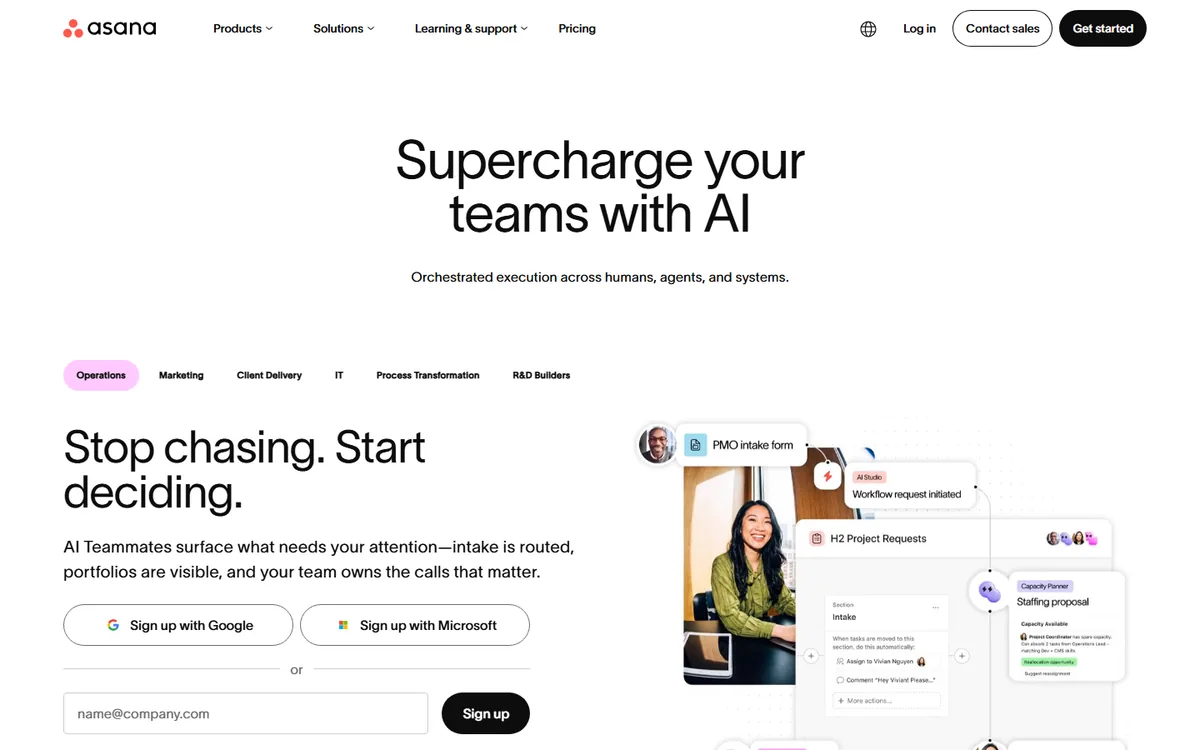
Asana connects tasks, projects, portfolios and company goals, with timelines, workload views and automation.
Asana links day-to-day tasks to portfolios and goals, which is exactly the thread a program needs. Project leads work in lists, boards or timelines, while sponsors see portfolio dashboards with status updates in one place.
In practice, Asana is a good fit for cross-functional programs where many people contribute a little work each. The limits show up in heavy financial control and detailed resource planning. Portfolios, goals and resource management start on the Advanced plan, so the cheap tier will not cover a real program view.
What Asana Does Well
- Clean interface that people adopt without much coaching
- Goals and portfolios tie work to outcomes
- Wide integration library
What Asana Could Do Better
- Portfolio and resource features need the Advanced plan
- Budget and cost tracking is lighter than in PPM tools
Asana Pricing
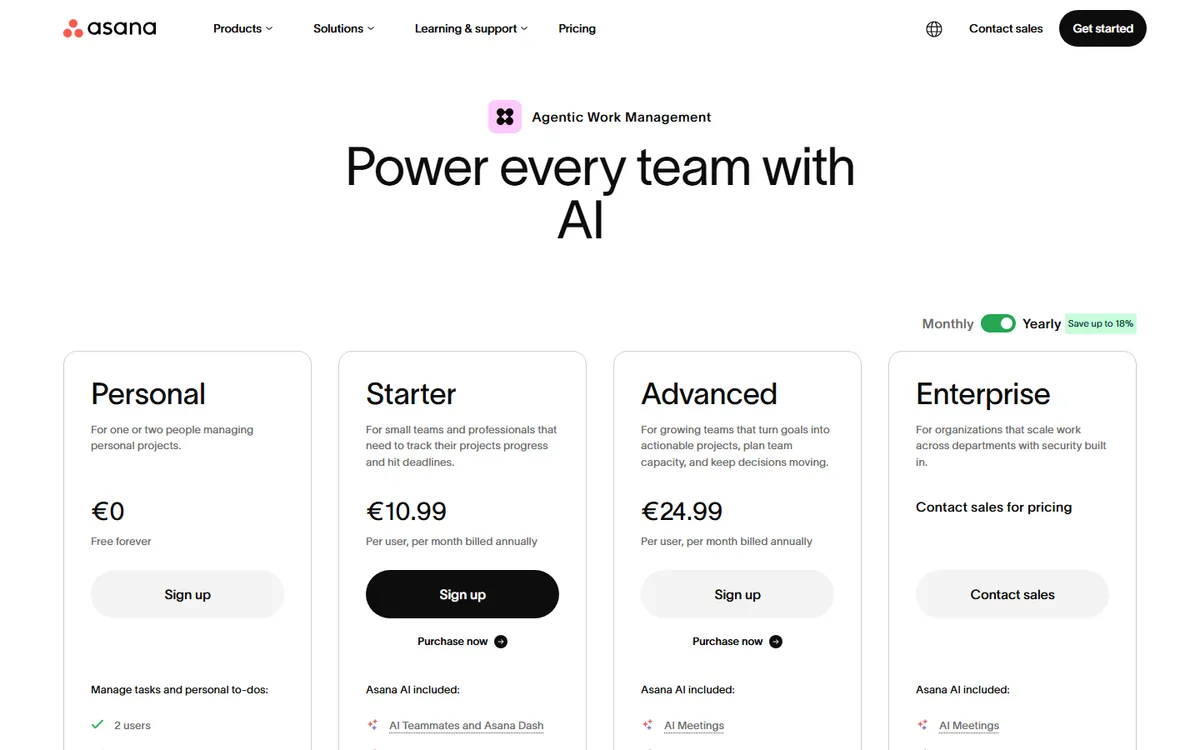
Asana lists Starter at $10.99 and Advanced at $24.99 per user per month billed annually ($13.49 and $30.49 billed monthly). Personal is free for up to 2 users. Advanced adds portfolios, goals and resource management, and Enterprise is custom priced.
Asana Reviews
- G2: score of 4.4 out of 5 (from 14,123 customer reviews)
- Capterra: score of 4.5 out of 5 (from 13,770 customer reviews)
Wrike
A Capable Mid-Market Platform With Real Resource Management Behind It
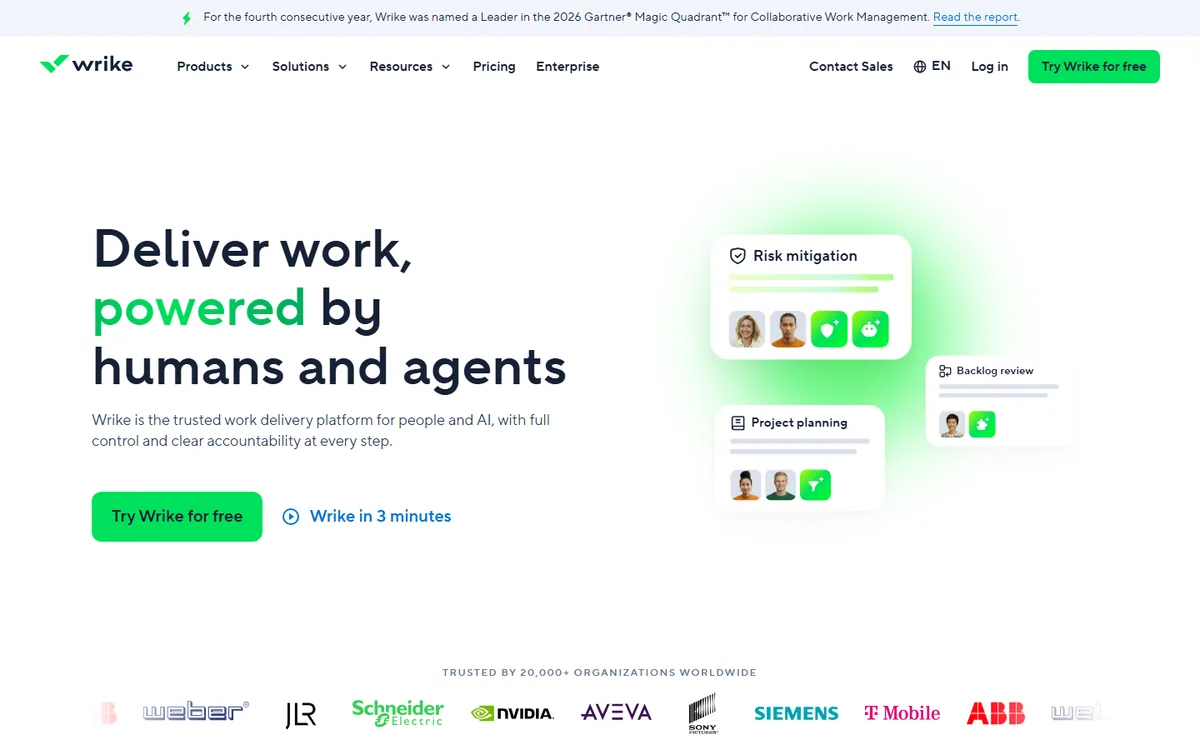
Wrike offers project and portfolio views, request forms, workload management and reporting on a scalable plan ladder.
Wrike sits between simple task tools and full enterprise PPM. It handles request forms, custom workflows, Gantt charts and workload views, which suits programs that juggle many requests from other departments.
I like how far you can customize it, and I dislike how much configuration that takes. Without a clear owner, spaces and folders sprawl. Wrike also sells several add-ons, such as Whiteboard, Datahub and Two-Way Sync, so check what your plan includes before you promise anything to sponsors.
What Wrike Does Well
- Request forms and custom workflows fit service-style teams
- Workload views help with capacity conflicts
- Plans grow from small teams to large enterprises
What Wrike Could Do Better
- Setup takes time and a designated admin
- Several useful features are paid add-ons
Wrike Pricing
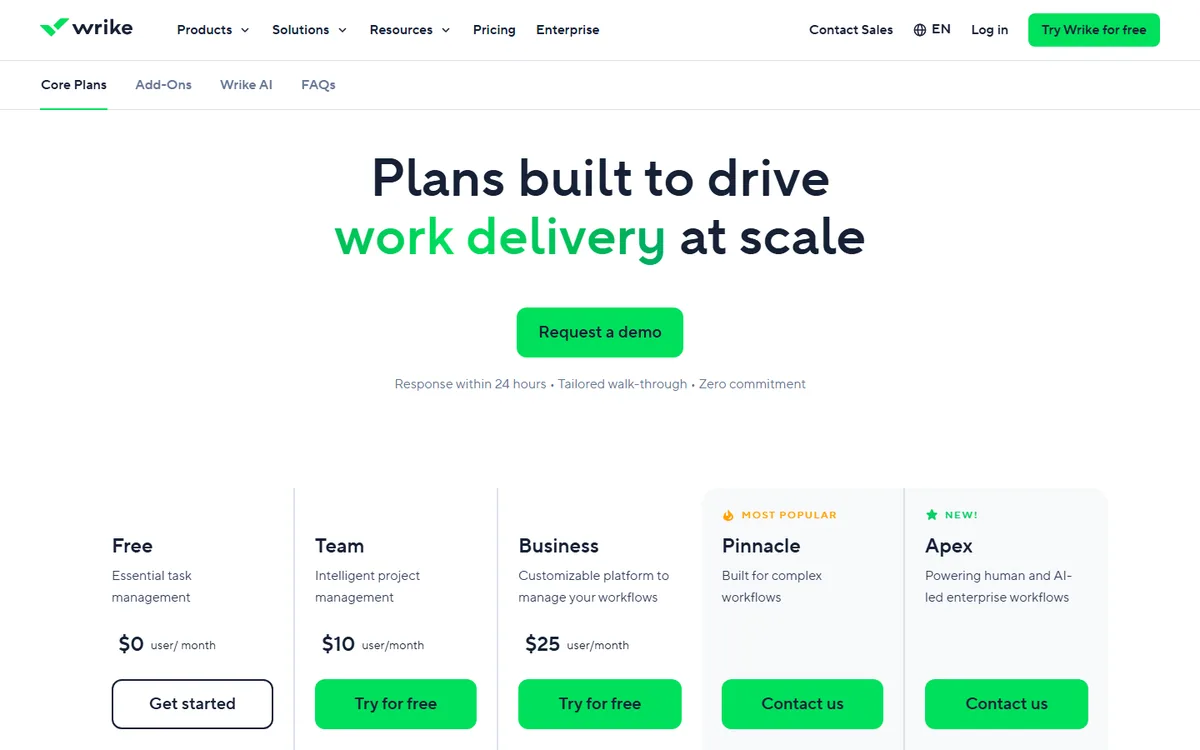
Wrike lists a Free plan, Team at $10 and Business at $25 per user per month billed annually. Pinnacle and Apex are custom priced. Wrike Whiteboard is a paid add-on at $15 per user per month, and other add-ons have custom pricing.
Wrike Reviews
- G2: score of 4.2 out of 5 (from 4,569 customer reviews)
- Capterra: score of 4.4 out of 5 (from 3,044 customer reviews)
Microsoft Project
Still the Reference for Detailed Scheduling, Especially Inside Microsoft 365
Microsoft Project offers detailed scheduling, resource management and portfolio planning that connect to Teams, Power BI and the wider Microsoft stack.
Microsoft Project is the old guard of scheduling. If your program depends on a detailed critical path, resource leveling and baselines, it still does this better than most newer tools. The desktop client is powerful, and cloud plans connect to Planner, Teams and Power BI.
The trade-off is learning curve and licensing. Project managers need training, and business stakeholders rarely enjoy the desktop interface, so you often pair it with simpler views for sponsors. Product names and plans have changed several times, so confirm exactly which Project and Planner plan you are buying.
What Microsoft Project Does Well
- Deep scheduling, baselines and resource leveling
- Connects to Teams, Power BI and other Microsoft tools
- Familiar to many experienced project managers
What Microsoft Project Could Do Better
- Steeper learning curve than newer platforms
- Plan names and licensing have changed repeatedly
Microsoft Project Pricing
Microsoft lists Project Professional 2024 as a one-time purchase at $1,129.99 and Project Standard 2024 at $679.99, each for one user on one PC. Cloud subscriptions run through the Planner and Project plans, so check current per-user prices on Microsoft's site before you budget.
Microsoft Project Reviews
- G2: score of 4.0 out of 5 (from 1,627 customer reviews)
- Capterra: No current rating confirmed for this product
Planview
Serious Strategic Portfolio Management for Organizations With Many Programs
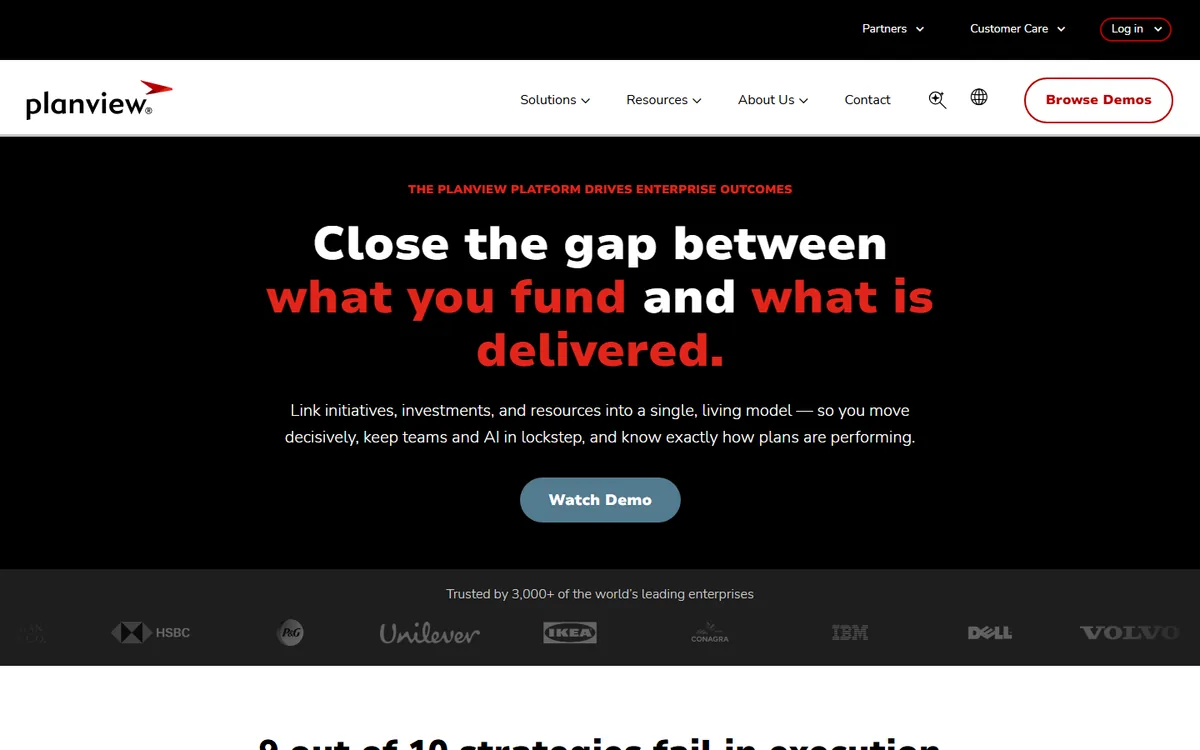
Planview Portfolios supports strategic planning, capacity management, financial planning and delivery tracking across large portfolios.
Planview is aimed at enterprises that need to decide which programs to fund, not only how to run them. It links strategy, demand, capacity and financials, so leaders can compare initiatives and rebalance when priorities change.
That power comes with weight. Implementations take months, and you need a team that maintains the data. For a company with a single large program, Planview is more than you need. For a portfolio of dozens of programs competing for the same people, it earns its place.
What Planview Does Well
- Connects strategic planning, capacity and financials
- Built for large, complex portfolios
- Mature reporting for executives
What Planview Could Do Better
- Long implementation and ongoing admin
- Few public reviews and no published pricing
Planview Pricing
Planview does not publish prices. Capterra lists pricing as contact vendor and shows no free trial, so expect a custom quote based on modules and user counts.
Planview Reviews
- G2: score of 3.8 out of 5 (from 90 customer reviews)
- Capterra: score of 4.1 out of 5 (from 19 customer reviews)
Celoxis
A Surprisingly Complete PPM Tool With Prices You Can See Before You Talk to Sales
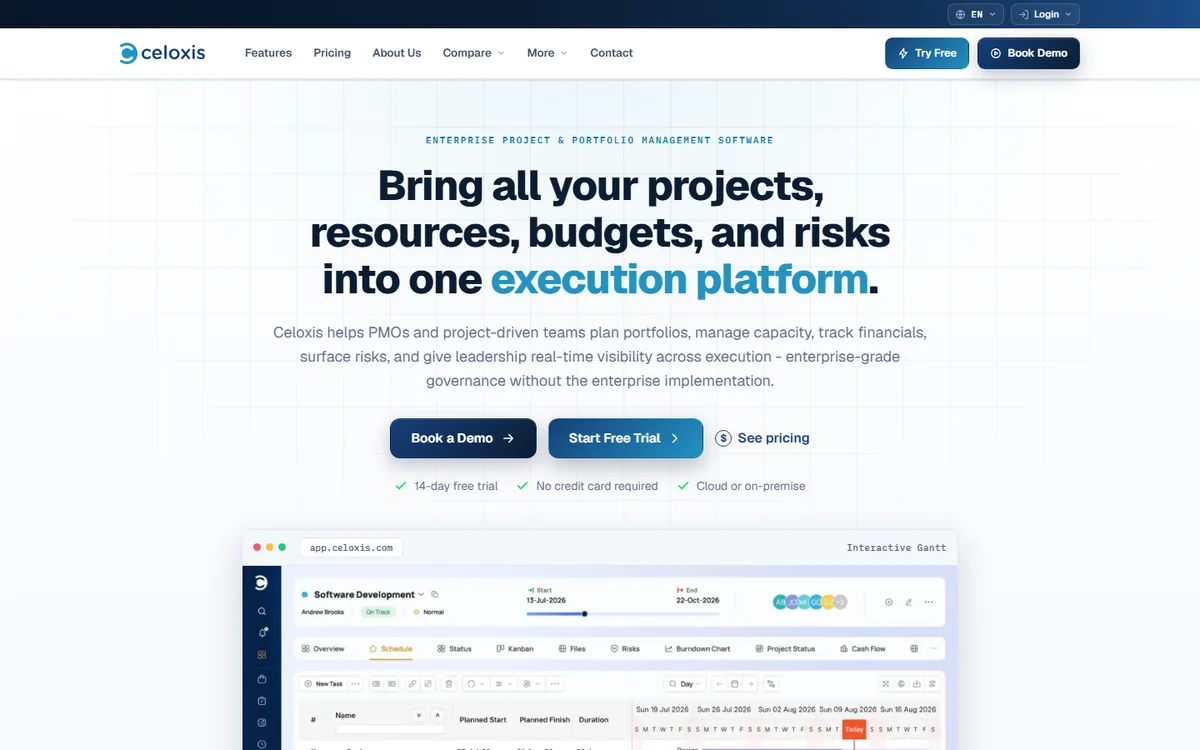
Celoxis combines project planning, resource management, timesheets, budgets and dashboards in one platform, with cloud or on-premise deployment on the top tier.
Celoxis is a lesser-known tool that gets less attention than it deserves. It covers scheduling, resource allocation, timesheets, budgets and customizable dashboards in one product, and it publishes its prices. That is rare in this category.
I like it for mid-sized organizations that have outgrown a work management tool but do not want an enterprise rollout. The interface looks more traditional than monday.com or Asana, and the community is smaller, so you will find fewer templates and third-party guides.
What Celoxis Does Well
- Published pricing across five plans
- Resource, budget and timesheet features in one product
- On-premise deployment is available on the Enterprise plan
What Celoxis Could Do Better
- Interface feels more traditional than newer tools
- Smaller community and fewer templates
Celoxis Pricing
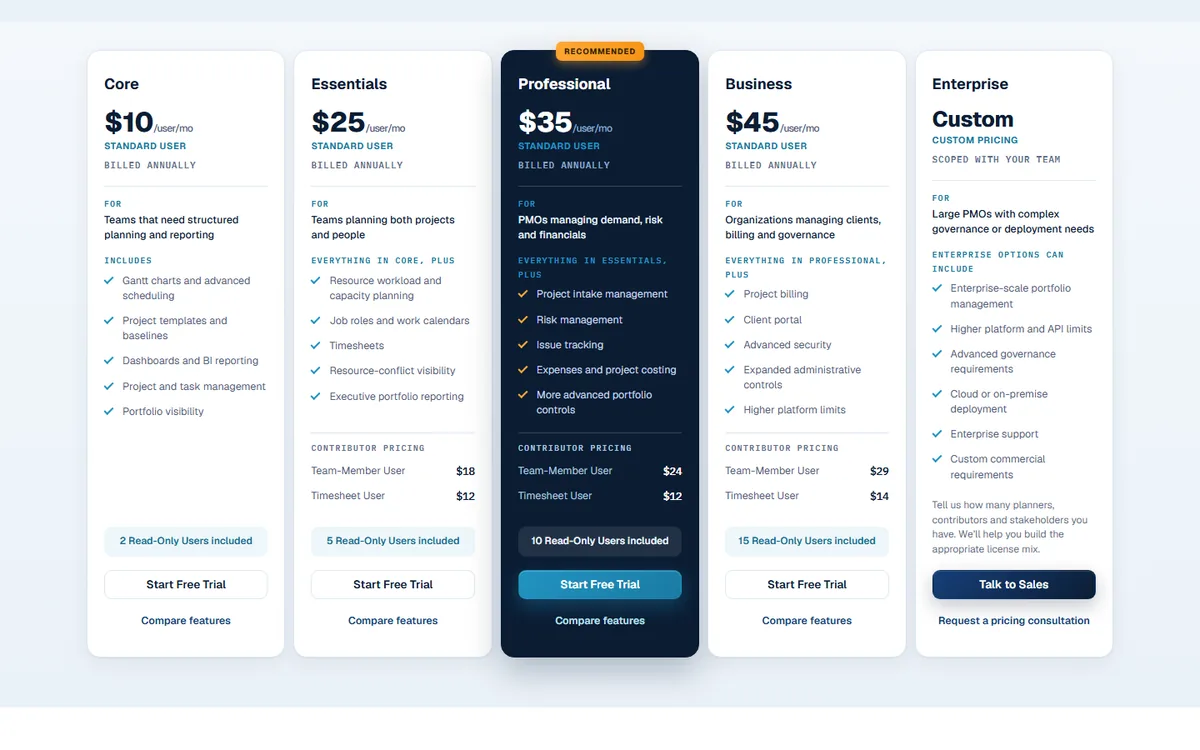
Celoxis lists Core at $10, Essentials at $25, Professional at $35 and Business at $45 per standard user per month billed annually, with Enterprise custom priced. Accounts need at least 5 full-access users, and a 14-day free trial is available.
Celoxis Reviews
- G2: score of 4.6 out of 5 (from 749 customer reviews)
- Capterra: score of 4.5 out of 5 (from 568 customer reviews)
Broadcom Clarity
A Long-Standing Enterprise PPM Platform for Formal Investment Governance
Clarity is an enterprise project and portfolio management platform for investment planning, resource management and financial tracking.
Clarity, formerly known as CA PPM, is built for large IT and PMO organizations that govern work as investments. It handles demand, project and financial data in one place, with detailed resource management and configurable reporting.
It suits formal environments with a dedicated PPM team. It is not the tool I would choose for a small program or for teams that value a light interface. Expect a longer rollout, specialist skills to configure it and a sales conversation to get a price.
What Broadcom Clarity Does Well
- Detailed financial and resource management
- Configurable for formal governance models
- Suited to large IT and PMO organizations
What Broadcom Clarity Could Do Better
- Heavy to implement and administer
- Few recent public reviews and no published pricing
Broadcom Clarity Pricing
Broadcom does not publish Clarity prices. Capterra lists pricing as contact vendor and shows no free trial.
Broadcom Clarity Reviews
- G2: score of 3.7 out of 5 (from 91 customer reviews)
- Capterra: score of 4.2 out of 5 (from 12 customer reviews)
Estimate the Return on Program Management Software
Before you pick a plan, check whether the numbers work for you. Enter the manual reporting and coordination hours you want to remove and the monthly price of the tool you are considering, and you will see what it could return in a year. The same hours show up as a drag in your program management KPIs.
Will It Pay for Itself?
Adjust the sliders to your workload and the plan you are looking at.
How to Choose the Right Program Management Software
In my experience, fit with how you govern work decides more than any feature list. Before you compare vendors, answer four questions:
- How many projects run at once, and how many depend on each other?
- Do you need resource and capacity planning, or only status and timelines?
- Who will administer the tool: a PMO, IT or the project leads themselves?
- Which systems must it connect to, such as Microsoft 365, finance or ticketing?
If your project leads will build their own boards, I usually recommend monday.com, Asana or Smartsheet. If you plan formal intake and capacity management, look at Workfront, Wrike or Celoxis. For large portfolios with funding decisions, Planview and Clarity are the serious options, and Microsoft Project fits detailed scheduling. Whatever you choose, run through the program management checklist first, so the tool supports a program that is already defined, and keep the program management best practices in mind when you configure it. Real programs also give you material for your own program management examples library.
Questions About Choosing Program Management Software
What Is the Best Program Management Software?
There is no single winner. For mid-sized teams that want fast setup, I usually recommend Smartsheet or monday.com. If you already run many projects with shared resources and need portfolio reporting, Adobe Workfront, Planview or Celoxis are stronger fits. Pick by the size of your program, your budget and the tools your people already use, then test two options on a real project.
What Is the Difference Between Program Management and Project Management Software?
Project management software plans and tracks tasks inside one project. Program management software adds the layer above it: dependencies between projects, shared resource planning, portfolio-level budgets, benefit tracking and roll-up reporting. Many tools sit in between, so check whether portfolio views and resource management come with the plan you are pricing, or only with the enterprise tier.
Can I Run a Program in a Spreadsheet?
For a handful of projects and one owner, yes, and plenty of programs start that way. It breaks when several people update the same file, when dependencies cross teams and when sponsors want a live view. If you spend more than an hour a week compiling status, a dedicated tool usually pays for itself.
How Much Does Program Management Software Cost?
Work management tools such as monday.com, Asana, Wrike and Smartsheet list paid plans from roughly $9 to $25 per user per month when billed annually, with the portfolio features often on higher or custom plans. Enterprise tools like Workfront, Planview and Clarity do not publish prices, so expect a sales process and a custom quote.
Which Features Matter Most for a Program?
Look for cross-project dependencies, resource and capacity planning, roll-up dashboards, risk and issue tracking, budget views and approval workflows. Everything else is secondary. Check that these features are on the plan you will actually buy, because they are often reserved for the higher tiers.
How Long Does It Take to Roll Out a Program Management Tool?
A work management tool can be live for a first team within days. Enterprise portfolio platforms usually take months, because data, roles and reporting have to be configured and people trained. In my experience, the delay comes more from agreeing on definitions than from the software, so settle your status codes and decision rights first.
Do I Need a Consultant to Choose and Set Up the Tool?
Not always, but it helps when you run several projects, have more than one candidate tool or have failed a rollout before. A short outside review of your requirements keeps you from paying for features you will not use. If you want a second opinion, a free discovery call is a low-effort start.
Note: Prices, plans and ratings change frequently. They were checked in November 2026, so confirm them on each vendor’s site before you buy.
Did you find this helpful?
Thank you for your feedback.
Delaney Brisco
Delaney leads the Tavo editorial team and works with our consultants to turn real client projects into practical guides on project delivery, process design and organizational change. Before joining Tavo, she spent 12 years in operations and program management roles. She has since edited more than 300 articles on management practice and reviewed PMO setups and process redesigns from over 100 client projects. She is based in Minneapolis, Minnesota.