Summary
- Eligibility checks, claim status checks and payment posting are the safest and fastest revenue cycle tasks to automate.
- AI helps most where documents are unstructured, such as denial letters and remittance advice.
- Keep people on appeals, complex coding and patient conversations.
- Record a baseline first, so you can prove the hours and dollars you win back.
Ask a biller what takes their week and you hear the same list: checking eligibility, looking up claim status on payer portals, posting payments and sorting denials. None of it needs a medical degree, and all of it follows rules. That is why revenue cycle management consulting projects so often begin with automation.
I will walk you through the tasks worth automating, how much time each one tends to free up, where AI adds something that simple rules cannot and where I would keep a person in charge. The calculator near the end lets you size the savings with your own numbers.
Where Automation Fits in the Revenue Cycle
The cycle has a front end (scheduling, registration, eligibility, authorization), a middle (coding, charge capture, claim submission) and a back end (payment posting, denials, patient billing). Automation pays back in all three, but the type of tool differs. The table shows the tasks I look at first.
| Task | Stage | How it is automated | Keep a person for |
|---|---|---|---|
| Eligibility verification | Front end | Real-time checks at scheduling and the day before the visit | Coverage that comes back unclear |
| Prior authorization status | Front end | Automated status checks and reminders | Peer-to-peer calls and clinical appeals |
| Claim scrubbing | Middle | Rules that catch missing data and code conflicts before submission | New payer rules and edge cases |
| Claim status checks | Back end | Bots or electronic status requests on a schedule | Claims stuck with no payer response |
| Payment posting | Back end | Auto-posting of electronic remittance advice | Unmatched or partial payments |
| Denial sorting | Back end | Rules and AI that group denials by cause and route them | Appeals and root cause fixes |
| Patient statements | Back end | Automated statements, reminders and payment links | Hardship cases and disputes |
Notice the right-hand column. Every task keeps a human for the exceptions, and that is where your billers become more valuable, not less.
Eligibility and Authorization Checks
A claim denied for inactive coverage is the most avoidable denial there is, yet it is still common. Experian Health's 2025 State of Claims survey of 250 healthcare professionals found that 26 percent say at least one in ten of their denials traces back to intake, and over half say re-running an eligibility check takes more than 10 minutes. Those minutes add up fast.
Automated eligibility checks run when the appointment is booked and again a day or two before the visit. The system compares the coverage response with your expectations, such as active dates, plan type and copay, and flags anything that does not match. Your front desk then works a short exception list instead of calling every payer. If a patient has a deductible that makes a visit unaffordable, you learn about it before they arrive.
Authorization is harder because rules differ by payer and service. Automation can tell you whether a code needs authorization, start the request and remind you when the status has not changed. The decision and any appeal still need a person, and I would not trust any tool that claims to remove that step.
Claim Scrubbing and Status Checks
A claim scrubber reads each claim before it goes out and checks it against rules: required fields, code pairs that conflict, modifiers, diagnosis and procedure matches and payer-specific edits. Claims that pass go straight out, and claims that fail return to a biller with the reason written next to them. That is cheaper than discovering the problem three weeks later in a denial.
Status checks cover the other end. Instead of a biller opening a payer portal for each open claim, a script or an electronic status request checks on a schedule and updates your system. I like to run these at the 14 and 30 day marks, then hand any claim without movement to a person with the payer's last response attached.
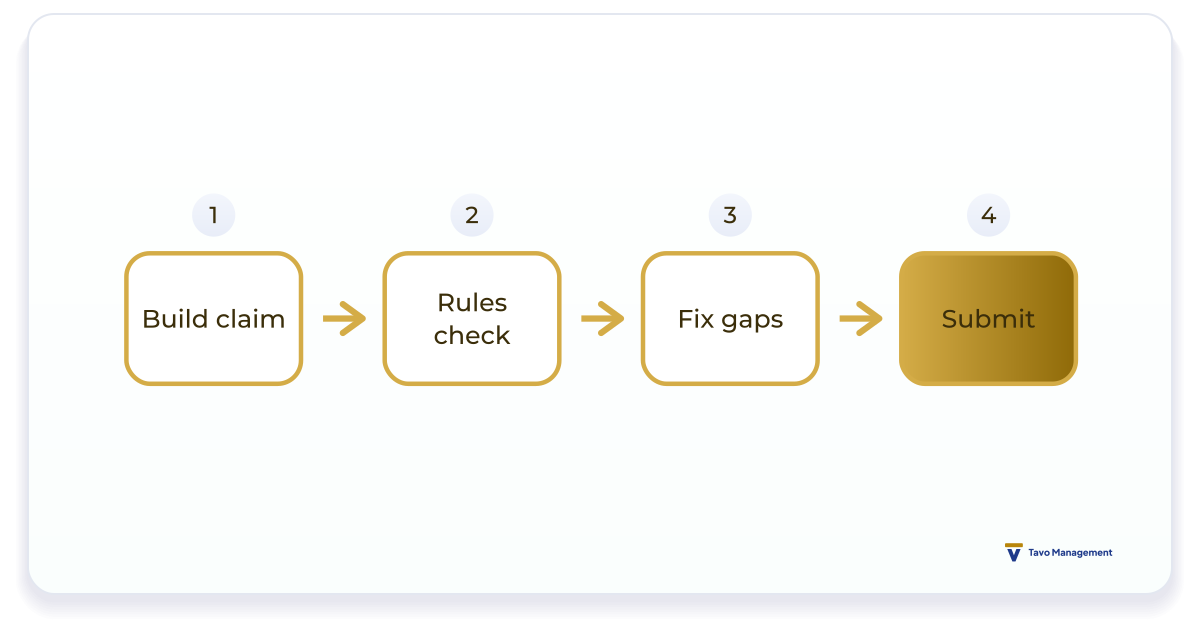
Many practice management systems and clearinghouses include both features. Before you buy anything, check what your current product offers and whether it is switched on. The ranking in my revenue cycle management software comparison shows which vendors bundle these tools and which sell them as add-ons.
Payment Posting and Reconciliation
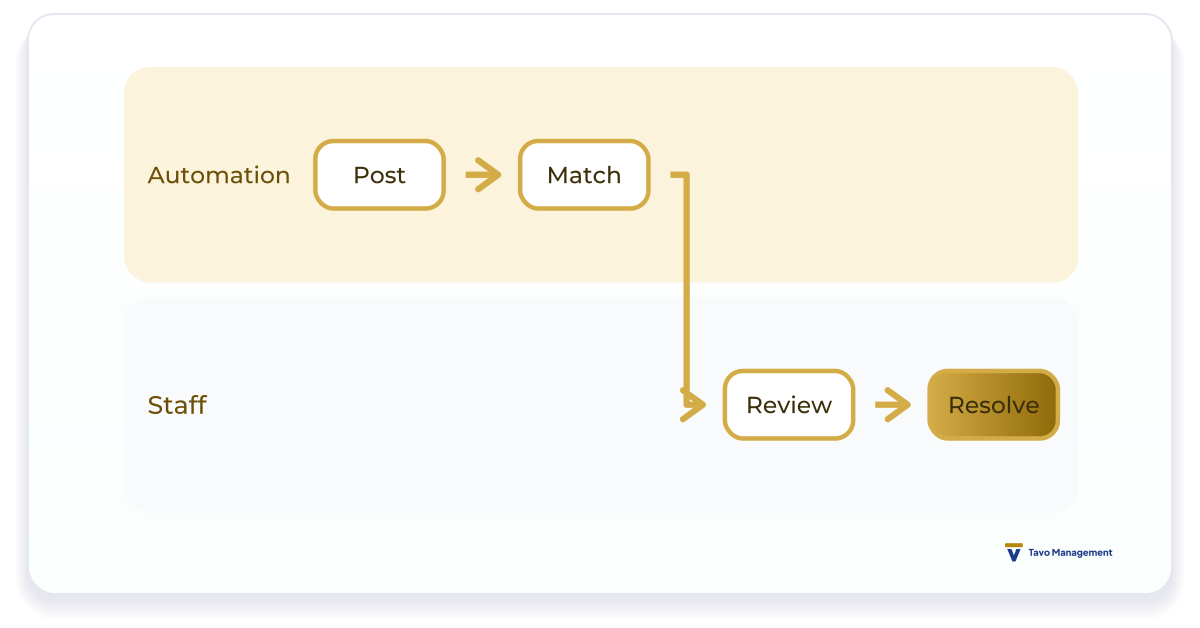
Electronic remittance advice arrives as a data file, and posting it by hand is some of the most tedious work in billing. Auto-posting reads the file, matches payments to claims, applies adjustments and writes denial codes to the account. In well-set-up systems, a high share of payments post without anyone touching them, though the share depends on how clean your payer enrollment and claim IDs are.
Paper checks and unusual payers still need a person, and so do payments that do not match any claim. The gain comes from shrinking that pile. I suggest you track the share of payments that auto-post each week, because a sudden drop usually means a payer changed its file format.
Reconciliation matters as much as posting. The deposit in your bank account should equal what you posted. Automated matching compares the two daily, so a missing payment shows up in days instead of at month-end.
Denial Triage With Rules and AI
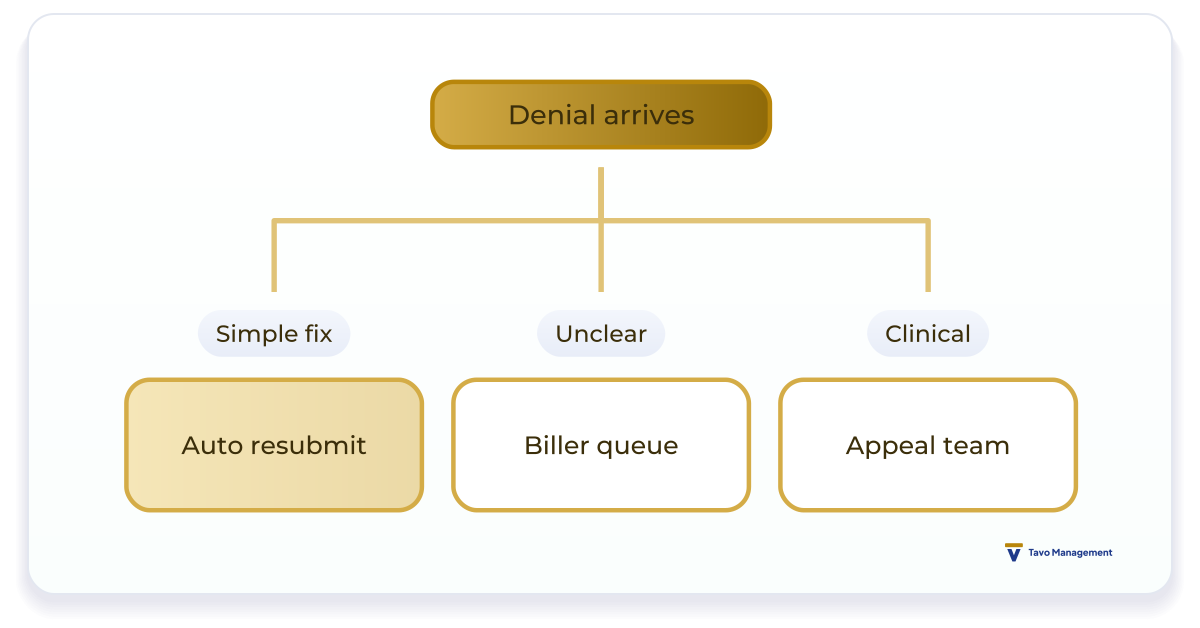
This is where AI adds something rules cannot. A denial arrives with a code and often a free-text explanation, and the right response depends on both. AI can read the explanation, classify the cause, pull the relevant records and draft an appeal or a correction for a biller to review. Rules then route each denial: correct and resubmit, appeal, write off or send back to registration.
Adoption is still early. In Experian's survey, 67 percent of respondents believe AI can improve the claims process, but only 14 percent currently use it to reduce denials. Of those who do, 69 percent say it has reduced denials or raised resubmission success. Those figures come from a vendor survey of 250 people, so treat them as a signal, not a promise.
Triage also feeds prevention. When denials are classified the same way every time, you can count them by cause and fix the biggest one at its source. My list of revenue cycle management challenges shows how denial patterns usually trace back to a handful of front-end habits.
Patient Statements and Payment Plans
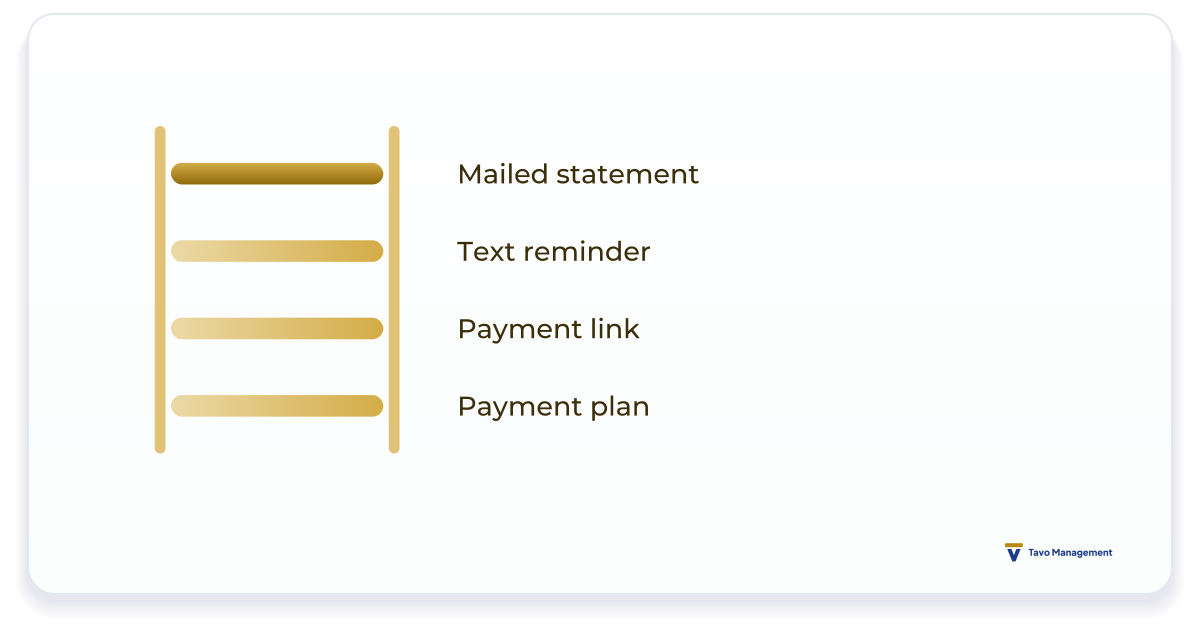
Patient balances are a growing share of practice revenue, and they respond to convenience. Automated text and email reminders with a payment link get more balances paid than paper statements alone. Add a rule that offers a payment plan when a balance passes a set amount, and your staff stops negotiating the same arrangement by phone every day.
Keep a person available for confusion, because patient billing questions are often upsetting. A clear statement and a human to call matter more than any automation here.
What the Industry Data Says About the Opportunity
The CAQH Index, which tracks administrative transactions across US health plans and providers, estimated that electronic transactions and better data exchange avoided about $258 billion in administrative costs in 2024, and that fully automating the remaining manual and partly manual transactions could save a further $21 billion. Those are industry-wide numbers, but they point the same way as what I see on single projects: most of the saving sits in routine transactions that are still handled by hand.
Estimate Your Own Time Savings
Pick one task from the table that your team repeats every week, such as eligibility checks or claim status lookups. Enter the minutes each takes, how many you do and how much of it automation could cover. The result shows the hours and dollars you could free up. After the first win, the tips in my revenue cycle management best practices show how to lock it in.
How Much Time Could You Save?
Move the sliders to match one repetitive task in your business.
A Four-Step Rollout That Holds Up
Teams that automate everything at once usually end up with a mess nobody trusts. I suggest a sequence that proves value early and limits risk.
- Baseline first. Track minutes per task, clean claim rate, denial rate and days in accounts receivable for four weeks. The revenue cycle management metrics guide gives definitions.
- Switch on what you own. Turn on the eligibility, scrubbing and auto-posting features in your current software, and run them beside manual work for two weeks.
- Add one specialist tool. If gaps remain, add a single product, for example a denial tool, and measure it for a quarter before adding another.
- Review monthly. Check the exception lists, update rules and retire steps that no longer save time.
Choosing Your Starting Point and Who Should Help
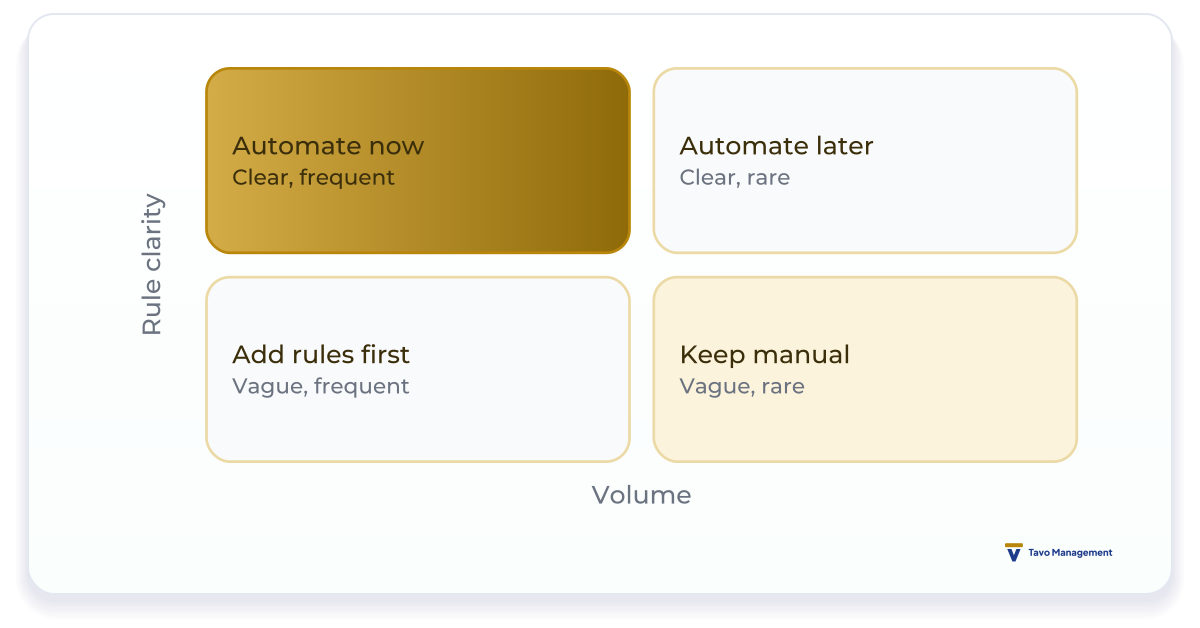
Score each candidate task on four things: weekly volume, minutes per task, error cost and how clean your data is. The task with the highest volume and the cleanest data goes first. Also decide who owns it afterwards, because an automation without an owner slowly decays.
- The task happens many times a week and follows written rules.
- Your current software already has a feature for it, or a tool for it is easy to buy.
- A person can review the exceptions the same day.
- You can measure the result against a baseline.
If your own team is thin, another route is to hand the whole function to a partner, which I weigh up in my piece on revenue cycle management outsourcing.
Questions About Revenue Cycle Management Automation
Which Revenue Cycle Tasks Should I Automate First?
Start with eligibility verification and claim status checks. Both are high volume, rule-based and easy to measure, and neither needs clinical judgment. Once those run reliably, add claim scrubbing, payment posting and denial sorting. Leave appeals and complex coding questions with people until the data shows the routine work is stable.
How Much Time Can Automation Save in Billing?
It depends on how manual you are today. A team that checks eligibility by phone and portal can save several minutes per visit, and a team that posts payments by hand can save hours every week. Use the calculator above with your own task times and volumes, then check the result against two weeks of real time tracking.
Is Robotic Process Automation the Same as AI in the Revenue Cycle?
No. Robotic process automation follows fixed steps, such as logging into a payer portal and copying a claim status into your system. AI reads unstructured content, such as an explanation of benefits or a denial letter, and suggests an action. Most useful setups combine both, with rules for the predictable work and AI for the messy parts.
Will Automation Replace My Billing Staff?
In the projects I see, it replaces the tasks and keeps the roles. Billers stop retyping data and checking portals, and spend their time on denials, appeals and patient calls. Most teams use the time they win back to handle more volume without hiring at the same pace.
Is It Safe to Use AI with Patient Data?
It can be, with controls. Use vendors that will sign a business associate agreement, restrict access to the minimum data each step needs, keep logs of what the system did and add human review for anything that changes money or a patient record. Ask where data is stored and whether it is used to train models.
How Do I Measure Whether Automation Worked?
Record a baseline before you start: minutes per task, first-pass clean claim rate, initial denial rate and days in accounts receivable. Measure the same numbers monthly after launch. My guide to revenue cycle management metrics explains how to define each one so the before and after are comparable.
Do I Need New Software to Automate?
Often not. Many practice management and clearinghouse products already include eligibility checks, claim edits and auto-posting that teams never switch on. Check your current tools first, and buy something new only when a gap is clear and the return is easy to calculate.
Sources
General information only: this is not legal, financial or tax advice. Examples and numbers reflect typical projects; check the specifics with your advisers before deciding.
Did you find this helpful?
Thank you for your feedback.
Delaney Brisco
Delaney leads the Tavo editorial team and works with our consultants to turn real client projects into practical guides on project delivery, process design and organizational change. Before joining Tavo, she spent 12 years in operations and program management roles. She has since edited more than 300 articles on management practice and reviewed PMO setups and process redesigns from over 100 client projects. She is based in Minneapolis, Minnesota.