Summary
- Waystar is the strongest add-on layer when you want cleaner claims without replacing your EHR.
- Tebra and AdvancedMD suit small independent practices that want billing and practice management together.
- ModMed scores highest in reviews, but it is specialty-focused and sits at the top of the price range.
- Most vendors do not publish prices, so ask for a written quote and test the software with your own claims.
The Best Revenue Cycle Management Software at a Glance
| Software | Type | Best for |
|---|---|---|
| 1. Waystar | Claims and denials platform | Practices and health systems that keep their EHR but want cleaner claims |
| 2. Tebra | EHR and billing for independent practices | Small and mid-sized independent practices that want one system |
| 3. ModMed | Specialty EHR with billing and RCM | Specialty practices such as dermatology, ophthalmology and orthopedics |
| 4. athenaOne | Cloud EHR, practice management and RCM | Mid-sized and large groups that want an all-in-one cloud system |
| 5. AdvancedMD | Practice management, EHR and billing services | Independent practices that want software now and the option of outsourced billing later |
| 6. NextGen Healthcare | Ambulatory EHR, practice management and RCM | Specialty groups that need a configurable system with revenue cycle services |
| 7. eClinicalWorks | EHR with integrated practice management and RCM | Practices that want the EHR and the billing from one vendor at a published starting price |
| 8. CareCloud | Practice management, EHR and RCM services | Practices that want software and a vendor billing team under one contract |
The 8 Best Revenue Cycle Management Software Options, Ranked
I start with the options that fit the widest range of organizations and move toward more specialized choices, so you can stop reading once you find your fit. Software is only part of the result: in revenue cycle management consulting work, the process behind the tool decides more than the tool itself. If you want to automate parts of it, my guide to revenue cycle management automation shows where the hours go.
Waystar

The Strongest Specialist Layer for Claims, Eligibility and Denials, Whatever EHR You Run
Waystar is a cloud platform that sits between your EHR or practice management system and the payer. It covers eligibility checks, prior authorization, claim scrubbing and submission, denial management and patient payments in one place.
I put Waystar first because it fixes the part of the cycle where most money leaks, and it does so without asking you to replace your clinical system. That matters. Replacing an EHR to fix billing is a large and risky project, while adding a claims layer is a much smaller step. Its rules catch errors before a claim leaves your building, and its denial tools show which payers and codes cause most of your rework.
The catch is fit and price. Waystar is built for organizations with real claim volume, and one Capterra reviewer notes that smaller billing businesses may find it pricier than alternatives. It is also a layer, not a full system, so you still need a billing or practice management product underneath. G2 users report about two months to implement, which is quick for this category.
What Waystar Does Well
- It works with the EHR or practice management system you already have
- Eligibility, claim edits and denial tools sit in one platform
- Both G2 and Capterra rate it 4.4 out of 5, with a few hundred reviews between them
What Waystar Could Do Better
- Quote-based pricing and smaller practices may find it expensive
- It is not a standalone billing system, so you still need one underneath
Waystar Pricing
Waystar does not publish prices. G2 lists no list price and says final costs are negotiated with the vendor, and Capterra shows no starting price and no free trial. Expect a quote based on your claim volume and the modules you pick. Ask for the price per claim and for what is included in implementation.
Waystar Reviews
- G2: score of 4.4 out of 5 (from 119 customer reviews)
- Capterra: score of 4.4 out of 5 (from 214 customer reviews)
Tebra

A Complete EHR, Billing and Patient Engagement Package Aimed at Independent Practices
Tebra combines the former Kareo and PatientPop products into one platform with an EHR, practice management, medical billing and tools for patient scheduling and reviews.
Tebra is where I look first for practices with a handful of providers and no dedicated IT person. You get charting, scheduling, claims and patient statements in one login, and the billing side has a long history from Kareo. Practices that used to run a separate EHR, a separate billing company and a separate marketing tool can often fold all three into one vendor.
The trade-off is depth. With more than a thousand Capterra reviews, the complaints are consistent: support quality varies and the system can feel basic once you add several locations or complex payer rules. Review the billing reports carefully during the trial, because your denial and aging reports are what you will use every week.
What Tebra Does Well
- EHR, scheduling, billing and patient tools in one login
- Built for independent practices, so setup is lighter than enterprise suites
- A free trial is available according to Capterra, so you can test the billing screens
What Tebra Could Do Better
- Reviewers describe uneven support, with Capterra scoring customer service 3.8 out of 5
- Larger groups can outgrow its reporting and payer rule depth
Tebra Pricing
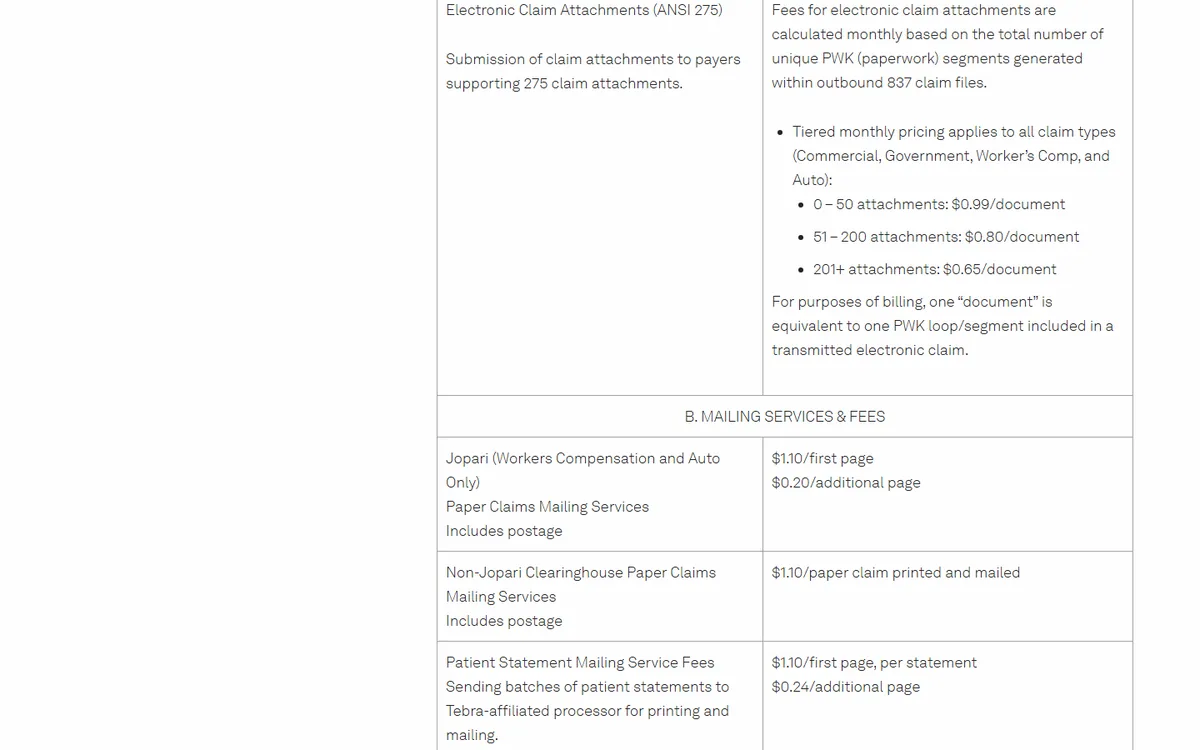
Tebra does not publish prices on its Capterra listing, which points to custom pricing by package and number of providers. Capterra shows a free trial but no free version. Ask for a written quote that lists every module, per-provider fees and any separate cost for billing services.
Tebra Reviews
- G2: score of 4.1 out of 5 (from 265 customer reviews)
- Capterra: score of 4.0 out of 5 (from 1,390 customer reviews)
ModMed
The Best Fit When Your Specialty Needs Its Own Workflows and Billing Rules
ModMed builds specialty-specific EHR and practice management software, with billing and revenue cycle services designed around each specialty's codes and workflows.
Specialty billing is different from general billing. A dermatology practice, an eye clinic and an orthopedic group each have their own charge patterns, modifiers and payer quirks. ModMed bakes that into the product, so charge capture follows the visit templates your providers already use. When providers pick the procedure in the chart, the charge flows to billing with much less retyping.
Ratings are the best on this list, 4.5 out of 5 on both G2 and Capterra. The price is the downside. G2 shows a perceived cost of five dollar signs, and some Capterra reviewers report costs of around $800 per user per month. Those are reviewer figures, not official pricing, so get a quote in writing. Plan about three months to implement, which is the G2 average.
What ModMed Does Well
- Workflows and charge capture are tailored to individual specialties
- The highest ratings in this ranking, on both G2 and Capterra
- Billing and revenue cycle services can sit next to the EHR
What ModMed Could Do Better
- It sits at the high end of the price range
- It is not a fit if your practice is primary care or mixed-specialty
ModMed Pricing
ModMed does not publish prices. G2 shows a perceived cost of five dollar signs and Capterra lists no starting price. Reviewers on Capterra mention figures of roughly $800 or more per user per month plus fees for extras, but treat that as anecdotal and ask for a full quote with contract length and add-on fees.
ModMed Reviews
- G2: score of 4.5 out of 5 (from 461 customer reviews)
- Capterra: score of 4.5 out of 5 (from 567 customer reviews)
athenaOne
A Large All-in-One Cloud Suite That Brings Its Own Payer Rules to Your Billing
athenaOne from athenahealth bundles an EHR, practice management, revenue cycle tools and patient engagement into one cloud product, with billing services available on top.
The appeal is that the vendor maintains payer rules centrally, so edits and updates reach every customer without you rewriting your own. For a group that does not want to run a billing rules project, that is a real saving. It also suits organizations that prefer one vendor accountable for the whole cycle.
The ratings are mixed, and the gap between G2 (3.4) and Capterra (3.8) tells you opinions vary. Reviewers mention high and rising costs and note that pricing can feel heavy for smaller practices. Before you sign, ask exactly which billing tasks the vendor does for you and which remain with your staff, because that split decides how much your own team still has to do.
What athenaOne Does Well
- One vendor covers the EHR, practice management and revenue cycle tools
- Payer rules are maintained centrally for you
- A free trial is listed on Capterra
What athenaOne Could Do Better
- Reviewers describe costs as high and rising
- Ratings are mixed, at 3.4 on G2 and 3.8 on Capterra
athenaOne Pricing
athenahealth does not publish athenaOne prices. Capterra lists the starting price as contact vendor. Because costs depend on practice size and the services you choose, ask for a quote that spells out fees, contract length and any change in price at renewal.
athenaOne Reviews
- G2: score of 3.4 out of 5 (from 115 customer reviews)
- Capterra: score of 3.8 out of 5 (from 916 customer reviews)
AdvancedMD
Flexible Software With the Option to Hand Billing to the Vendor When Your Team Is Stretched
AdvancedMD offers cloud practice management, EHR and medical billing, plus billing services where the vendor's team works your claims for you.
What I like is the choice. You can start by running billing yourself with the software, then move to vendor-run billing if you lose a biller or grow faster than you can hire. That gives you a path without a platform change. A 2026 Pabau comparison reports billing services priced at 4 to 8 percent of collections, which is common for managed billing, but confirm your own rate.
Ratings are middling. G2 shows 3.6 out of 5 and Capterra gives its Billing Services listing 3.9. Read the contract closely for notice periods and minimums, because the move between self-service and managed billing is only an advantage if you can actually switch when you need to.
What AdvancedMD Does Well
- You can move from self-run billing to vendor-run billing without changing systems
- Practice management, EHR and billing are offered together
- Capterra lists a starting price for billing services, which helps early budgeting
What AdvancedMD Could Do Better
- Ratings are mid-range, at 3.6 on G2 and 3.9 on Capterra
- Pricing varies by module and service, so comparing quotes takes effort
AdvancedMD Pricing
Capterra lists AdvancedMD Billing Services from $100 per month for the Basic plan, with no free trial or free version. G2 shows a Basic plan from $30 per user per month. Full pricing depends on modules and providers, and managed billing is typically a share of collections, so request a written quote for your setup.
AdvancedMD Reviews
- G2: score of 3.6 out of 5 (from 63 customer reviews)
- Capterra: score of 3.9 out of 5 (from 85 customer reviews, AdvancedMD Billing Services)
NextGen Healthcare

A Configurable Ambulatory Platform for Groups With Specialty Workflows and Dedicated Staff
NextGen Healthcare provides an ambulatory EHR, practice management and revenue cycle services for medical groups and specialty practices.
NextGen suits groups large enough to have an administrator who owns the system. It gives you control over templates, rules and reports, which helps when your specialties have unusual workflows. In return, you need someone to configure and maintain it. A group that expects a plug-and-play tool will be frustrated.
G2 reviewers rate NextGen Healthcare EHR at 3.7 out of 5 from 178 reviews. Capterra shows 4.1 out of 5, but from only 16 reviews, so I give that number less weight. G2 users report about three months to implement and about 18 months to see a return. Plan for that timeline and do not expect a quick fix to a billing problem.
What NextGen Healthcare Does Well
- Configurable templates and rules for specialty workflows
- Revenue cycle services are available alongside the software
- G2 data points to an average implementation of about three months
What NextGen Healthcare Could Do Better
- It needs staff time to configure and maintain
- G2 users report about 18 months to a return on the investment
NextGen Healthcare Pricing
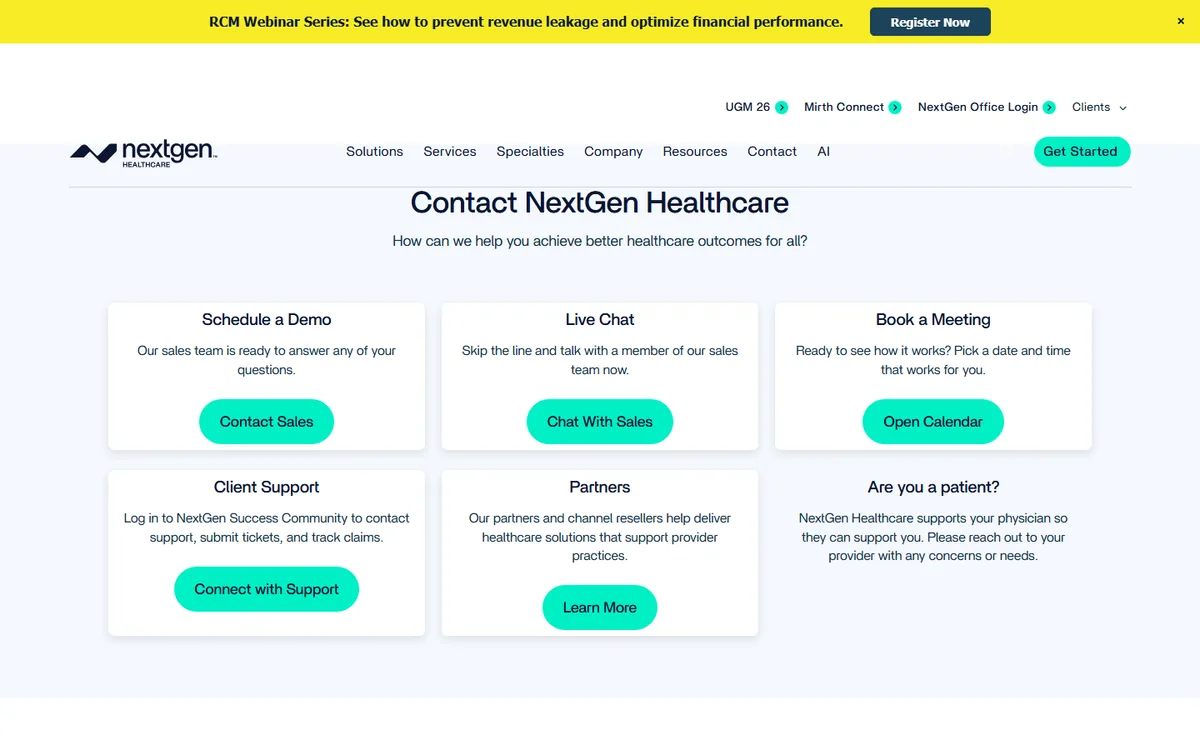
NextGen does not publish prices. Capterra lists the starting price as contact vendor with no free trial, and G2 shows no list price. Quotes depend on providers, modules and services, so ask for implementation, training and support to be itemized.
NextGen Healthcare Reviews
- G2: score of 3.7 out of 5 (from 178 customer reviews)
- Capterra: score of 4.1 out of 5 (from 16 customer reviews)
eClinicalWorks

A Widely Used EHR With Billing Built In and One of the Few Published Price Points
eClinicalWorks is a widely used EHR with integrated practice management, and it offers revenue cycle management as a service.
The reason it makes this list is clarity on cost. Capterra lists EHR only at $449 per user per month and EHR with practice management at $599 per month, with RCM as a service on custom quotes. Few vendors in this category give you numbers, so you can sketch a budget before you talk to sales.
Opinions are split. Capterra shows 3.3 out of 5 from 395 reviews, with 30 percent of reviews negative, while G2 shows 3.7 from 159. If you consider it, speak to a reference customer in your specialty and ask about support wait times and billing report quality, since those are the areas reviewers raise most.
What eClinicalWorks Does Well
- Published starting prices on Capterra make early budgeting easier
- EHR, practice management and RCM services from one vendor
- A large user base, so staff and consultants are easy to find
What eClinicalWorks Could Do Better
- Capterra shows 3.3 out of 5 with 30 percent of reviews negative
- No free trial is available
eClinicalWorks Pricing
Capterra lists EHR only at $449 per user per month, EHR with practice management at $599 per month and RCM as a service as a custom quote. It lists no free trial and no free version. Confirm whether the $599 figure is per provider or per practice, because the listing words it differently from the first plan.
eClinicalWorks Reviews
- G2: score of 3.7 out of 5 (from 159 customer reviews)
- Capterra: score of 3.3 out of 5 (from 395 customer reviews)
CareCloud
A Software-Plus-Services Option for Practices That Want the Vendor to Share the Billing Work
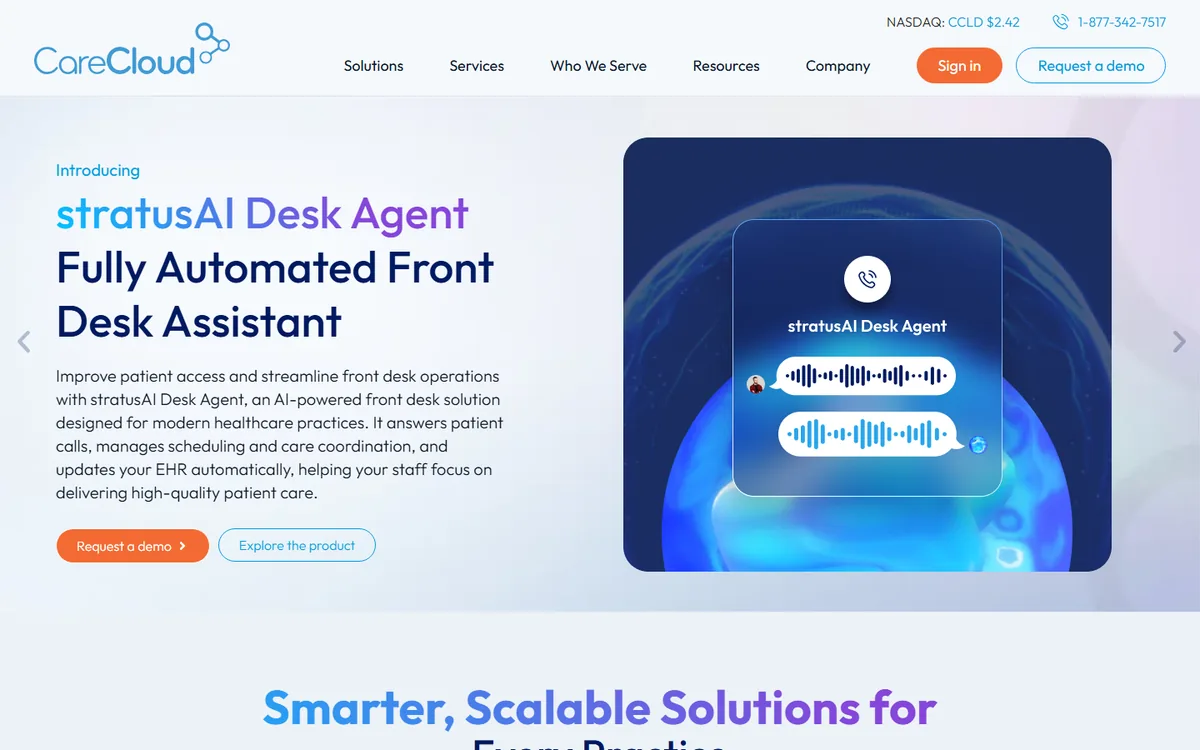
CareCloud combines practice management and EHR software with revenue cycle services, which grew out of the company formerly known as MTBC.
CareCloud is the choice I would test for a practice that wants help with the work and the software in one contract. Its pairing of platform and billing team is a model some groups prefer, because one vendor is accountable for results. Compare it to an arrangement where you buy software and hire a billing company separately and then argue about who caused an error.
Data here is thin and mixed, so I rank it last. G2 shows 3.0 out of 5, but from only 5 reviews, and Capterra shows 3.6 out of 5 from 112. The G2 listing for CareCloud Concierge shows per-provider prices, while Capterra says the vendor does not publish them, so treat any figure as a starting point to confirm. Ask for references and for the exact scope of the billing service.
What CareCloud Does Well
- Software and a vendor billing team under one contract
- G2 lists clear per-provider tiers for CareCloud Concierge
- Capterra shows 112 reviews, enough for a rough picture
What CareCloud Could Do Better
- G2 has only 5 reviews, so its 3.0 rating is a weak signal
- Prices differ between sources, which makes budgeting harder
CareCloud Pricing
G2 lists CareCloud Concierge tiers of $349 (Central), $379 (Charts) and $629 (Complete) per provider per month. Capterra says the vendor does not publish prices and offers no free trial. Because the two sources disagree, treat the G2 figures as indicative and get a written quote.
CareCloud Reviews
- G2: score of 3.0 out of 5 (from 5 customer reviews)
- Capterra: score of 3.6 out of 5 (from 112 customer reviews)
Estimate the Return on Revenue Cycle Software
Before you pick a plan, check whether the numbers work for you. Enter the manual hours your team spends on claim work that software could handle and the monthly price you are considering, and you will see what it could return in a year. Track the right numbers afterwards with my list of revenue cycle management metrics.
Will It Pay for Itself?
Adjust the sliders to your workload and the plan you are looking at.
How to Choose the Right Revenue Cycle Management Software
In my experience, fit with your payers and your workflow decides more than any feature list. Before you compare vendors, I suggest you answer four questions:
- Is your EHR staying, or is it the reason billing is hard?
- Do you have someone who can own the billing process and its reports?
- Which payers cause most of your denials, and does the vendor handle their rules?
- Do you want software only, or software plus a vendor team that works your claims?
If you keep your EHR, I usually recommend you look at Waystar first. If you are a small independent practice, Tebra and AdvancedMD are the natural shortlist, and a specialty practice should test ModMed. If your own team is thin, compare these tools against revenue cycle management outsourcing. Whatever you pick, apply the habits in my revenue cycle management best practices, and expect the usual revenue cycle management challenges during rollout. A short call usually settles the shortlist.
Questions About Choosing Revenue Cycle Management Software
What Is the Best Revenue Cycle Management Software for a Small Practice?
For most small practices I would start with Tebra or AdvancedMD, because both bundle practice management and billing and are built for independent practices. If your EHR is fixed and you mainly want cleaner claims, add a claims layer such as Waystar. Run a trial with your own claims before you commit.
What Is the Difference Between RCM Software and a Practice Management System?
A practice management system handles scheduling, registration and basic billing. RCM software goes deeper into the money side: eligibility checks, claim edits, denial management, payment posting and reporting. Many products bundle both, and some specialists, such as Waystar, add RCM tools on top of the system you already use.
How Much Does Revenue Cycle Management Software Cost?
It varies widely. Published figures in this ranking range from $100 per month for AdvancedMD Billing Services on Capterra to $449 to $599 for eClinicalWorks bundles and $349 to $629 per provider for CareCloud Concierge on G2. Most vendors do not publish prices, and managed services usually charge a share of collections, so ask for a written quote.
Should I Buy Software or Outsource My Billing?
It depends on your volume and on whether you have someone who can own the process. Software gives you control and lower cost per claim. Outsourcing gives you capacity and expertise. I cover the trade-offs in my guide to revenue cycle management outsourcing, and some vendors on this list offer both.
How Long Does It Take to Implement RCM Software?
G2 users report roughly two months for Waystar and about three months for ModMed and NextGen Healthcare. Plan for staff training, payer enrollment and a parallel run of old and new processes. Data conversion and payer setup often take longer than the software itself.
Do I Need to Replace My EHR to Improve Billing?
Often not. Many billing problems come from registration errors, missing authorizations and unworked denials, and a claims layer or a better process fixes them without a new EHR. Replace the system only if its billing reports or payer rules are the real limit, and confirm that with an audit first.
What Should I Check in a Demo?
Ask the vendor to process your own sample claims, including a denial and a rejected claim. Look at the denial report, the aging report and how a biller sees the reason for a denial. Ask who owns payer rule updates and what happens to your data if you leave.
Note: Prices, plans and ratings change frequently. We checked them at the last update, so confirm them with each vendor before buying. This is not legal or financial advice.
Did you find this helpful?
Thank you for your feedback.
Delaney Brisco
Delaney leads the Tavo editorial team and works with our consultants to turn real client projects into practical guides on project delivery, process design and organizational change. Before joining Tavo, she spent 12 years in operations and program management roles. She has since edited more than 300 articles on management practice and reviewed PMO setups and process redesigns from over 100 client projects. She is based in Minneapolis, Minnesota.