Summary
- Name an owner and a steward for each critical data set before you choose any software.
- Stop errors at entry with required fields, drop-downs and duplicate checks, because later fixes cost far more.
- Measure quality with three or four numbers per data set and review the trend every month.
- The cheapest practices come first: owners, definitions and entry checks need meetings and settings, not budgets.
Good data management is mostly a handful of habits repeated every week, not a program with a launch date. The seven below come from the teams I see keep their data clean year after year, and from the ones that slid back after an expensive cleanup. Each comes with what to do and what to avoid.
If you want help turning them into routines inside your own systems, data management consulting does that work with your people, step by step.
The Seven Practices at a Glance
This table shows each practice, the problem it prevents and the effort to start. Effort is my judgment from client projects, so adjust it to your size.
| Practice | Problem it prevents | Effort to start |
|---|---|---|
| 1. Name owners | Disputes with no decision-maker | Low: a few workshops |
| 2. Check at entry | Errors spreading across systems | Low to medium |
| 3. Write definitions | Reports that disagree | Low |
| 4. Measure quality | Guessing how good the data is | Medium |
| 5. One system of record | Conflicting copies | Medium |
| 6. Access and retention | Exposure and clutter | Medium |
| 7. Monthly review | Slow decay after cleanup | Low |
7 Data Management Best Practices, One by One
Read the practices in order. The first three cost almost nothing and fix the most visible problems, and the later ones keep the gains.
Name an Owner Before You Name a Tool
Data without an owner has no one to settle a dispute, so the same error returns every month. In my client work, the single fastest improvement in report trust came from naming owners for three data sets, with no software involved. The owner does not do the cleaning. The owner decides what the data means, approves changes and answers when quality drops.
A steward handles the daily work, such as merging duplicates and answering questions. Pick people who already touch the data and have the standing to say no. The first conflict, usually over a definition like “active customer,” is the real test of your setup.
Do This
- Give every critical data set one business owner and one steward
- Write both names in the data register and in the system itself
- Let the owner approve changes to definitions
Avoid This
- Making IT the default owner of every data set
- Sharing ownership between several departments
Stop Bad Data at the Point of Entry
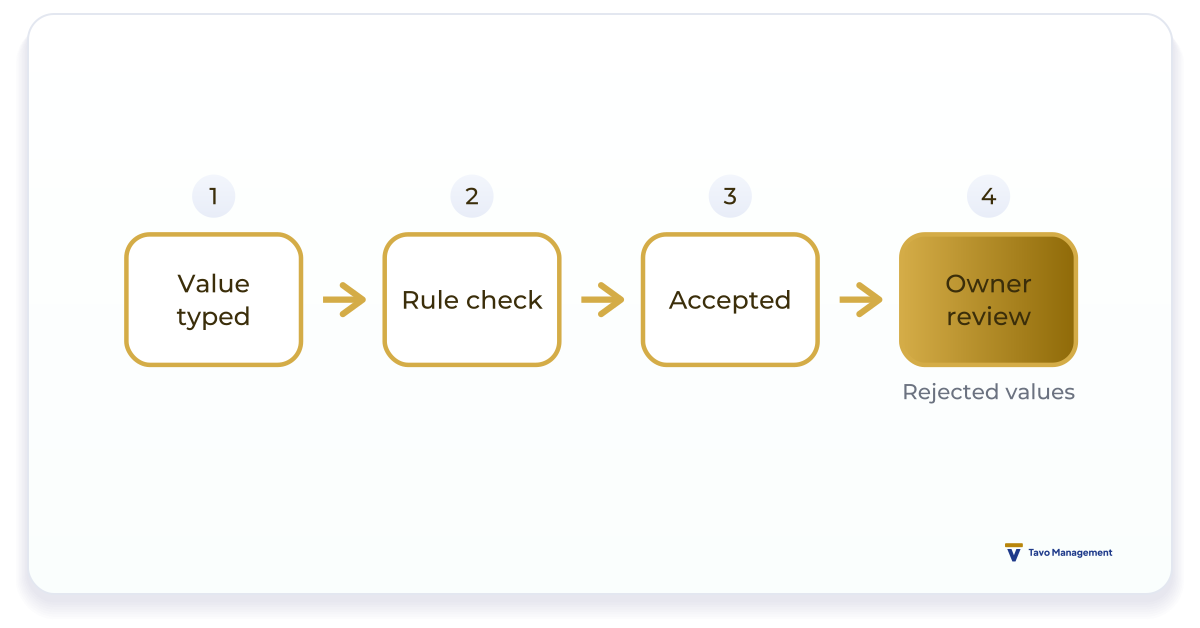
Fixing a record after it has spread to five systems costs far more than blocking it at entry. A postcode check, a required field or a duplicate warning takes an hour to set up and saves hundreds of corrections. Most CRM and ERP systems already include these settings, and they are often switched off.
Look at your last 50 corrections and ask where each error was created. You will usually find that three or four entry forms cause most of the damage. Start there.
Do This
- Make key fields required and validate formats when someone types
- Use drop-down lists instead of free text for statuses and categories
- Check for existing records before a new one is created
Avoid This
- Cleaning the same errors in a spreadsheet every month
- Relying on training alone to prevent typos
Define Every Shared Term in Writing
Many “data quality” fights are really definition fights. Sales counts a customer at the first quote, finance at the first invoice, and the dashboard shows both. Ten definitions on one page, each with an owner, remove a surprising number of meetings. My data management framework shows where the glossary sits in the wider structure.
Keep the wording plain enough that a new hire can apply it. If a definition needs three exceptions, split it into two named terms.
Do This
- Keep a short glossary: customer, active, revenue, order, project
- Record who approved each definition and when
- Publish it where people build reports
Avoid This
- Letting each department keep its own meaning for the same word
- Burying definitions in a long policy document
Measure Quality With a Few Numbers
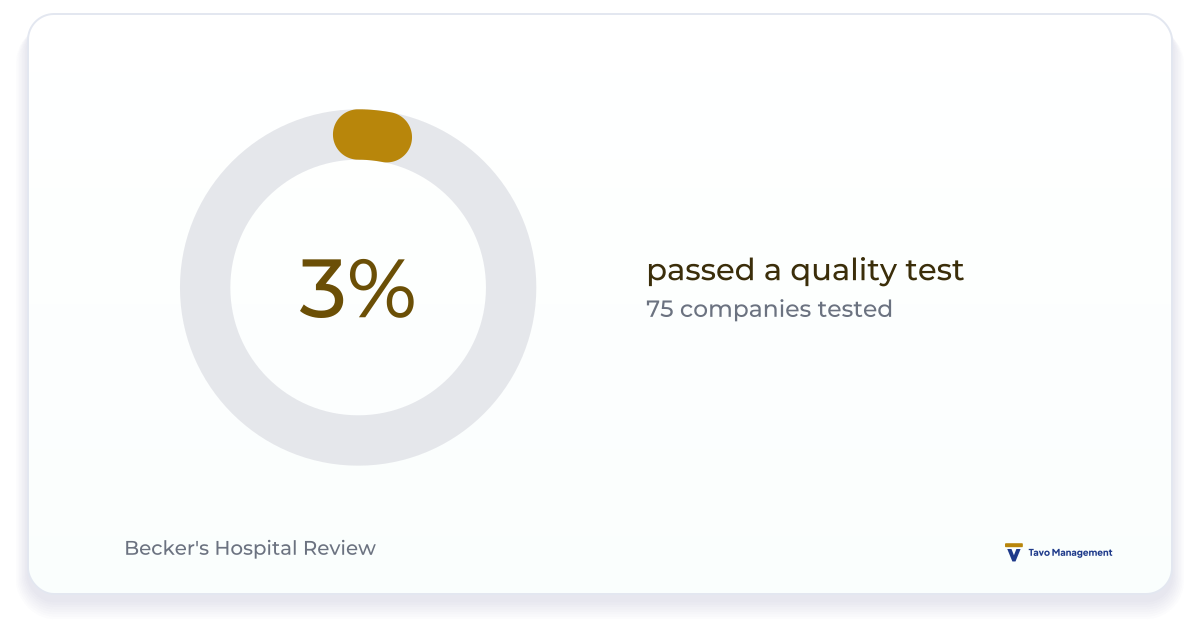
You cannot improve what you do not count. Choose three or four checks per critical data set and report them on one page. A measured baseline matters because most teams guess too high: a widely cited study of 75 companies found that only 3% had data that passed a quality test, according to Becker’s Hospital Review.
Tie each number to a business effect, such as returns caused by wrong addresses. People fix what costs money. The data management strategy guide explains how to set realistic thresholds.
Do This
- Track completeness, validity, uniqueness and timeliness for critical data
- Set a threshold per data set and review it monthly
- Show the trend, not only today’s value
Avoid This
- Chasing 100% on every field
- Measuring dozens of fields nobody uses
Keep One System of Record per Data Set
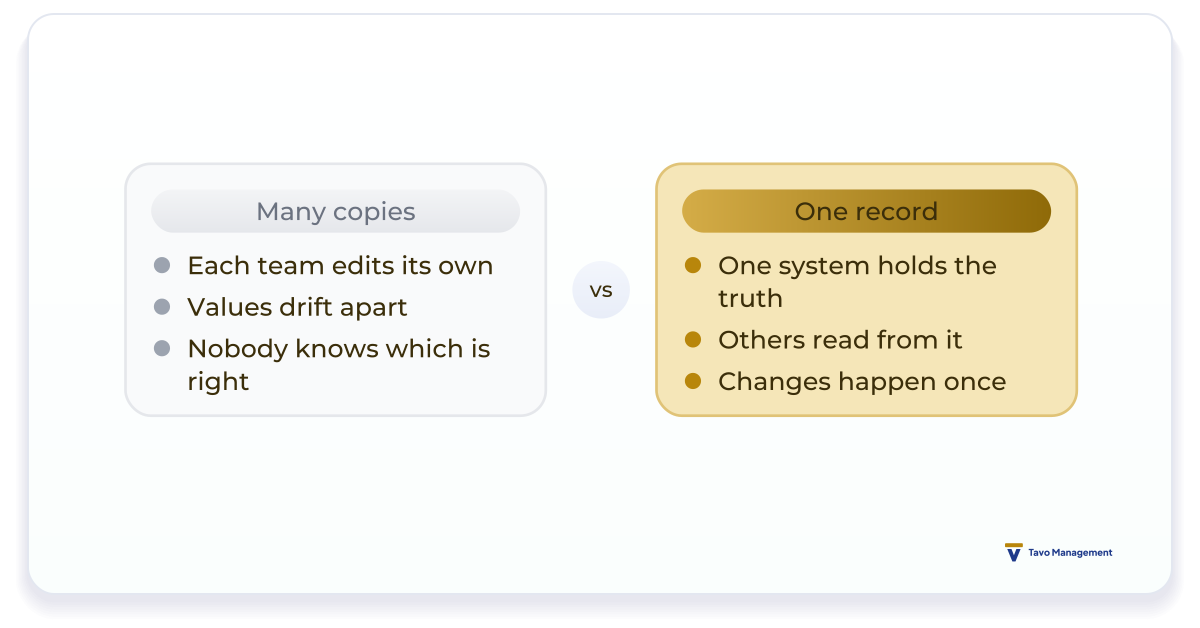
When a customer address can be edited in the CRM, the ERP and a spreadsheet, you will have three addresses. One authoritative system removes the argument. Other systems keep a copy that refreshes automatically, and nobody edits the copy.
You do not need a new platform for this. A rule, a permission setting and a nightly sync cover many cases. If you later add tools, compare options in the ranking of data management software.
Do This
- Decide which system holds the master version of each data set
- Let other systems read or receive updates from it
- Document the rule where people will see it
Avoid This
- Letting two systems edit the same field
- Fixing records in downstream copies
Control Access and Retention in Plain Rules
Most breaches and compliance problems start with data that too many people can reach or that should have been deleted years ago. Rules do not need to be fancy: three access levels, a label for sensitive fields and a retention table covering your main record types.
Retention periods differ by country and record type, so confirm them with a qualified advisor. This article does not give legal advice. What I can say from experience is that a short, enforced rule beats a thorough one that is ignored.
Do This
- Give people the access their role needs and review it twice a year
- Label personal and confidential data so it is easy to spot
- Set retention periods with your legal advisor and delete on schedule
Avoid This
- Granting broad access to save time
- Keeping everything forever because deleting feels risky
Review Data Health on a Fixed Rhythm
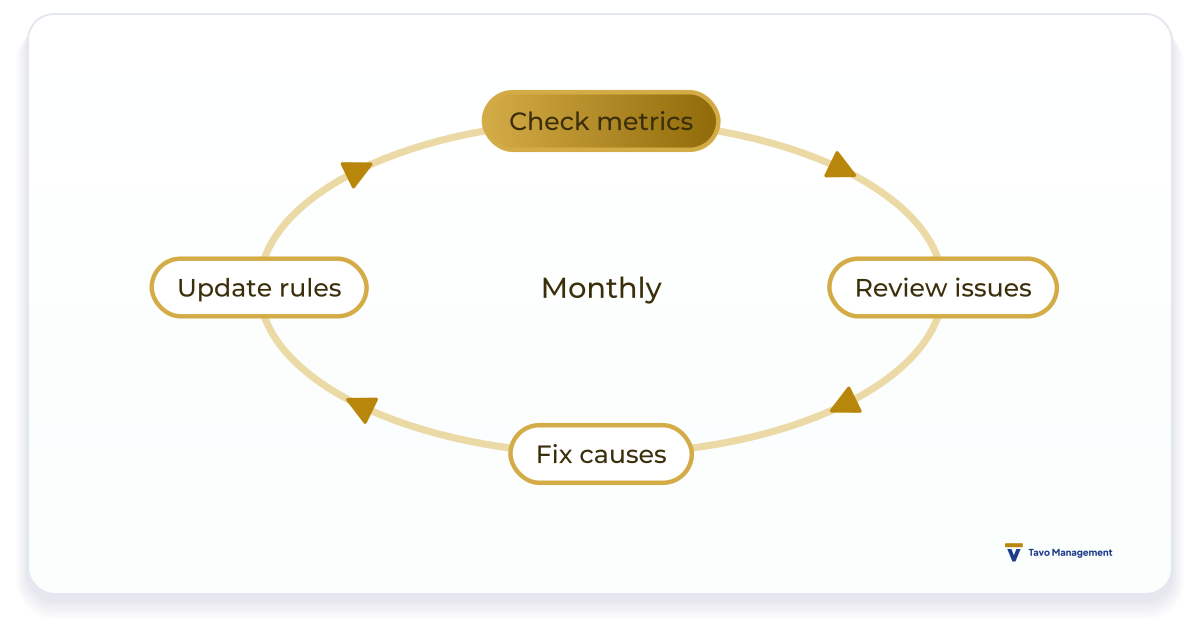
Data decays by itself: people move, suppliers change, products are retired. A monthly review keeps the work small and the owners engaged. I ask for 30 minutes, a one-page report and a single list of actions with names and dates.
Without the rhythm, the cleanup you paid for fades within a year. Before you set the cadence, see how mature programs run in these data management examples, and sequence the rest with the data management roadmap.
Do This
- Hold a 30-minute monthly review with owners and stewards
- Look at the trend, the top three issues and who fixes each
- Retire rules and reports nobody uses
Avoid This
- Treating data management as a one-time cleanup
- Skipping the review when things look fine
How Long the Seven Practices Take to Show Results
Entry checks and definitions usually show effects within four to eight weeks, because they reduce errors and arguments immediately. Quality numbers need two or three months of data before a trend is meaningful. A system of record and access rules take a quarter or more, since they touch several teams and sometimes several tools.
Tell your stakeholders this up front. A sponsor who expects results in week two will lose patience, and a sponsor who knows what to expect each month will keep supporting the work.
Where Software Fits Among the Seven
Software helps with practices 2, 4, 5 and 6 once volumes grow. Entry checks can be enforced by your CRM or ERP, quality numbers by a monitoring tool, the system of record by an integration layer and access rules by your identity platform. Practices 1, 3 and 7 are about people and meetings, and no product replaces them. If you buy a tool without them, it will mirror your confusion faster.
What to Do First, Second and Third
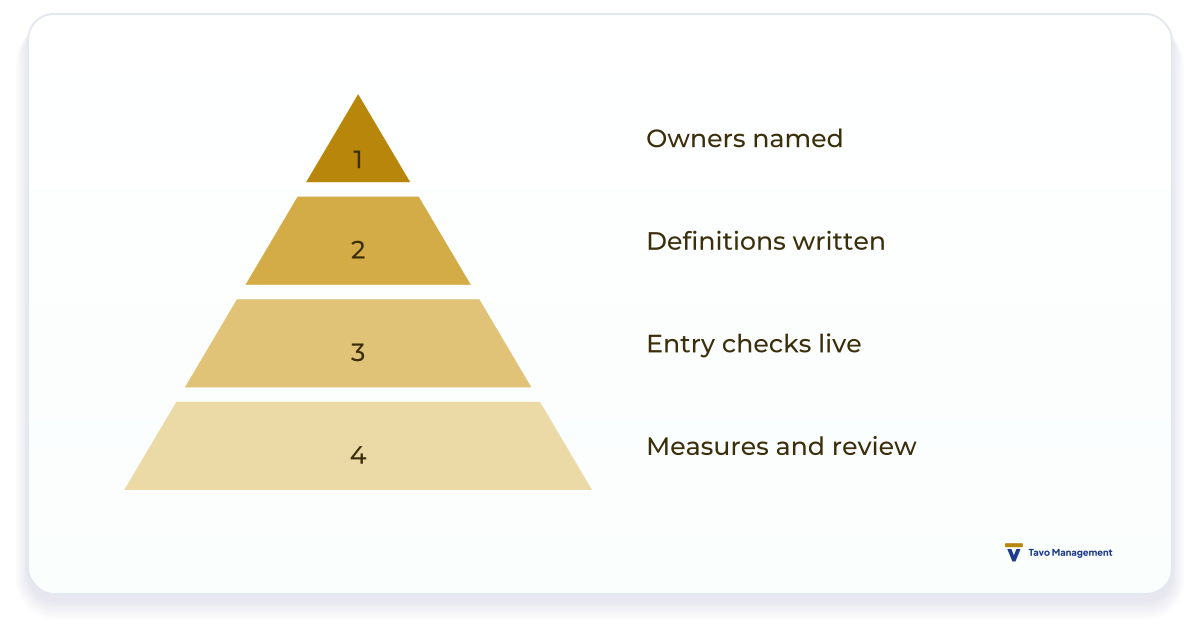
If you can only start three, take owners, entry checks and definitions. They need little money, remove visible pain and prepare the ground for measurement. Add the quality numbers next, then the system of record, then access and retention. Finish by putting the monthly review in everyone’s calendar.
Allow about six weeks for the first four in a mid-sized business, longer if departments disagree on definitions. Disagreement is not a delay. It is the work.
How to Choose Which Practice Fits Your Problem
Match the symptom to the practice. If reports disagree, begin with definitions and a system of record. If the same errors return, begin with entry checks and owners. If an audit is coming, begin with access and retention. If you cleaned data last year and it is messy again, set the monthly review first.
Sources
The 3% quality finding is reported by Becker’s Hospital Review. For the wider vocabulary of data management knowledge areas, see Snowflake’s overview of DAMA-DMBOK.
Questions About Data Management Best Practices
What Are the Most Important Data Management Best Practices?
Name an owner for every critical data set, validate data at entry, write shared definitions, measure quality with a few numbers, keep one system of record, set simple access and retention rules and review data health every month. The first three cost the least and give the fastest visible results.
How Many Data Sets Should I Start With?
Start with three: the ones behind your most expensive errors, often customers, products and suppliers. Fixing three properly teaches your team the routine, and you can extend it to others without redesigning anything.
Do These Practices Work for Small Businesses?
Yes. A ten-person company can name owners, write ten definitions and run a monthly review in a shared document. The practices scale down well because they are habits, not software. Tools become useful later, when volumes make manual checks too slow.
How Do I Get People to Follow the Rules?
Make the right way the easy way. Put checks into the forms they already use, keep rules short and show each team how errors cost them time. Owners need backing from leadership, so a sponsor who asks about data quality in regular meetings helps more than any policy.
How Often Should Data Quality Be Reviewed?
Monthly for critical data sets, with a short report on trends. Review fast-changing data, such as prices or stock, more often through automatic checks. Do a deeper review of owners, access rights and retention rules twice a year.
Do I Need Data Management Software to Follow These Practices?
No. Many of them rely on settings in tools you already own. Software helps when you must scale checks across many systems or need lineage and catalogs. Decide the rules first, then buy the tool that enforces them.
What Is the Biggest Mistake in Data Management?
Treating it as a one-time cleanup. Without owners, entry checks and a regular review, the same errors return within months. The fix is a routine, not a larger project.
General information only: this is not legal, financial or tax advice. Examples and numbers reflect typical projects; check the specifics with your advisers before deciding.
Did you find this helpful?
Thank you for your feedback.
Delaney Brisco
Delaney leads the Tavo editorial team and works with our consultants to turn real client projects into practical guides on project delivery, process design and organizational change. Before joining Tavo, she spent 12 years in operations and program management roles. She has since edited more than 300 articles on management practice and reviewed PMO setups and process redesigns from over 100 client projects. She is based in Minneapolis, Minnesota.