Summary
- Every example started with one painful data set, not a company-wide program.
- Naming a system of record and an owner solved more problems than any software.
- Entry checks and shared definitions give the fastest results, often within weeks.
- Write down a baseline before you start, so you can show what changed.
Data management advice often stays abstract: governance, quality, stewardship. Real projects look more ordinary. A clinic merges duplicate patients, a plant cleans its parts list, a PMO agrees what “on track” means. Those small, concrete changes are what move numbers.
Below are ten examples from healthcare to manufacturing, with the steps behind each. They come from my own client work and common practice, with details changed. If you would like help applying one, data management consulting can start with your highest-cost data set.
Ten Data Management Examples at a Glance
| Example | Sector |
|---|---|
| 1. One Patient Record Across Clinics | Healthcare |
| 2. A Clean Item Master for Parts and Suppliers | Manufacturing |
| 3. A Single Customer Definition for Reporting | Finance |
| 4. Product Data That Matches Across Stores and Online | Retail |
| 5. Guest Data With Consent and Retention Rules | Hospitality |
| 6. One Project Status Source for the PMO | Project Management |
| 7. Property and Tenant Records in One Register | Real Estate |
| 8. Supplier Data With Risk and Certification Status | Supply Chain |
| 9. Entry Checks That Cut Order Errors | Operations |
| 10. A Retention and Access Register for Audits | Compliance |
The sectors differ, but the pattern repeats. Someone names the system of record, an owner approves changes and a simple check stops bad data at entry. For the plan behind these moves, read the data management strategy guide and the data management framework.
10 Data Management Examples You Can Copy
One Patient Record Across Clinics
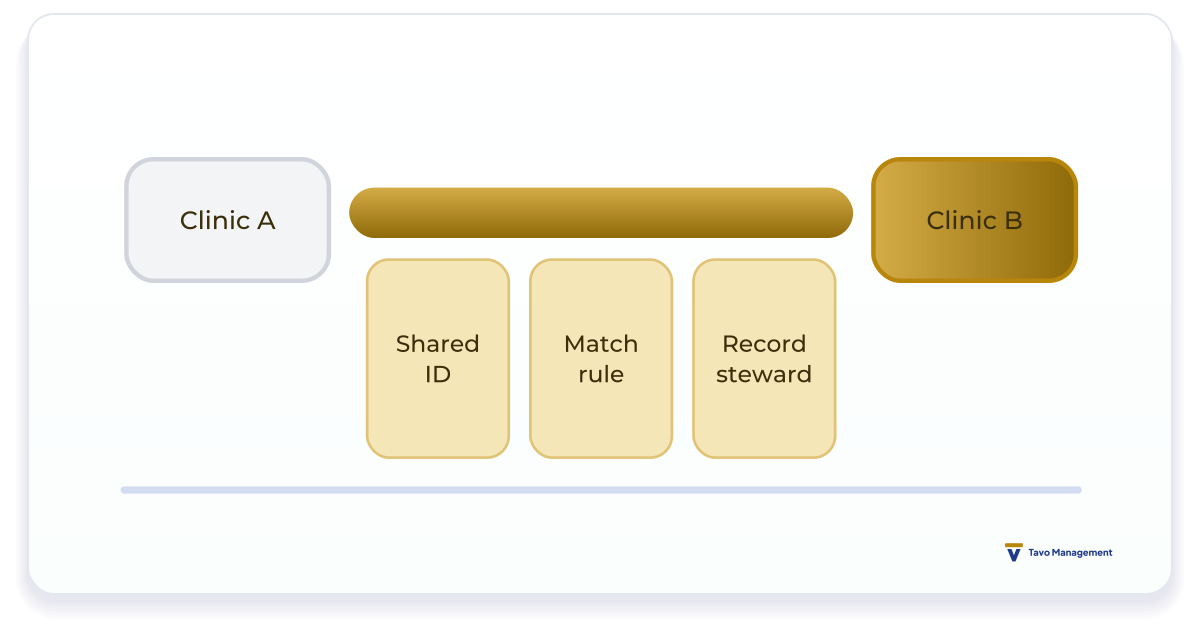
A group practice kept patient details in the scheduling system, the billing tool and a paper intake form. The same patient appeared two or three times, which caused missed reminders and billing disputes. The fix was a master patient record in the scheduling system, with billing and reminders reading from it.
In my client work, duplicate patient records fell by roughly two thirds within a quarter, and front-desk staff stopped retyping addresses. The hard part was not the matching. It was agreeing that the front desk, not billing, owns the demographic fields.
How the work runs
- Pick the system that creates the patient record as the master.
- Run a matching job on name, birth date and contact details.
- Review likely duplicates with a steward before merging.
- Make billing and reminders read the master record.
- Add a duplicate warning to the registration screen.
Tools that help
Most practice management systems include a duplicate finder and a merge function. Check those first, and add a master data tool only when several locations run different systems.
A Clean Item Master for Parts and Suppliers
A plant had the same fastener entered under four part numbers, so purchasing bought it from three suppliers at three prices. A cleanup of the item master, with naming rules and an approval step for new parts, removed duplicates and exposed volume discounts.
The savings came from purchasing, not from IT. Once buyers could see total volume per part, they negotiated better terms. A new-part request form with a duplicate check kept the master clean afterwards.
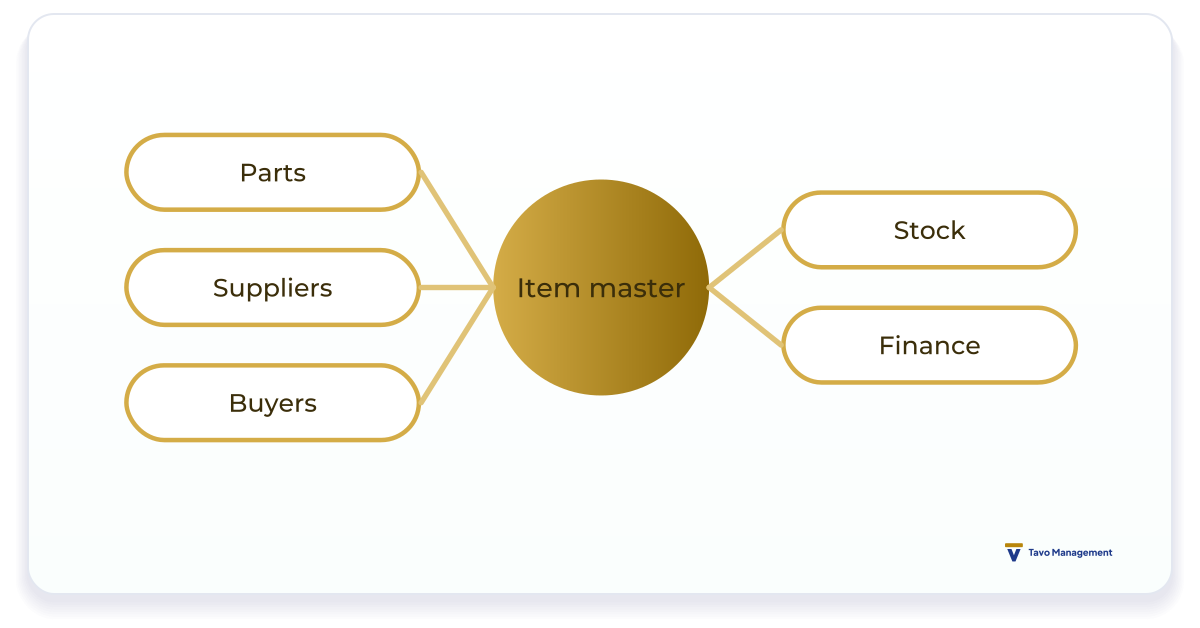
Steps behind the cleanup
- Export the item master with descriptions and supplier links.
- Group items by specification and flag likely duplicates.
- Agree a naming rule for part descriptions.
- Merge duplicates and archive old numbers.
- Require an approval step for new part requests.
What you need to set it up
Your ERP’s item master and a spreadsheet are enough for the cleanup. Product information tools help when you manage thousands of parts across plants.
A Single Customer Definition for Reporting
Sales counted a customer at the first quote, finance at the first invoice, and the leadership dashboard showed both numbers. The council agreed on one definition, wrote it down and rebuilt the reports on it.
Monthly arguments about revenue per customer ended, and report preparation time dropped by about two days. The lesson is that many quality problems are definition problems wearing a disguise.
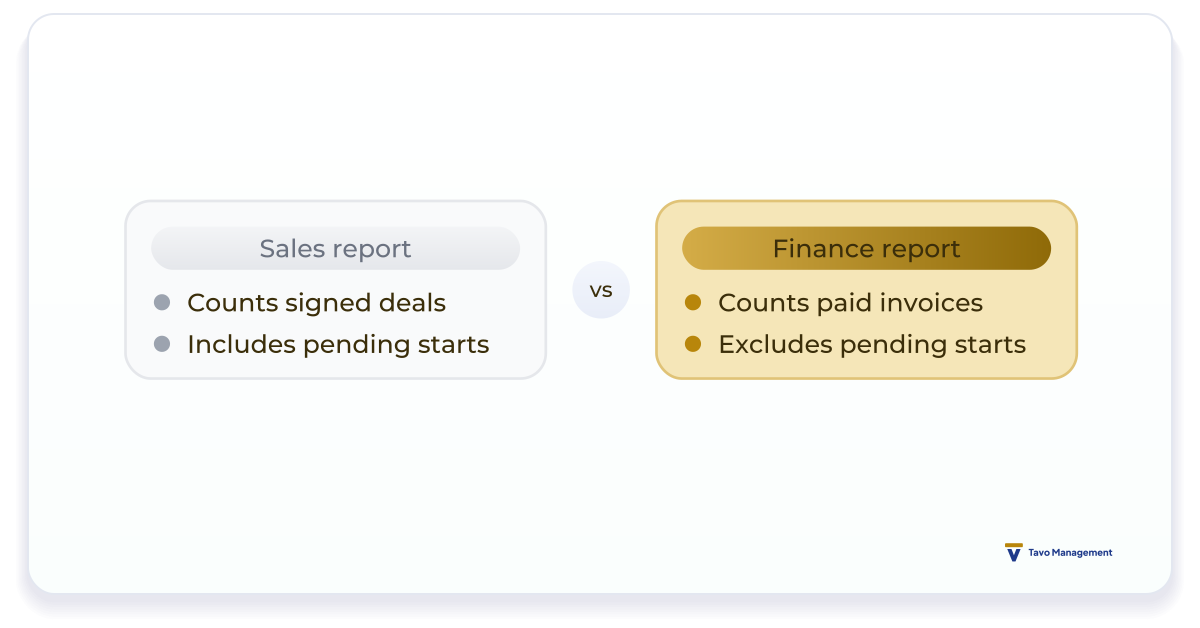
How the definition got settled
- List every report that uses the word customer.
- Collect each department’s current meaning.
- Let the finance owner propose one definition and one exception rule.
- Approve it in the data council and publish it.
- Update the reports and note the change date.
Where the tools come in
A shared glossary page is enough to start. A catalog tool such as Atlan or Collibra can hold the glossary once you have many terms, as covered in the ranking of data management software.
Product Data That Matches Across Stores and Online
A retailer’s web shop, point-of-sale system and stock system each held their own product names and prices. Customers saw a price online that the till did not honor. The team named the stock system as the source for product data and pushed changes out from there.
Price complaints fell and staff stopped fixing the web shop by hand every Monday. A weekly check that compared prices across systems caught drift early.
Steps to keep stores in sync
- Choose the system of record for product and price.
- Map the fields that must match across systems.
- Set up a scheduled sync from the master to the others.
- Disable manual edits in the copies.
- Run a weekly comparison report and fix mismatches.
Tools behind the sync
Many retail systems offer built-in sync or connectors. If yours does not, a low-code integration tool can copy product updates on a schedule.
Guest Data With Consent and Retention Rules
A hotel group stored guest details in the booking system, a marketing tool and spreadsheets from events. Nobody knew which marketing lists were allowed to be used. The group labeled consent status in one place and set a deletion schedule for old records.
Marketing lists got smaller and cleaner, and the team could answer guest data requests in days instead of weeks. Have your legal advisor confirm consent and retention rules for your countries, since they differ.
Steps for consent and retention
- List every place guest data is stored.
- Add a consent status field in the master record.
- Sync the status to the marketing tool.
- Set a retention period for inactive guests with your advisor.
- Delete or anonymize records on schedule.
What to use here
Use the consent features in your booking and email tools. A written retention table, reviewed twice a year, matters more than extra software.
One Project Status Source for the PMO
Project status lived in five spreadsheets and a shared inbox. Managers spent Mondays collecting numbers, and leadership saw two versions of the same project. A PMO moved status fields into one tool and defined what each status meant.
The weekly report became a live view, and the argument about what “on track” means ended once the definition was written. Owners of each project took responsibility for their own entries.
How the move happened
- Define the five to seven fields every project must report.
- Write a clear rule for each status color.
- Move data entry into one tool.
- Turn off the old spreadsheets.
- Review data completeness in the weekly PMO meeting.
Which tool to pick
Any project platform with custom fields and dashboards works. Pick the one your teams already use to keep adoption high.
Property and Tenant Records in One Register
A property manager tracked units in a spreadsheet, leases in a document folder and maintenance in an email thread. Rent reviews were missed because lease dates lived in the folder. A single property register linked units, leases and requests.
Renewal dates became visible, and a small team stopped missing notice periods. The register also made year-end reporting faster because every unit had one record.
Steps to build the register
- Create a unit register with a unique ID per unit.
- Link each lease to the unit ID and record key dates.
- Log maintenance requests against the same ID.
- Set reminders for notice periods and renewals.
- Review the register monthly with the property lead.
Tools for the register
A property management system fits best. A well-structured spreadsheet or database works for a small portfolio.
Supplier Data With Risk and Certification Status
A distributor held supplier addresses in one tool and certificates in another. When a certificate expired, nobody noticed until a customer audit. Adding expiry dates to the supplier master and a monthly expiry report fixed the gap.
The distributor started seeing expiry warnings 60 days ahead, and purchasing used the same register to flag suppliers with repeated late deliveries.
What the setup looked like
- Add certificate type and expiry date to the supplier record.
- Assign a steward in purchasing to keep it current.
- Set an automatic reminder 60 days before expiry.
- Block new orders from suppliers with expired required certificates.
- Report open expiries monthly.
Where this lives in your stack
Most ERP systems can hold these fields. A reminder rule in the ERP or in a task tool is enough.
Entry Checks That Cut Order Errors
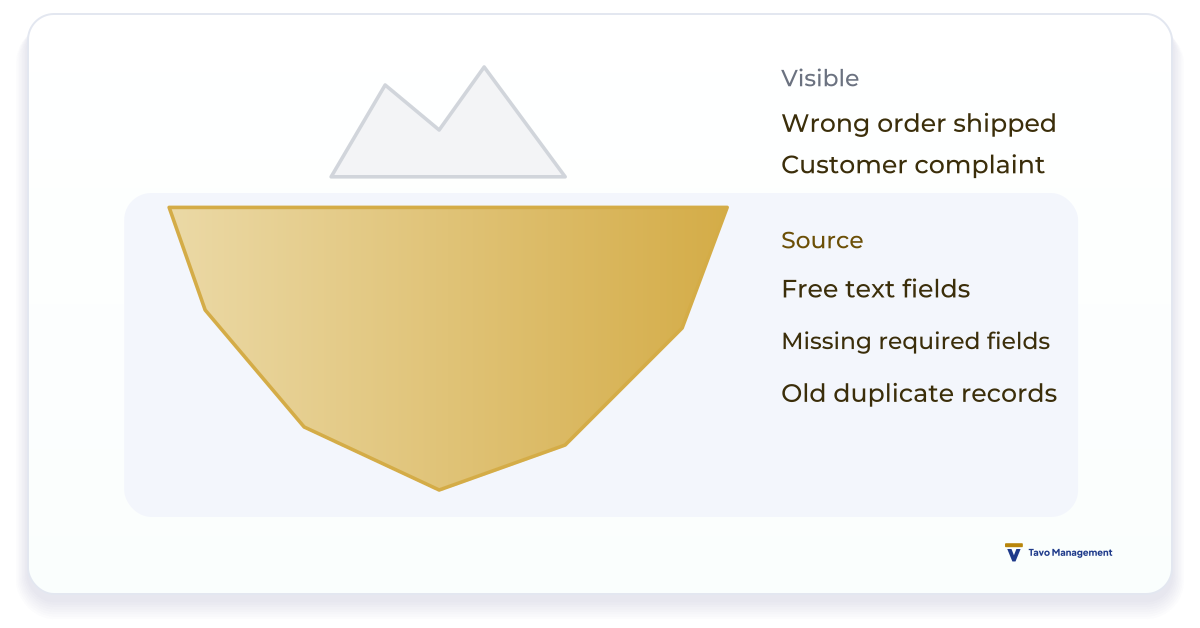
A service business had a high rate of order corrections because staff typed addresses, product codes and quantities freely. Dropdowns, required fields and address validation at entry reduced the corrections noticeably.
In my client work, order corrections dropped by roughly a third within two months, and no new software was needed. The settings already existed in the order system.
Steps to cut the errors
- List the ten most common correction reasons.
- Match each to the entry field where it starts.
- Add required fields, dropdowns and format checks.
- Test with two or three users for a week.
- Track correction counts weekly and adjust.
Settings to check first
Use built-in validation rules in your order or CRM system first. Address validation services help with postal data.
A Retention and Access Register for Audits
A company faced an audit and could not say who had access to payroll data or how long it kept old files. A short register listed each data class, its owner, who had access and its retention period, and a twice-yearly review kept it current.
The audit was calmer, and the company deleted years of unneeded files. For the legal side, see compliance management consulting and confirm periods with your advisor.
How the register gets built
- List data classes such as payroll, customer, contracts and health data.
- Assign an owner to each class.
- Record who has access, by role.
- Set retention periods with your advisor.
- Review access and deletions twice a year.
Tools for the register
A spreadsheet works for the register. Your identity and file systems enforce the rules, and platforms like Microsoft Purview can label and scan data in a Microsoft environment.
What the Ten Examples Have in Common
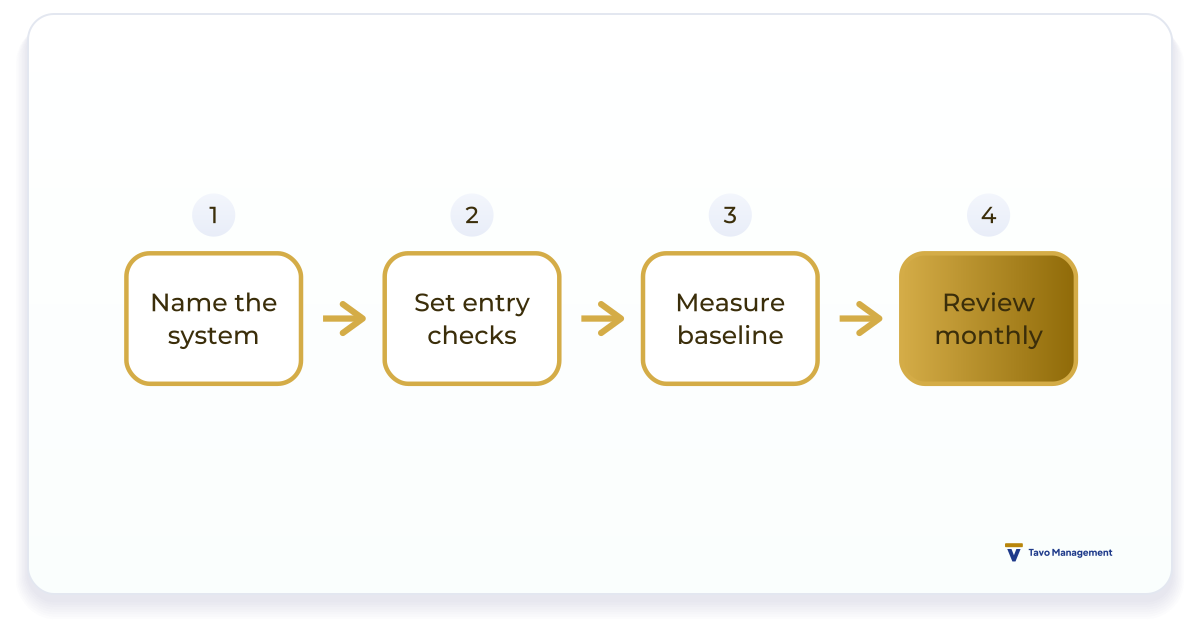
Look at the steps again and you will see the same moves. First, one system is named as the master. Second, a person owns the data set and approves changes. Third, a check blocks bad data early. Fourth, a monthly report shows the trend. None of the examples needed a large platform, and several used settings that were already in the systems.
Where tools did matter, they scaled something that already worked by hand. That is the order I recommend: prove the routine in a spreadsheet or a single system, then consider software. My ranking of data management software helps once you reach that point, and the data management best practices cover the habits behind each example.
How to Choose Which Example to Copy First
Match the example to the cost you feel today. If duplicates cause missed contacts or double payments, copy examples 1 or 2. If reports disagree, copy example 3. If order or invoice errors are the pain, try example 9. If an audit is coming, start with example 10. When you know the first move, the data management roadmap sequences what follows.
Write down the baseline before you begin: error rate, hours of rework or days to close the month. Without it you will not be able to say what moved.
Questions About Data Management Examples
What Is an Example of Data Management?
Merging duplicate customer records into one master record and making every system read from it is a typical example. It includes naming an owner, defining the matching rules and adding a duplicate check at entry so the problem does not return.
What Are the Main Types of Data Management?
Common areas are governance, quality, master and reference data, integration, security and retention, and metadata. In practice, businesses start with whichever area causes visible errors, usually quality and master data, and add the others as the program matures.
Which Example Gives the Fastest Result?
Entry checks and shared definitions are usually fastest. They need settings and meetings, not new systems, and they show effects within weeks. Master data projects take longer, often a quarter, but save more over time.
Do These Examples Need Special Software?
Often not. Several of them rely on settings in your ERP, CRM or booking system, a spreadsheet register and clear ownership. Software becomes useful when volumes grow or when many systems must stay in sync.
How Do I Measure Whether an Example Worked?
Record a baseline before the change: duplicate rate, error count, hours of rework or days to produce a report. Measure the same numbers monthly. A change you cannot measure is hard to defend when budgets are reviewed.
Can Small Businesses Use These Examples?
Yes. A small firm can run the same routines with a spreadsheet register and a monthly review. The steps stay the same, and the scale just makes tools optional.
Who Should Lead a Data Management Project?
A business owner should lead, supported by IT. The person who feels the cost of bad data usually has the best motivation, and the authority to settle definitions. A consultant can run the workshops and keep the project moving.
General information only: this is not legal, financial or tax advice. Examples and numbers reflect typical projects; check the specifics with your advisers before deciding.
Did you find this helpful?
Thank you for your feedback.
Delaney Brisco
Delaney leads the Tavo editorial team and works with our consultants to turn real client projects into practical guides on project delivery, process design and organizational change. Before joining Tavo, she spent 12 years in operations and program management roles. She has since edited more than 300 articles on management practice and reviewed PMO setups and process redesigns from over 100 client projects. She is based in Minneapolis, Minnesota.